Greetings! My 3-projector Setup with Warpalizer edge blend

Want to introduce yourself? This is the place.
Yeek
Posts: 16
Joined: 20 Oct 2010, 16:06

Greetings! My 3-projector Setup with Warpalizer edge blend

Post by Yeek »

Hi everyone,

I've been lurking in this forum for a long while while I slowly build up my wide screen gaming rig.

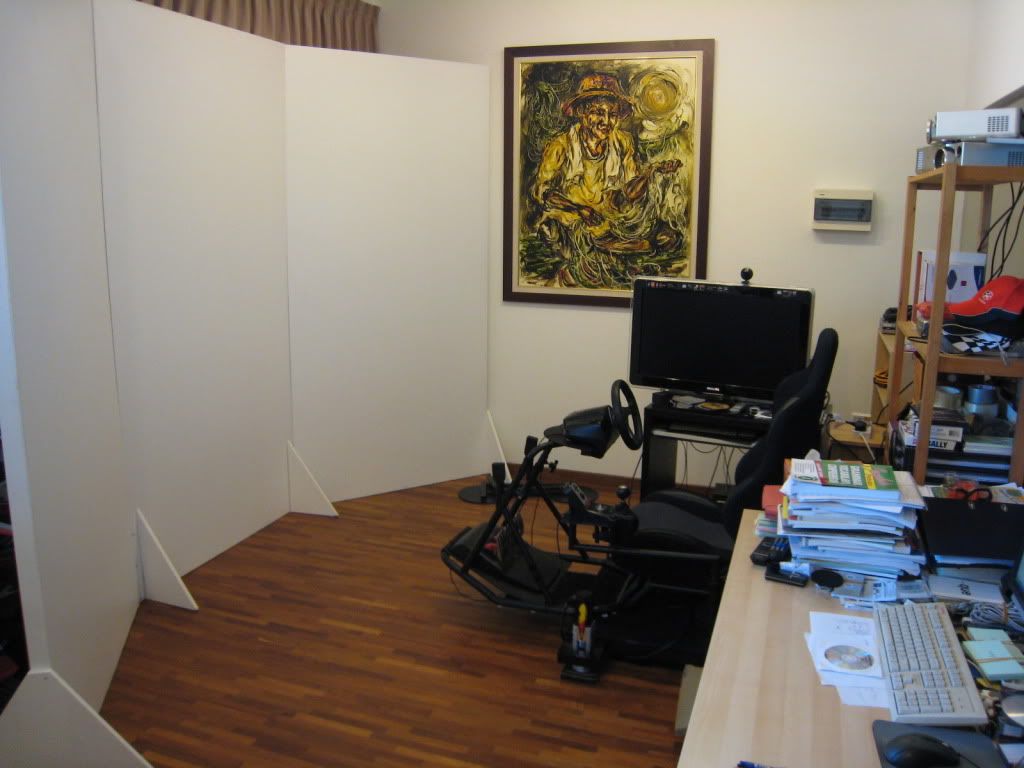
I started with a 2-projector setup shooting the images at 3 screens.

My 2-projector setup looked like this:


Video is here:

http://www.youtube.com/watch?v=U-PCeG9KUyQ&playnext=1&videos=TjcgAegyfnA&feature=mfu_in_order

The seam right in the middle where the 2 projected images meet was rather irritating so I went on to a 3-projector setup in the hope that 1 image to 1 screen will improve the experience:
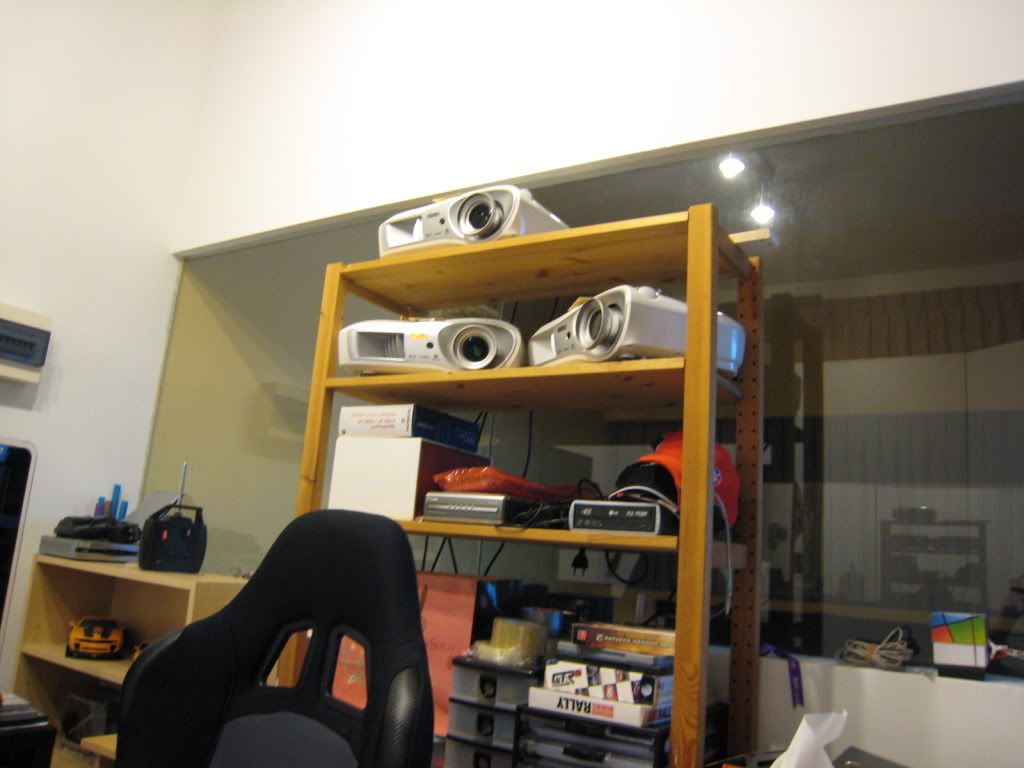
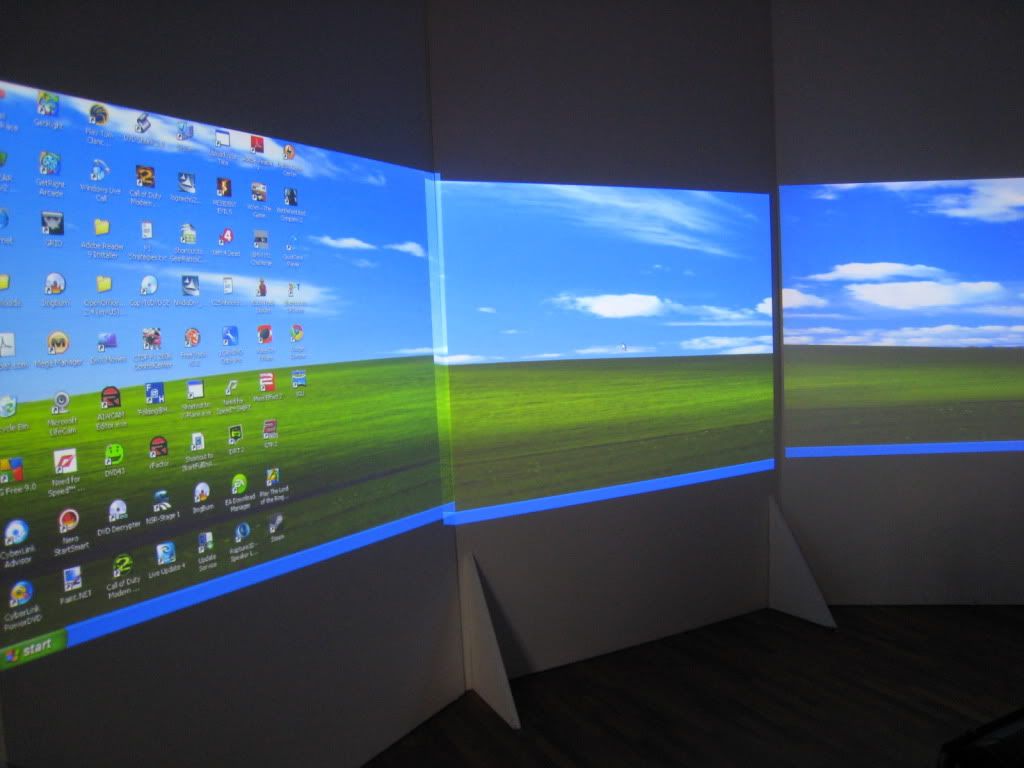


3-projector videos are here:

http://www.youtube.com/watch?v=a2y0HWkfs7w&playnext=1&videos=4RRIb294SgA&feature=mfu_in_order

http://www.youtube.com/watch?v=DR_0ou2kAtI&playnext=1&videos=oiVTWXdj9FA&feature=mfu_in_order

http://www.youtube.com/watch?v=lh3GCxjB23A&playnext=1&videos=p3OK88M9O4s&feature=mfu_in_order

As you can see, my screens are 3 upright wooden planks, not the ideal screen as the joints between planks leave lines on my image.

I am currently building a smooth curved screen by bending thin plywood, I hope to put up photos of it as soon as I finish building it. The next stage will be to use an edge-blending software to blend the edges of the 3 projected images so that it is one continuous seamless image.....I believe I have found a very good one. Stay tuned for more photos.

I am presently running an ATI 5850 and Matrox TripleHead2Go to split the 3 screens to 3 projectors. The movements you see in the driving games are sychronized to the games and generated by D-Box 3 axis actuators. My screen is about 3 metres wide and I am seated 2.8 metres away. My resolution unfortunately is limited by the projectors, running at 3072 x 768.

Stay tuned for more photos!

Yeek

User avatar
suiken_2mieu
Insiders
Insiders
Posts: 2351
Joined: 20 Aug 2009, 04:20
Location: Virginia
Contact:

Re: Greetings

Post by suiken_2mieu »

This is the best hello I've ever seen. Nice setup mate.
System Core: | Intel Core i5-2500K + ASUS P8Z68-V + 16GB Corsair XMS3 DDR3 1333 MHz | Win7 x64 | MSI R7970 Lightning 3GB [1105/1400] |
Display: | 3 x Dell Ultrasharp 3007WFP-HC @ 7680x1600 | Dell u3011 |
User avatar
Slinky
Insiders
Insiders
Posts: 354
Joined: 26 Jan 2010, 01:51

Re: Greetings

Post by Slinky »

Awesome setup. It should be very nice with the curved panel. Its a shame those projectors have such a low resolution though.
Yeek
Posts: 16
Joined: 20 Oct 2010, 16:06

Re: Greetings

Post by Yeek »

Awesome setup. It should be very nice with the curved panel. Its a shame those projectors have such a low resolution though.


I'm building my curved screen now with thin plywood....taking longer than I thought....it is one heck of a difficult task trying to join 2 plywood pieces together without them breaking apart when bent!

Will upload photos when I gain some progress.

Cheers!
Yeek
Posts: 16
Joined: 20 Oct 2010, 16:06

Re: Greetings

Post by Yeek »

This is the best hello I've ever seen. Nice setup mate.


Thanks mate!

Looking forward to having a nice curved screen......
Gimpylung
Posts: 126
Joined: 21 Apr 2010, 12:09

Re: Greetings! This is my 3-projector Setup soon with edge blend

Post by Gimpylung »

I like the way it completely blocks the window behind it, screw the window I say :D

Whats your audio setup like, its begging for some epic surround sound too.

Very jealous.
User avatar
thales100
Editors
Editors
Posts: 1898
Joined: 06 Nov 2008, 01:08

Re: Greetings

Post by thales100 »

This is the best hello I've ever seen.


By far ... :rockout
Yeek
Posts: 16
Joined: 20 Oct 2010, 16:06

Re: Greetings

Post by Yeek »

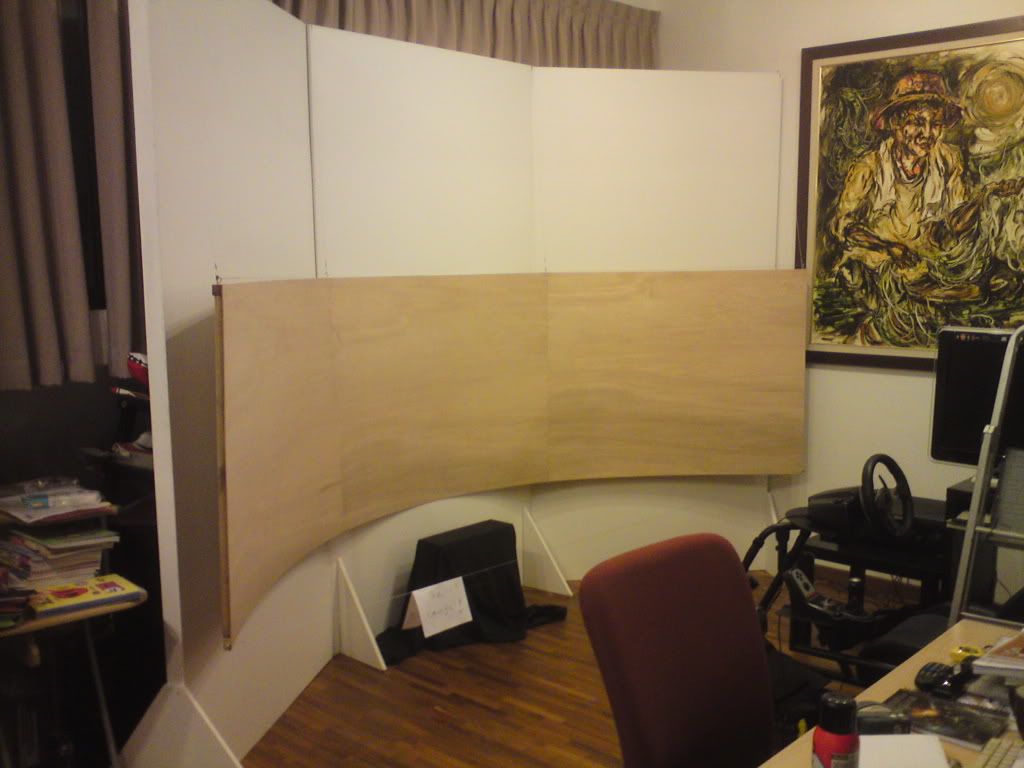
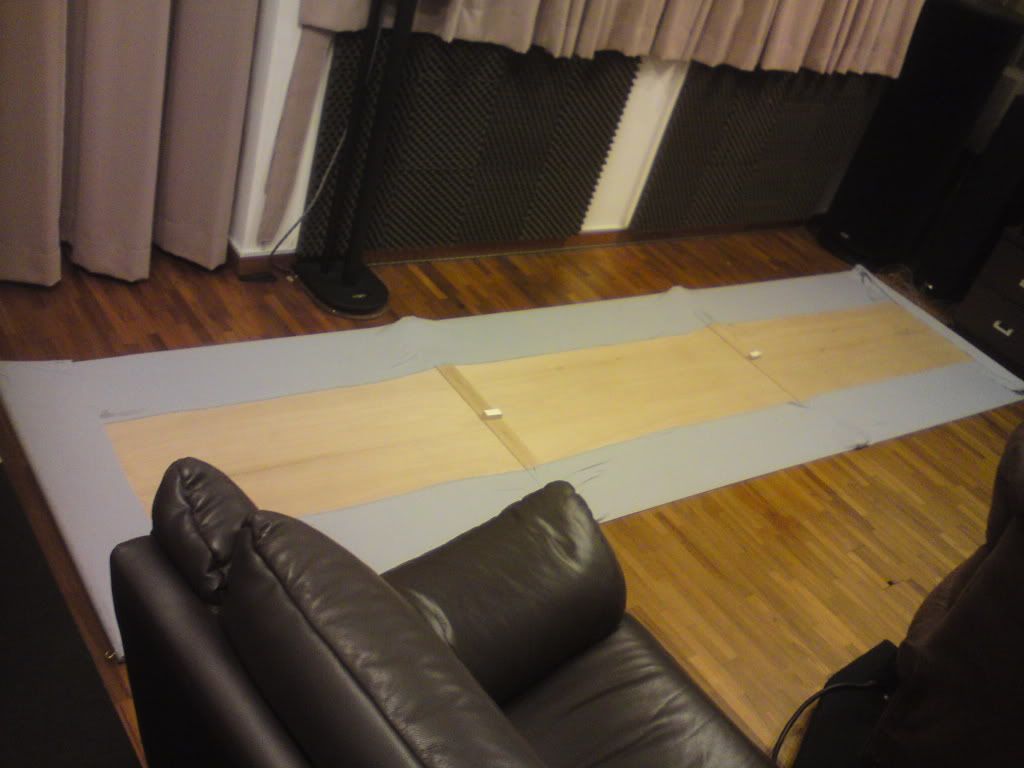
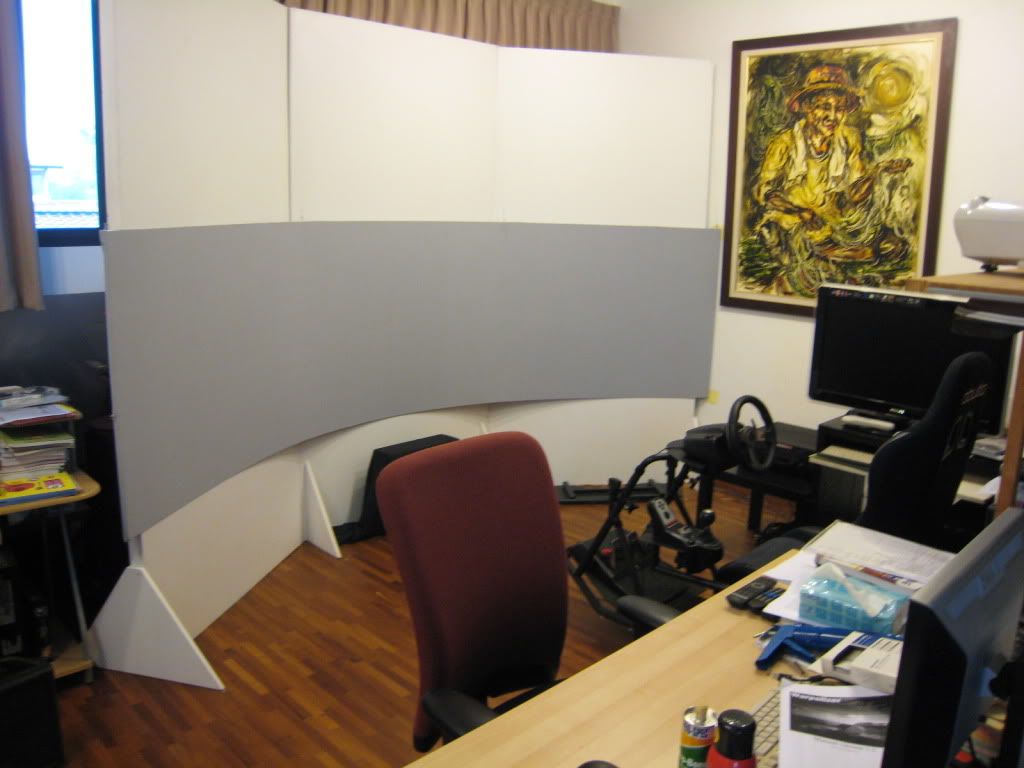
I managed to complete building my curved screen.

The 1st test hanging of the naked curved screen:


The sticking of the cloth onto the plywood:


Here is a completed photo of it:


I sniffed lots of sprayed glue and hurt my fingers numerous times, not to mention my aching back....

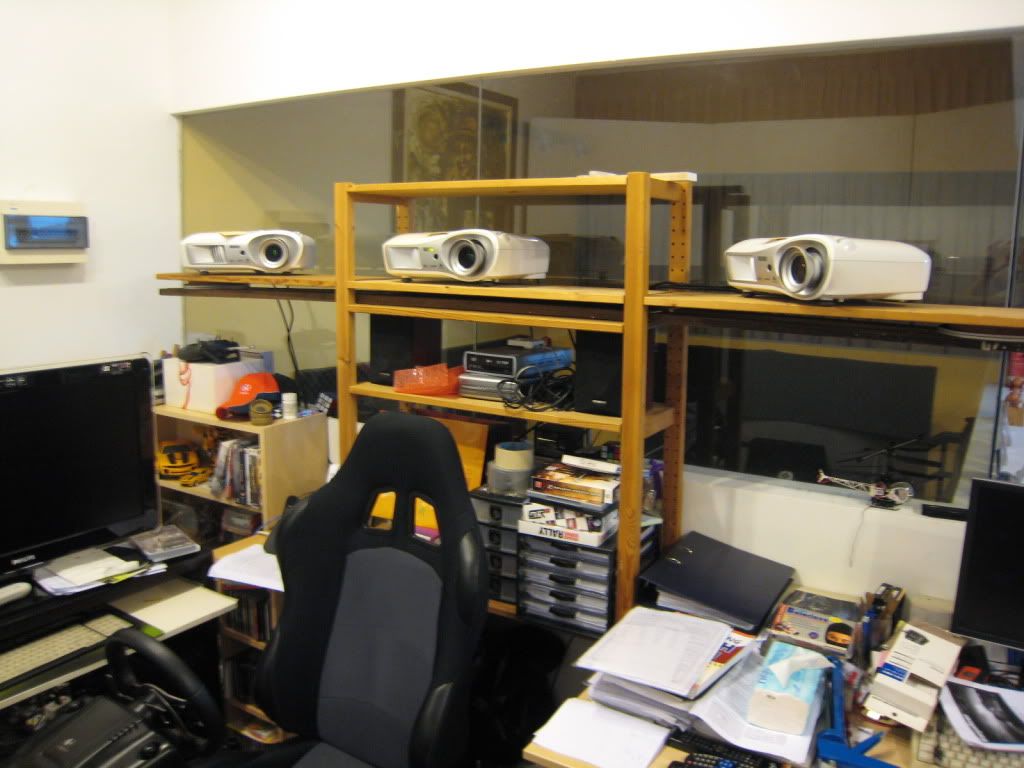
I also spread apart my projectors to get more levelled images:


Sorry for the messy room though....

Most importantly I managed to get my games to go seamless/edgeless with a software called Warpalizer. A kind soul from that company actually posted a video response to my youtube and wallah....it solves my edge blending problems. It costs 150 Euros per channel (3 projector costs 450 euros) and if you quote discount code "002", they will give you a discount of 50 euros. You can check out Warpalizer at http://www.univisual.se/warpalizer/

Here are my in-game videos with F1 2010:

http://www.youtube.com/watch?v=EihNP5KRVQk
http://www.youtube.com/watch?v=iX1OBZ2sz-g

The videos were shot after casual setup of Warpalizer....I have to find a way to soothe out
the slightly brighter bars of the overlapping 3 images....stay tuned!
Yeek
Posts: 16
Joined: 20 Oct 2010, 16:06

Re: Greetings! This is my 3-projector Setup soon with edge blend

Post by Yeek »

I like the way it completely blocks the window behind it, screw the window I say :D

Whats your audio setup like, its begging for some epic surround sound too.

Very jealous.


Hahaha! Yup the window is something I have to sacrifice in the name of Wide Screen Gaming :)

For audio, I have an old 5.1 Audio Video Receiver (with a broken subwoofer-out unfortunately, so technically I'm running only 5.0 audio channels); 1 front left, 1 front right, 1 front centre, 2 rear surround speakers. The front left/right speakers are actually hidden behind the tall white wood planks....not ideal but I ran out of space. The front middle speaker is the ugly black thing in front of the screen....
Yeek
Posts: 16
Joined: 20 Oct 2010, 16:06

Re: Greetings! This is my 3-projector Setup soon with edge blend

Post by Yeek »

A point to note about the use of grey screen material instead of white. Grey actually enhances the black contrast of the projected images. But this comes at a cost of lowering the overall brightness of the image. If the projectors have low lumens, everything becomes too dark....I may have to increase the gamma value on my graphic card man.....
User avatar
Delphium
Administrators
Administrators
Posts: 1789
Joined: 27 Dec 2009, 14:27

Re: Greetings! This is my 3-projector Setup soon with edge blend

Post by Delphium »

:welcome Nice setup :D
| Gigabyte X79S-UP5-WiFi Skt2011 | i7 4820k @4.4GHz Watercooled (Ivy Bridge-E) | Corsair Vengence 32GB @2133MHz 11-11-11-27 2T Quad-Channel (8x4GB) | AMD R9-Fury-X 4GB @1140/505MHz + EKWB Watercooled | 256GB Crucial MX200 SSD | 8x 1TB Samsung F3 SATA-II | Corsair 850W TX PSU | 3x Dell S2209W 22"wide TFT's (5760x1080res) | Logitech Z-5400 5.1ch speakers | Win7 Ultimate x64 |
User avatar
Paradigm Shifter
Editors
Editors
Posts: 5706
Joined: 14 Oct 2003, 13:52

Re: Greetings! This is my 3-projector Setup soon with edge blend

Post by Paradigm Shifter »

Amazing work.

Man I wish I had enough space to do something like that... :mrgreen:
User avatar
thales100
Editors
Editors
Posts: 1898
Joined: 06 Nov 2008, 01:08

Re: Greetings! This is my 3-projector Setup soon with edge blend

Post by thales100 »

I wish I had enough $pace to do something like that...


Ah well, me too ... :lol:
User avatar
Paradigm Shifter
Editors
Editors
Posts: 5706
Joined: 14 Oct 2003, 13:52

Re: Greetings! This is my 3-projector Setup soon with edge blend

Post by Paradigm Shifter »

[quote]I wish I had enough $pace to do something like that...


Ah well, me too ... :lol:
I'm sure I could find the cash to do it over time (not get top-end projectors, stuff like that) but I literally don't have the space for a triple projector setup. I pushed it with a 'normal' Surround monitor setup. ;)
User avatar
Abram
Insiders
Insiders
Posts: 1993
Joined: 21 Mar 2006, 05:01

Re: Greetings! This is my 3-projector Setup soon with edge blend

Post by Abram »

Looks nice. Surprisingly compact.
Yeek
Posts: 16
Joined: 20 Oct 2010, 16:06

Re: Greetings! This is my 3-projector Setup soon with edge blend

Post by Yeek »

[quote][quote]I wish I had enough $pace to do something like that...


Ah well, me too ... :lol:
I'm sure I could find the cash to do it over time (not get top-end projectors, stuff like that) but I literally don't have the space for a triple projector setup. I pushed it with a 'normal' Surround monitor setup. ;)

You can actually scale down the whole thing. By moving the screen nearer to the seat, you can shrink the width and height tremendously without compromising on the wide view angle...have a look at this:

http://www.youtube.com/watch?v=b-0xIl41z04

The above setup took just the table top of a decent sized work table. Edgeblending could become more critical as you can see the pixels more clearly.
Yeek
Posts: 16
Joined: 20 Oct 2010, 16:06

Re: Greetings! This is my 3-projector Setup soon with edge blend

Post by Yeek »

Someone actually thought that I used a headtracker in my setup.

Here's a brighter video with some background lights to show that relative position of the screen and the surrounding.

http://www.youtube.com/watch?v=q4Yq_6NoNZQ
Yeek
Posts: 16
Joined: 20 Oct 2010, 16:06

Re: Greetings! My 3-projector Setup with Warpalizer edge blend

Post by Yeek »

Here are some new videos I uploaded that show the whole rig relative to my curved screen (albeit a little dark) and the edgeblending ability that is critical to my requirement of seamless gaming:

http://www.youtube.com/watch?v=gGajnx3UraU

http://www.youtube.com/watch?v=W-ukYHRZxdw

I have to add, this software works with DirectX applications like my games. It doesn't work on the Windows Desktop....hopefully one day they will come up with a version that works on everything in Windows....
Silastar
Posts: 18
Joined: 27 Oct 2010, 12:48

Re: Greetings! My 3-projector Setup with Warpalizer edge blend

Post by Silastar »

Holy Molly :shock:

That's a sweet setup you got there man! Gratz
Yeek
Posts: 16
Joined: 20 Oct 2010, 16:06

Re: Greetings! My 3-projector Setup with Warpalizer edge blend

Post by Yeek »

Holy Molly :shock:

That's a sweet setup you got there man! Gratz


Thanks mate,

I'm still finding ways to improve on it :)
Post Reply

Who is online

Users browsing this forum: No registered users and 1 guest