| Widescreen Gaming Forum https://www.wsgf.org/phpBB3/ |
|
| Guild Wars 2 https://www.wsgf.org/phpBB3/viewtopic.php?f=61&t=26176 |
Page 1 of 3 |
| Author: | skipclarke [ 03 Sep 2011, 07:00 ] |
| Post subject: | Guild Wars 2 |
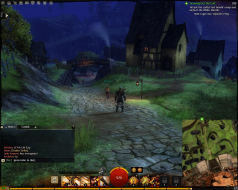
![]() Widescreen Grade: A Multi-monitor Grade: B Read Full Detailed Report - Guild Wars 2 Guild Wars 2 is a massively multiplayer online role-playing game in development by ArenaNet. Set in the fantasy world of Tyria, the game follows the re-emergence of Destiny's Edge, a disbanded guild dedicated to fighting the Elder Dragons, a Lovecraftian species that has seized control of Tyria in the time since the original Guild Wars. The game takes place in a persistent world with a story that progresses in instanced environments. ![]() ![]() ![]() ![]() |
|
| Author: | Mixelplix [ 28 Apr 2012, 04:37 ] |
| Post subject: | I have not posted in a bit, |
I have not posted in a bit, but I am still out here gaming (when I can) on three 21.5" monitors using Eyefinity. I wanted to update the Guild Wars 2 thread since it seems from searching that very little info is out there for widescreen MMO gamers concerning GW2. Anyway, as is noted, the native resolutions of most any widescreen gamer are automatically supported by GW2. The problem (at least in my eyes) is that the UI is not customizable as of the open beta "weekend" event 4/27/12. The consensus I have seen on various forums is that the current incarnation of the UI is most likely the final UI design. This is a major drawback to GW2 from a widescreen gamers pov. I know I cannot play a game that "while centered" has a myriad of peripheral UI information (minimaps,quest trackers, compass etc etc ) that is placed at the far right/left of the side monitors. Most probably find that pretty much unusable due to the constant having to turn your head to see thing. I am hoping someone might have a workaround that could free up the UI for customization or work like widescreenfixer did for SWTOR before patch 1.2. Any info would be much appreciated! |
|
| Author: | garrun [ 17 Aug 2012, 20:48 ] |
| Post subject: | updates? |
Anyone use more recent betas and know if they've allowed centering of UI elements? |
|
| Author: | Zeyhn [ 24 Aug 2012, 16:31 ] |
| Post subject: | I played the latest stress |
I played the latest stress test and everything was centered except the chat. However the game was very unstable at 5760x1080 resolution, I kept getting a bug that zoomed in everything if i moved, similar to when you move your back close to a wall in some games, so it would bounce between zoomed in and out making it nearly unplayable. On top of that my gfx driver crashed twice. So I had to go back to 1 screen for this game. |
|
| Author: | aolsen [ 25 Aug 2012, 20:33 ] |
| Post subject: | So got the retail today, and |
So got the retail today, and cutscenes are messed up. Also, can't seem to find a way to move my UI to middle screen (like minimap, party frames, etc.) ui screenshot cutscene screenshot |
|
| Author: | Toothless Spoon [ 26 Aug 2012, 07:54 ] |
| Post subject: | Zeyhn wrote:I played the |
I played the latest stress test and everything was centered except the chat. However the game was very unstable at 5760x1080 resolution, I kept getting a bug that zoomed in everything if i moved, similar to when you move your back close to a wall in some games, so it would bounce between zoomed in and out making it nearly unplayable. On top of that my gfx driver crashed twice. I'm playing now and I get this in the full release. I never had this drama all through beta and even the last 4hr stress test it was working flawlessly. I don't know what they've done! Hope its fixed soon. |
|
| Author: | Thebutcher [ 27 Aug 2012, 22:20 ] |
| Post subject: | OK, if you already know, |
OK, if you already know, cool, but just in case.... I just got this to work today!! In order to get softTH working in Guild wars 2, it requires a hand hold. I am usingthe exact same version and config file I use for L4D2, and CS:GO, and TF2. What I found is that when I have the config and dll file in the Guild wars 2 directory, the game would not get past the initial splash screen where it downloads updates. So, I pulled the files, let the update splash screen load, then when the "play" button is showing, I pasted the config and dll file into the directory, and then hit play. And it works! |
|
| Author: | TestieSalmon [ 28 Aug 2012, 05:39 ] |
| Post subject: | As far as the zooming in is |
As far as the zooming in is concerned, the problem as I see it is that the game does not allow objects to get between the player and camera. Instead of an object which falls between the camera and player becoming transparent, the camera zooms into the player. This causes problems on multi-monitor high resolution configs which have a wide viewing angle, as there are multiple areas in the game which causes repeated zooming. Tight, enclosed areas are particularly problematic. Im using a Radeon 7970 with latest drivers running at 7680x1600. I have also posted this on GuildWars2Guru, and raised an issue with AN's tech support. |
|
| Author: | kaburan [ 28 Aug 2012, 18:00 ] |
| Post subject: | As mentioned previously, |
As mentioned previously, running triple screen 5760x1080 on dual Nvidia 560ti UI Elements - Cannot move chat window or minimap (they are vertical snap positions only) Camera issues - Particularly when camera clips on objects or player enters internal structures, camera becomes detached and nearly impossible to view or control player Cutscene Stretch - All cutscenes characters are stretched These are three major issues i've seen thus far on triple screen but other than that, outdoors the game is gorgeous. |
|
| Author: | skipclarke [ 29 Aug 2012, 00:11 ] |
| Post subject: | HaYDeN has a beta version of |
HaYDeN has a beta version of a plug-in for Flawless Widescreen. It centers the UI elements and fixes the camera "rubber banding". Works great. Only issue is that the game will crash if you enable centered HUD and have CrossFire running. This is a bug with the AMD driver and display detection when running CrossFire. |
|
| Page 1 of 3 | All times are UTC [ DST ] |
| Powered by phpBB® Forum Software © phpBB Group https://www.phpbb.com/ |
|