
Widescreen Grade: Incomplete
Multi-monitor Grade: Incomplete
Read Full Detailed Report - Star Trek: Voyager Elite Force 2


| Widescreen Gaming Forum https://www.wsgf.org/phpBB3/ |
|
| Star Trek: Elite Force II https://www.wsgf.org/phpBB3/viewtopic.php?f=61&t=25938 |
Page 1 of 1 |
| Author: | KyleStilkey [ 30 May 2009, 07:00 ] |
| Post subject: | Star Trek: Voyager Elite Force 2 |
Widescreen Grade: Incomplete Multi-monitor Grade: Incomplete Read Full Detailed Report - Star Trek: Voyager Elite Force 2 |
|
| Author: | czarman [ 11 Jul 2011, 22:24 ] |
| Post subject: | Star Trek: Elite Force II |
 Widescreen Grade: C Ultra-Widescreen Grade: C Multi-monitor Grade: C 4k Grade: Incomplete Read Full Detailed Report - Star Trek: Elite Force II Return to duty in the sequel to Star Trek: Voyager – Elite Force. 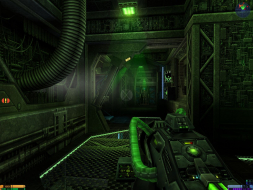 4:3 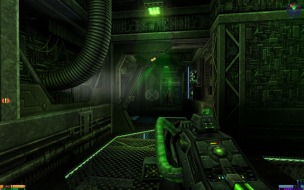 16:10 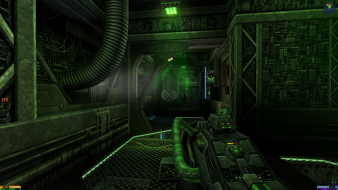 16:9 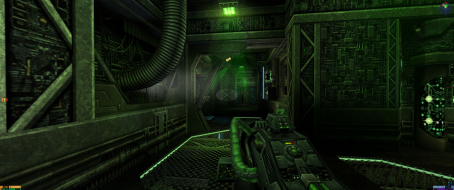 21:9 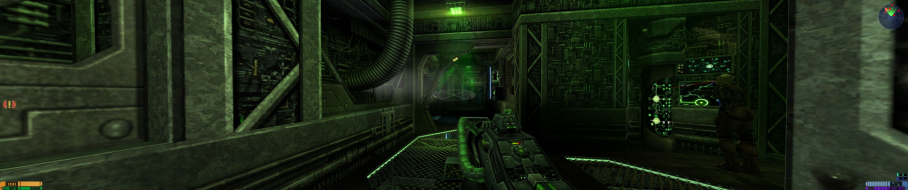 3x1 |
|
| Author: | thales100 [ 12 Jul 2011, 00:01 ] |
| Post subject: | It should work, are you sure |
It should work, are you sure youre editing the correct .cfg file ? |
|
| Author: | Magellanic [ 24 Dec 2013, 06:27 ] |
| Post subject: | Re: Star Trek: Elite Force II |
Hi everyone, sorry to resurrect an old thread, but I feel that it's relevant to my issue. I have been able to get everything working up to the point where I can change the resolution (1920x1080). I run into trouble when changing the FOV settings. As I understand it, changing the FOV should only change how much is shown in the horizontal direction, i.e. the horizontal direction should be affected, while the vertical direction is left unaffected. As a result, it should look as if the horizontal direction is getting "squeezed" so that you can see more on the left and right sides (my left and right peripherals). But.... When I change my FOV settings, it simply appears as if the camera is zooming out, so not only do I see more on the left and right sides, but i also see more above and below me. That defeats the entire purpose of changing the FOV. In order to better illustrate this, I took some of my own screenshots to compare to the ones posted in the Detailed Widescreen Report... Screenshot 1: FOV set to 90 (typical 4:3 aspect ratio). It's being displayed at 1920x1080, so naturally the image would appear stretched to fit the 16:9 AR  Screenshot 2: Proof that the AR is in fact set to 90  Screenshot 3: FOV set to 120 (typical 16:9 AR). It's being displayed at 1920x1080, so it SHOULD appear correct, but it is not. As you can see, the image is still distorted. More can be seen above and below, unlike the screenshots posted in the original Detailed Widescreen Report.  Screenshot 4: Proof that the AR is in fact set to 120  Has this happened before to anyone? Am I doing something wrong? I have scoured the internet and all websites say the same thing: seta r_mode "-1" seta r_customheight "1080" seta r_customwidth "1920" seta userFov "120" |
|
| Author: | czarman [ 14 Jun 2016, 13:07 ] |
| Post subject: | Re: Star Trek: Elite Force II |
Finished the DR with jackfustes Solution --> http://www.wsgf.org/forums/viewtopic.php?f=64&t=30548 |
|
| Author: | throwawayaccount1117 [ 10 Nov 2016, 22:15 ] |
| Post subject: | Re: Star Trek: Elite Force II |
For anyone wanting to play the game in higher resolutions on a high DPI screen, disable DPI scaling for the EF.exe. (: |
|
| Page 1 of 1 | All times are UTC [ DST ] |
| Powered by phpBB® Forum Software © phpBB Group https://www.phpbb.com/ |
|