Widescreen Gaming Forum
https://www.wsgf.org/phpBB3/

TimeShift
https://www.wsgf.org/phpBB3/viewtopic.php?f=61&t=16787
Page 1 of 1

Author:  dental [ 30 Dec 2008, 03:35 ]
Post subject:  TimeShift


Widescreen Grade: A
Ultra-Widescreen Grade: B
Multi-monitor Grade: B
4k Grade: A

Read Full Detailed Report - TimeShift

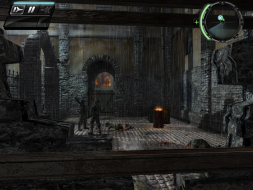
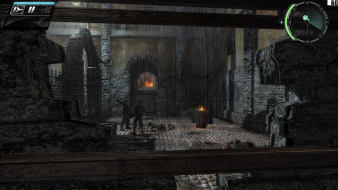
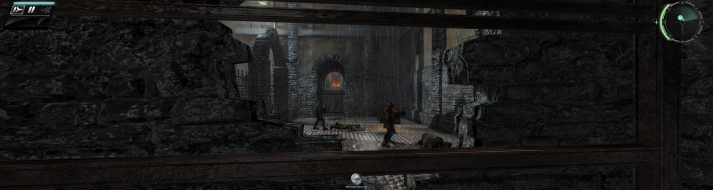
TimeShift is a FPS created by Saber Interactive released in 2007. This game is noteable for allowing the player to manipulate time. It also received mostly above average review scores.


4:3


16:10


16:9


21:9


3x1


Author:  The_cranky_hermit [ 30 Dec 2008, 04:07 ]
Post subject:  TimeShift: Detailed Report

I remember playing the demo a looong time ago. The demo was definitely stretched. I understand that thanks to lukewarm reception of the demo, they scrapped the existing game and started over again, so apparently hor + gameplay was one of the things they included in the reboot.

Also, the HUD seems to be "right" at 16:10. It's still penalized all the same for being stretched at other aspect ratios, but it's an interesting detail.

One question - does the game have any in-engine cut-scenes?

Calculated grade: B
Potential grade: B+

Minor unresolved issues:
Does the game have any in-engine cut-scenes?

HUD stretch is a blemish.

CCE: 99%

Author:  dopefish [ 30 Dec 2008, 10:40 ]
Post subject:  TimeShift: Detailed Report

Maybe one thing to consider is possible like how NFS:ProStreet behaved?

What's your desktop resolution? Is it 16:10?

Maybe it uses the aspect-ratio of the desktop and everything else gets stretched or compressed. Try setting the desktop to a different aspect-ratio resolution and trying different in-game resolutions again.

Author:  dopefish [ 30 Dec 2008, 10:47 ]
Post subject:  TimeShift: Detailed Report

For reference on how the HUD should look, here's a shot of the 360 version (the 360 version uses the 16:9 aspect-ratio with black bars for 4:3):


So it would appear that the 16:10 shot matches the HUD for the 360's 16:9. This is why I think that maybe the HUD relies on the desktop aspect-ratio.

Author:  scavvenjahh [ 09 Jan 2009, 18:01 ]
Post subject:  TimeShift: Detailed Report

I looked into it, thank you dopefish for the reference shot. Timeshift does not behave like NFS:PS though. It took me a while to figure it out but it's actually very simple : you must restart the game each time you set the in-game resolution to a new AR for the HUD and menus to scale correctly. Bad luck dental, players usually don't switch between ARs a lot so it's an annoyance for DR writers mostly :lol:
(The game's FOV is unaffected, restarting is only required to fix the HUD and menus. Reloading or starting a new game is not enough. This is also independent to the desktop AR, and all the pics below were made with my desktop set to my native 16:10 res.)

Also dental, open Timeshiftbinuser.ini and you'll understand why the fov value is 56.25 in TimeshiftUserConfigsDefaultuser.ini ;)
;written fov is FOV * 0.75f
;for example: 75 is 56.25
;67.5 is 90


==Version==

1.02 aka "patch 1.2". (Unpatched game stretches in ws. There were also multiple demos, so cranky and Paddy probably played different versions.)


==Screen change==

Hor+.

1280x1024 (5:4)


1024x768 (4:3)


1280x800 (16:10)


1360x768 (16:9)


==HUD stretch==

None, all menu items and HUD elements scale correctly.
However, when you change your in-game resolution to a new aspect ratio, you need to exit and restart the game before they look right. (Default resolution upon first run is 800x600, so all non-4:3 resolutions you set the game to will have a stretched HUD until the second time the game will be launched.) My messy brain and poor english make it sound much more complicated than it is, really.


==Cut scenes==

The main menu's background is not a "video loop" but a real-time 3D scene and it is Hor+. It is the only "3D" place where the FOV doesn't always adjust automatically upon setting a new AR, so it may stretch until the game is restarted but it is Hor+ really.

1280x1024 (5:4), main menu


1024x768 (4:3), main menu


1280x800 (16:10), main menu


1360x768 (16:9), main menu


Besides the FMVs (OP's "new game video") throughout the game, there are numerous cut scenes during the course of the levels. They use the game engine in real-time and are Hor+.

1280x1024 (5:4), real-time cut scene


1024x768 (4:3), real-time cut scene


1280x800 (16:10), real-time cut scene


1360x768 (16:9), real-time cut scene


==Multiplayer support==

No problem hosting/joining Internet games whatever the AR.


==Surround support==

Native, Hor+.
FMVs are massively squashed to the center of the display in "faux TH", but that may be because the 683-pixel height forces the 720p videos into some strange scaling. Can any "real" Tripleheader confirm ?

2048x683 (3.75:1 aka faux TripleHead)


Author:  The_cranky_hermit [ 10 Jan 2009, 04:24 ]
Post subject:  TimeShift: Detailed Report

So, I guess that means the game is certified.

Author:  scavvenjahh [ 15 Apr 2009, 12:58 ]
Post subject:  TimeShift: Detailed Report

Oops, another one to de-certify because of TH blemishes ?
I can now confirm that in wider-than-16:9 resolutions, the FMVs are all messed up. And unlike The Witcher, Timeshift has a lot of FMVs.

3840x1024 (3x 5:4)


5040x1050 (3x 16:10)


4098x768 (3x 16:9)

Author:  The_cranky_hermit [ 21 Apr 2009, 19:07 ]
Post subject:  TimeShift: Detailed Report

New grade, to reflect new rules:

Calculated grade: B+

FMV stretching in TH is a blemish

CCE: 100%

Author:  swili [ 17 Nov 2013, 17:55 ]
Post subject:  Re: TimeShift

i updated the report

Page 1 of 1 All times are UTC [ DST ]
Powered by phpBB® Forum Software © phpBB Group
https://www.phpbb.com/