Widescreen Gaming Forum
https://www.wsgf.org/phpBB3/

Tomb Raider: Underworld
https://www.wsgf.org/phpBB3/viewtopic.php?f=61&t=16616
Page 1 of 1

Author:  Sweetz [ 23 Nov 2008, 09:40 ]
Post subject:  Tomb Raider: Underworld


Widescreen Grade: B
Ultra-Widescreen Grade: B
Multi-monitor Grade: C
4k Grade: B

Read Full Detailed Report - Tomb Raider: Underworld

The third Tomb Raider game since Crystal Dynamics took over the series, Tomb Raider: Underword continues from the story line started in Tomb Raider: Legend where it was revealed that Lara's mother may not be dead, but rather trapped in the mythical realm of Avalon (from the King Arthur legend). For the uninitiated, the Tomb Raider series is about lady adventurer Lara Croft, who is intelligent, athletic, infatuated with ancient history, and distractingly busty! The gameplay largely revolves around environmental puzzles (navigating various ledges and jumps) and mechanical puzzles (gears, switches, crate pushing) in fantastical ancient ruins and, in recent games, more typical present day locations. Combat is a part of the game as well and Lara uses her iconic dual pistols to fend off both human and exotic animal foes.


4:3
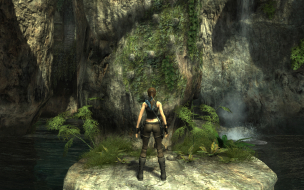

16:10
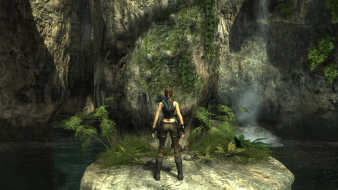

16:9
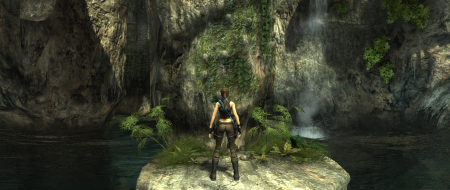

21:9


3x1


Author:  The_cranky_hermit [ 24 Nov 2008, 03:02 ]
Post subject:  Tomb Raider: Underworld

Can you just post comparison shots for an in-game rendered cut-scene? 4:3 and 16:10 should be enough.

Author:  The_cranky_hermit [ 15 Apr 2009, 20:04 ]
Post subject:  Tomb Raider: Underworld

TH information:

The aspect ratio setting only goes up to 16:9. TH at its best is stretched 16:9.

1024x768, 4:3


1920x1080, 16:9


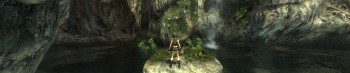
1920x698, 16:9

Author:  The_cranky_hermit [ 21 Apr 2009, 19:07 ]
Post subject:  Tomb Raider: Underworld

New grade, to reflect new rules:

Calculated grade: B+

Stretching in TH is a blemish

CCE: 100%

Author:  Pakalolo77 [ 07 Dec 2009, 06:12 ]
Post subject:  Re: Tomb Raider: Underworld

Hi everyone. New to the forums. Was wondering if I'm able to play Tomb Raider Underworld using 5040x1050 for resolution?

Thanks in advance.

Author:  Sweetz [ 08 Dec 2009, 05:45 ]
Post subject:  Re: Tomb Raider: Underworld

Hi everyone. New to the forums. Was wondering if I'm able to play Tomb Raider Underworld using 5040x1050 for resolution?

Look two posts above yours. Triple head resolutions are stretched. The max aspect the game supports without stretching is 16:9.

Author:  GeneralAdmission [ 26 Jun 2010, 09:50 ]
Post subject:  Re: Tomb Raider: Underworld

It may be worthwhile updating the DR with the TH registry fix from this thread. It corrects the stretching nicely:

Normal:


Fixed:


Normal:


Fixed:

Author:  scavvenjahh [ 20 Jul 2010, 14:52 ]
Post subject:  Tomb Raider: Undeworld [Edit][Hor+]

A registry edit is all it takes to get Hor+ gameplay. Thanks to howdid for this solution.

1) Windows Start menu / Execute... / regedit
2) On the left panel, navigate to HKEY_CURRENT_USERSoftwareCrystal DynamicsTomb RaiderGraphics
3) On the right panel, double-click the AspectRatio key, then change the value to 48000 (decimal) for 48:10.

Normal:


Fixed:

Author:  swili [ 04 Dec 2013, 04:45 ]
Post subject:  Re: Tomb Raider: Underworld

I updated the report,

edit.

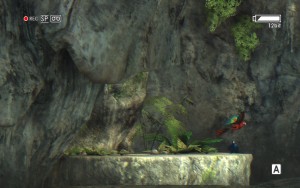
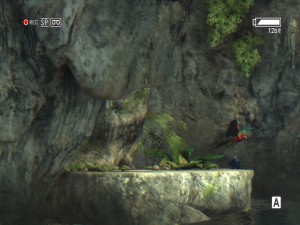
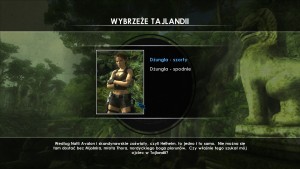
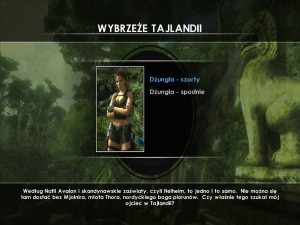
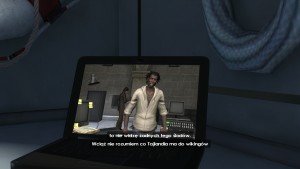
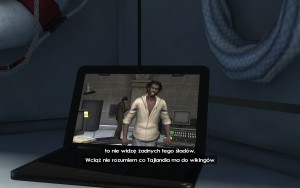
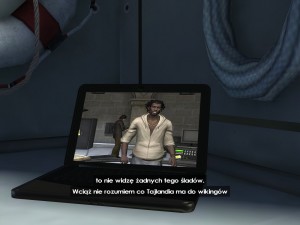
The only flaws i found in 16:10 and 4:3 are the loading screens plus "choosing-your-outfit-menu" they are squished. The hud of the camera in in-game cutscenes, and wrong AR in laptop's video in ingame cut-scenes.
Image Image Image
Image Image Image
Image Image Image

Author:  swili [ 01 Jan 2014, 03:31 ]
Post subject:  Re: Tomb Raider: Underworld

Hell yeah!
I found a solution for tripple monitor setup at native resolution. In other words, a solution for problem of not being able to set anything higher than 4095 horizontally.

Out of blue i came up with this idea, why not just try dx9res10, a .dll and .cfg file allowing you to set any resolution you want.
Yeah, it doesn't work with every game, and it can only override the resolution, not AR.
But we can set custom AR in registry, and put our desired resolution in .cfg file and run the game. And it looks like it works!
Somehow you can't natively set a resolution higher than 4095 horizontally, but with this hack it's finally possible.
I tested this on Windows XP sp3, so...
here is the screenshot at custom resolution 5760x1200
Image

edit:
it looks like it doesn't work on Windows 8.1.
The game crashes before even properly launching.

Page 1 of 1 All times are UTC [ DST ]
Powered by phpBB® Forum Software © phpBB Group
https://www.phpbb.com/