| Widescreen Gaming Forum https://www.wsgf.org/phpBB3/ |
|
| Beyond Divinity https://www.wsgf.org/phpBB3/viewtopic.php?f=61&t=14955 |
Page 1 of 2 |
| Author: | Tanuki [ 28 Aug 2007, 21:21 ] |
| Post subject: | Beyond Divinity |
![]() Widescreen Grade: B Ultra-Widescreen Grade: Incomplete Multi-monitor Grade: Unsupported 4k Grade: Incomplete Read Full Detailed Report - Beyond Divinity Beyond Divinity is the sequel to the popular RPG, Divine Divinity. The game retains the same open-ended exploration of its predecessor along with a buffet of character customization options. Character stats and skills are increased through player choices allowing for total specialization. A big difference from Divine Divinity is the addition of multiple character parties. The main character discovers early on that he is bound to a Death Knight and only through cooperation will they both survive. Tailor the skills of these two opposing forces to best meet the challenges and adventures that await. This is a RPG for an experienced gamer who enjoys challenging combat and frequent quick saves. ![]() 4:3 ![]() 16:10 ![]() 16:9 ![]() 3x1 |
|
| Author: | The_cranky_hermit [ 28 Aug 2007, 21:54 ] |
| Post subject: | Beyond Divinity: Detailed Report |
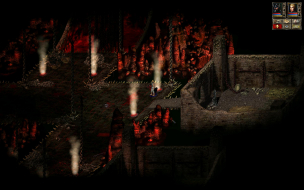
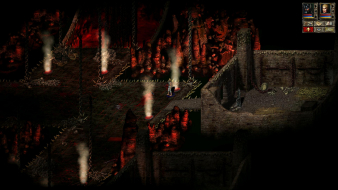
FYI, there's a new policy on screenshots. Now that we have a revamped auto-scaler, you should post the images at full resolution and let the scaler take care of everything. ==Screen change== It looks to me here like the 4:3 and 16:9 shots were taken at the same place, but in the 16:10 shot, the camera has been bumped northwards about 30 pixels. Can you try re-taking the screenshots here? ==Supported resolutions== Did you try every single resolution other than 1440x900 to make sure that the problem described below does not occur in any of them? And have you double-checked 1440x900 afterwards to make sure that the problem is definitely related to being that particular resolution? ==Singleplayer anomalies== The title menu doesn't look cropped at all to me in the 1920x1200 and 1920x1080 shots. It looks like the original image is scaled to fill the vertical span of the screen and then pillarboxed, which is a proper way of handling static 2D screens. ==Multiplayer support== Does "none" mean that the game has no multiplayer mode, or that the game has no widescreen support for multiplayer mode? ==Grading== *waiting for your response* |
|
| Author: | Tanuki [ 28 Aug 2007, 22:19 ] |
| Post subject: | Beyond Divinity: Detailed Report |
Pic fixed. "None" changed to "No multiplayer". All resolutions listed were brought in game expect 1440x900. I tried again after I saw the 640x480 image size. It is the resolution causing the problem. The title screen crops worse at other resolutions. The 1920x1200 does not crop because 1200 is a game native height. Their is cropping visible at the bottom of the 1920x1080 image. That is all the screen data. I moved the image up on the monitor and their was nothing else. |
|
| Author: | The_cranky_hermit [ 28 Aug 2007, 23:55 ] |
| Post subject: | Beyond Divinity: Detailed Report |
All resolutions listed were brought in game expect 1440x900. I don't understand what you mean by that. The title screen crops worse at other resolutions. Worse than what, and at which resolutions? |
|
| Author: | Tanuki [ 29 Aug 2007, 00:49 ] |
| Post subject: | Beyond Divinity: Detailed Report |
In game as in past the title screen. Into the actual playable game. 1280x800
1680x1050
The title screen crops at different resolutions to different degrees. 1280x800
1680x1050
|
|
| Author: | The_cranky_hermit [ 29 Aug 2007, 02:06 ] |
| Post subject: | Beyond Divinity: Detailed Report |
Ok. It looks like the screen change is "pixel based." And I'm assuming that 1440x900 is the only resolution with major problems. In that case, here's the grading: ==Grading== Calculated grade: B Major unresolved issues: None Minor unresolved issues: None Summary of widescreen-related flaws: .ini solution. Two-dimensional screens can be cropped or have misaligned text. 1440x900 doesn't work. Cranky's coverage estimate: 100% |
|
| Author: | Tanuki [ 29 Aug 2007, 02:14 ] |
| Post subject: | Beyond Divinity: Detailed Report |
If there is a way to use the keyboard to start a new game than 1440x900 could work. The problem is the mouse cannot get to the needed buttons. Maybe a pet project for someone. :D |
|
| Author: | Tanuki [ 13 Oct 2007, 04:56 ] |
| Post subject: | Beyond Divinity: Detailed Report |
Updated for issues. |
|
| Author: | Tanuki [ 29 Oct 2007, 04:33 ] |
| Post subject: | Beyond Divinity: Detailed Report |
Added resolutions due to pixel-based solution. Reworded HUD section. Removed HUD size as a flaw. |
|
| Author: | krist2 [ 05 Dec 2007, 12:52 ] |
| Post subject: | Beyond Divinity: Detailed Report |
tried this ini hack at 1680x1050, got the same problems as stated in this thread regarding the 1440x900 resolution. Jus a part of the startingscreen is visible. What could be wrong? |
|
| Page 1 of 2 | All times are UTC [ DST ] |
| Powered by phpBB® Forum Software © phpBB Group https://www.phpbb.com/ |
|