| Widescreen Gaming Forum https://www.wsgf.org/phpBB3/ |
|
| Warcraft III: Reign of Chaos https://www.wsgf.org/phpBB3/viewtopic.php?f=61&t=14054 |
Page 1 of 6 |
| Author: | skipclarke [ 26 Dec 2006, 02:38 ] |
| Post subject: | Warcraft III: Reign of Chaos |
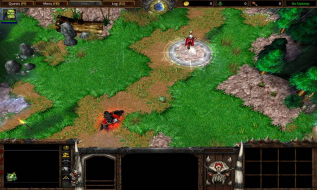
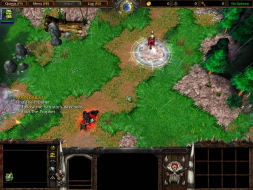
![]() Widescreen Grade: Unsupported Ultra-Widescreen Grade: Unsupported Multi-monitor Grade: Unsupported 4k Grade: Unsupported Read Full Detailed Report - Warcraft III: Reign of Chaos Warcraft III is the third in the venerable RTS series from Blizzard, set in their Warcraft universe. ![]() 4:3 ![]() 16:10 ![]() 16:9 ![]() 3x1 |
|
| Author: | The_cranky_hermit [ 26 Dec 2006, 02:59 ] |
| Post subject: | Warcraft III: Detailed Report |
D+. |
|
| Author: | skipclarke [ 26 Dec 2006, 03:02 ] |
| Post subject: | Warcraft III: Detailed Report |
Thx. Fxd. |
|
| Author: | dognose [ 20 Jun 2007, 00:33 ] |
| Post subject: | Warcraft III: Detailed Report |
Hello, ive bought 2 19" Widescreen Monitors a few weeks ago. I usually play WC3 in a window, cause then i can swtich to other tasks. now i found the report, to set the game on "widescreen" mode... i tried it, but i dont understand.... If i set the res in the reg to 1440*900 (my native resolution) the game (fullscreened) just looks like if i choose 1024*768 What is the "sence" of changing the registry resolution - it causes the same strech like choosing another resolution... btw: if u change the res, and look into the graphic options, game changes them back to 640*480 ... regards, dognose |
|
| Author: | P-Storm [ 20 Jun 2007, 20:56 ] |
| Post subject: | Warcraft III: Detailed Report |
Your monitor or drivers are scaling them, or the game itselfs scaling them. If you let do the game the scaling i think you get sharper pictures and stuff like that. |
|
| Author: | Silvers24 [ 02 Jul 2007, 05:02 ] |
| Post subject: | Warcraft III: Detailed Report |
Ummm, how do I edit the stuff I need for the 1680 x 1050 res setting? All is given is this hex code stuff....more info? |
|
| Author: | P-Storm [ 02 Jul 2007, 10:10 ] |
| Post subject: | Warcraft III: Detailed Report |
You need to go in start->run enter here regedit Then search HKEY_CURRENT_USERSoftwareBlizzard EntertainmentWarcraft IIIVideo And edit the height and width :wink: |
|
| Author: | skipclarke [ 02 Jul 2007, 12:29 ] |
| Post subject: | Warcraft III: Detailed Report |
There should be a radio button to switch between hex and decimal values. Check the option for decimal. |
|
| Author: | P-Storm [ 02 Jul 2007, 12:32 ] |
| Post subject: | Warcraft III: Detailed Report |
yeah, i almost forgot that Ibrin, thanks :) |
|
| Author: | Silvers24 [ 02 Jul 2007, 22:13 ] |
| Post subject: | Warcraft III: Detailed Report |
Yes! Thank you guys, got it ^_^ |
|
| Page 1 of 6 | All times are UTC [ DST ] |
| Powered by phpBB® Forum Software © phpBB Group https://www.phpbb.com/ |
|