| Widescreen Gaming Forum https://www.wsgf.org/phpBB3/ |
|
| Star Wars: Empire at War https://www.wsgf.org/phpBB3/viewtopic.php?f=61&t=12933 |
Page 1 of 1 |
| Author: | bigcheda [ 19 Jan 2006, 05:18 ] |
| Post subject: | Star Wars: Empire at War |
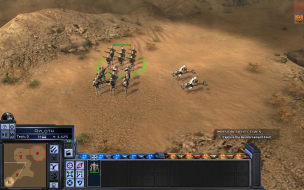
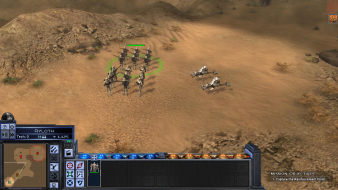
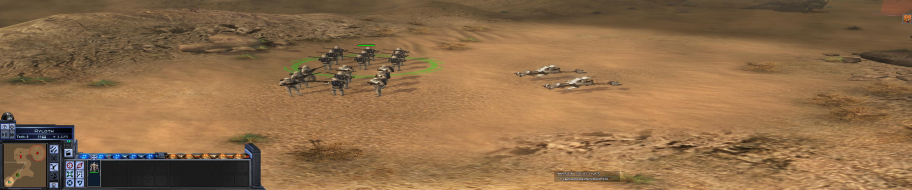
![]() Widescreen Grade: B Ultra-Widescreen Grade: Incomplete Multi-monitor Grade: Unsupported 4k Grade: Incomplete Read Full Detailed Report - Star Wars: Empire at War Star Wars: Empire at War is a 2006 real-time strategy (RTS) game developed by Petroglyph Games and published by LucasArts. Set between Episode III and Episode IV, it focuses on the fledgling struggle between the Empire and the Rebels. It uses Petroglyph's game engine Alamo. In October 2006, an expansion entitled Star Wars: Empire at War: Forces of Corruption was released. There are three game modes: storyline-based Campaign, Galactic Conquest and Skirmish. Battles can take place on a planet (land battle) or above the planet (space battle). Land battles are fought with infantry and ground vehicle units, while space battles are fought with starfighter squadrons and large spacecraft. ![]() 4:3 ![]() 16:10 ![]() 16:9 ![]() 3x1 |
|
| Author: | skipclarke [ 19 Jan 2006, 14:15 ] |
| Post subject: | Solution: Star Wars : Empire at War Demo [Partial] |
So, would that make it Vert - ? I went back in and added the [Partial] tag. |
|
| Author: | Paddy the Wak [ 19 Jan 2006, 14:23 ] |
| Post subject: | Solution: Star Wars : Empire at War Demo [Partial] |
It's hard to say as both ways of running the game 16:10 with WS or 16:10 without WS have problems ... [Partial] sounds about right though. 16:10 with WS ... it is [FOV-V] and [FOV-H] ... so it is zoomed in and looks squashed in from the sides ... :? ... I think because the WS option is for 16:9 screens. 16:10 without WS ... has the full view but it looks stretched ... but looks the better of the two options to me. |
|
| Author: | scavvenjahh [ 15 Mar 2010, 20:25 ] |
| Post subject: | Star Wars: Empire At War [Patch][Partially Hor+] |
We already have some limited info about this game... Confirmed Game Solutions » Solution: Star Wars : Empire at War Demo [Partial] Surround & Eyefinity Media » Star Wars: Empire at War + Expansion ...but seeing how older threads are incomplete or outdated, and how ws support in EAW is limited, yet complex, I decided to write a new (and hopefully definitive) solution from scratch. Method: The game supports all res's natively, simply select your desired resolution and tick the Widescreen checkbox. Display settings are saved in the registry under HKCUSoftwarePetroglyphStarWarsProfilesProfile0Player Screen change: Land mode: 16:9 is Hor+, all other ARs are 16:9 squished/stretched. Space mode: 16:9 is vert-, all other ARs are 16:9 squished/stretched. Current version is 1.05, partial Hor+ solution was introduced in v1.02. Further details and dead ends: Some limited modding of the cameras is possible, but will not really improve support. All moddable FOV values refer to a vertical FOV, so all you can do is "dolly out" and make the game look even worse... To fiddle with the VFOV, open the following file in FinalBIG 0.4+: C:Program FilesLucasArtsStar Wars Empire at WarGameDataDataConfig.meg (make a backup copy!) and edit DATAXMLTACTICALCAMERAS.XML In the registry, there's a WidescreenAspectRatio key in HKCUSoftwarePetroglyphStarWarsProfilesProfile0Player
but even if some genius can find the right value for 16:10 or Surround, it will only help in land combat mode... The rest will remain Vert-. |
|
| Page 1 of 1 | All times are UTC [ DST ] |
| Powered by phpBB® Forum Software © phpBB Group https://www.phpbb.com/ |
|