
Amazing screenshots. I'm still trying to figure out how to get mine working properly with nVidia surround, using 344.75 drivers now.
Perhaps it's working with Eyefinity?
When I start the game (as admin) from a desktop at 6180x1080 (bezel corrected resolution) the game starts in a windowed mode ...
Search found 12 matches
- 19 Nov 2014, 00:26
- Forum: 21:9 & Ultra-Wide Gaming
- Topic: Dragon Age Inquisition - 21:9 Confirmed
- Replies: 42
- Views: 59428
- 01 Mar 2014, 19:46
- Forum: Detailed Widescreen Reports
- Topic: Thief (2014)
- Replies: 11
- Views: 11631
Re: Thief (2014)
I've been playing this with bezel corrected 6048x1080 and it has worked really nice, with the exception of a few bugs. The collectibles menu flattens the item shown, and the item wheel has flickering selections. I haven't actually checked whether it's an eyefinity issue or crossfire. SSAA didn't ...
- 01 Sep 2012, 15:01
- Forum: Multi-Monitor Gaming
- Topic: Bars between screens and side screen distortion please read
- Replies: 28
- Views: 52302
Stretching can only be
Stretching can only be affected by changing the FOV of the game. The amount of stretching is engine dependent, it depends on how the game viewport is designed. Many of the console games go for a narrow FOV and large GUIs because they fit TV use better. This of course makes them bad for surround ...
- 29 Aug 2012, 13:09
- Forum: Multi-Monitor Gaming
- Topic: Dark Souls locked to 1024 * 720
- Replies: 288
- Views: 171102
Great job so far guys, though
Great job so far guys, though I'm sticking with 16:9 2560x1440 internal resolution for now, unless the hud-stretching can be fixed. Tried it without, but it's just too jarring for now. Otherwise looks superb though. Tried it with 11520x2160 internal resolution too, and it worked, though 20 FPS only ...
- 02 Apr 2012, 16:05
- Forum: Multi-Monitor Gaming
- Topic: [Compendium] VRAM usage in Games
- Replies: 1
- Views: 1649
There's only a few games that
There's only a few games that go beyond the 1.5GB limit of GTX 580, like BF3@4xAA. And for GTX 680 the same game is still playable @5760x1080 4xAA. You can pretty much draw the conclusion that 2 GB is enough for the vast majority of cases even for triple monitor setups, even though more than 2GB ...
- 05 Mar 2012, 16:03
- Forum: Multi-Monitor Gaming
- Topic: Mass Effect 2 Eyefinity w/ Widescreen Fixer r312 + Plugin Crashes
- Replies: 11
- Views: 8625
I have the same problem, ME2
I got the fix working using the retail mode, but unfortunately it's far from playable. The sidekick avatars are smack in the center of the monitor, and funnily enough my team members seem to have misplaced their bodies somewhere.

- 15 Feb 2012, 20:16
- Forum: Multi-Monitor Gaming
- Topic: Mass Effect 3(demo): Lucy, they did it again!
- Replies: 98
- Views: 34971
Here's a run-through of the
Here's a run-through of the first mission, 3x1080p:
http://www.youtube.com/watch?v=D2ex6tvclQE&feature=g-upl&context=G2ff5f88AUAAAAAAAAAA
http://www.youtube.com/watch?v=D2ex6tvclQE&feature=g-upl&context=G2ff5f88AUAAAAAAAAAA
- 23 Jan 2012, 17:08
- Forum: AMD Eyefinity Discussions
- Topic: Eyefinity Crossfire Stuttering Resolved !
- Replies: 142
- Views: 95178
Haldi wrote:There you go ! a
There you go ! a Whole lot of unsorted Statistics about HD7970 Crossfire ;) Though one card is running PCI-E 3.0 8x ! and driver are 8.920.0
Thanks. Looks like no improvement whatsoever, how unsurprising. :nudgenudge
Personally I got the best gameplay out of my 6950CF using a framerate ...
Thanks. Looks like no improvement whatsoever, how unsurprising. :nudgenudge
Personally I got the best gameplay out of my 6950CF using a framerate ...
- 21 Jan 2012, 14:12
- Forum: AMD Eyefinity Discussions
- Topic: Performance issues with CFX'd 685-'s and Eyefinity.
- Replies: 3
- Views: 1968
Most likely it's a memory
Most likely it's a memory bottleneck. At Eyefinity resolutions you quickly go beyond 1GB VRAM so FPS will take a nosedive.
- 21 Jan 2012, 11:42
- Forum: AMD Eyefinity Discussions
- Topic: Eyefinity Crossfire Stuttering Resolved !
- Replies: 142
- Views: 95178
For those of you who want to
For those of you who want to dabble with frame times, there's a great program I bumped into that does nearly everything for you. Fraps Calc. Place it in a directory with a Fraps frame time .csv file and start it. What you get is something like this:
There's a config file for it too ...
There's a config file for it too ...
- 30 Oct 2011, 13:45
- Forum: Battlestations
- Topic: Post your "Command Centre" Pictures Here
- Replies: 1436
- Views: 633965
Will be changing the middle
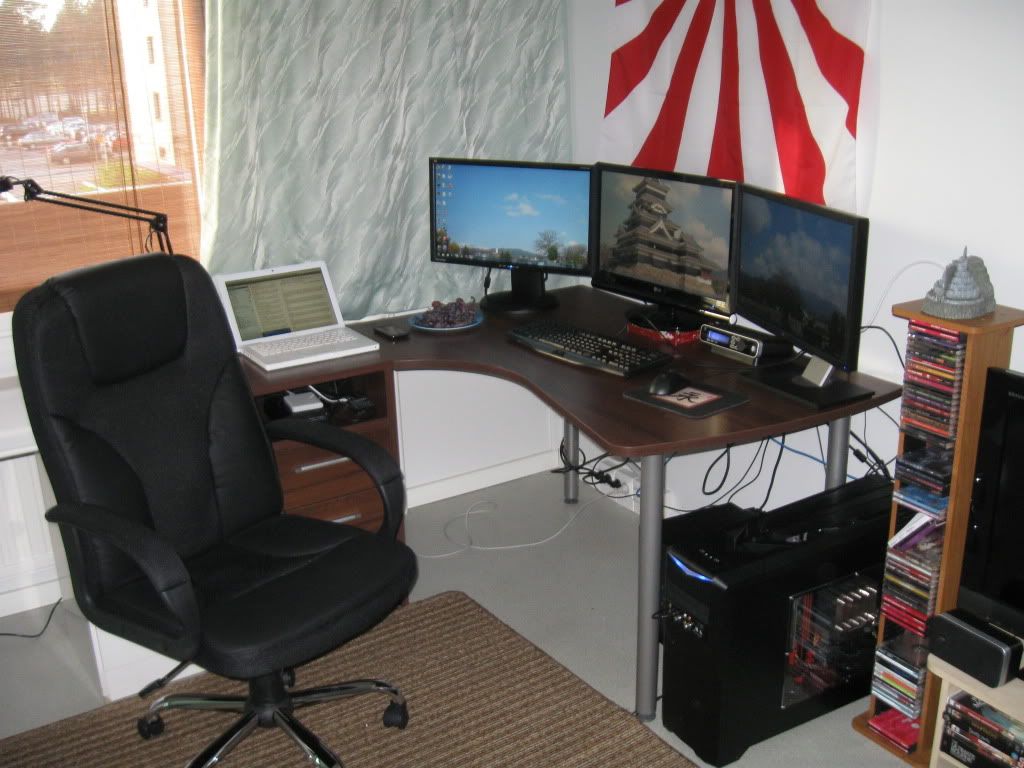
Will be changing the middle monitor for a SA23A750D next week.
- 08 Oct 2011, 14:26
- Forum: AMD Eyefinity Discussions
- Topic: 3 x 120Hz Eyefinity Build Log - BenQ XL2410T
- Replies: 25
- Views: 11702
Do those Monoprice Adapters
Do those Monoprice Adapters support 1920x1080@120 Hz? I noticed at least the Accell Dual Link DVI-DP adapters apparently don't. Count me interested to see how it turns out. :)