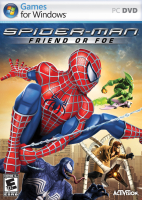


Spider-Man: Friend or Foe is a 2007 action-adventure beat 'em up video game, based on the Marvel Comics character Spider-Man. The game borrows characters and designs from Sam Raimi's Spider-Man trilogy, with a plot that is non-canon to the films. It features two player co-op gameplay, where one player controls Spider-Man and another one of his allies. The storyline of the game revolves around P.H.A.N.T.O.M.s, dangerous creatures created by mixing symbiotes with holographic technology, which a mysterious villain plans to use to take over the world. This villain has also captured and brainwashed many of Spider-Man's foes to help him acquire meteor shards that will strengthen his army. After being recruited by S.H.I.E.L.D., Spider-Man journeys across the globe to retrieve these shards himself and recruit more allies to his cause.
Source: Wikipedia
Support Summary
Widescreen | Ultra/Super‑Wide | Multi-Monitor | 4K Ultra HD | |
Support | ||||
Method | ||||
HUD | ||||
Cutscenes | ||||
FMVs |
Game Information
Screenshots Comparison
Solutions & Issues
- Launch the game and select a 16:9 resolution, then quit.
- Go to regedit and set the desired resolution in \HKEY_CURRENT_USER\Software\Activision\Spider-Man FoF\Settings
- Open Game.exe in HxD or a similar app, search for 39 8E E3 3F in hexadecimal and replace all instances with the bytes corresponding to your aspect ratio (26 B4 17 40 for 2560x1080, for example).
Gameplay Screenshots