Page 1 of 3
Borderlands GOTY Remake 21:9 REQUEST
Posted: 02 Apr 2019, 18:00
by Krylo22
Re: Borderlands GOTY Remake 21:9 REQUEST
Posted: 03 Apr 2019, 19:17
by fallenshinobi
I second this request. I would love a 21:9 patch <3
Re: Borderlands GOTY Remake 21:9 REQUEST
Posted: 03 Apr 2019, 19:33
by Shoedonym
Third! It's a huge shame they don't include ultrawide, considering Borderlands 2 has had the feature for years.
Re: Borderlands GOTY Remake 21:9 REQUEST
Posted: 03 Apr 2019, 19:44
by bkreeger
Kinda goofy that patfenn84 said that -- I just installed Borderlands GOTY Remastered on my PC, and the 21:9 resolution is natively supported, and I've set the FOV slider in the game's options up to 105+ and it looks and plays great. No menu cropping, no stretched HUD. My 34" LG ultrawide display is happy, and so am I!
Take a look (my FOV is at 110, I think):
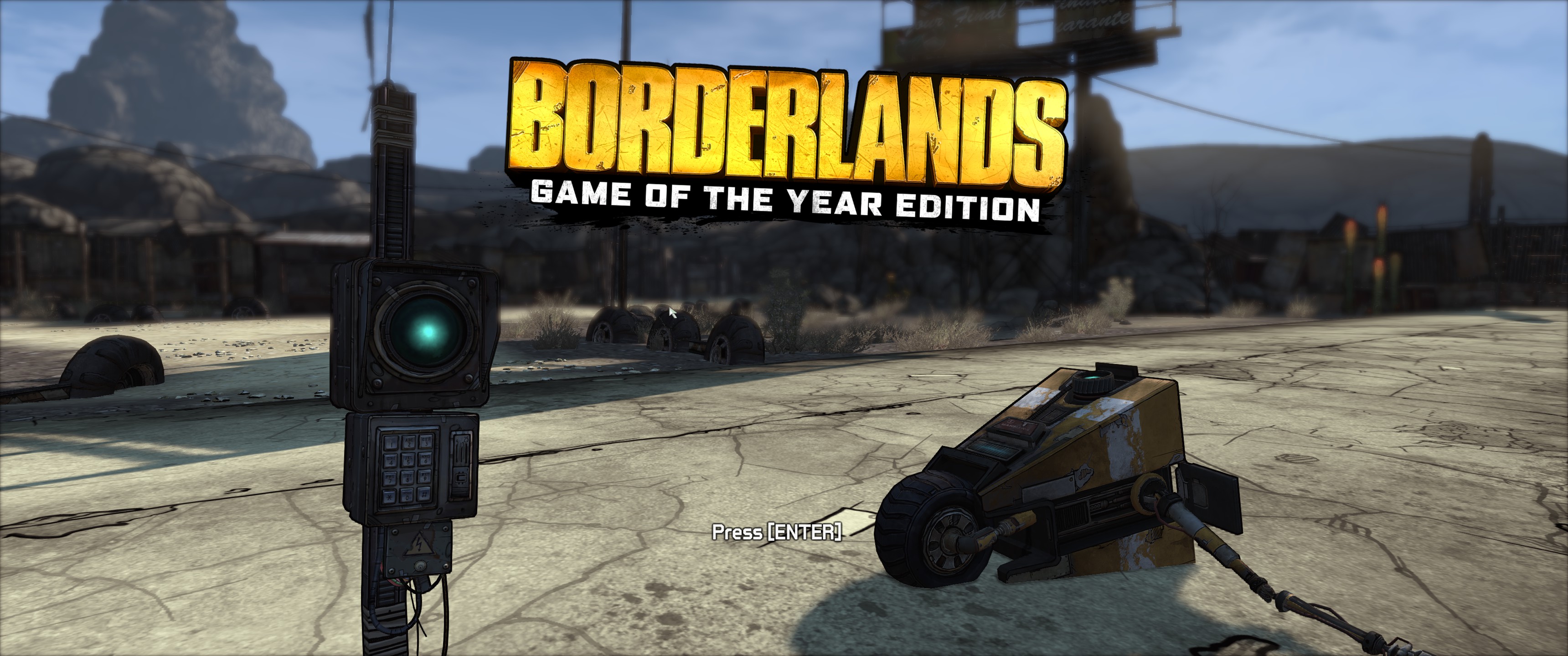
- 20190403134608_1.jpg (867.48 KiB) Viewed 23020 times
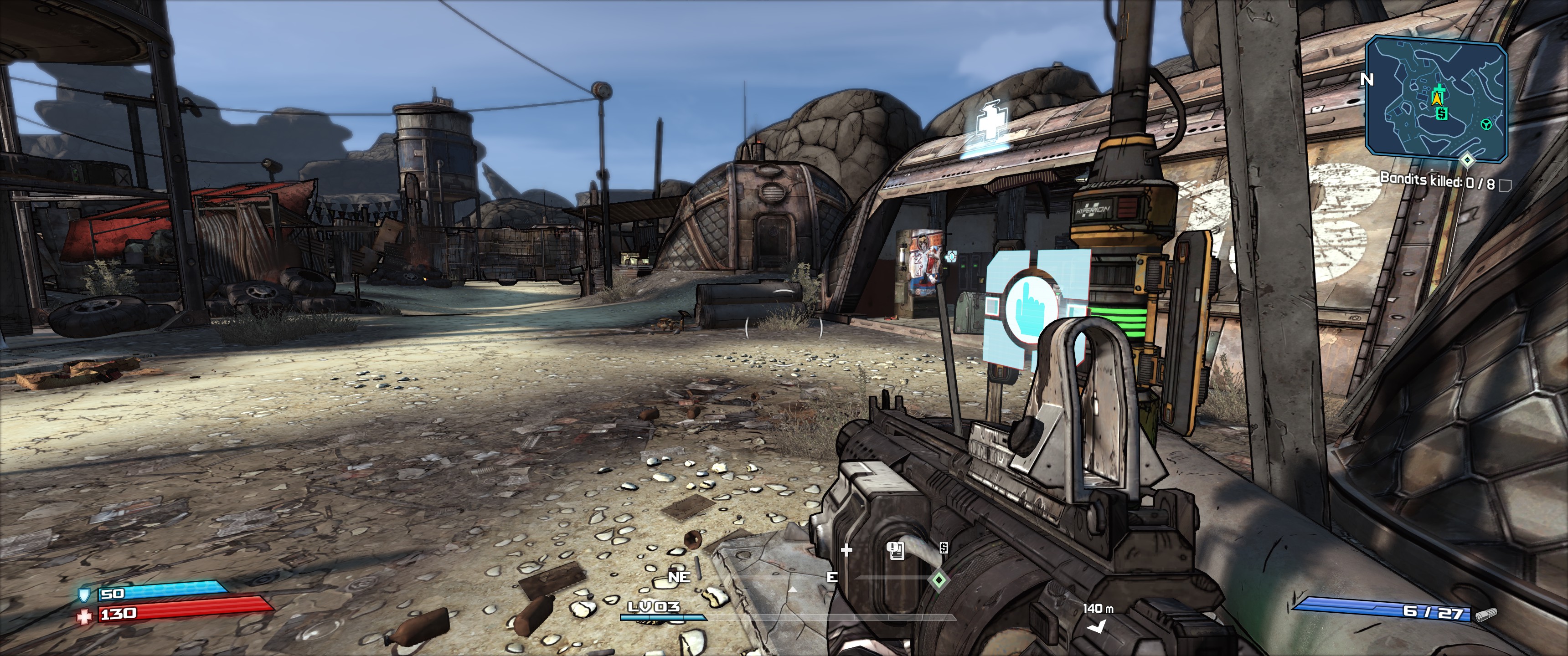
- 20190403134632_1.jpg (1.17 MiB) Viewed 23033 times
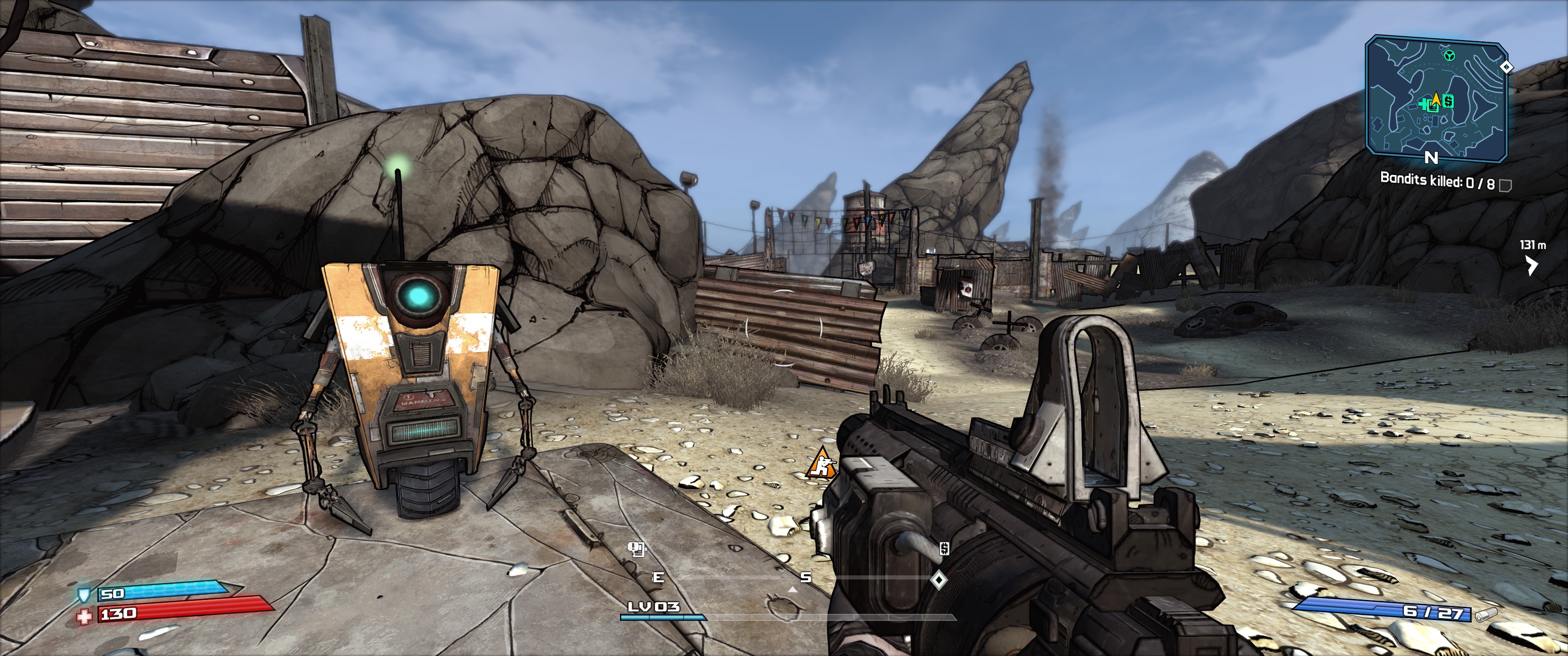
- 20190403134700_1.jpg (1.1 MiB) Viewed 23017 times
Re: Borderlands GOTY Remake 21:9 REQUEST
Posted: 03 Apr 2019, 20:15
by valcan_s
bkreeger wrote:Kinda goofy that patfenn84 said that -- I just installed Borderlands GOTY Remastered on my PC, and the 21:9 resolution is natively supported, and I've set the FOV slider in the game's options up to 105+ and it looks and plays great. No menu cropping, no stretched HUD. My 34" LG ultrawide display is happy, and so am I!
Ok...? So I can't even select 5760x1080 in the launcher it only goes up to 1920x1080, why are they pretending everything works natively? Did you mod the config file for your resolution?
Re: Borderlands GOTY Remake 21:9 REQUEST
Posted: 03 Apr 2019, 20:19
by Shoedonym
valcan_s wrote:bkreeger wrote:Kinda goofy that patfenn84 said that -- I just installed Borderlands GOTY Remastered on my PC, and the 21:9 resolution is natively supported, and I've set the FOV slider in the game's options up to 105+ and it looks and plays great. No menu cropping, no stretched HUD. My 34" LG ultrawide display is happy, and so am I!
Ok...? So I can't even select 5760x1080 in the launcher it only goes up to 1920x1080, why are they pretending everything works natively? Did you mod the config file for your resolution?
Yeah, I'm confused. At least in the launcher, I can't pick anything higher than 2560x1440
Re: Borderlands GOTY Remake 21:9 REQUEST
Posted: 03 Apr 2019, 20:34
by valcan_s
Shoedonym wrote:Yeah, I'm confused. At least in the launcher, I can't pick anything higher than 2560x1440
Here is the fix it is really easy, but it looks pretty legit only the hud is aligned wrong from what I can tell with a some offset but everything is 100% scaled correctly it seems:
[ Fix : get any Ultrea HD resolution to work ]
- set the game to 1920x1080 1st and launch the game. Once the game launches set all the settings you want, FOV, graphics etc and get off the bus with one Dude.
- Close the game down and exit
- open the dir: C:\Users\[your name]\Documents\My Games\Borderlands Game of the Year\WillowGame\Config\
- open this file in a text editor: WillowEngine.ini
- do a Find on: ResX=1920
- change that =1920 to any resolution you want or the ResY=1080. So if you want 5760x1080 it be:
ResX=5760
ResY=1080
- save the file once you set the rez you want
- Boot up the game, the FOV 100% works but of course the gun models FOV is not correct it's just like BL2 and the Pre squeal but it is fine.
That is it, seems to be legit no idea how to align the HUD on triple screen but it is no big deal that they are offset only by a bit(really I don't care).
Re: Borderlands GOTY Remake 21:9 REQUEST
Posted: 03 Apr 2019, 20:56
by fallenshinobi
bkreeger wrote:Kinda goofy that patfenn84 said that -- I just installed Borderlands GOTY Remastered on my PC, and the 21:9 resolution is natively supported, and I've set the FOV slider in the game's options up to 105+ and it looks and plays great. No menu cropping, no stretched HUD. My 34" LG ultrawide display is happy, and so am I!
Take a look (my FOV is at 110, I think):
20190403134608_1.jpg
20190403134632_1.jpg
20190403134700_1.jpg
While the resolution itself is supported, the top part of the screen is cut of by like 20%.
Re: Borderlands GOTY Remake 21:9 REQUEST
Posted: 03 Apr 2019, 21:05
by valcan_s
Here are some 5760x1080 screens of BL1 enhanced no fix vanilla:

- 5760x1080 p1
- BorderlandsGOTY_1782.jpg (2.42 MiB) Viewed 31790 times

- 5760x1080 p2
- BorderlandsGOTY_1781.jpg (2.31 MiB) Viewed 31955 times
The update looks nice!
Re: Borderlands GOTY Remake 21:9 REQUEST
Posted: 03 Apr 2019, 21:21
by valcan_s
fallenshinobi wrote:While the resolution itself is supported, the top part of the screen is cut of by like 20%.
You are 100% correct it massively cuts off the vertical, I just tried the OG game and it is a big diff:

- 5760x1080 OG BL1 p2
- Borderlands_x1783.jpg (2.29 MiB) Viewed 31809 times

- 5760x1080 OG BL1 p1
- Borderlands_x1784.jpg (2.49 MiB) Viewed 31818 times
Still it is totally playable but yeah it's not perfect(a lot of the height is gone if you compare), is not in the OG BL2 and the Pre sequel FOV setup like this as well and the Vert is jacked up too? I could be wrong but I think it works the same way.
Re: Borderlands GOTY Remake 21:9 REQUEST
Posted: 03 Apr 2019, 21:41
by bkreeger
Shoedonym wrote:valcan_s wrote:bkreeger wrote:Kinda goofy that patfenn84 said that -- I just installed Borderlands GOTY Remastered on my PC, and the 21:9 resolution is natively supported, and I've set the FOV slider in the game's options up to 105+ and it looks and plays great. No menu cropping, no stretched HUD. My 34" LG ultrawide display is happy, and so am I!
Ok...? So I can't even select 5760x1080 in the launcher it only goes up to 1920x1080, why are they pretending everything works natively? Did you mod the config file for your resolution?
Yeah, I'm confused. At least in the launcher, I can't pick anything higher than 2560x1440
The game launched 1920x1080 for me, but in-game I was able to pick my desired 3440x1440 resolution.
Re: Borderlands GOTY Remake 21:9 REQUEST
Posted: 03 Apr 2019, 22:59
by Sinbad
3440x1440 (21:9) is confirmed Vert-
Re: Borderlands GOTY Remake 21:9 REQUEST
Posted: 03 Apr 2019, 23:35
by christofin
So is this vert-?
Re: Borderlands GOTY Remake 21:9 REQUEST
Posted: 04 Apr 2019, 01:39
by fallenshinobi
christofin wrote:So is this vert-?
Yes, it' is vert - sadly

I hope this is fixable
Re: Borderlands GOTY Remake 21:9 REQUEST
Posted: 04 Apr 2019, 03:29
by valcan_s
fallenshinobi wrote:christofin wrote:So is this vert-?
Yes, it' is vert - sadly
I hope this is fixable
Yeah it is brutal, I had to stop playing it @ 5760x1080 made me barf

, other than that is is amazing so it be a shame if it could not be fixed(fingers crossed).
I tried the following and it did nothing which is odd:
[/script/engine.localplayer]
AspectRatioAxisConstraint=AspectRatio_MaintainYFOV
Re: Borderlands GOTY Remake 21:9 REQUEST
Posted: 04 Apr 2019, 05:36
by christofin
What about the Borderlands GOTY - Enhanced Edition? I heard a lot of people have been accidentally running just Borderlands GOTY instead of the enhanced edition.
Re: Borderlands GOTY Remake 21:9 REQUEST
Posted: 04 Apr 2019, 07:06
by valcan_s
christofin wrote:What about the Borderlands GOTY - Enhanced Edition? I heard a lot of people have been accidentally running just Borderlands GOTY instead of the enhanced edition.
It's a separate game install that shows up in Steam and easy to know if you are running Borderlands GOTY Enhanced Edition(besides the name is diff in Steam) since the exe is now 64bit and uses DX11. One can easily switch to task manager and see if Borderlands has the (32 bit) beside it and then know that they are using the old game and not new one.
Re: Borderlands GOTY Remake 21:9 REQUEST
Posted: 04 Apr 2019, 10:11
by susahamat
Sinbad wrote:3440x1440 (21:9) is confirmed Vert-
Run the Patcher and Apply Patch to Original .exe
STEAM (1.5.0.0)
21:9
Use
Jackfuste Fix Instead
Re: Borderlands GOTY Remake 21:9 REQUEST
Posted: 04 Apr 2019, 14:02
by fallenshinobi
susahamat wrote:Sinbad wrote:3440x1440 (21:9) is confirmed Vert-
Run the Patcher and Apply Patch to Original .exe
STEAM (1.5.0.0)21:9
The attachment BorderlandsGOTY_2560x1080.7z is no longer available
The attachment BorderlandsGOTY_3440x1440.7z is no longer available
This didn't do anything for me.
Re: Borderlands GOTY Remake 21:9 REQUEST
Posted: 04 Apr 2019, 16:52
by uJard
susahamat wrote:Sinbad wrote:3440x1440 (21:9) is confirmed Vert-
Run the Patcher and Apply Patch to Original .exe
STEAM (1.5.0.0)21:9
BorderlandsGOTY_2560x1080.7z
BorderlandsGOTY_3440x1440.7z
It works, but it breaks the sprinting FOV. Seems to increase to over 140 whenever I sprint


