Page 1 of 6
Dead of Alive 6 21:9 Fix Request
Posted: 01 Mar 2019, 11:06
by AlRayes_BRN
Hey guys,
Tried Dead or Alive 6 and the game does not support 21:9 resolutions, I tried hex editing the exe file but the game doesn't start.
Appreciate your help!
Re: Dead of Alive 6 21:9 Fix Request
Posted: 01 Mar 2019, 16:33
by superangrynoob
21:9 please, someone
Re: Dead of Alive 6 21:9 Fix Request
Posted: 02 Mar 2019, 03:25
by ktronprime
pleeeeeeease!!! 3440x1440p
Re: Dead of Alive 6 21:9 Fix Request
Posted: 02 Mar 2019, 10:43
by KOrigin
Would be great if someone made a fix, thanks.
Re: Dead of Alive 6 21:9 Fix Request
Posted: 02 Mar 2019, 16:29
by theJsn
Amazing! Thanks so much, works great. Borderless.
Re: Dead of Alive 6 21:9 Fix Request
Posted: 02 Mar 2019, 16:34
by superangrynoob
Thank you sir, works perfectly!
Is it possible to show us how you edit the .exe file?
Re: Dead of Alive 6 21:9 Fix Request
Posted: 02 Mar 2019, 17:02
by DevilAnGeL
I tried to hex editing the exe from the ratio 16:9 to 19:10, but no effects, could some one help me out. My resolution is 4096X2160. PLEASE!
Re: Dead of Alive 6 21:9 Fix Request
Posted: 02 Mar 2019, 17:53
by FlunkyDave
Thanks!
Re: Dead of Alive 6 21:9 Fix Request
Posted: 02 Mar 2019, 18:00
by AlRayes_BRN
Cant thank you enough buddy!
Re: Dead of Alive 6 21:9 Fix Request
Posted: 02 Mar 2019, 20:40
by jackfuste
superangrynoob wrote:Is it possible to show us how you edit the .exe file?
- Unpack DOA6.exe using - https://github.com/atom0s/Steamless
- Download x64dbg debugger - https://sourceforge.net/projects/x64dbg/files/snapshots/
- Run release\x64\x64dbg.exe with Administrator rights
- Go to Options - Preferences
- Uncheck "System Breakpoint"; "TLS Callbacks"; "Attach Breakpoint" and save settings
- File - Open - DOA6.exe
- Click RMB and select "Search for - Current Module - Constant" - 3FE38E39
- Change all found values - 3FE38E39 to your aspect ratio value (4017B426 - for 2560x1080; 4018E38E - for 3440x1440 etc...)
- Click RMB and select "Search for - Current Module - Pattern" - C7 44 24 58 80 07 00 00 C7 44 24 5C 38 04 00 00
- Change all found values - 780 to the value calculated by this formula: 1080 * ( width / height )
For example:
1080 * ( 2560 / 1080 ) = 1080 * 2.37037 = 2560 (dec) = A00 (hex)
1080 * ( 3440 / 1440 ) = 1080 * 2.38888 = 2580 (dec) = A14 (hex) - Click RMB and select "Search for - Current Module - Pattern" - FF E1 ?? ?? ?? ?? ?? ?? ?? ?? ?? ?? ?? ?? C7 44 24 30 20 03 00 00 C7 44 24 34 C2 01 00 00
- Click RMB on jmp rcx and select "Binary - Fill with NOPs"
- Change - 320 and 1C2 to your resolution value (A00 and 438 - for 2560x1080; D70 and 5A0 - for 3440x1440 etc...)
- File - Patch file
- Make copy of DOA6.exe, and select it for patch
Re: Dead of Alive 6 21:9 Fix Request
Posted: 03 Mar 2019, 05:39
by DevilAnGeL
jackfuste wrote:superangrynoob wrote:Is it possible to show us how you edit the .exe file?
- Unpack DOA6.exe using - https://github.com/atom0s/Steamless
- Download x64dbg debugger - https://sourceforge.net/projects/x64dbg/files/snapshots/
- Run release\x64\x64dbg.exe with Administrator rights
- Go to Options - Preferences
- Uncheck "System Breakpoint"; "TLS Callbacks"; "Attach Breakpoint" and save settings
- File - Open - DOA6.exe
- Click RMB and select "Search for - Current Module - Constant" - 3FE38E39
- Change all found values - 3FE38E39 to your aspect ratio value (4017B426 - for 2560x1080; 4018E38E - for 3440x1440 etc...)
- Click RMB and select "Search for - Current Module - Pattern" - C7 44 24 58 80 07 00 00 C7 44 24 5C 38 04 00 00
- Change all found values - 780 to the value calculated by this formula: 1080 * ( width / height )
For example:
1080 * ( 2560 / 1080 ) = 1080 * 2.37037 = 2560 (dec) = A00 (hex)
1080 * ( 3440 / 1440 ) = 1080 * 2.38888 = 2580 (dec) = A14 (hex) - Click RMB and select "Search for - Current Module - Pattern" - FF E1 ?? ?? ?? ?? ?? ?? ?? ?? ?? ?? ?? ?? C7 44 24 30 20 03 00 00 C7 44 24 34 C2 01 00 00
- Click RMB on jmp rcx and select "Binary - Fill with NOPs"
- Change - 320 and 1C2 to your resolution value (A00 and 438 - for 2560x1080; D70 and 5A0 - for 3440x1440 etc...)
- File - Patch file
- Make copy of DOA6.exe, and select it for patch
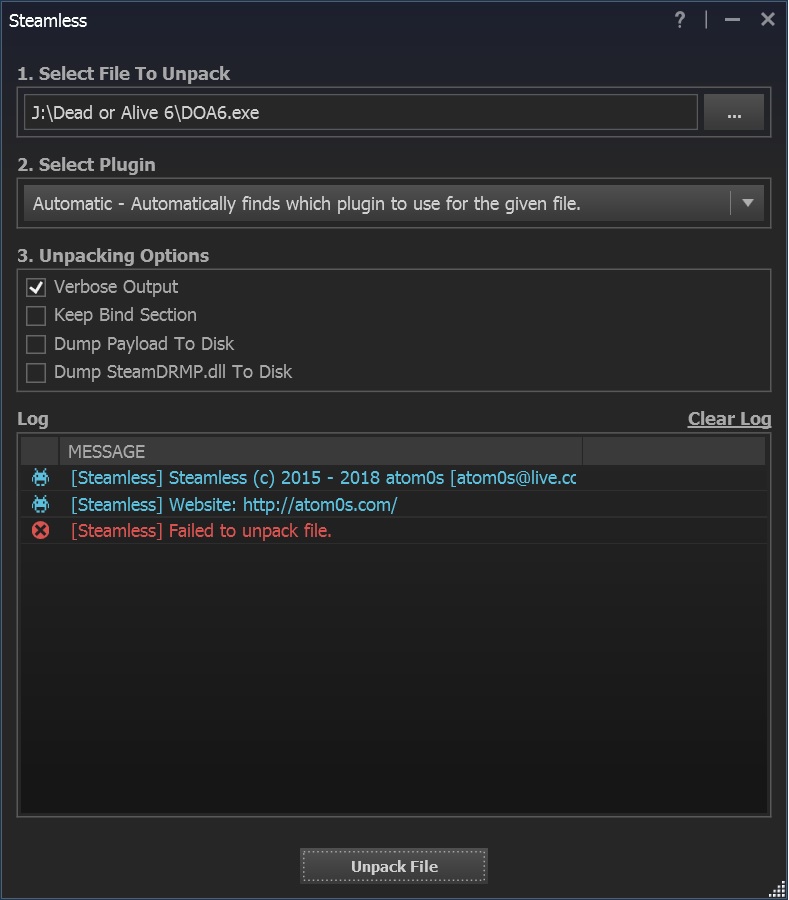
- DOA6 unpack.jpg (103.01 KiB) Viewed 7898 times
Appreciate for your help!!
Is there anything wrong with my unpack processing??? Failed to unpack file...
Re: Dead of Alive 6 21:9 Fix Request
Posted: 03 Mar 2019, 15:51
by superangrynoob
jackfuste wrote:superangrynoob wrote:Is it possible to show us how you edit the .exe file?
- Unpack DOA6.exe using - https://github.com/atom0s/Steamless
- Download x64dbg debugger - https://sourceforge.net/projects/x64dbg/files/snapshots/
- Run release\x64\x64dbg.exe with Administrator rights
- Go to Options - Preferences
- Uncheck "System Breakpoint"; "TLS Callbacks"; "Attach Breakpoint" and save settings
- File - Open - DOA6.exe
- Click RMB and select "Search for - Current Module - Constant" - 3FE38E39
- Change all found values - 3FE38E39 to your aspect ratio value (4017B426 - for 2560x1080; 4018E38E - for 3440x1440 etc...)
- Click RMB and select "Search for - Current Module - Pattern" - C7 44 24 58 80 07 00 00 C7 44 24 5C 38 04 00 00
- Change all found values - 780 to the value calculated by this formula: 1080 * ( width / height )
For example:
1080 * ( 2560 / 1080 ) = 1080 * 2.37037 = 2560 (dec) = A00 (hex)
1080 * ( 3440 / 1440 ) = 1080 * 2.38888 = 2580 (dec) = A14 (hex) - Click RMB and select "Search for - Current Module - Pattern" - FF E1 ?? ?? ?? ?? ?? ?? ?? ?? ?? ?? ?? ?? C7 44 24 30 20 03 00 00 C7 44 24 34 C2 01 00 00
- Click RMB on jmp rcx and select "Binary - Fill with NOPs"
- Change - 320 and 1C2 to your resolution value (A00 and 438 - for 2560x1080; D70 and 5A0 - for 3440x1440 etc...)
- File - Patch file
- Make copy of DOA6.exe, and select it for patch
Thank you, really appreciated!
i am stuck at step one

Re: Dead of Alive 6 21:9 Fix Request
Posted: 03 Mar 2019, 16:35
by jackfuste
superangrynoob wrote:Thank you, really appreciated!
i am stuck at step one
If you are using a pirated version, then DOA6.exe is already unpacked.
Re: Dead of Alive 6 21:9 Fix Request
Posted: 03 Mar 2019, 22:42
by ryu600RR
this file didn't work for me, any idea what may be the cause? I'm on 2560*1080 and i tried to replace the file in the game directory. I'm on steam version.
Re: Dead of Alive 6 21:9 Fix Request
Posted: 04 Mar 2019, 08:10
by legnoi
jackfuste wrote:superangrynoob wrote:Is it possible to show us how you edit the .exe file?
- Unpack DOA6.exe using - https://github.com/atom0s/Steamless
- Download x64dbg debugger - https://sourceforge.net/projects/x64dbg/files/snapshots/
- Run release\x64\x64dbg.exe with Administrator rights
- Go to Options - Preferences
- Uncheck "System Breakpoint"; "TLS Callbacks"; "Attach Breakpoint" and save settings
- File - Open - DOA6.exe
- Click RMB and select "Search for - Current Module - Constant" - 3FE38E39
- Change all found values - 3FE38E39 to your aspect ratio value (4017B426 - for 2560x1080; 4018E38E - for 3440x1440 etc...)
- Click RMB and select "Search for - Current Module - Pattern" - C7 44 24 58 80 07 00 00 C7 44 24 5C 38 04 00 00
- Change all found values - 780 to the value calculated by this formula: 1080 * ( width / height )
For example:
1080 * ( 2560 / 1080 ) = 1080 * 2.37037 = 2560 (dec) = A00 (hex)
1080 * ( 3440 / 1440 ) = 1080 * 2.38888 = 2580 (dec) = A14 (hex) - Click RMB and select "Search for - Current Module - Pattern" - FF E1 ?? ?? ?? ?? ?? ?? ?? ?? ?? ?? ?? ?? C7 44 24 30 20 03 00 00 C7 44 24 34 C2 01 00 00
- Click RMB on jmp rcx and select "Binary - Fill with NOPs"
- Change - 320 and 1C2 to your resolution value (A00 and 438 - for 2560x1080; D70 and 5A0 - for 3440x1440 etc...)
- File - Patch file
- Make copy of DOA6.exe, and select it for patch
Thank you, It's work

Re: Dead of Alive 6 21:9 Fix Request
Posted: 04 Mar 2019, 13:58
by DevilAnGeL
jackfuste wrote:superangrynoob wrote:Thank you, really appreciated!
i am stuck at step one
If you are using a pirated version, then DOA6.exe is already unpacked.
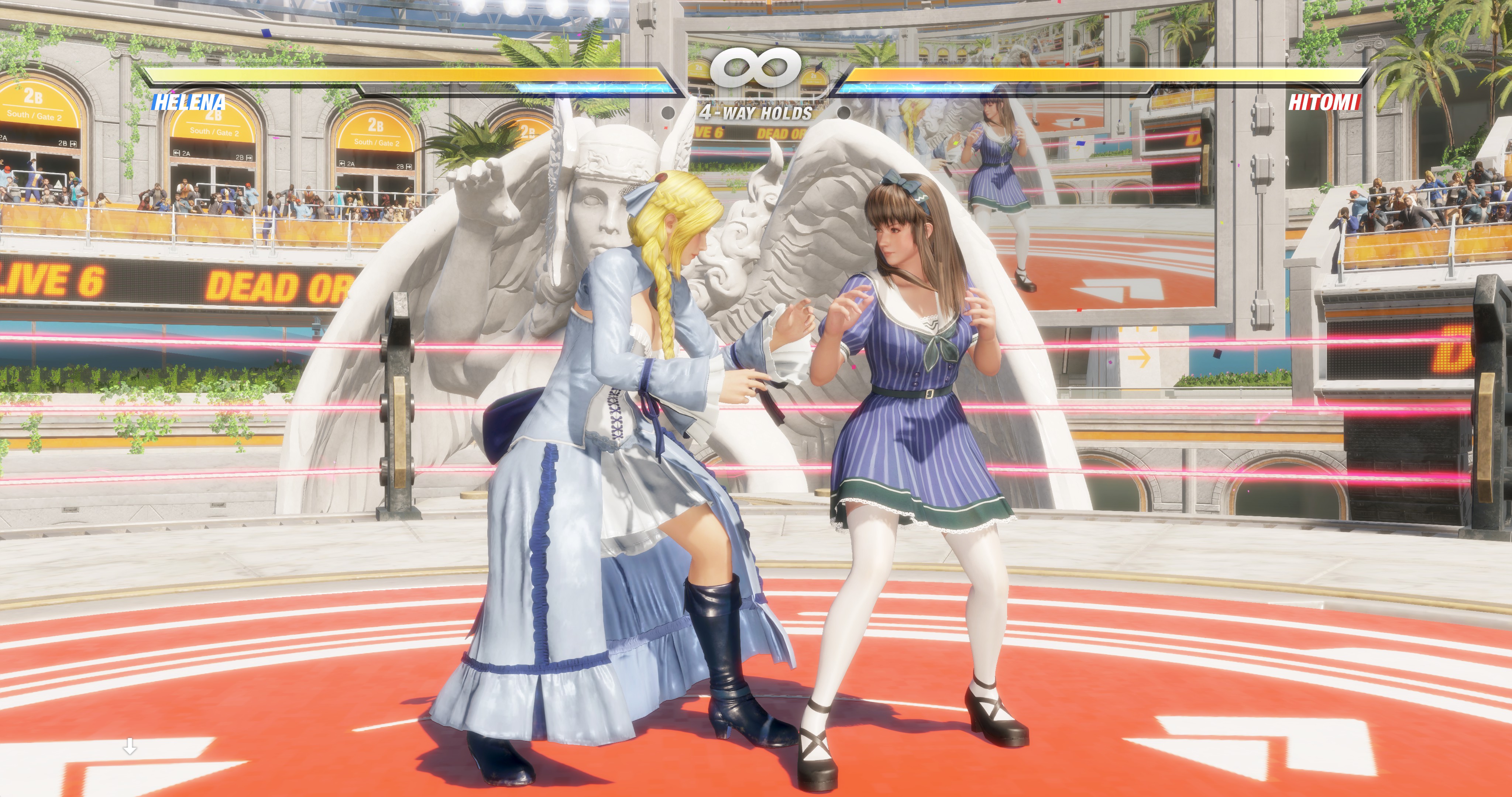
- 20190304204043_1.jpg (1.6 MiB) Viewed 7824 times
Thank you so much, im done! Perfect for my DCI 4K.
Re: Dead of Alive 6 21:9 Fix Request
Posted: 04 Mar 2019, 15:50
by conon
[*]Click RMB and select "Search for - Current Module - Pattern" - FF E1 ?? ?? ?? ?? ?? ?? ?? ?? ?? ?? ?? ?? C7 44 24 30 20 03 00 00 C7 44 24 34 C2 01 00 00
[*]Click RMB on jmp rcx and select "Binary - Fill with NOPs"
[*]Change - 320 and 1C2 to your resolution value (A00 and 438 - for 2560x1080; D70 and 5A0 - for 3440x1440 etc...)
[*]File - Patch file
[*]Make copy of DOA6.exe, and select it for patch[/list][/quote]
hi,i can't find the value 320 or 1C2 when i select Binary-fill with nops...
just a size blank..
sorry for my bad engilsh...
Re: Dead of Alive 6 21:9 Fix Request
Posted: 04 Mar 2019, 16:57
by FlunkyDave
Needs an update. Here's a new .exe!
Re: Dead of Alive 6 21:9 Fix Request
Posted: 05 Mar 2019, 03:10
by DevilAnGeL
conon wrote:[*]Click RMB and select "Search for - Current Module - Pattern" - FF E1 ?? ?? ?? ?? ?? ?? ?? ?? ?? ?? ?? ?? C7 44 24 30 20 03 00 00 C7 44 24 34 C2 01 00 00
[*]Click RMB on jmp rcx and select "Binary - Fill with NOPs"
[*]Change - 320 and 1C2 to your resolution value (A00 and 438 - for 2560x1080; D70 and 5A0 - for 3440x1440 etc...)
[*]File - Patch file
[*]Make copy of DOA6.exe, and select it for patch[/list]
Skip the step "select "Binary - Fill with NOPs". Change -
320 and
1C2 to your resolution value (
A00 and
438 - for 2560x1080;
D70 and
5A0 - for 3440x1440 etc...) directly! This method works on my pirate version. Good luck.
Re: Dead of Alive 6 21:9 Fix Request
Posted: 05 Mar 2019, 05:58
by conon
DevilAnGeL wrote:conon wrote:[*]Click RMB and select "Search for - Current Module - Pattern" - FF E1 ?? ?? ?? ?? ?? ?? ?? ?? ?? ?? ?? ?? C7 44 24 30 20 03 00 00 C7 44 24 34 C2 01 00 00
[*]Click RMB on jmp rcx and select "Binary - Fill with NOPs"
[*]Change - 320 and 1C2 to your resolution value (A00 and 438 - for 2560x1080; D70 and 5A0 - for 3440x1440 etc...)
[*]File - Patch file
[*]Make copy of DOA6.exe, and select it for patch[/list]
Skip the step "select "Binary - Fill with NOPs". Change -
320 and
1C2 to your resolution value (
A00 and
438 - for 2560x1080;
D70 and
5A0 - for 3440x1440 etc...) directly! This method works on my pirate version. Good luck.
so u means just find jmp rcx and than look for the value "320 and 1C2"?
i find this two value at the same page,
anyway i will have a try, thx bro.