Page 1 of 3
Vampyr. FOV needs changing
Posted: 05 Jun 2018, 05:15
by Rose
The issue is identical to
what I read about State of Decay 2.
The game is built on UE4, supports ultrawide resolutions but via Vert-. Switching the FOV from X- to Y-based through Engine.ini does result in Hor+ but also leads to a much higher FOV compared to the default value. There's no slider or FOV value in the config files.
Changing hex values in the exe results in errors, although I may be doing it wrong.
Can anyone think of a solution? I guess it would be Cheat Engine based.
Re: Vampyr. FOV needs changing
Posted: 05 Jun 2018, 09:16
by valcan_s
This will change the FOV but it is mega zoomed out and sucks

---------------------------------------------------------------------------------
> %LOCALAPPDATA%\AVGame\Saved\Config\WindowsNoEditor\
> Open: Engine.ini
> Add the following lines:
[/Script/Engine.LocalPlayer]
AspectRatioAxisConstraint=AspectRatio_MaintainYFOV
So yeah, it needs a proper fix this does not work/fix the issue it is basically un playable just like State Of Decay 2.
Re: Vampyr. FOV needs changing
Posted: 05 Jun 2018, 18:48
by rogermorse
It's for sure fixable, we need a bit more time for the better 'fixers' here in the forum to find a fix. I will also have a look but my competence is far more limited compared to some other people in here.
Re: Vampyr. FOV needs changing
Posted: 05 Jun 2018, 20:58
by jackfuste
- Run trainer (don't press "Fix" button)
- Run game
- Trainer will be automatically closed after memory patching
Or replace
AVGame-Win64-Shipping.exe in the game folder (
Vampyr\AVGame\Binaries\Win64\)
Download all 4 parts of archive and start unpack it from first part - AVGame-Win64-Shipping_v2.part01.rar
Re: Vampyr. FOV needs changing
Posted: 05 Jun 2018, 21:00
by Rose
I was in the middle of posting this table when your trainer got posted!
Re: Vampyr. FOV needs changing
Posted: 05 Jun 2018, 21:17
by Rose
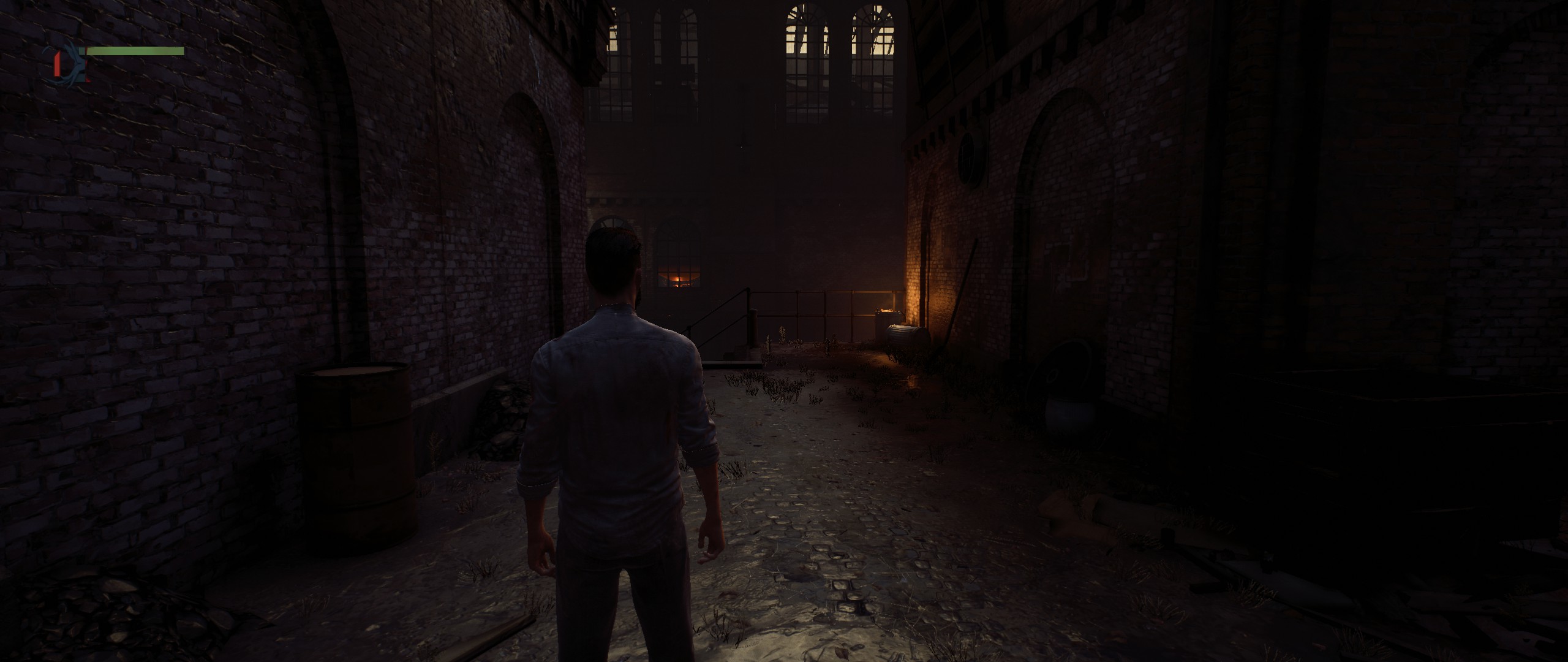
- 21:9
- 20180606005530_1.jpg (303.09 KiB) Viewed 29911 times
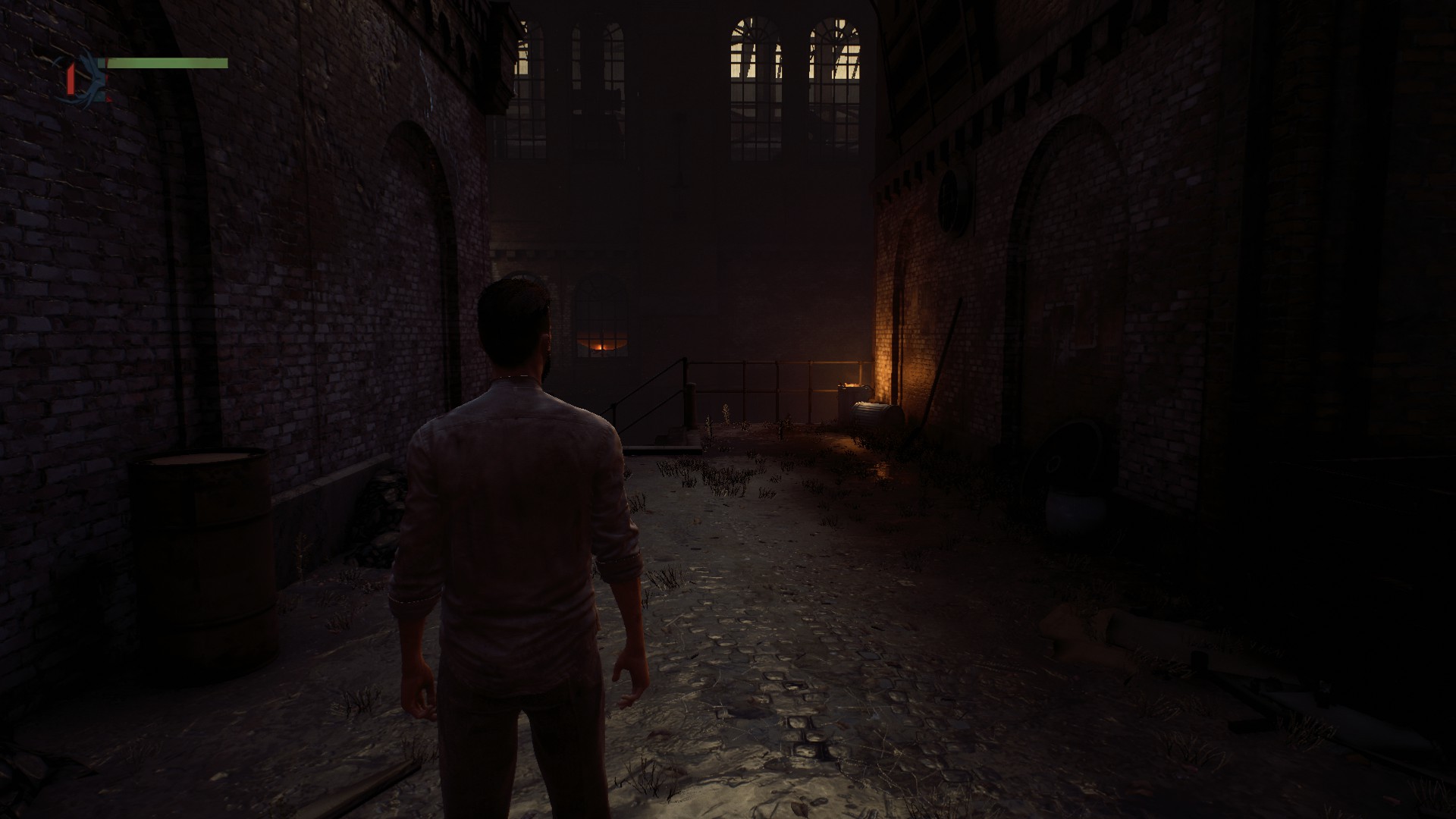
- 16:9
- 20180606005035_1.jpg (230.22 KiB) Viewed 29910 times
I took these with my table loaded, but your solution achieves the same FOV without the need of Cheat Engine.
Re: Vampyr. FOV needs changing
Posted: 05 Jun 2018, 21:20
by MezzuP
Hi! I literally just made an account to thank you both for the fix

Re: Vampyr. FOV needs changing
Posted: 05 Jun 2018, 21:31
by K4sh
Your FOV fix did the trick Jackfuste.
As always, thank you.
Re: Vampyr. FOV needs changing
Posted: 05 Jun 2018, 21:35
by Kyborgimursu
Great work!
Re: Vampyr. FOV needs changing
Posted: 05 Jun 2018, 22:32
by Prizorgi
Nice work!
Do you think it's possible to remove the black bars during the cutscenes?
Re: Vampyr. FOV needs changing
Posted: 06 Jun 2018, 07:00
by Funkengreuven
Thanks a Million Jackfuste! Thanks also for patching FC5 again!
Re: Vampyr. FOV needs changing
Posted: 06 Jun 2018, 07:34
by jackfuste
Prizorgi wrote:Nice work!
Do you think it's possible to remove the black bars during the cutscenes?
Black bars removed, download updated fix -
http://www.wsgf.org/forums/viewtopic.php?f=64&t=32669&p=172248#p172248
Re: Vampyr. FOV needs changing
Posted: 06 Jun 2018, 07:51
by Prizorgi
OMG, really fast! Thanks a lot!
Re: Vampyr. FOV needs changing
Posted: 06 Jun 2018, 09:52
by valcan_s
jackfuste wrote:Vampyr_FOV_Fix_v2.7z
- Run trainer (don't press "Fix" button)
- Run game
- Trainer will be automatically closed after memory patching
Or replace
AVGame-Win64-Shipping.exe in the game folder (
Vampyr\AVGame\Binaries\Win64\)
Download all 4 parts of archive and start unpack it from first part - AVGame-Win64-Shipping_v2.part01.rar
AVGame-Win64-Shipping_v2.part01.rar
AVGame-Win64-Shipping_v2.part02.rar
AVGame-Win64-Shipping_v2.part03.rar
AVGame-Win64-Shipping_v2.part04.rar
Awesome! I just tried the fix, you are a LEGEND jackfuste

thanks a lot for the fix, works perfectly and looks really dope.
Re: Vampyr. FOV needs changing
Posted: 06 Jun 2018, 13:38
by dexth1977
just registered to say thanks!
is it possible to further zoom out to when it is in combat mode?
Re: Vampyr. FOV needs changing
Posted: 06 Jun 2018, 20:06
by idk31
I too made a trainer. Hoping not to step on Jack's toes

, here it is as an alternative:
https://drive.google.com/open?id=19ls-g ... 8eCpfDnvRGWith the game open, open the trainer and activate it with backspace. It removes pillarboxing (in cutscenes too). This also changes the FOV at will. It adds an offset you set to the current FOV.
EDIT:
Here is the Cheat Engine CT if you prefer that. This way you know exactly what you're getting. With the EXE, you may get an antivirus warning, but I assure you it's ok. I make mods. Mostly to add freecams.
See my other stuff here.
Re: Vampyr. FOV needs changing
Posted: 06 Jun 2018, 22:46
by K4sh
Really nice idk31
Very usefull. Thank you.
Re: Vampyr. FOV needs changing
Posted: 07 Jun 2018, 05:37
by Amon Amarth
Nice, any chance to fix the HUD to the center display?
Re: Vampyr. FOV needs changing
Posted: 07 Jun 2018, 12:22
by ChibiPhoenix
Thanks a lot!
Re: Vampyr. FOV needs changing
Posted: 07 Jun 2018, 19:40
by yobayoba
Hello,
Is it possible of you to create exe for a closer camera (like Batman AA, but not to too much left though) for 16:9 please
Thanks