Page 1 of 1
Need for Speed Payback
Posted: 10 Nov 2017, 16:08
by scavvenjahh
 Widescreen Grade: AUltra-Widescreen Grade: BMulti-monitor Grade: C4k Grade: ARead Full Detailed Report - Need for Speed PaybackSet in the underworld of Fortune Valley, you and your crew are reunited by a search for vengeance against The House, a nefarious cartel that rules the city's casinos, criminals, and cops. In this corrupt gambler's paradise, the stakes are high and The House always wins. Play a variety of challenges and events as Tyler, the Racer; Mac, the Showman; and Jess, the Wheelman. Each driver must take on races, missions, and challenges to earn the respect of the Valley's underground and compete in the ultimate race to finally take down The House.
Re: Need for Speed Payback
Posted: 11 Nov 2017, 22:49
by valcan_s
The game its totally un playable on multi screen aka 5760x1080, it totally sucks

Re: Need for Speed Payback
Posted: 12 Nov 2017, 01:59
by Amon Amarth
Boo EA. They never care about that in Need for Speed games.
Re: Need for Speed Payback
Posted: 20 Nov 2017, 15:22
by aqua44
I play it on one screen, it works pretty well for me!
Re: Need for Speed Payback
Posted: 29 Nov 2017, 20:02
by scavvenjahh
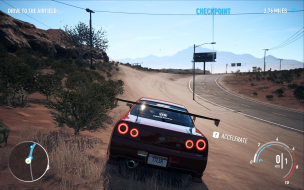
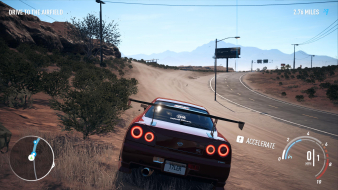
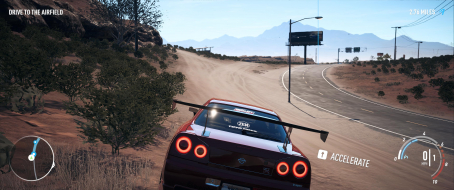
Played through in hood view... In Ultrawide I preferred a less "optimized" HUD to keep the minimap in check:
Code: Select all
GstRender.ScreenSafeAreaWidth 0.666666
It's so sad to get tunnel vision on third-person views when the bulk of the game is actually UW- and MM-friendly. Rivals sans Flawless WS was the same. Ghost Games, wake up !
Re: Need for Speed Payback
Posted: 13 Feb 2018, 14:11
by Adam-2012
Re: Need for Speed Payback
Posted: 13 Feb 2018, 14:13
by Adam-2012
how to solve the problem I want fixed even if it breaks online
Re: Need for Speed Payback
Posted: 13 Feb 2018, 22:13
by hyp36rmax
It seems it’s possible to get it working through Flawless Widescreen app, just need help with getting the game approved and working on it since this game is similar to Rivals
Re: Need for Speed Payback
Posted: 16 Feb 2018, 12:06
by Adam-2012
I can pay if someone can fix it.
Re: Need for Speed Payback
Posted: 19 Feb 2018, 08:27
by jackfuste
I don't have this game, so I need someone who can share account with game for a while or donate a game key.
I can try to fix FOV without the game, but then I need NeedForSpeedPayback.exe memory dump:
- Install - http://www.ntcore.com/files/ExplorerSuite.exe
- Run C:\Program Files\NTCore\Explorer Suite\Task Explorer-x64.exe as Admin
- Startup game and Alt+Tab it
- In Task Explorer click right mouse button on "NeedForSpeedPayback" and select "Dump PE"
- Upload "NeedForSpeedPayback_Dumped.exe" file
Re: Need for Speed Payback
Posted: 20 Feb 2018, 21:01
by jackfuste
I made a trainer for increase FOV, but without game I can't test it, so not sure will it work at all.
Re: Need for Speed Payback
Posted: 20 Feb 2018, 23:08
by jackfuste
New trainer version, should be Hor+ for all resolutions.
Re: Need for Speed Payback
Posted: 20 Feb 2018, 23:37
by uJard
21:9 scales perfectly with this version of the trainer. Haven't spotted any issues at all so far, both singleplayer and online.
Well done!
Re: Need for Speed Payback
Posted: 21 Feb 2018, 09:31
by valcan_s
jackfuste wrote:I don't have this game, so I need someone who can share account with game for a while or donate a game key.
I can try to fix FOV without the game, but then I need NeedForSpeedPayback.exe memory dump:
- Install - http://www.ntcore.com/files/ExplorerSuite.exe
- Run C:\Program Files\NTCore\Explorer Suite\Task Explorer-x64.exe as Admin
- Startup game and Alt+Tab it
- In Task Explorer click right mouse button on "NeedForSpeedPayback" and select "Dump PE"
- Upload "NeedForSpeedPayback_Dumped.exe" file
Hey jackfuste, I could score you a key from
https://www.greenmangaming.com/games/ne ... d-payback/ just make sure you are from NA. It does not say a specific region so it should be fine anyways(check out the link and see what region it shows or if no specific one). I have been waiting for them to fix it but it seems like it will never happen cause EA doesn't care.
I have been working own my own game for a while self funded and my funds are pretty tight but I have been wanting to play NFSPB in 5760x1080 since it came out. So pm me your email and I will hook you up with a copy so you can look into it and fix it if you can. From what I gather it is totally just a FOV issue.
Thanks dude

[ update ] : just sent you the key for the game, a massive thanks for all your help we all appreciate it!
Re: Need for Speed Payback
Posted: 22 Feb 2018, 00:33
by jackfuste
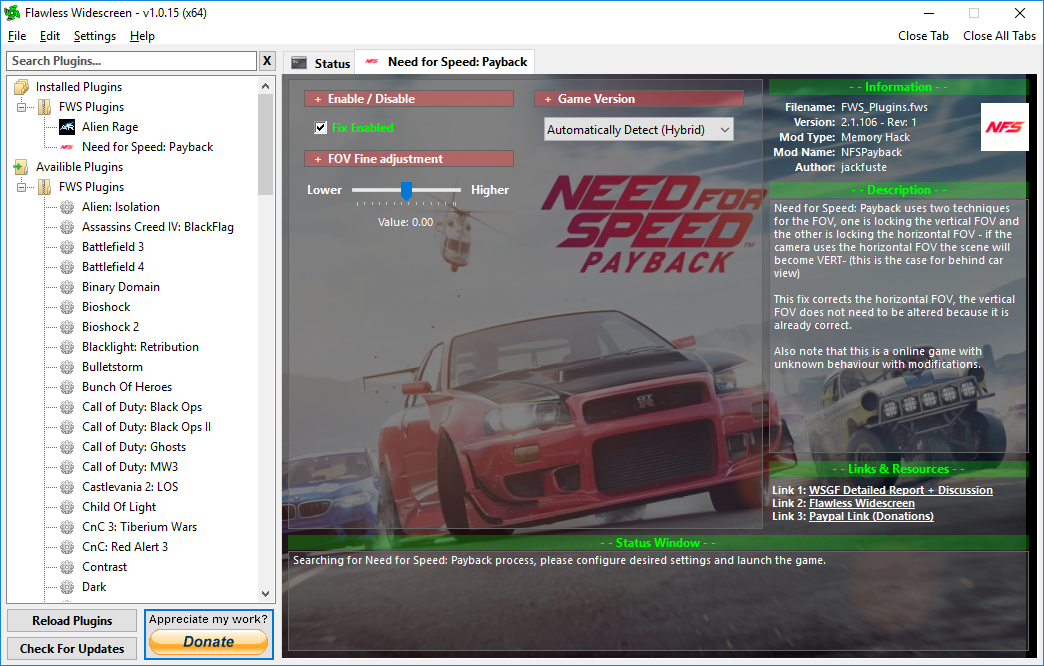
I made plugin for
Flawless Widescreen- Install - Flawless Widescreen
- Run it and install at least one plugin from "Available plugins"
- Copy to C:\Program Files (x86)\Flawless Widescreen\ all files from this archive:
- FWS.png (482.42 KiB) Viewed 11978 times
Re: Need for Speed Payback
Posted: 22 Feb 2018, 03:40
by valcan_s
jackfuste wrote:I made plugin for
Flawless Widescreen- Install - Flawless Widescreen
- Run it and install at least one plugin from "Available plugins"
- Copy to C:\Program Files (x86)\Flawless Widescreen\ all files from this archive:
NFS_Payback_FWS.7z
Damn that was fast! Works perfectly, a massive thank you. I have been dying to play it and now I finally can, It looks amazing in 5760x1080
so good.
Thanks again, the community really appreciates all your work.
Re: Need for Speed Payback
Posted: 24 Feb 2018, 17:41
by scavvenjahh
Well, thank YOU valcan for the investment

Re: Need for Speed Payback
Posted: 17 May 2018, 18:18
by hyp36rmax
Wow thank you again!!!!!
Re: Need for Speed Payback
Posted: 16 Nov 2018, 15:40
by Triliuner
jackfuste wrote:I made plugin for
Flawless Widescreen- Install - Flawless Widescreen
- Run it and install at least one plugin from "Available plugins"
- Copy to C:\Program Files (x86)\Flawless Widescreen\ all files from this archive:
NFS_Payback_FWS.7z
FWS.png
thank you, this works perfectly
but the problem is if I update the flawless widescreen, the plugins from NFS payback will disappear
Is there a solution?