Page 1 of 1
Assassin's Creed Chronicles: China
Posted: 23 Feb 2016, 11:55
by czarman
 Widescreen Grade: AUltra-Widescreen Grade: CMulti-monitor Grade: C4k Grade: IncompleteRead Full Detailed Report - Assassin's Creed Chronicles: ChinaAssassin's Creed Chronicles: China is the first game of three in the Chronicles spin-off series based on the main Assassin's Creed franchise. It is a 2.5D platform game.
Re: Assassin's Creed Chronicles: China
Posted: 26 Jul 2016, 23:43
by Mark_B
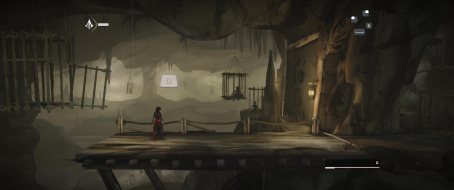
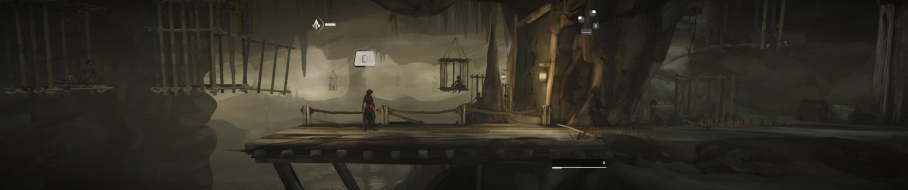
This fix did not work anymore for 21:9?`
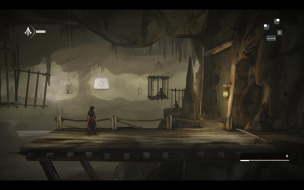
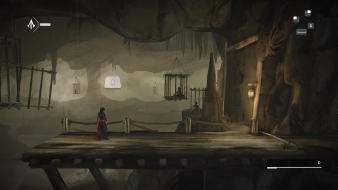
Aspect Ratio: Go to ...\China\ACCGame\CookedPCConsole\ACCGame.upk
Look in Offset E5AE0 for this Hex Code: 4C 8E E3 3F and change it to your Aspect Ratio. for example CD 90 18 40 (21:9)
I go there but i don't found 4C 8E E3 3F at Offset E5AE0...
Please help
Re: Assassin's Creed Chronicles: China
Posted: 02 Aug 2016, 11:38
by czarman
The FIX is still working look for 4C 8E E3 3F in Offset 12B700 and 12B710
Re: Assassin's Creed Chronicles: China
Posted: 09 Aug 2016, 10:28
by Mark_B
Man i find the fault...i become every time a error message with the apk after edit it but i don't read this exactly cause the game starts a second later and the message dissapear.. Now i read the message and it was clear.
i maded a backup folder with the apk in it and the game wrote me that it found an edited one and it tooks the one in the backup folder to play...

Now after deleting the backup folder all works fine

Thanks

Re: Assassin's Creed Chronicles: China
Posted: 25 Mar 2019, 03:16
by imbarnaba
FOV: Go to C:\Users\...\Documents\my games\UnrealEngine3\ACCGame\Config\ACCDInput.ini
Add this Lines under [Engine.PlayerInput]
Bindings=(Name="F1",Command="FOV 90",Control=False,Shift=False,Alt=False)
Bindings=(Name="F2",Command="FOV 100",Control=False,Shift=False,Alt=False)
Bindings=(Name="F3",Command="FOV 110",Control=False,Shift=False,Alt=False)
This doesn't work for me.
The name of the input file has changed, I know, but still adding these lines does not fix the FOV.
The aspect ratio is ok (21:9), but the FOV is close up.
Could anyone help please?
Re: Assassin's Creed Chronicles: China
Posted: 25 Mar 2019, 12:07
by susahamat
put this lines under
[ACCGame.ACCPlayerInput] instead of [Engine.PlayerInput]

- ACChina_FOV.jpg (37.47 KiB) Viewed 9077 times
Bindings=(Name="F1",Command="FOV 90",Control=False,Shift=False,Alt=False)
Bindings=(Name="F2",Command="FOV 100",Control=False,Shift=False,Alt=False)
Bindings=(Name="F3",Command="FOV 117",Control=False,Shift=False,Alt=False)
Re: Assassin's Creed Chronicles: China
Posted: 25 Mar 2019, 19:37
by imbarnaba
Thank you very much, susahamat! Blessed be the Internet, and its people!
Perhaps the main article should be updated with this info?
I tried to update it but am afraid to wipe the existing information if I do so (I only joined the forum yesterday..).
Re: Assassin's Creed Chronicles: China
Posted: 25 Mar 2019, 19:43
by susahamat
your welcome , ok i'll update this info btw its easy to edit hehe. hopefully next time you can contribute information in this site

tutorial in here
https://www.youtube.com/watch?v=HqoeocJ ... 1oikgYJ2p7 .
Re: Assassin's Creed Chronicles: China
Posted: 26 Mar 2019, 00:59
by imbarnaba
I will, thanks!
Sorry to keep bothering you with this.. but in order to have the FoV working I have to press F1, F2 or F3 manually EVERY time I respawn, or enter the map view. Kinda annoying..
I play with a gamepad, and was trying to assign the FoV command to a gamepad left stick.. but failed again, I feel shit at this config tinkering..
Is there any fix for this, do you know?
Re: Assassin's Creed Chronicles: China
Posted: 26 Mar 2019, 01:51
by susahamat
it seems works great here, im using game UPLAY latest version w/ controller too . i've started game tested to respawn and opened map , the fov remain the same. try set the atributes .ini file to "read-only"
UPDATE: i got reset fov too when "restart checkpoint"
Re: Assassin's Creed Chronicles: China
Posted: 26 Mar 2019, 13:17
by czarman
For a permanent FOV solution:
Unpack ACCGame-Win32-Shipping.exe using Steamless - https://github.com/atom0s/Steamless/releases/
Using Hex-editor replace the following bytes:
61 0B 36 3B => 61 0B 66 3B
Re: Assassin's Creed Chronicles: China
Posted: 26 Mar 2019, 19:26
by imbarnaba
Thanks again for patience, looking it up and all the good advice amico! Points of Internet respect towards you, cheers!
I managed to assign my favorite FoV command to left stick button last night.
It's been probably said over and over on these forums, but I wish all the developers respected our Ultra-Wide community!
This website is a great initiative! Thank you for contributing and maintaining it!
Nevertheless I hope that one of these days it's not going to be needed anymore. (Likely a fool's dream..)
Utra-Wide gaming is so much more engaging than regular 16:9!
Re: Assassin's Creed Chronicles: China
Posted: 26 Mar 2019, 20:30
by susahamat
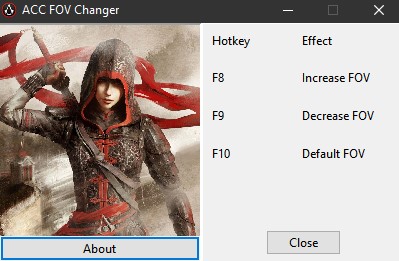
- ACC_FOVChanger.jpg (32.33 KiB) Viewed 2895 times
DL :