Page 1 of 1
Mad Max
Posted: 18 Nov 2015, 12:35
by scavvenjahh
 Widescreen Grade: BUltra-Widescreen Grade: BMulti-monitor Grade: B4k Grade: ARead Full Detailed Report - Mad MaxThe game reboot of the movie reboot. In a world that knows neither mercy nor windshield, a lost man fights to survive the madness and leave it behind in a plume of smoke. A dusty drive'n'brawl show from the makers of Just Cause.
Re: Mad Max Zoomed In on Start Glitch
Posted: 11 Jan 2016, 04:40
by Chrispy
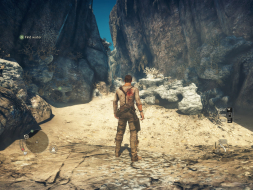
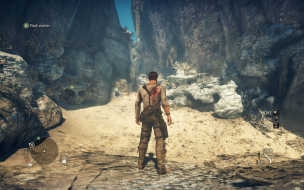
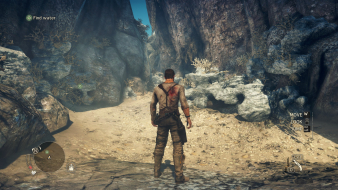
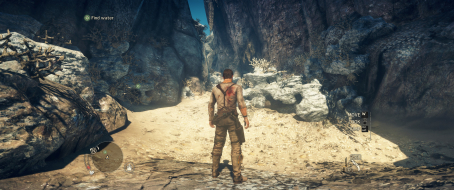
The game is beautiful on three monitors!

I ran into a glitch and am only posting to hopefully help someone else out. After working fine the first few times, when I started the game it would be all zoomed in and unplayable. One "fix" I found for this is to alt+tab in and out of the game until it appears on all three monitors (may take several tries), then change game resolution in settings.
My setup is AMD Eyefinity, 295x2, i7, Windows 7
This made me crazy for a while and I hope I've spared you the pain!

Re: Mad Max
Posted: 22 Oct 2017, 07:17
by cybereality
For some reason, I can't get the game to accept a 7680x1440 resolution. It's in the menu, I select it, and then (after refreshing the screen) it drops to 2560x1440 but stretched across all 3 monitors. If I edit the settings.ini file, it's the same thing. However, if I set it to borderless window (in the ini file) the game will load at the full 7680x1440 resolution and everything looks perfect, I just need this in full screen. Has anyone tried this game recently in Surround or know what to do? I'm using Nvidia GTX 1080 SLI, Windows 10.
Re: Mad Max
Posted: 23 Oct 2017, 05:30
by cybereality
OK, I got it working. I had to install Nvidia driver 368.25 and exit DisplayFusion.
This was the oldest driver supportrf by the GTX 1080, maybe some newer ones will work but that worked for me.
Man, this game looks awesome in Surround.