Page 1 of 1
Oddworld: New 'n' Tasty
Posted: 28 Oct 2015, 11:31
by czarman
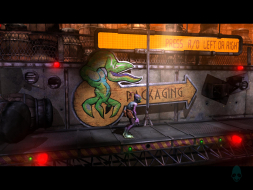
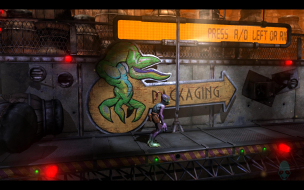
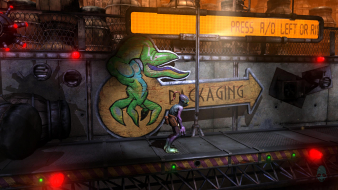
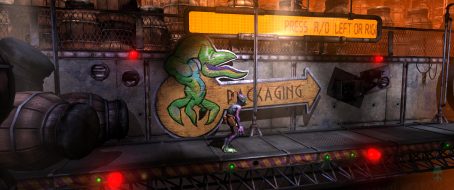
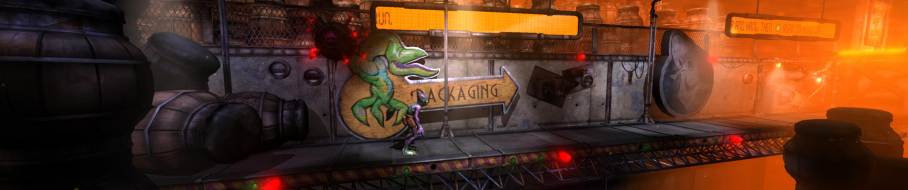
 Widescreen Grade: AUltra-Widescreen Grade: CMulti-monitor Grade: C4k Grade: IncompleteRead Full Detailed Report - Oddworld: New 'n' TastyOddworld: New 'n' Tasty is a faithful remake of Oddworld: Abe's Oddysee where the pre-rendered sceneries are recreated in real-time 3D without changing the original gameplay. It also replaces the single screens linked together of the original version into a true 2.5D side-scrolling game.
While there are various enhancements and details to the character and the scenery, the basic gameplay is still largely similar in a side by side comparison. The GameSpeak system Abe uses to command and talk to other characters start with the same commands, but can later be expanded. This version of the game supports leaderboards for the completion time of each mode and the overall game. There are three difficulty levels and the game. It includes the original cooperative function of the original game when another player can take over when the first player dies, taking turns controlling Abe.
Re: Oddworld: New 'n' Tasty
Posted: 26 Apr 2016, 23:20
by laloutr3
Hi czarman, first, thanks for your work ! I'm trying to use your cheatengine mod, it worked great on the beginning of the game, but since I'm in the forest, the hack does not work anymore, and makes the game crash when I die :/
I launch the game, get into the map, after that, I alt-tab and launch cheat engine, I open the process, open your file, then hit F2. What does i do wrong ?
Thanks in advance

Re: Oddworld: New 'n' Tasty
Posted: 27 Apr 2016, 15:31
by czarman
Hi - looks like that they update the Game again - i created a New Version in the Attachment.
Re: Oddworld: New 'n' Tasty
Posted: 02 Apr 2017, 13:35
by borucic
Hi czarman, would you kindly explain, step by step, how to use your cheat engine fix? I'm getting wider FOV, but with horizontal black bars. GOG version 1.3.
Thank you.
Re: Oddworld: New 'n' Tasty
Posted: 03 Apr 2017, 07:58
by czarman
See Post here from scavvenjahh:
http://www.wsgf.org/forums/viewtopic.ph ... 00#p1617921) Cheat Engine is an app that needs to be installed for Cheat Table (CT) files to work. Once CE is installed, double-click the CT file to load it.
2) Now you need to launch the game. Then back to the CE window, click the flashing "computer search" button to select a process. Find the one ending with -NNT.exe, Open it and click Yes on the next pop-up window.
3) The CT is loaded, the process is hooked, Alt Tab back to Game.
4) That's it ! Press F2 to activate the aspect ratio fix. You need to do all this every time you play, but it's matter of seconds really.
Re: Oddworld: New 'n' Tasty
Posted: 03 Apr 2017, 21:46
by borucic
Hi czarman, thanx for your quick reply.
Unfortunately, I can't get it to work. When I press F2 while in game, nothing changes. Sometimes I got this after incidentaly switching to menu and back to game...
Re: Oddworld: New 'n' Tasty
Posted: 04 Apr 2017, 06:49
by czarman
This Fix is only for Ultra Wide and Tripple Screen to get rid of the Vertical black Bars. It is a Aspect Ratio FIX not a FOV FIX.
Re: Oddworld: New 'n' Tasty
Posted: 04 Apr 2017, 09:49
by borucic
I'm UltraWide
21:9 2560x1080.
Actually, on picture attached above, you can see horizontal FOV wider than that with original resolution!
Playing without Cheat Engine gives me nice 1920x1080 picture filling entire display, no vertical black bars.
With Engine - like I wrote in previous post: no changes, 1920x1080 without black bars or occasionally wider FOV with horizontal black bars.
So, I think, I don't have to use CE, if it's not for changing FOV and I've full screen picture "out of the box".
Anyway - thank you for your help.
Re: Oddworld: New 'n' Tasty
Posted: 28 Apr 2017, 21:53
by Guest
I have tried using this "hack" probably 10-15 times over the past couple years. Every time I try it, it does absolutely nothing, and I waste so much time trying to get it to work that I lose interest in even playing the game. When I follow czarmans 4 steps nothing happens. Such a disappointment. You are going to have to link a video of how to get this to work czarman. Your steps are too vague and there must be at least 4-5 steps missing. I finally created an account just to post this because of how frustratingly vague and broken this hack is after years of utilizing this website. I found manually editing hex's for Resident evil was a breeze compared to this "just press f2" crap.
Re: Oddworld: New 'n' Tasty
Posted: 01 Nov 2017, 12:59
by clamatac
Guest wrote:I have tried using this "hack" probably 10-15 times over the past couple years. Every time I try it, it does absolutely nothing, and I waste so much time trying to get it to work that I lose interest in even playing the game. When I follow czarmans 4 steps nothing happens. Such a disappointment. You are going to have to link a video of how to get this to work czarman. Your steps are too vague and there must be at least 4-5 steps missing. I finally created an account just to post this because of how frustratingly vague and broken this hack is after years of utilizing this website. I found manually editing hex's for Resident evil was a breeze compared to this "just press f2" crap.
same here, I have followed the steps but nothing happens when finally pressing F2
Re: Oddworld: New 'n' Tasty
Posted: 01 Nov 2017, 19:43
by CivilWolf
Here is a quick attempt I made:
Download: https://goo.gl/RFN3fn[Instructions]
1. Type your aspect ratio(decimal form) into the box
2. Run the game
3. Press 'F1' as much as you want
4. Pause the game, then unpause the game.
DONE!
Psst! You only have to type your aspect ratio once.
The tool auto-saves the value on close.Screenshot of tool:

I might make a small video to show how it should work if anyone needs help.
Let me know if it works for you!
Re: Oddworld: New 'n' Tasty
Posted: 08 Aug 2018, 22:44
by Mad Dave
CivilWolf
Please can you create a video tutorial on this, I cant seem to get it right
Re: Oddworld: New 'n' Tasty
Posted: 12 May 2019, 19:57
by czarman
New much easier solution via hex edit.
Re: Oddworld: New 'n' Tasty
Posted: 18 May 2019, 04:17
by Summit
Could you please assist me with the hex edit?
I have open up the file and found 'aspectutility' the values are already set to what is in the screenshot. Still have black bars
Re: Oddworld: New 'n' Tasty
Posted: 18 May 2019, 06:59
by czarman
Now rename the word 'aspectutility' with: .............. or 'xxxxxxxxxxx' or '0spectutility'
Re: Oddworld: New 'n' Tasty
Posted: 19 May 2019, 10:04
by Summit
czarman wrote:Now rename the word 'aspectutility' with: .............. or 'xxxxxxxxxxx' or '0spectutility'
no luck unfortunately, I tried all 3 ways and black bars still remain.