Page 1 of 1
My Setup and Hello
Posted: 16 May 2015, 22:25
by Arty_Harvy
Hello all,
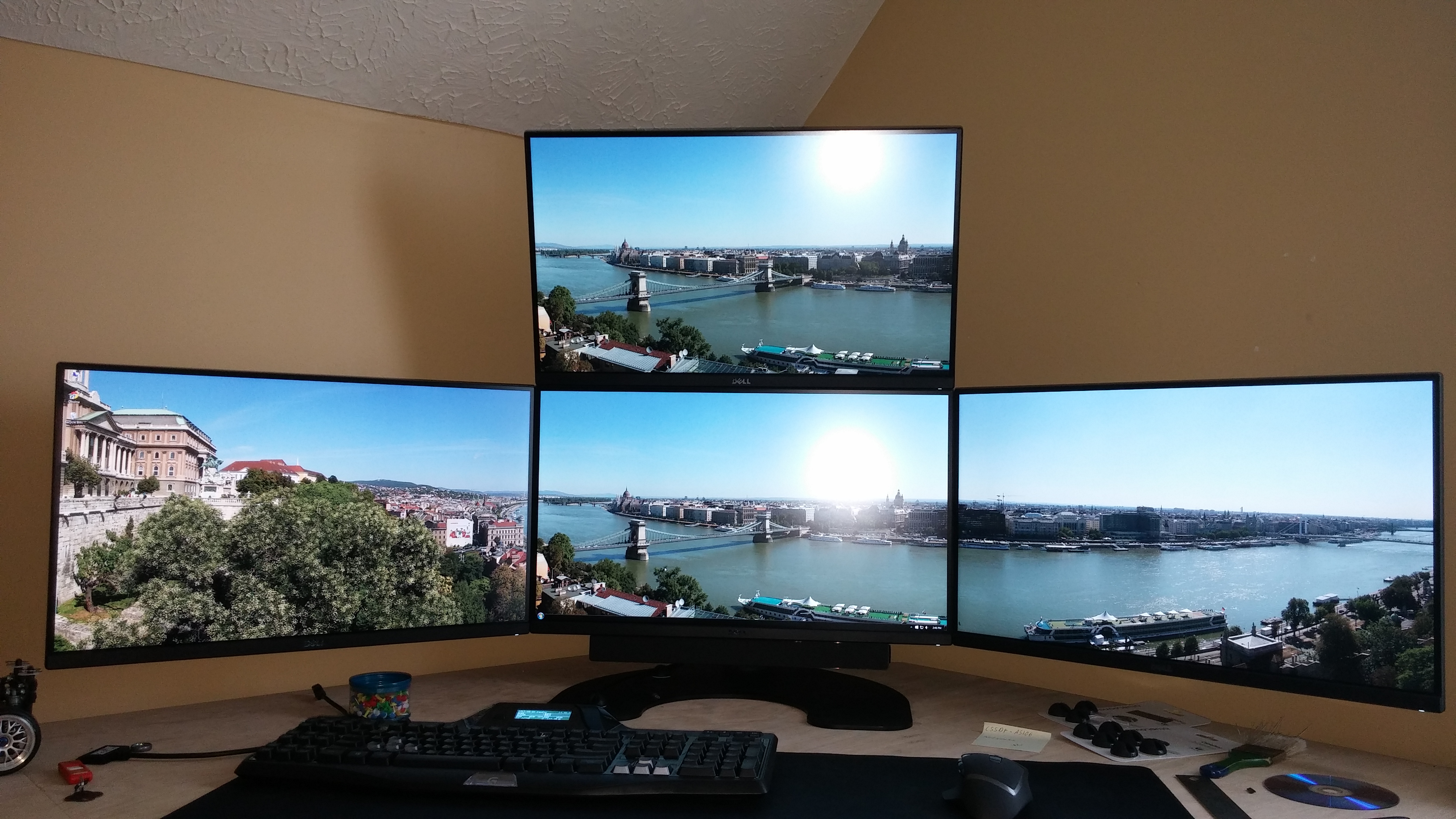
First of all my name is Mike, and i love PC gaming. GTA-V is my current fave. I just finished the upgrade from a tripple head, to a 1 over 3 setup. I attached some pics for reference. Still haven't decided if I want to angle the Monitors downward. The top monitor is a bit high. What do you guys think I should do?
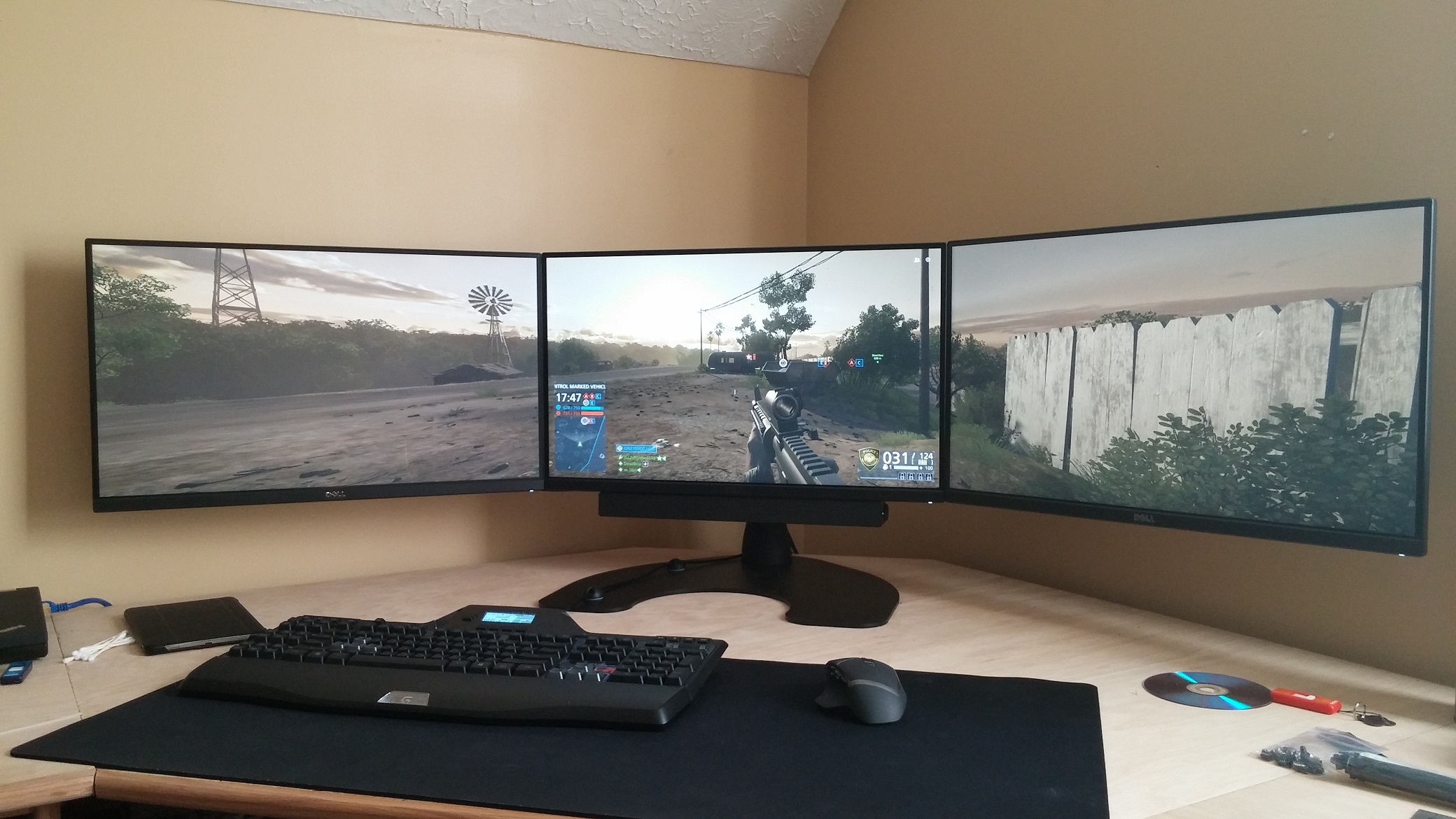
- b.jpg (568.18 KiB) Viewed 12017 times
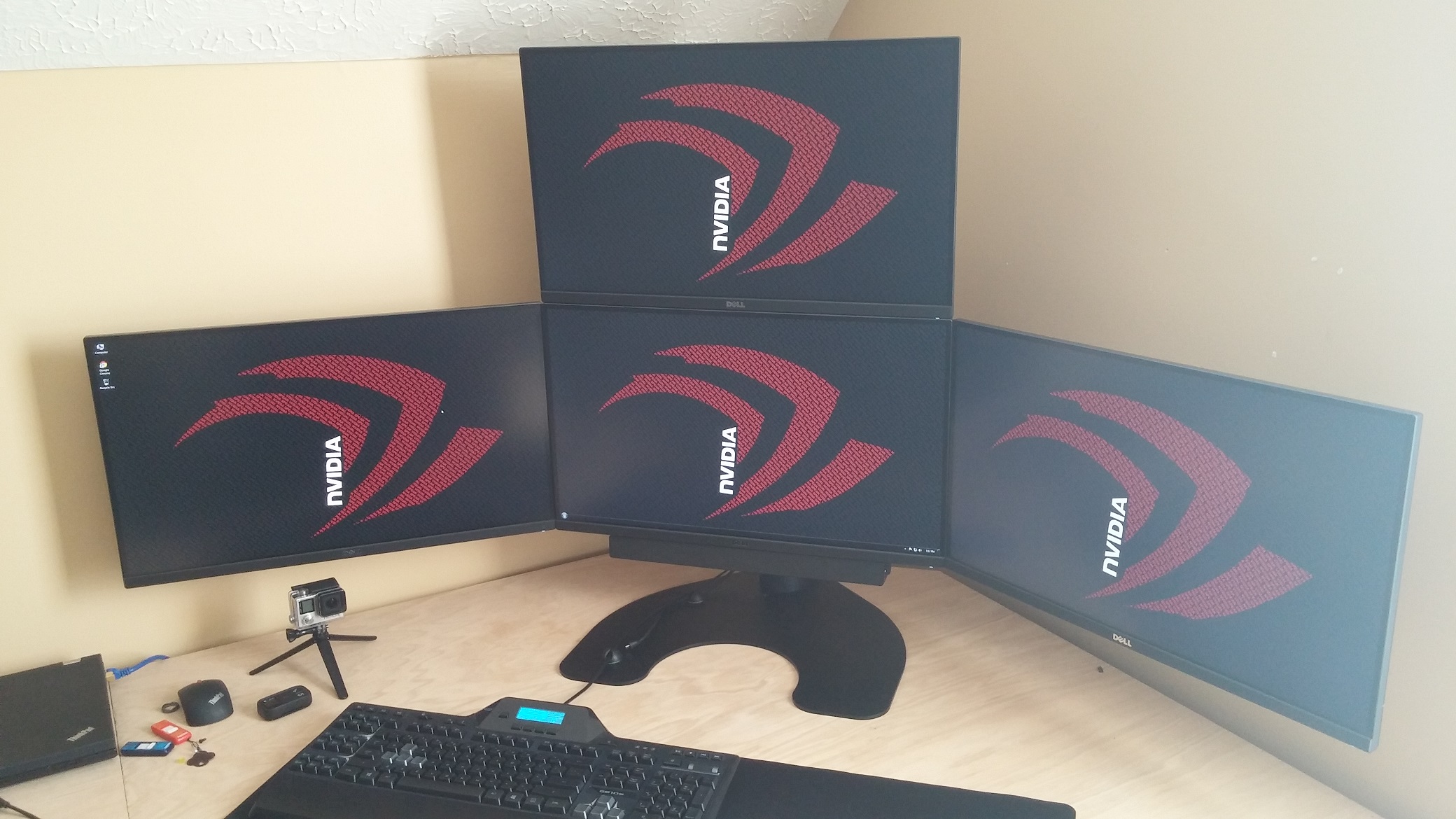
- a.jpg (544.33 KiB) Viewed 11871 times
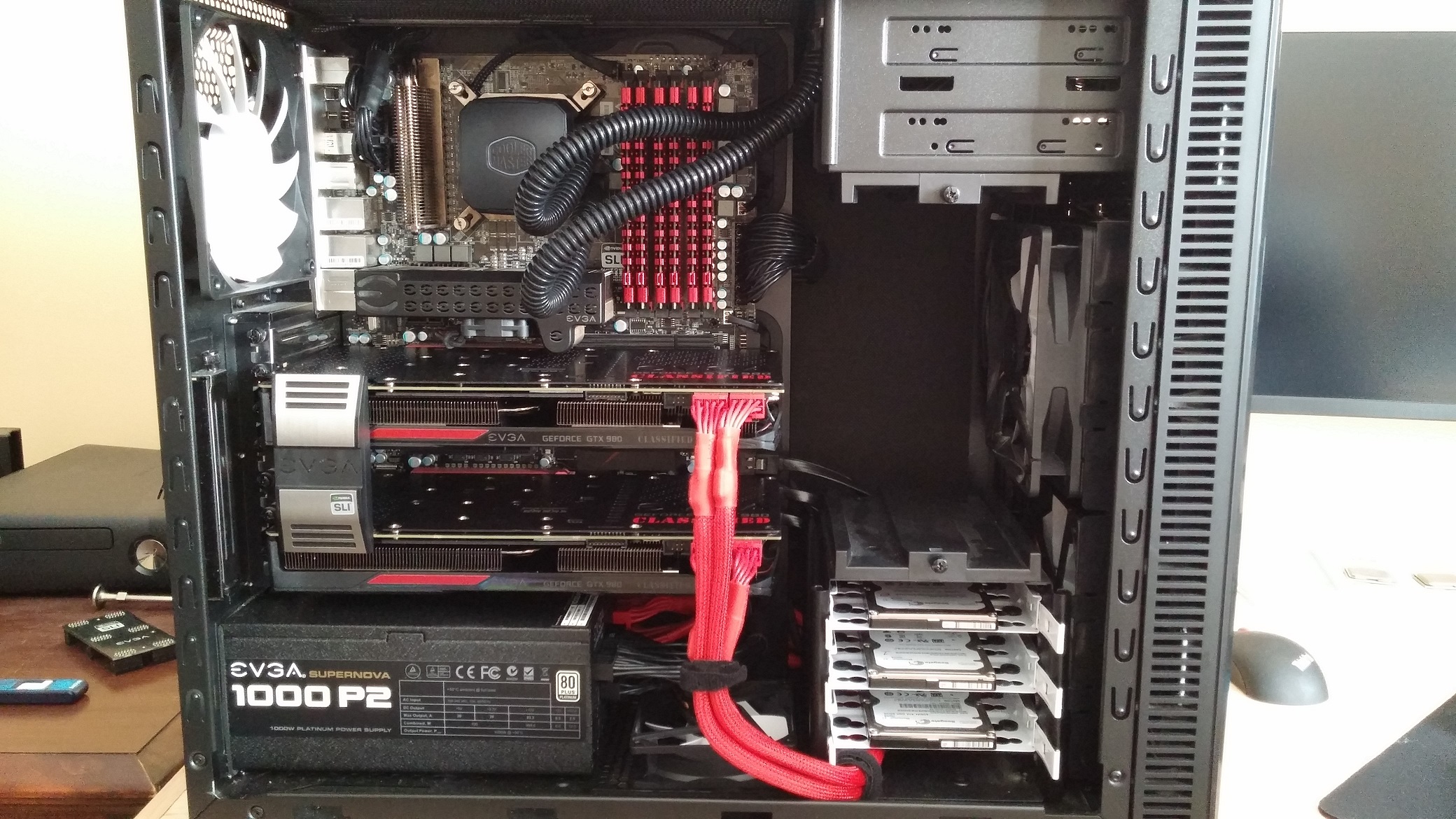
- c.jpg (818.93 KiB) Viewed 11886 times
Re: My Setup and Hello
Posted: 17 May 2015, 08:31
by Wijkert
Hi and

That is a nice looking setup!
Re: My Setup and Hello
Posted: 17 May 2015, 18:59
by Haldi
Hi and
What model are this monitors?
Re: My Setup and Hello
Posted: 17 May 2015, 20:39
by Arty_Harvy
These are Dell U2515H. They are not the best for gaming, but the picture quality is amazing.
Re: My Setup and Hello
Posted: 19 May 2015, 20:02
by eclair4151
Thats so awesome. i am doing the same thing and plan to order the 1 over 3 upgrade kit, but i am worried because i know i want to tilt the top one down. how easy does it look to do? and also does the top monitor tilt down already? what ever your plan on doing be sure to include lots of pics!
Re: My Setup and Hello
Posted: 23 May 2015, 22:01
by suiken_2mieu
Welcome mate, nice monitor setup, I use a similar one for my daily driver. I also really like your build, it's super clean.
Re: My Setup and Hello
Posted: 24 May 2015, 11:54
by Delphium
, nice setup

Re: My Setup and Hello
Posted: 31 May 2015, 15:31
by Arty_Harvy
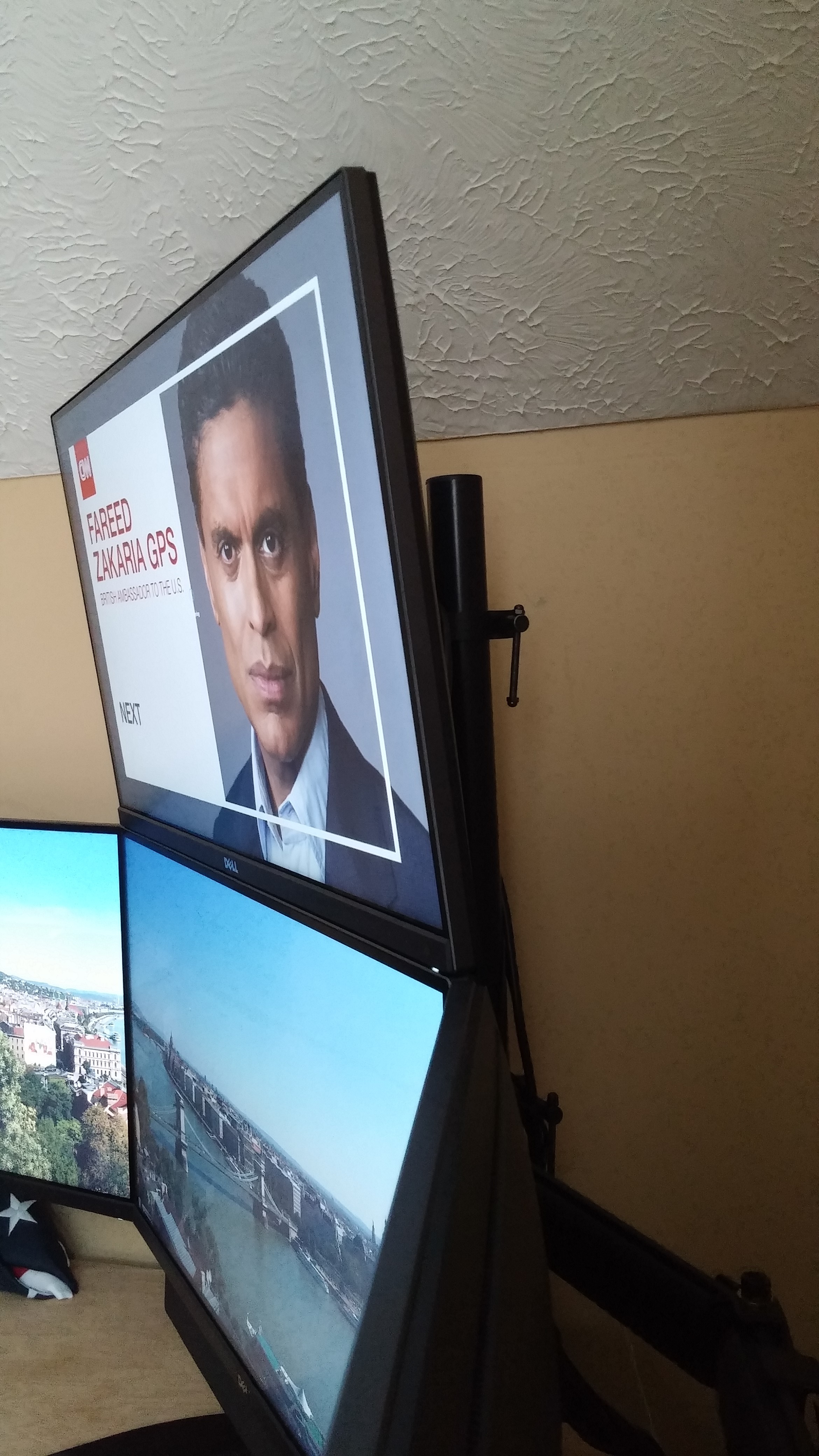
Hey guys, sorry I haven't posted an update in a while. I had some family in town, but i have made an attempt to tilt my monitor and have made some discoveries along the way.
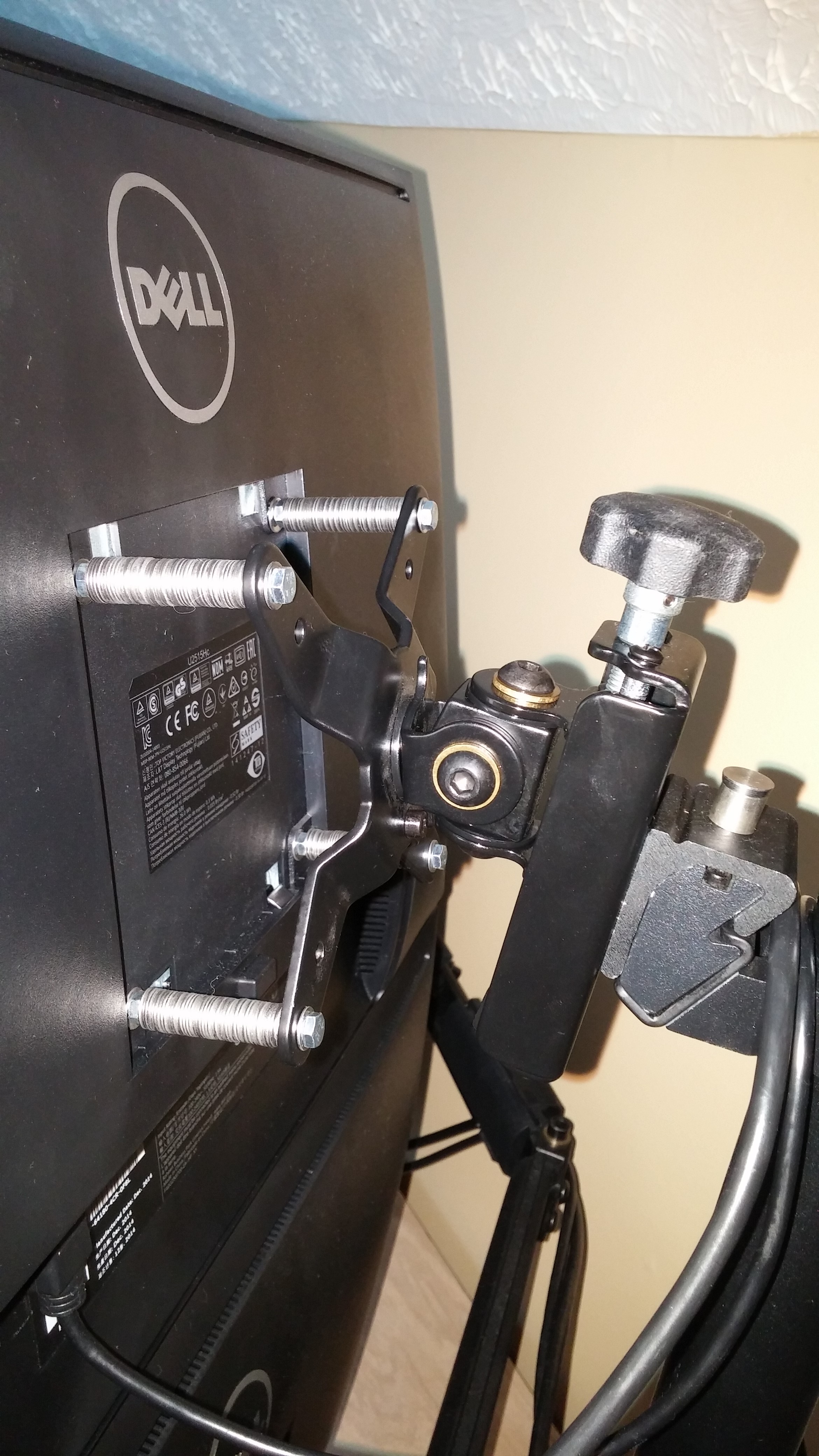
Anyway, the Screws needed for my setup are M4 x 0.7, (This is the Screw Girth x Thread Spacing.) I believe the factory screws that came with my monitors were either 10 or 12 millimeters long. So that would make the factory screws, M4 x 0.7 x 10mm or M4 x 0.7 x 12mm.
After i figured this out, I went to my local hardware store and browsed for something I could use. I ended up finding M4 x 0.7 x 25mm screws. I thought to myself that that would be plenty of length, so I snatched them up along with a ton of washers. The washers I picked up came in packs of 36 and I bought 2 packs. When I got home, I got lazy and just divided the washers equally. (18 washers per Screw) This resulted in exactly 15mm of offset.
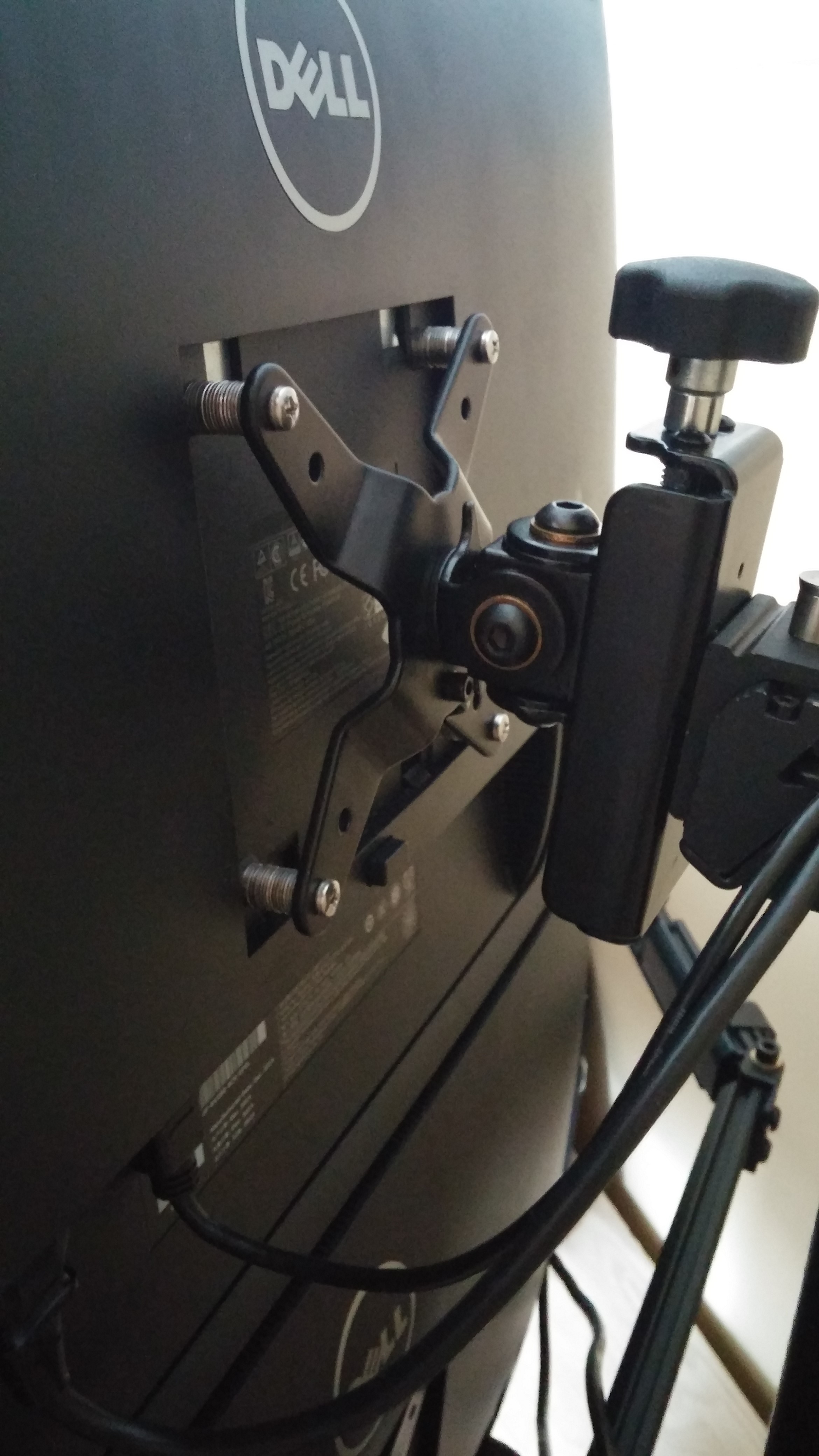
- 20150531_095906.jpg (985.56 KiB) Viewed 11160 times
- 20150531_100016.jpg (1.59 MiB) Viewed 11165 times
So as you can see, It didn't make a whole heck of difference, and I figured out that The upper bezzel will hang out over the lower bezzel, by 2x the amount of offset you apply. So my upper bezzel hangs out 30mm over the lower bezzel. If anyone has a better way to explain this feel free.
Today I will be going back to the hardware store to obtain enough hardware to set my offset to 30mm, thereby giving me an overhang of 60mm.
Stay tuned!!!
Re: My Setup and Hello
Posted: 02 Jun 2015, 10:46
by Wijkert
Keep us posted! Always nice to see someone tinker with/mod there hardware. Ps the center monitor looks crooked in the second picture. Hope that not a mod also

Re: My Setup and Hello
Posted: 07 Jun 2015, 20:12
by Arty_Harvy
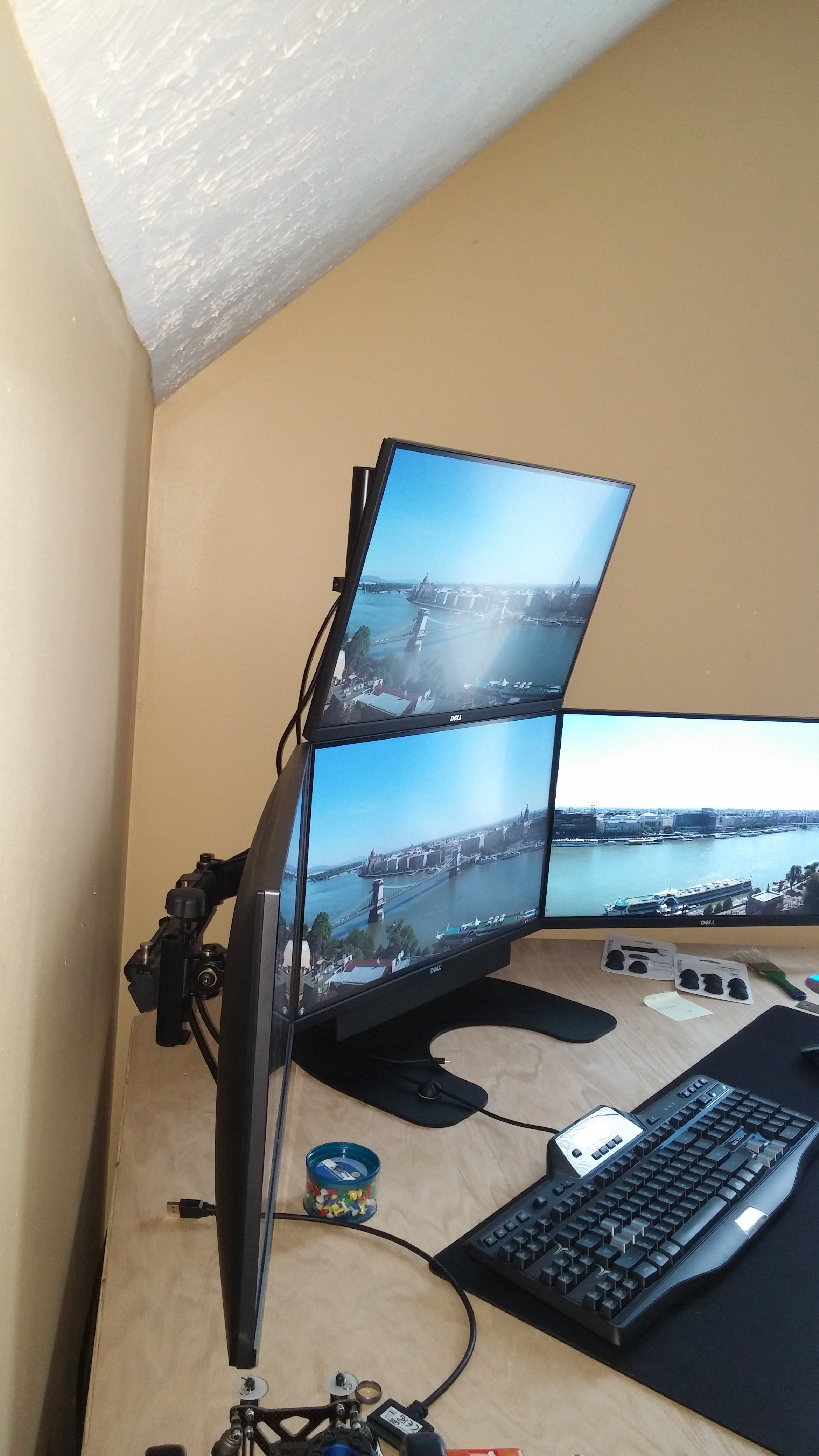
Alright well, I have finished the Job.
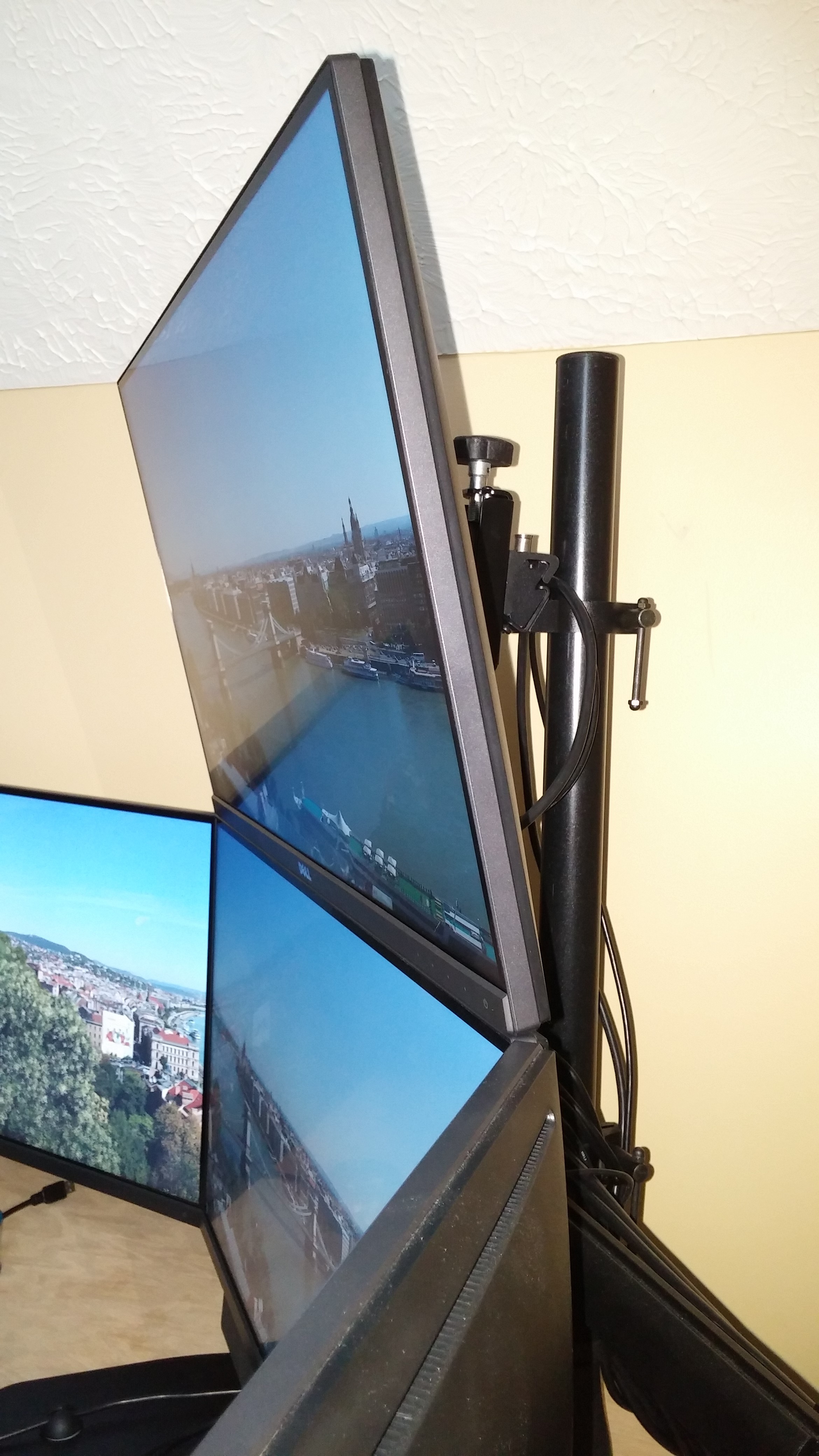
As it turns out, It takes a massive ton of offset to get any kind of worth while angle out of the setup.
So I ended up going with M4 x 0.7 x 50mm Screws, And 50 washers per screw. Everything is still very sturdy. Give it a shot.
- 20150607_144519.jpg (1.56 MiB) Viewed 10744 times
- 20150607_144543.jpg (1.36 MiB) Viewed 10744 times
- 20150607_144603.jpg (1.35 MiB) Viewed 10740 times
- 20150607_144622.jpg (3.29 MiB) Viewed 10752 times