Dead Space 2 2011 Manual PLP Instructions
Posted: 16 May 2015, 22:15
Fullscreen (best choice *): SoftTH (DX9 x86). In-game select massive resolution. OR Borderless: In-game windowed, quit. Edit %LOCALAPPDATA%\EA Games\Dead Space 2\system.txt. Window.Height & Width = your PLP resolution + border. ShiftWindow (+ border = borderless).

(PLP screenshot with bezel effect)
NOTES:
1. * Game renders all well in fullscreen & FOV looks proper (actually looks very slightly higher FOV, which looks great). Borderless has one issue: FOV looks bit lower than original, but still decent.
2. Optional FOV: Widescreen Fixer (untested, may not work).

(aim view)
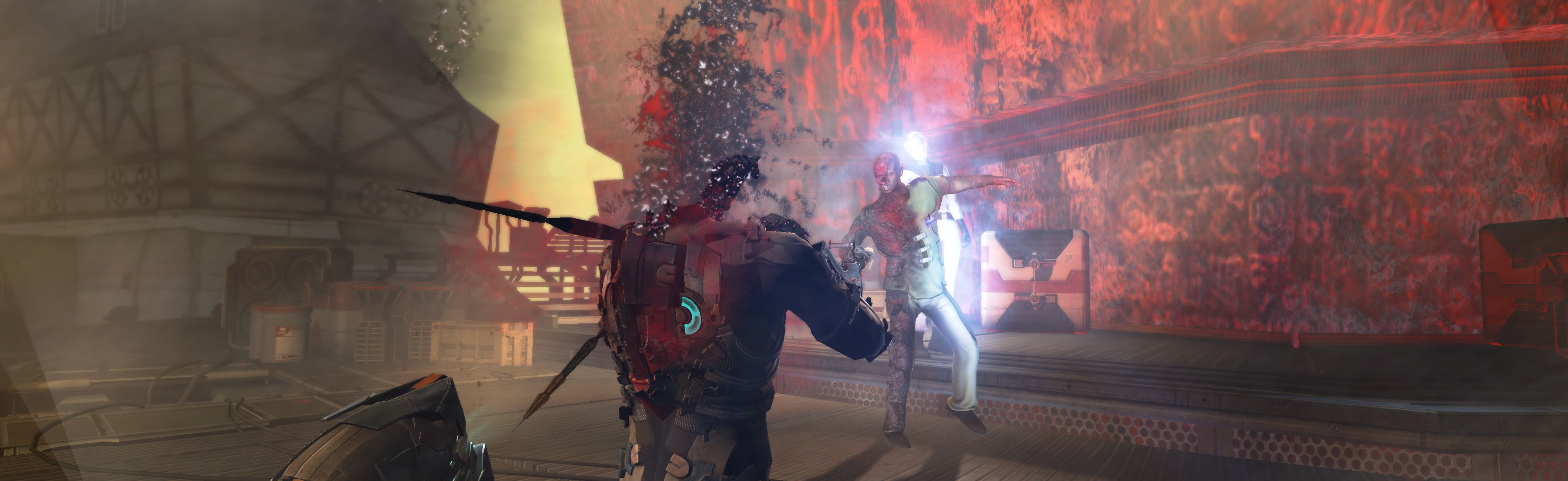
(occasional anomaly: effects on side)

(occasional anomaly: effects on side)

(rendered cutscene)
View guide for general help with the instructions.
(PLP screenshot with bezel effect)
NOTES:
1. * Game renders all well in fullscreen & FOV looks proper (actually looks very slightly higher FOV, which looks great). Borderless has one issue: FOV looks bit lower than original, but still decent.
2. Optional FOV: Widescreen Fixer (untested, may not work).
(aim view)
(occasional anomaly: effects on side)
(occasional anomaly: effects on side)
(rendered cutscene)
View guide for general help with the instructions.