I Am Alive 2012 Manual PLP Instructions
Posted: 08 Apr 2015, 23:14
Bit complex setup, but perfect easy PLP once done.
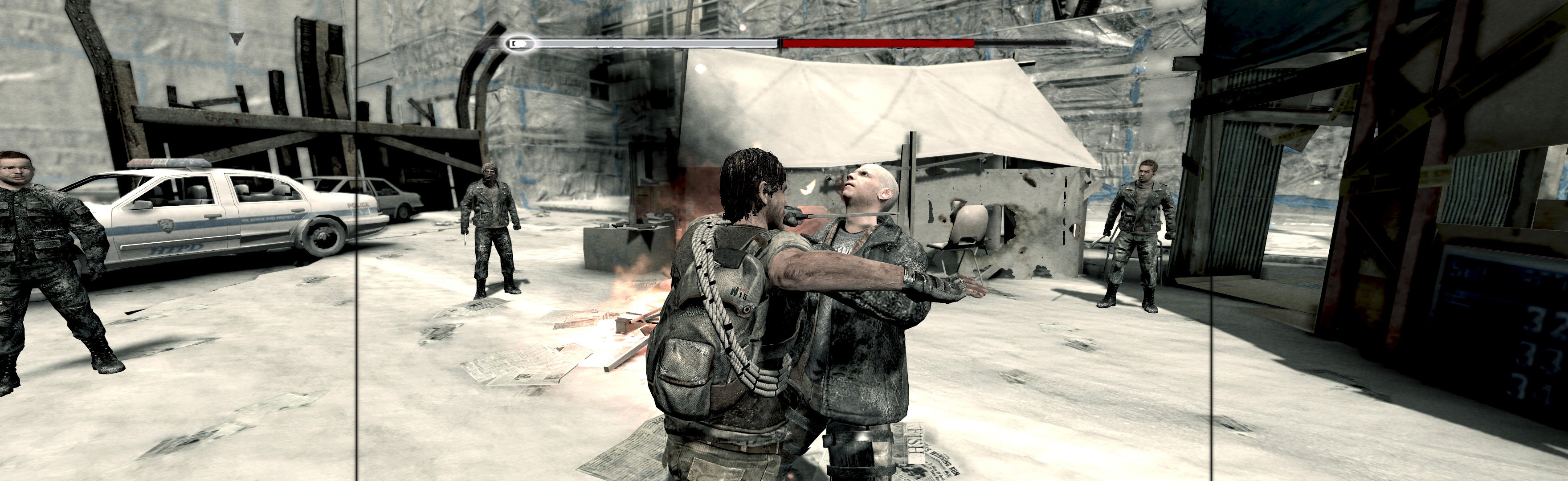
(PLP screenshot with bezel effect)
1. SoftTH (DX9 x86).
2. Flawless Widescreen (FWS): Load game plugin, checkmark all, FOV slider maxed. Then quit.
3. Find [FWS install folder]\PluginCache\FWS_Plugins\ Modules\IAmAlive\ Dependencies\Scripts\IAmAlive.lua.
4. File edits (Notepad): fDefaultAspectRatio = (~ set to 0.25. Less is higher FOV; adjust as needed, cropping below belt). Replace string "DisplayInfo:GetAspectRatio()" with "####/####" (no quotes, your height / width), save.
5. Start FWS, start game. In-game select fullscreen & massive resolution.

NOTES:
A. FWS must be restarted to recognise edits.
B. Should backup lua file. If game stretches in future, paste file back in.

View guide for general help with the instructions.
(PLP screenshot with bezel effect)
1. SoftTH (DX9 x86).
2. Flawless Widescreen (FWS): Load game plugin, checkmark all, FOV slider maxed. Then quit.
3. Find [FWS install folder]\PluginCache\FWS_Plugins\ Modules\IAmAlive\ Dependencies\Scripts\IAmAlive.lua.
4. File edits (Notepad): fDefaultAspectRatio = (~ set to 0.25. Less is higher FOV; adjust as needed, cropping below belt). Replace string "DisplayInfo:GetAspectRatio()" with "####/####" (no quotes, your height / width), save.
5. Start FWS, start game. In-game select fullscreen & massive resolution.
NOTES:
A. FWS must be restarted to recognise edits.
B. Should backup lua file. If game stretches in future, paste file back in.
View guide for general help with the instructions.