Aliens vs Predator 2010 Manual PLP Instructions
Posted: 24 Mar 2015, 22:40
Both solutions require running game from AvP.exe (enforces DX9). Fullscreen: SoftTH (DX9 x86). In-game select massive resolution. OR Borderless: Shortcut/launcher argument -subwindow. ShiftWindow (+ border = borderless). Optional FOV (not needed, recommended): Use FOV Changer *, run it from any folder. Enter preferred FOV, click Set & Enable & DX9. Bind to e.g. F12, trigger in-game. When FOV reverts, repeat (rarely).

(PLP screenshot with bezel effect)
* Predator's FOV is bit weak, ~75 is better (stock ~69). Alien's FOV bit strong, ~82 better (stock ~88). Marine's stock FOV great as-is. Download: http://community.pcgamingwiki.com/files/file/490-aliens-vs-predator-2010-fov-changer/. Game looks great DX9, all rendered perfect. Sad DX11 game won't spread windowed (abnormal).

(Marine view, FOV stock)

(Predator finisher, FOV 75)
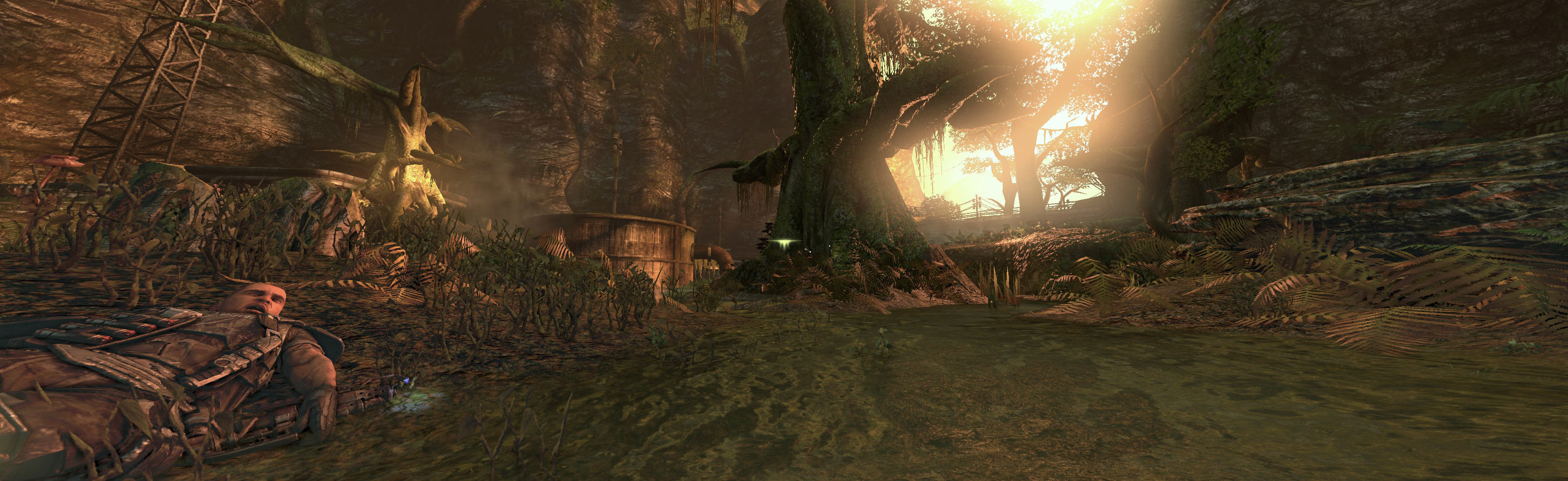
(Alien view, FOV 82)

(rendered video)
(PLP screenshot with bezel effect)
* Predator's FOV is bit weak, ~75 is better (stock ~69). Alien's FOV bit strong, ~82 better (stock ~88). Marine's stock FOV great as-is. Download: http://community.pcgamingwiki.com/files/file/490-aliens-vs-predator-2010-fov-changer/. Game looks great DX9, all rendered perfect. Sad DX11 game won't spread windowed (abnormal).
(Marine view, FOV stock)
(Predator finisher, FOV 75)
(Alien view, FOV 82)
(rendered video)
