Page 1 of 1
Outlast
Posted: 26 Dec 2014, 10:55
by scavvenjahh
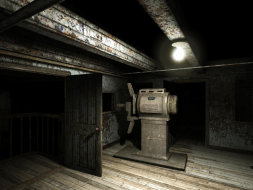
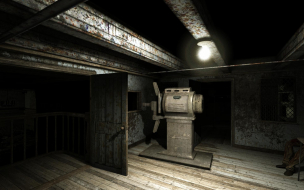
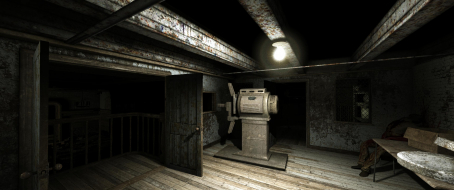
 Widescreen Grade: AUltra-Widescreen Grade: BMulti-monitor Grade: B4k Grade: ARead Full Detailed Report - OutlastHere's your chance to get locked inside a mental asylum during a stormy night. With no weapon or torchlight, only your journalist's thirst for answers and a battery-powered camcorder to rely on, you're prepared to run and hide from trouble... but can your mind endure Mount Massive's darkest secret ?
Outlast's consciously restrained gameplay makes it more of a spooky sneaky adventure than classic survival horror. The amount of violence and gore is off the chart - so much so that the game, although always tense, quickly becomes genuinely hilarious (for mature audiences). Body awareness is expertly used and puts a lot of higher-budget games to shame.
Re: Outlast
Posted: 03 Jan 2015, 22:51
by swili
I tried to run this game in UHD.
And the only thing i noticed is the small camcorder HUD. Which actually gives you only one usable info - how many batteries you have.
It's still perfectly visible, so It doesn't destroy the gameplay "experience". As if the indicator of "how many batteries you have" could do that

To be fair. On low resolutions, like 1024x768, the HUD seems to be too big.

BTW:
why did the standard widescreen get the "B"?
Re: Outlast
Posted: 04 Jan 2015, 11:38
by scavvenjahh
It's hardly even a HUD at all. When the batteries are running low, flickering night vision and bleeping alarm are more informative than that icon in the corner.
WS & 4K - certified !
Re: Outlast
Posted: 06 May 2017, 00:20
by JackL12
Hey don't know if this thread is dead or not but would appreciate help.
I'm wanting to run this on a triple setup (3x1080p Displays)
One is the built in Laptop one and the other 2 are external
Nvidia control panel as such will not allow me to set up Surround as it doesn't have control of the monitors (the intel chip does and the Nvidia uses Optimus)
I was trying to edit the settings to allow me to run it in 5760x1080 windowed but it's locked an individual screen and won't spill over to the others.
I found this in OLSystemSettings and messed around with it to no avail.
AllowSecondaryDisplays=True (Was false)
SecondaryDisplayMaximumWidth=1920.0 (Or 5760.0) still doesn't affect
SecondaryDisplayMaximumHeight=1080.0
Will keep experimenting but if anyone knows if there's an easy way to enable spillover that would be great.
Just joined the community and looking forward to being active in the future

Re: Outlast
Posted: 07 May 2017, 17:25
by scavvenjahh
Hey JackL12, what you're trying to do is the exact reason why Nvidia Surround, AMD Eyefinity, Matrox TripleHead2Go and the 100% software-based SoftTH were invented in the first place ! Fooling Windows into using three monitors as one is a little more complicated than that.
Head over to the
Other Multi-Monitor Solutions subforum, maybe someone can help you there.