Page 1 of 2
Diablo III
Posted: 02 Aug 2011, 07:00
by skipclarke
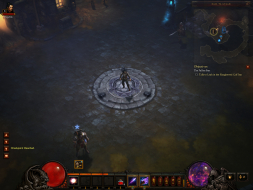
 Widescreen Grade: AMulti-monitor Grade: BRead Full Detailed Report - Diablo IIIDiablo III is the long awaited installment in the Diablo series from Blizzard. The gameplay is a genre-defining "action RPG" that is known for it's one click per attack, and extensive "loot" system which offers near limitless upgrades to weapons, items and armor.
Diablo III
Posted: 04 Dec 2011, 19:12
by skipclarke
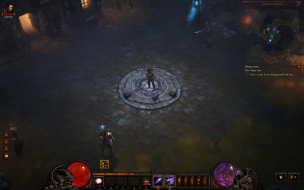
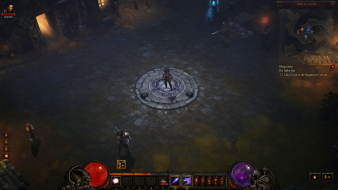
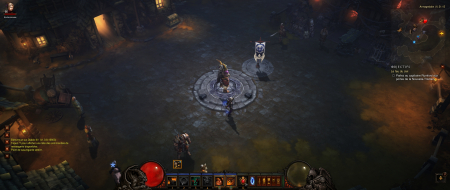
Widescreen Grade: AUltra-Widescreen Grade: BMulti-monitor Grade: B4k Grade: BRead Full Detailed Report - Diablo IIIDiablo III is the long awaited installment in the Diablo series from Blizzard. The gameplay is a genre-defining "action RPG" that is known for it's one click per attack, and extensive "loot" system which offers near limitless upgrades to weapons, items and armor.
Is there any chance you can
Posted: 05 Dec 2011, 04:45
by skipclarke
Is there any chance you can grab as set of primary screen grabs (4:3, 16:10, 16:9, Eyefinty/Surround) from the SP game, and post them into the DR?
I'm not sure how to edit the
Posted: 15 Dec 2011, 02:10
by dopefish
I'm not sure how to edit the DR or if I even have rights to.
I did take a bunch of 5:4, 4:3, 16:10, 16:19, and 6056x1080 screenshots.
https://impas.se/screenshots/pc/diablo_3/
charselection-*.png
game1-*.png
game2-*.png
heroinv-*.png
login-*.png
dopefish wrote:I'm not sure
Posted: 15 Dec 2011, 12:07
by scavvenjahh
I'm not sure how to edit the DR or if I even have rights to.
I did take a bunch of 5:4, 4:3, 16:10, 16:19, and 6056x1080 screenshots.
https://impas.se/screenshots/pc/diablo_3/
charselection-*.png
game1-*.png
game2-*.png
heroinv-*.png
login-*.png
I'm not sure how to edit the DR or if I even have rights to.
On the DR page, there should be an Edit button beneath the title :

On the outer two monitors, you can visibly see areas loading and unloading while you move around. NPCs, items, lights, and other miscellaneous things in the game will render or appear only about a third of the way into the side monitors.
Object culling on the side screens should be counted as an Anomaly imho.
Not sure whether it should affect the grade, but it probably makes the game look better in 3x 5:4 than in TripleWide, which is a bummer for such a recent release.
Alright, thanks. I've
Posted: 15 Dec 2011, 21:10
by dopefish
Alright, thanks. I've updated the DR with a bunch of information.
If you are having difficulty
Posted: 14 May 2012, 21:30
by Kayden
If you are having difficulty in the game to change your video options, here is how to change the setting outside of the game:
C:Users(user name)DocumentsDiablo IIID3Prefs.txt
DisplayModeWindowMode "2"
DisplayModeWidth "5760"
DisplayModeHeight "1080"
Bezel Correction resolutions are supported but, this has to be set to your desktop resolution or it will not work. This will enable the Fullscreen Windowed solution all ready found in the Beta.
Kayden wrote:If you are
Posted: 17 May 2012, 16:04
by rightwinger59
If you are having difficulty in the game to change your video options, here is how to change the setting outside of the game:
C:Users(user name)DocumentsDiablo IIID3Prefs.txt
DisplayModeWindowMode "2"
DisplayModeWidth "5760"
DisplayModeHeight "1080"
Bezel Correction resolutions are supported but, this has to be set to your desktop resolution or it will not work. This will enable the Fullscreen Windowed solution all ready found in the Beta.
I've been able to run the game in 3x1 landscape, but has anyone tried Kayden's solution for 3x1 portrait? I tried it yesterday, but once I had all the monitors arranged and eyefinity enabled, when I launched D3 the game would not allow me to change the resolution (set at 1280x720) or the display mode (windowed only). Typically there are drop-down menus for both of these options (resolution and display mode), but when I was in 3x1 portait D3 disabled both drop-down menus.
I think the game is pretty cool in landscape, but would be even better in portrait, if I could figure out how to get it to go to "full screen windowed mode" when I've got the 3x1 portrait eyefinity setup enabled...
rightwinger59 wrote:Kayden
Posted: 17 May 2012, 17:03
by Kayden
[quote]If you are having difficulty in the game to change your video options, here is how to change the setting outside of the game:
C:Users(user name)DocumentsDiablo IIID3Prefs.txt
DisplayModeWindowMode "2"
DisplayModeWidth "5760"
DisplayModeHeight "1080"
Bezel Correction resolutions are supported but, this has to be set to your desktop resolution or it will not work. This will enable the Fullscreen Windowed solution all ready found in the Beta.
I've been able to run the game in 3x1 landscape, but has anyone tried Kayden's solution for 3x1 portrait? I tried it yesterday, but once I had all the monitors arranged and eyefinity enabled, when I launched D3 the game would not allow me to change the resolution (set at 1280x720) or the display mode (windowed only). Typically there are drop-down menus for both of these options (resolution and display mode), but when I was in 3x1 portait D3 disabled both drop-down menus.
I think the game is pretty cool in landscape, but would be even better in portrait, if I could figure out how to get it to go to "full screen windowed mode" when I've got the 3x1 portrait eyefinity setup enabled...
I haven't tried this game in portrait mode but if your having trouble, on the DR page there is a fix from Helifax that might resolve that for you. You just run it in fullscreen mode at max res, enable the fix, alt tab out, then go back in and it should work. If it doesn't go to the following link below and let Helifax know in that thread. Cheers.
http://www.wsgf.org/forum/9066/diablo-three
Good job on getting it
Posted: 04 Jun 2012, 21:23
by DrAngst
Good job on getting it done.
Currently using HaYDeN's Flawless Widescreen utility and it works like a charm.
I have only one thing to "complain" about...
In full Eyefinity (6048x1200) it's a bit annoying to see your inventory on the far right and lore/follower inventory etc etc on the far left.
The only thing that would make any solution perfect would be if we could make all in-game stuff appear on the center screen somehow.
I'm no programmer at all so I wouldn't have a clue how to accomplish this but following this fine website's history I bet there's more than a few who are more than capable of fixing it (if at all possible to fix).
Thanks for an awesome site !
// DrAngst (a.k.a Lavandel).
i am attempting to use
Posted: 15 Jun 2012, 23:59
by julesx416
i am attempting to use Flawless Widescreen but am unable to set my game to full screen mode in a 3x1 portrait setup. the ingame toggle is disabled and changing the D3Prefs file has no effect. any suggestions??
edit: running at 3600x1920, which is not in the list of tested resolutions :s
Flawless Widescreen doesn't
Posted: 17 Jun 2012, 09:31
by DrAngst
Flawless Widescreen doesn't work because the game is a higher version than the one supported by Flawless Widescreen.
I find no other way of contacting HaYDeN other than these fine forum so I hope he reads this soonish. I really miss my eyefinity experience and I don't want to run in a borderless window since my Crossfire won't be running unless it's fullscreen.
Is the version of the game the same version in both EU and US? It should be right?
Re: Diablo III
Posted: 17 Jan 2014, 11:44
by Toothless Spoon
Anyone still playing this game? Or about to play it again in light of the new expansion coming out?
I just wanted to see if Helifax's fix works for anyone. If I set it to fullscreen it doesn't work. If I set it to Borderless, the game runs like crap, but after I enable the fix, it's smooth as butter. I'd play in borderless, but I want the Sli power to enable SGSSAA.
Re: Diablo III
Posted: 17 Jan 2014, 12:22
by Toothless Spoon
Toothless Spoon wrote:Anyone still playing this game? Or about to play it again in light of the new expansion coming out?
I just wanted to see if Helifax's fix works for anyone. If I set it to fullscreen it doesn't work. If I set it to Borderless, the game runs like crap, but after I enable the fix, it's smooth as butter. I'd play in borderless, but I want the Sli power to enable SGSSAA.
EDIT: Actually it does work, I was trying with the beta of RoS and it wasn't working

Re: Diablo III
Posted: 26 Feb 2014, 15:27
by Falcon1
2.0.1 Update broke the Flawless Widescreen fix. Doesn't work anymore


Re: Diablo III
Posted: 28 Feb 2014, 21:05
by GravitySmacked
Yeah I can confirm this too

Re: Diablo III
Posted: 05 Mar 2014, 09:14
by HaYDeN

Updated for Reaper of Souls goodness.
Will be released in the next few hours.
Re: Diablo III
Posted: 05 Mar 2014, 09:22
by GravitySmacked
Nice work

Re: Diablo III
Posted: 06 Mar 2014, 00:26
by Falcon1
Awesome Hayden, as always!

Re: Diablo III
Posted: 25 Mar 2014, 16:53
by r3v3nant
nevermind... multi monitor works fine with the RoS expansion unlocked.