[-noun] Web community dedicated to ensuring PC games run properly on your tablet, netbook, personal computer, HDTV and multi-monitor gaming rig. https://www.wsgf.org/phpBB3/
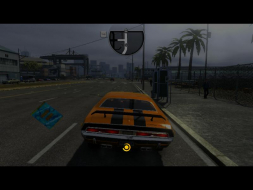
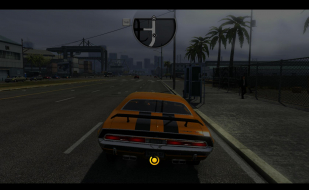
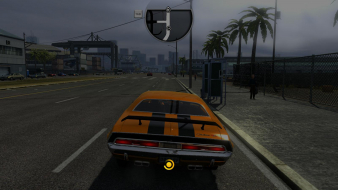
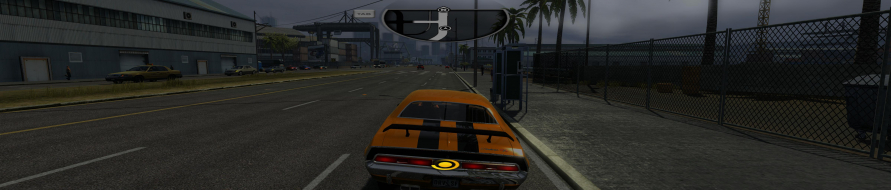
Driver: San Francisco is a sandbox-style action driving video game developed by Ubisoft Reflections. The game takes place six months after the events of Driv3r. A new feature is "Shift", which allows Tanner to shift from a car into another car and continue the mission.
San Francisco is one of the largest driving environments, with about 208 miles (335 km) of road. Various landmarks were recreated in the game including half of the Bay Bridge and parts of Marin County and Oakland. However, it is a more fictionalized interpretation of these areas.
Driver: San Francisco is a sandbox-style action driving video game developed by Ubisoft Reflections. The game takes place six months after the events of Driv3r. A new feature is "Shift", which allows Tanner to shift from a car into another car and continue the mission.
San Francisco is one of the largest driving environments, with about 208 miles (335 km) of road. Various landmarks were recreated in the game including half of the Bay Bridge and parts of Marin County and Oakland. However, it is a more fictionalized interpretation of these areas.
someone needs to exsplain hayden's fix better following it letter for letter either makes no sence or doesnt do what its supposed to and iv never use cheat engine b4 i got to number 8 fine, tab back to the game and change res but it still only goes up to 1680x1280 or watever it is lost pls help
ps: i got steam version
Hi xxdenialxx, as its described in the Detailed Report you'll need a no-cd .exe by SKIDROW (update 1.01). Some memory hacks may work fine running different .exes, but if you have followed carefully all instructions (including number 7), and you still cant select your multi-monitor resolution, im afraid itll not work on steam version.
fixed
Posted: 01 Oct 2011, 14:50
by xxdenialxx
i found out u can not use the ubiorbitapi_r2.dll or ubiorbitapi_r2_loader.dll that came with the skidrow crack on steam version so i did get it working on 5178x1280
aspect ratio 5.33333
gui width 1722
centered 1
movie width 1722
centered 1
fov 0.029
thanx for the reply m8
Thanks xxdenialxx, ive
Posted: 01 Oct 2011, 16:58
by thales100
Thanks xxdenialxx, ive included this information in the Detailed Report.
xxdenialxx wrote:i found out
Posted: 01 Oct 2011, 17:06
by HaYDeN
i found out u can not use the ubiorbitapi_r2.dll or ubiorbitapi_r2_loader.dll that came with the skidrow crack on steam version so i did get it working on 5178x1280
aspect ratio 5.33333
gui width 1722
centered 1
movie width 1722
centered 1
fov 0.029
thanx for the reply m8
So the GUI centering worked for you xxdenialxx? look's like your using nVidia hardware?
HaYDeN][quote=xxdenialxx
Posted: 01 Oct 2011, 17:12
by thales100
[quote]So the GUI centering worked for you xxdenialxx? look's like your using nVidia hardware?
Yes, thats interesting.
Also - Your aspect ratio
Posted: 01 Oct 2011, 17:14
by HaYDeN
Also - Your aspect ratio should have been around 4.0 for that res, Width / Height = Aspect Ratio.
GUI and Movie width = 1709 (5178 / 3)
Anyways - strange resolution?
hi
Posted: 01 Oct 2011, 19:16
by xxdenialxx
yes gui center worked for me if it set to 0 the car hp and map is on the left screen, everything is perfectly alined for me for me on my center screen on those settings, my rez is bezil corrected on nvidia surround
640x480???
Posted: 03 Oct 2011, 18:08
by Jbrumba
With the tools mentioned in the report, would be somehow be possible to get a 640x480 display? I managed a 720 x 480 somehow after using the engine. Any help would be appreciated, and yes i know i need a new pc :)
Jbrumba wrote:With the tools
Posted: 03 Oct 2011, 18:13
by thales100
With the tools mentioned in the report, would be somehow be possible to get a 640x480 display? I managed a 720 x 480 somehow after using the engine. Any help would be appreciated, and yes i know i need a new pc :)
Hey Jbrumba, to get 640x480 try to edit (using notepad) the "graphics" file at "graphics" file at C:Users...DocumentsUbisoftDriver San Francisco.
i did but it always goes back
Posted: 03 Oct 2011, 20:43
by Jbrumba
i did but it always goes back to 800x600 ffs!!! Also after i do this i switch to read only to maybe fix but it wont go 640x480. Like i said i managed to get a 720 x 480 after using the cheat engine, which is a lil out of my league but yeah. I know it should work but can't seem to get it to cooperate with me.
for me everything works fine
Posted: 21 Oct 2011, 02:11
by Gunhead
for me everything works fine except for GUI centering. When I edit the GUI value in Cheat Engine from 0 to 1, game image goes black. As soon as I put 0 back image come back and all is good. Is there a way for me to make GUI centering work? My res is 5760x1200, the game looks great with just a little stretch but playing with the GUI on the side screens is not a very good experience.
thank u guys for all your hacks.
Hi, so registered just for
Posted: 22 Oct 2011, 21:08
by AttackOfTheThumbs
Hi, so registered just for this dumb game. Was plying t 1080p just fine... updated, now I cnnot. So I apply the skidrow crack, but still cannot. So I edit the graphics file and lock it to read only, always launches me in 800x600 :( God damn this stupid game. Its not even that good.
dual monitor setup
Posted: 23 Oct 2011, 07:10
by usasikh1
so i have hd 5770 with dual 23" monitors. I have installed 1.03 skidrow update. Now wanted to extend the gameplay to 2 monitors. Using the directions above I launched the game then ALT-TAb and launched cheatEngine6.1 and loaded dsfrancisco, but when when I tried changing the value of ASM move tray noting happens. THe values for all addresses is just showing as a question marks. ANY guidance will be much appreciated.
Apparently the last update
Posted: 23 Oct 2011, 15:22
by Gunhead
Apparently the last update broke the fix? somebody can confirm this? you can set widescreen resolutions without cheatengine but everyhting looks horribly stretched and cheat engine does not work anymore. At least that's what I get
you might be right because i
Posted: 23 Oct 2011, 16:42
by usasikh1
you might be right because i had used 1.03 update before trying this.
Yup
Posted: 23 Oct 2011, 18:24
by AttackOfTheThumbs
1.03 or whatever broke everything. I can no longer pick my 1080p and the fix doesnt seem to work :( I dont know how to check the official 1.03 since I applied the crack before it cme out and then used the updated one :( Might just reinstall nd go to an old version to get 1080p back.
what you can do
Posted: 23 Oct 2011, 22:58
by Gunhead
you can reinstall the game and use the fix as before. However for me even that was not working 100% as I was not able to center the HUD.
damn
Posted: 25 Oct 2011, 17:23
by valentyn0
same problem as him, update 1.03 messed up really good, my default full hd res got smacked down to max 1440x900 (16:10 format, like that wasnt enough...) , tried everything with the graphics conf. nothing works, halp?