Page 1 of 1
Crysis: Warhead
Posted: 17 Dec 2008, 07:00
by Dav101
 Widescreen Grade: IncompleteMulti-monitor Grade: IncompleteRead Full Detailed Report - Crysis: WarheadCrysis Warhead is a first-person shooter video game developed by the studio Crytek Budapest and published by Electronic Arts. Crysis Warhead is a stand-alone expansion game and does not require the installation of Crysis to play.
Crysis: Warhead
Posted: 17 Dec 2008, 22:30
by Dav101
 Widescreen Grade: AUltra-Widescreen Grade: AMulti-monitor Grade: B4k Grade: BRead Full Detailed Report - Crysis: WarheadCrysis Warhead is a first-person shooter video game developed by the studio Crytek Budapest and published by Electronic Arts. Crysis Warhead is a stand-alone expansion game and does not require the installation of Crysis to play.
Much appreciated thanks for the reply
Posted: 17 Dec 2008, 22:35
by Dav101
I am so used to using a 64bit short cut I created on my desktop for that game. Doh! :oops: I probably would have never thought of that. Thanks Scavvejahh!
Can I play Crysis @ 5040x1050 w/ TH2GO?
Posted: 17 Dec 2008, 22:52
by Dav101
:cry:
Ok I startd it in DX9 mode by adding -DX9 at the end of the target line on the shortcut but that didn't open up any higher resolutions. It did grey out all the very high options under he advanced tab so I know it is in DX9 mode. Am I supposed to be doing anything else? :(
Can I play Crysis @ 5040x1050 w/ TH2GO?
Posted: 17 Dec 2008, 23:47
by Paradigm Shifter
You might need to force the res in the game.cfg file... it's in:
C:Documents and Settings[User]My DocumentsMy GamesCrysis
or whatever the Vista equivalent is... I forget, as I'm away from my Vista rigs at the minute. (Timing, eh?)
anyway, it's:
r_Height
and
r_Width
that you want to set.
Dunno if it'll stick... it might. Might be worth trying setting the file to Read Only if the settings don't stick.
Can I play Crysis @ 5040x1050 w/ TH2GO?
Posted: 18 Dec 2008, 02:53
by Dav101
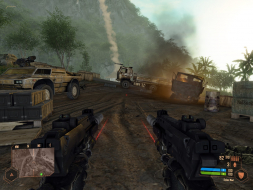
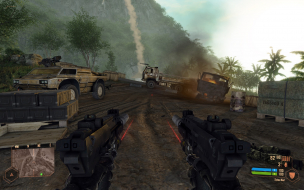
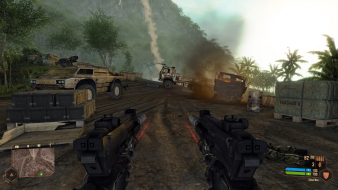
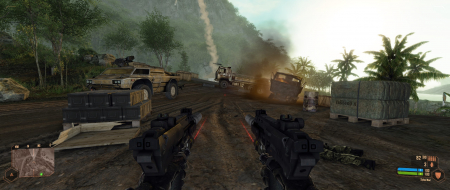
Thanks for the tip, that worked well. I was able to do the same in Crysis Warhead but in DX10 with all the glory maxed. Got some great screenshots for some 5040x1050 wallpaper, ha. :P
Can I play Crysis @ 5040x1050 w/ TH2GO?
Posted: 18 Dec 2008, 11:41
by Mach1.9pants
Thanks for the tip, that worked well. I was able to do the same in Crysis Warhead but in DX10 with all the glory maxed. Got some great screenshots for some 5040x1050 wallpaper, ha. :P
Sorry are you saying you got Warhead working at 5040 in DX10????
Your the only one...so far there have been no other people saying they can get any game working DX10 at 5040...
Can I play Crysis @ 5040x1050 w/ TH2GO?
Posted: 18 Dec 2008, 11:42
by Paradigm Shifter
Excellent.
(Y'know, every time I help out in the Surround forums, I want a TH more and more!)
Can I play Crysis @ 5040x1050 w/ TH2GO?
Posted: 19 Dec 2008, 04:47
by Dav101
My bad Mach.1Pants,
I went back and checked and I was running it in DX9. I forgot I set it that way. I assumed I was in DX10 because under the advanced tab it lets me play with every graphics choice at ENTHUSIAST and with the AA all the way up. Unlike Crysis where it greys out VERY HIGH when your at DX9. Sorry, I didn't mean to mislead. :oops:
Now if I could just figure out why Call of Duty World at War lets me run at 5040x1050 but everything looks squished and stretched... hmmmm... I have the first and only patch for it but something just is not right. I saw someone on youtube playing it at 5040x1050 and it looked normal. :cry:
Can I play Crysis @ 5040x1050 w/ TH2GO?
Posted: 19 Dec 2008, 05:53
by Mach1.9pants
CoD:WaW needs a hack to make it look right at 5040. Dopefish made one for the original but hasn't updated it for the patched version yet...we await his pleasure!
http://imk.cx/pc/widescreenfixer/