Page 1 of 2
How do I setup eyefinity?
Posted: 05 May 2013, 14:24
by lerb50
I am looking to setup a 5+1 screen eyefinity setup portrate mode

,what will I need? I am going to get 2 ASUS HD 7970 DC 2's and my monitors are asus VS247-H-P witch have VGA,HDMI,DVI-D inputs. Should I use displayport to dvi-d or dp to hdmi adapters and witch ports on the card do I use? amy sugestions would be greatly appreated.
Re: How do I setup eyefinity?
Posted: 05 May 2013, 18:45
by Haldi
Using a Asus 7970 DCII with 4x Displayport and 2x DVI i'd reccomend going with 2x DVI Nativ and 3x DP to DVI Adapters. Using the two DVI Nativ as the outside monitors so Tearing won't be that troublesome if it occurs (really wonder.... i'd say you wont have tearing! using same monitor..)
Re: How do I setup eyefinity?
Posted: 05 May 2013, 19:07
by lerb50
First Thanks for the Info, But I was just on the ati website and it says no more than 2 active adapters at a time! Has anyone tried 3?
Re: How do I setup eyefinity?
Posted: 05 May 2013, 21:02
by Haldi
Sure it said Active adpaters and not passive adapters?
With passive Adapters you send a DVI signal trough a Displayport connection to a passive DVI Adapter! This way you need the internal converter to generate a DVI signal!
Using a Active adapter means that the GPU will output a DP signal, to the Adapter, and this one will convert the DP to DVI. In this case you're only limited by Displayport, and Displayport is only limited by Bandwith, you can plug 4 FullHD Displays via adapters via one Displayport Port on the GPU.
Re: How do I setup eyefinity?
Posted: 05 May 2013, 21:44
by lerb50
Thanks for your help. Can u recomend any acitve DP to DVI adapters that dont cost an arm and leg?
Re: How do I setup eyefinity?
Posted: 05 May 2013, 23:12
by Haldi
nope. used MiniDP to DVI adapter that came bundled with Sapphire Radeon 7970... seemed to work fine.
Re: How do I setup eyefinity?
Posted: 18 May 2013, 16:32
by lerb50
I got my 5x1 up and running and it is amazing to say the least. But there is a problem half life 2EP2 and max payne 3 don't display on the 3 center monitors that are on display port to dvi active adapters ? I cant adjust the resoulition or anything as I cant access the menu. any help ?
Re: How do I setup eyefinity?
Posted: 20 May 2013, 21:05
by lerb50
HAHA I fixed it.................
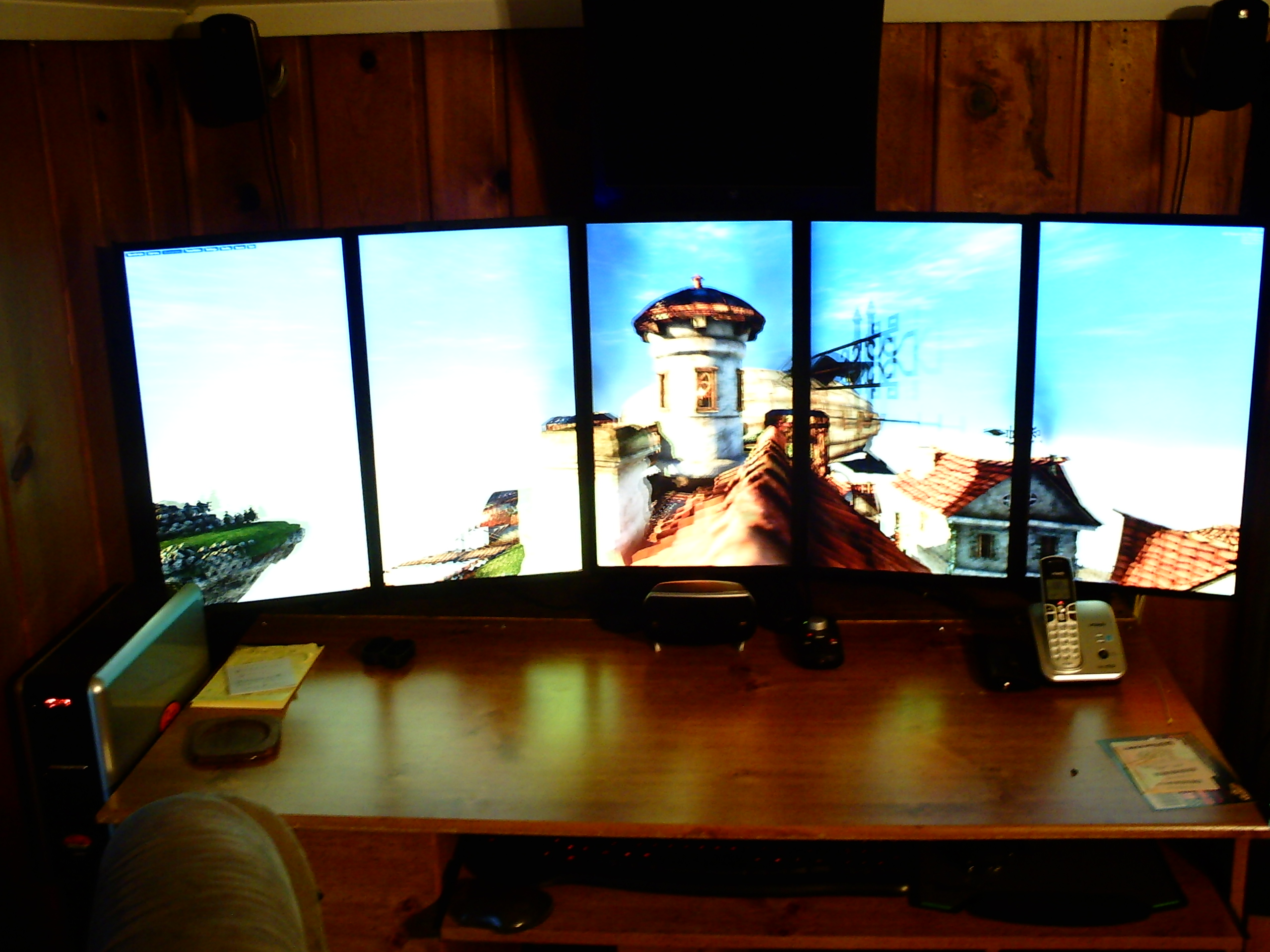
- oh yea
- PICT0035 (2).JPG (1.09 MiB) Viewed 9285 times
Re: How do I setup eyefinity?
Posted: 20 May 2013, 23:57
by Haldi
well..... and now the important question for further relevance..... How ?
Glad it works. Looks cool!
Re: How do I setup eyefinity?
Posted: 20 May 2013, 23:59
by Zencyde
lerb50 wrote:HAHA I fixed it.................
PICT0035 (2).JPG
Oh jeez. Speaking from experience, I do not recommend the DP adapters. Nonetheless, nice setup.

5x1P is such a wonderful thing. PM me or get on IRC if you want to know how to run more games on it. I've got a method that'll let you run at any resolutions you want with proper scaling, no stretch.
Re: How do I setup eyefinity?
Posted: 21 May 2013, 00:16
by lerb50
Haldi wrote:well..... and now the important question for further relevance..... How ?
Glad it works. Looks cool!
Safe mode to adjust resolution. And it worked!!!!!!!!
Re: How do I setup eyefinity?
Posted: 21 May 2013, 09:28
by suiken_2mieu
lerb50 wrote:HAHA I fixed it.................
PICT0035 (2).JPG
Awesome.
Re: How do I setup eyefinity?
Posted: 27 May 2013, 02:29
by lerb50
Well everything went to hell in a handbasket now I cant get eyefinity and crossfire to work on my 5 monitors (13.4 drivers) if I disable crossfire everything runs good but if I turn crossfire on the games will run for a random time ( 2min to an hour) then lockup either with a freeze or horizontal lines and a buzz sound? WTF? Anyone know of a fix???
Re: How do I setup eyefinity?
Posted: 27 May 2013, 12:12
by Haldi
huh ? 13.4 Beta ?
AFAIK the Crossfire Crash freezes got fixxed! somewhen 12.11 or 13.2 around! at least for me skyrim or Kingdoms of Amalur don't crash anymore with two 7970.
Re: How do I setup eyefinity?
Posted: 27 May 2013, 12:36
by lerb50
Haldi wrote:huh ? 13.4 Beta ?
AFAIK the Crossfire Crash freezes got fixxed! somewhen 12.11 or 13.2 around! at least for me skyrim or Kingdoms of Amalur don't crash anymore with two 7970.
Nope 13.5 are the betas 13.4 are WHQL, I googled "crossfire and eyefinity" and I am not the only one with that problem, AMD has never fixed it according to the results.
Re: How do I setup eyefinity?
Posted: 27 May 2013, 14:05
by lerb50
Well I switched cards, they both work signally, re installed drivers, ran mem test prime 95, and all pass,still no crossfirex with eyefinity 5+1. when both cards are used it locks up, I think I have enough power supply. I removed the 13.5 profiles. Any ideas?
Re: How do I setup eyefinity?
Posted: 27 May 2013, 15:05
by Oraijon
You could try using driver sweeper (display fusion as it's called now i believe) after uninstalling the drivers to make sure everything got removed properly. Maybe the uninstall left a few dll's lying around that cause this problem?
Re: How do I setup eyefinity?
Posted: 27 May 2013, 16:41
by Haldi
try old 13.2 drivers.
Re: How do I setup eyefinity?
Posted: 28 May 2013, 00:43
by suiken_2mieu
I'm running 13.4 and I use xFire and Eyefinity. I get a crash maybe once a month if that. It's usually during BF3.
Re: How do I setup eyefinity?
Posted: 28 May 2013, 05:04
by lerb50
Another prob when I install and use GPU tweak 2373 to monitor cards I get a BSOD