Page 1 of 1
BioShock Infinite
Posted: 28 Mar 2013, 20:38
by skipclarke
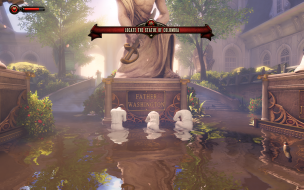
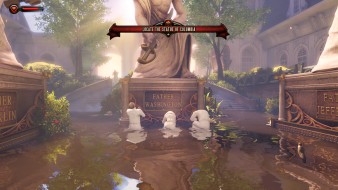
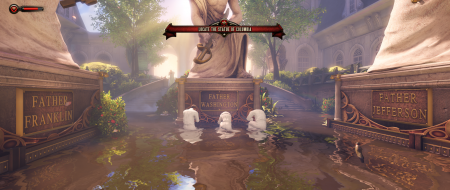
 Widescreen Grade: AUltra-Widescreen Grade: BMulti-monitor Grade: B4k Grade: ARead Full Detailed Report - BioShock InfiniteBioShock Infinite is a first-person shooter video game and the third installment in the BioShock series. In development is was known as "Project Icarus". BioShock Infinite is not part of the storyline of previous BioShock games but features similar gameplay concepts and themes.
Like BioShock and BioShock 2, BioShock Infinite is a first-person shooter with role-playing elements similar to the previous two games. As Booker, the player moves about the various structures of Columbia using a grappling hook, a series of railways connecting the buildings called the Skyline, and other transport means to search for Elizabeth. The player will gain weapons which can be used in numerous ways within the environment, including on the Skyline, to defeat enemies; however the player is only able to carry two weapons at any time. Booker gains powers and abilities by using vigors and wearing gear that are found through Columbia, the equivalent of BioShock's plasmids and tonics respectively.
(Source: Wikipedia)
Re: Bioshock Infinity
Posted: 28 Mar 2013, 21:26
by llKoinKoinll
My HUD is not on my middle screen, A solution is available ?
Re: Bioshock Infinite
Posted: 28 Mar 2013, 22:45
by skipclarke
Starting here:
http://www.wsgf.org/forums/viewtopic.ph ... 04#p144304This may be a fix. And another post had an option as well.
Re: Bioshock Infinite
Posted: 28 Mar 2013, 23:45
by llKoinKoinll
I have already try this, but this doesn't work, modification of xuser.ini was reset when I launch the game :-/
Thanks for your help & sry for my english
Re: Bioshock Infinite
Posted: 01 Apr 2013, 21:38
by Cap Loz
llKoinKoinll wrote:I have already try this, but this doesn't work, modification of xuser.ini was reset when I launch the game :-/
Thanks for your help & sry for my english
Mine does exactly the same and I'm still looking for a cure.
Anyone??
Re: Bioshock Infinite
Posted: 02 Apr 2013, 00:23
by llKoinKoinll
Anyone

We are forced to play with HUD on side screen .. ^^ and in Difficult gamemod, It's not so very easy ...
Re: Bioshock Infinite
Posted: 02 Apr 2013, 07:52
by tepescovir
My hud is fine, but i'm on nvidia. Is this issue limited to ati or does other nvidia users also have this?
Re: Bioshock Infinite
Posted: 02 Apr 2013, 09:20
by Skid
CoolMan=GCHQ= wrote:My hud is fine, but i'm on nvidia. Is this issue limited to ati or does other nvidia users also have this?
I think it's an issue with the ATI Drives / Eyefinity API, I used to get this all the time when I was using ATI cards, despite the fact the drivers are set to a multi-monitor resolution (I used none belze corrected / standard resolutions) the drivers failed to identify to the API that Eyefinity was being used. The result was any HUD centring system that used the API didn't work.
Re: Bioshock Infinite
Posted: 02 Apr 2013, 12:58
by Bifurk8
I've been using 2 Radeon 7950s with Catalyst 13.3 beta 3 and my HUD is centered. I'm thinking it may have something to do with Bioshock not properly detecting your multi-monitor aspect ratio. What resolution/screen configuration are you using? Do you have the option in the Bioshock Infinite display settings to set your aspect ratio to multi-monitor?
Edit: I'm not sure if it'll do you any good, but you could try setting the XGame.ini file to read only after making the suggested changes.
Edit 2: You could also try editing DefaultGame.ini from \Steam\steamapps\common\Bioshock Infinite\XGame\Config. I found the following variables that seem related:
[XCore.XScreenManager]
;This will set the safe rectangle to the Viewport size, except for in a few multimonitor set-ups, and will ignore the SafeRect values below.
bUseDefaultSafeRect = true
SafeRectX0 = 0
SafeRectY0 = 0
SafeRectX1 = -1
SafeRectY1 = -1
;The maximum aspect ratio for the default safe Rect, if our monitor setup can fit this ratio,
;the default will cover every monitor, if not it will try to find a centered monitor setup to fit it.
;Initial Value = 16:9, Try to fit to our max supported ratio.
MaxDefaultSafeRectAspectRatio = 1.77778
Re: Bioshock Infinite
Posted: 02 Apr 2013, 14:10
by llKoinKoinll
I haven't "multi monitor" option in aspect ratio, just 4:3, 16:9: & an another one, and I set to this, but not "multi monitor"
I think AMD is working on this probleme to correct this in next beta drivers ?
Re: Bioshock Infinite
Posted: 09 Jan 2014, 03:56
by Prince Vince
Registered to post this here since I was having trouble finding a fix to center my HUD (eyefinity) and the following worked for me.
In "XGame.ini" located in C:\Users\(USERNAME)\Documents\my games\BioShock Infinite\XGame\Config, edit this:
[XCore.XScreenManager]
bUseDefaultSafeRect=true
SafeRectX0=0
SafeRectY0=0
SafeRectX1=1920
SafeRectY1=1200
MaxDefaultSafeRectAspectRatio=1
to be this (for 5760 x 1080):
[XCore.XScreenManager]
bUseDefaultSafeRect=false
SafeRectX0=1920
SafeRectY0=0
SafeRectX1=3840
SafeRectY1=1080
MaxDefaultSafeRectAspectRatio=1
Save the file and change its properties to be read only (else launching the game resets it). So you can customize the HUD, the values for SafeRectX are left and right pixel min and max, while SafeRectY is down and up.
Re: Bioshock Infinite
Posted: 14 Apr 2014, 00:52
by Erik7654
Just to add, for the Steam version the correct config file appears to be Program Files (x86)\Steam\SteamApps\common\BioShock Infinite\XGame\Config\DefaultEngine.ini
Also, it didn't work until I made sure bUseDefaultSafeRect = true was changed to bUseDefaultSafeRect = false