[-noun] Web community dedicated to ensuring PC games run properly on your tablet, netbook, personal computer, HDTV and multi-monitor gaming rig. https://www.wsgf.org/phpBB3/
Borderlands 2 is a science fiction–based first-person shooter with RPG elements and the sequel to 2009's Borderlands. At the start of the game, players select one of four new characters, each with a unique special skill and with proficiencies with certain weapons. From then on, players take on quests assigned through non-player characters or from bounty boards, each typically rewarding the player with experience points, money, and sometimes a reward item.
Returning gameplay features from the first game will include the unique, cartoon-esque cel-shading graphic style, 3-branch skill trees, class-mods, and four-player online cooperative modes. New features include a more expansive and customizable weapons system, reworked four-seat drift-able vehicles and vehicle physics elements, and dynamic quest systems.
Borderlands 2 is a science fiction–based first-person shooter with RPG elements and the sequel to 2009's Borderlands. At the start of the game, players select one of four new characters, each with a unique special skill and with proficiencies with certain weapons. From then on, players take on quests assigned through non-player characters or from bounty boards, each typically rewarding the player with experience points, money, and sometimes a reward item.
Returning gameplay features from the first game will include the unique, cartoon-esque cel-shading graphic style, 3-branch skill trees, class-mods, and four-player online cooperative modes. New features include a more expansive and customizable weapons system, reworked four-seat drift-able vehicles and vehicle physics elements, and dynamic quest systems.
Was looking around my usual run of PC shop websites and found a "Is your PC ready for Borderlands 2?" link. Amused, I went and checked it out, and noticed on the side bar the following...
This app supports:
SLI
3D Vision
3D Surround
PhysX
Support for 3D Surround... looks VERY promising.
Cheers
I'm hopeful for Borderlands 2
Posted: 17 Sep 2012, 21:17
by Bifurk8
I'm hopeful for Borderlands 2 multimonitor support too. Per Nvidia's blog:
Released today, the new NVIDIA GeForce R304 drivers (version 306.32) are WHQL-certified and fully qualified with Borderlands 2 , supporting PhysX, SLI, Surround, and 3D Vision and with World of Warcraft: Mist of Pandaria supporting DirectX 11, SLI, Surround, and 3D Vision.
Given the poor support for Borderlands 1, though, I won't believe it until I see it. Other than that quote from Nvidia, I can't find anything claiming or demonstrating that Borderlands 2 will have multimonitor support. I guess we'll find out tomorrow, at least in the US.
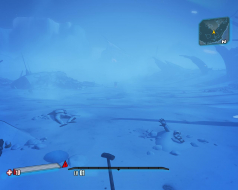
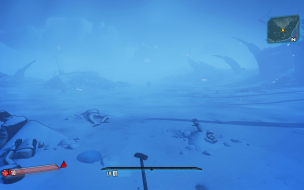
I'm glad to report that Borderlands 2 multimonitor support is looking great in Eyefinity 5760x1080. So far, everything seems Hor+ and there's plenty of graphics options to adjust. Menus and HUD both scale properly and are centered. Cutscenes so far are limited to the center monitor. I haven't made it to a vehicle to test yet. Here are some screenshots:
Here are screenshots of the
Posted: 18 Sep 2012, 05:38
by Bifurk8
Here are screenshots of the in game video options:
Bifurk, have you tried using
Posted: 18 Sep 2012, 05:55
by Amon Amarth
Bifurk, have you tried using in-game text chat? For me, it seems to be off the screen. Not only that, but some (not all) movies seem to be cropped in.
I haven't had the opportunity
Posted: 18 Sep 2012, 06:10
by Bifurk8
I haven't had the opportunity to try text chat yet. I did find one menu that's super zoomed in just like the Borderlands 1 menus: Network Options. Here's what it looks like:
One thing that was uber
Posted: 18 Sep 2012, 06:20
by ViciousXUSMC
One thing that was uber important was weapon zoom on the first game, in higher fov it was really messed up. I assume that is fixed?
ViciousXUSMC wrote:One thing
Posted: 18 Sep 2012, 06:31
by Amon Amarth
One thing that was uber important was weapon zoom on the first game, in higher fov it was really messed up. I assume that is fixed?
Yes actually. There's a nice FoV slider, and sprinting no longer messes with the FoV.
Just some menus, like the network options above, and in-game text needs fixing. Other than that, they nailed just about everything I can think of!
My only beef with the game so
Posted: 18 Sep 2012, 08:57
by Louie82Y
My only beef with the game so far is that the FOV slider doesn't also scale weapon models. I find the weapon models to be a bit too large in my taste. I remember Hayden's Flawless Widescreen program helped address this in BL1. Hopefully it can be done in BL2 as well.
Louie82Y wrote:My only beef
Posted: 18 Sep 2012, 10:22
by Skid
My only beef with the game so far is that the FOV slider doesn't also scale weapon models. I find the weapon models to be a bit too large in my taste. I remember Hayden's Flawless Widescreen program helped address this in BL1. Hopefully it can be done in BL2 as well.
Given how much effort they've put into the PC version this time, I wouldn't be shocked if enough people went on the forums and complain about it that they wouldn't fix it this time. So I would create a thread on the offical forums and link back here so people can add their voices to it.
The weapon size is the
Posted: 18 Sep 2012, 10:54
by HaYDeN
The weapon size is the correct size, as-in it's the same as in 16:9, doesn't go Vert-
So if you do believe it's incorrect, then it's incorrect even for single monitor users, in reality it's more of a user preference thing - in borderlands 1 it is vert-
The only problem I see is one of the same problems that arises in Borderlands 1 after it's been fixed (funnily enough) - and that is the shadows shimmering and disappearing (it's caused by high horizontal fov)
Sounds like they nearly got
Posted: 18 Sep 2012, 14:04
by Paradigm Shifter
Sounds like they nearly got it right.
Now, if they could fix the network page so it's not half-missing, and perhaps even go back and have a quick look at the Borderlands 1 code to fix the horrible FOV/triplewide support there, that would be awesome. Since they've fixed it in 2, they must know where to start looking and roughly what to do. ;)
Agreed, Paradigm Shifter. It
Posted: 18 Sep 2012, 17:55
by Bifurk8
Agreed, Paradigm Shifter. It looks to me like they redid all the other menus from scratch but that the network options menu was ported straight from Borderlands 1. Needs a fix, but compared to Borderlands 1, it's already in great shape.
Agreed. My heart almost
Posted: 18 Sep 2012, 21:00
by drinfernoo
Agreed. My heart almost stopped when the camera didn't go all fisheye when I started running lol
Game looks great in surround.
Posted: 18 Sep 2012, 21:05
by bluemeanie
Game looks great in surround. Im quite happy and surprised i've had no probs at launch. The only thing i noticed is a couple menu screens zoomed in a bit but the ui is great. YAY!
What I have experienced so
Posted: 19 Sep 2012, 03:17
by Kayden
What I have experienced so far:
I have put these up on the Gearbox forum, but I can confirm that the Network issue happens in the Main Menu as well and isn't limited to Eyefinity; so it seems that any issue that happens on one platform of choice, happens on the other. To say I am peeved right now is understatement. I know it's minor things, but still. NVIDIA certified the game for Surround and at the very least it should be perfect there. If something is certified to work with Eyefinity I wouldn't expect Surround to work 100%, just to be clear. I certainly will not take certifications from NVIDIA as gospel anymore.
EDIT: I edited my Gearbox post with new information, here it is:
EDIT: I did disable my 4th monitor running on my 9600 GT, that had no effect. After sometime I talked to a friend who is running a single 670 GTX in Surround and he is having the same problems at 4800x900; thus it isn't a problem with SLI based Surround series cards. I have tried Borderlands 2 at 5760x1080, 4800x900 and 3840x720 the problems illustrated in my screenshots. I have set the launcher to auto detect for my display setting and it started the game up at 1280x1024; then while in the game I changed the resolution to 5760x1080 and the Network menu was still goofed.
This is not a problem that is limited to one system or configuration, it's a problem with how Surround is implemented in the game and thus it should have never been certified; especially if the basic menus are bugged.
Kayden - I see exactly these
Posted: 19 Sep 2012, 16:18
by Sottilde
Kayden - I see exactly these same issues on a 6970 with 3x 1920x1080 and bezel correction.
The character selection screen is zoomed in as well.
They don't bother me that much, but what really does is the fact that text chat does not show up at all in Eyefinity. This leads to awkward situations where I miss messages in multiplayer games. For now using voice chat w/friends but this sucks with randoms.
Bigger, Better and Badder
Posted: 19 Sep 2012, 16:29
by tricky
Triple screen certainly is much improved and works out of the box (especially sprinting!), and overall quite happy with the menus etc.
The game is an improvement in just about every way over the first one, and I love the first one.
Just completed the single player "Assassinate the Assassins" missions, LONG mission and very rewarded when I finally completed it at 2am.