Page 1 of 5
Far Cry 3
Posted: 29 Nov 2012, 16:12
by anteronoid
Hi
Have anyone tried Far Cry 3 yet with multi-monitor?
Or anybody know of any threads about the topic, cant find any good info when Googling around?
Regards
Re: Far Cry 3
Posted: 29 Nov 2012, 16:47
by Hatter
I have heard that it will provide some good eye candy.

, dont know details yet.
Re: Far Cry 3
Posted: 29 Nov 2012, 18:16
by Sh4dowking
Works here on nvidia surround. Games looks good and its fun!


Re: Far Cry 3
Posted: 29 Nov 2012, 19:26
by zinfinion
Re: Far Cry 3
Posted: 29 Nov 2012, 19:55
by Mach1.9pants
This is the ONLY game I would want the HUD at the far corners, it is soooo intrusive and annoying I'd love to get the thing of the centre screen (obviously irrelevant to my current single screen set up!)
Re: Far Cry 3
Posted: 29 Nov 2012, 22:32
by BIGGRIMTIM
Why is the mini map up so high from the bottom of the screen?
Re: Far Cry 3
Posted: 29 Nov 2012, 22:33
by CILLER
It runs perfectly on triple screen but the performance hit is insane. even on low my 7970 can't get a stable 40 fps...
For me I had to disable SSAO in the config file (C:\Users\Name\Documents\my games\Far Cry 3\GamerProfile.xml) to get a stable fps, and it looks nicer now to because I can run all other settings a lot higher now.
Re: Far Cry 3
Posted: 30 Nov 2012, 02:59
by Toothless Spoon
CILLER wrote:It runs perfectly on triple screen but the performance hit is insane. even on low my 7970 can't get a stable 40 fps...
For me I had to disable SSAO in the config file (C:\Users\Name\Documents\my games\Far Cry 3\GamerProfile.xml) to get a stable fps, and it looks nicer now to because I can run all other settings a lot higher now.
I'm actually finding it incredibly hard to get consistent FPS on multi or single monitor play. I believe there are some flaws in the engine that need more optimization. I can get around 40+ fps multi, but throughout play it drops to 15 or so for no apparently reason. I might try disabling the SSAO like you have to see if that is the cause. When I dropped down to single monitor (everything max) it wasn't too bad, 60-70 fps and this is really what the game needs to play out to be smooth. 40 still doesn't cut it, or it might if it didn't dip all the time.
I'm running 2x3gb580's, but I was reading in a Ubisoft thread that the game is very CPU heavy? I'm not sure.
Re: Far Cry 3
Posted: 30 Nov 2012, 03:07
by synergic
If you're running an Nvidia card, download the latest beta drivers made specifically for Far Cry 3. Supposedly they can increase performance by up to 38%.
http://blogs.nvidia.com/2012/11/boost-f ... e-drivers/
Re: Far Cry 3
Posted: 30 Nov 2012, 03:36
by atf300
this is the first game than runs better on Direct X 11 than Direct X 9 .
im running the last beta drivers on my 6970 and can get around 30ish fps if i fiddle around with the setting a bit . most is on high except post processing , shadows and lightning .
a very enjoyable game .
Re: Far Cry 3
Posted: 30 Nov 2012, 04:54
by Toothless Spoon
Yeah I have the latest drivers, but I don't know whether its an SLI problem. Sure I could disable SLI or run window mode I guess to establish that, but I hate fooling around with shit.
On a side note did anyone have dramas watching the intro movie and even the Ubisoft logo intro doesn't display unless its on a single monitor, I'm just wondering if there are more issues like this. In-game cut-scenes appear to work, so I don't think its a huge drama.
Re: Far Cry 3
Posted: 30 Nov 2012, 15:33
by SaiBork
Yeah intro and ubi logo didnt work here either. So now everytime something starts black I'm affraid it doesn't work

The game itself seemss to work great though, lookswise. Performance sure could be better. Having enough framerate issues on 2xGTX 670. Turned Post FX off and set shadows to very high instead of ultra and seems okayish now. I still say engine could use some polishing.
Re: Far Cry 3
Posted: 30 Nov 2012, 20:11
by Haldi
We have so many screenshots here.
But we don't have a Detailed Report about Far Cry 3

It really doesn't take that long to Create screenshots in different aspect Ratio (4:3, 16:10, 16:9, Eyefinity/surround) and the Report is written in 5 Minutes!

Every registered user has the rights to create one!
CILLER wrote:It runs perfectly on triple screen but the performance hit is insane. even on low my 7970 can't get a stable 40 fps...
For me I had to disable SSAO in the config file (C:\Users\Name\Documents\my games\Far Cry 3\GamerProfile.xml) to get a stable fps, and it looks nicer now to because I can run all other settings a lot higher now.
Seems like we have to wait for a driver optimization from AMD... i hope crossfire works!
Re: Far Cry 3
Posted: 01 Dec 2012, 16:05
by Arkhchance
I just intall the last nvidia beta driver and the performance increase is not a joke. I got from 45 to 70 FPS. I got everything at maximum and running at 5760*1080.
But something is wrong. If I try a bezel corected resolution ( 6040*1080 ), there is a huge fps drop ( no more that 15fps ). The second problem I have, I can't set fov, the option is "unsetable" . But if fc3 is launched in window mode, fov can be set but no more that 110 witch is not enough anyway on a surround resolution.
Re: Far Cry 3
Posted: 02 Dec 2012, 03:55
by Toothless Spoon
Arkhchance wrote:I just intall the last nvidia beta driver and the performance increase is not a joke. I got from 45 to 70 FPS. I got everything at maximum and running at 5760*1080.
But something is wrong. If I try a bezel corected resolution ( 6040*1080 ), there is a huge fps drop ( no more that 15fps ). The second problem I have, I can't set fov, the option is "unsetable" . But if fc3 is launched in window mode, fov can be set but no more that 110 witch is not enough anyway on a surround resolution.
Yeah there multi support isnt functioning properly, there are a few issues. Try playing the game and see if you get fps dips. I tried a solution that was posted somewhere that addes MaxFps="30/45/60+" to the config and that locks it at that fps and it seemed to help a lot with the dips.
As for Multi the FOV is stuck like you said, I changed it by adjusting it at 1920x1080 to 110 and then going back to 5760. But it still doesn't work. I try changing it in the config, it appears that the max is 1.5(110) and it doesn't adjust if you go any higher.
I still believe the engine and or drivers need more optimisation and obviously multi needs to be fixed.
Re: Far Cry 3
Posted: 02 Dec 2012, 05:58
by HaYDeN
How do you guys feel about the FOV? is it just me or is it just a touch too low - say 20-30 degrees.
It's almost as if even at multimonitor it's locking it at 110 FOV, when it should be around 140 degrees, you notice it hugely when you go through windows etc in the first part, feels more zoomed in than it should.
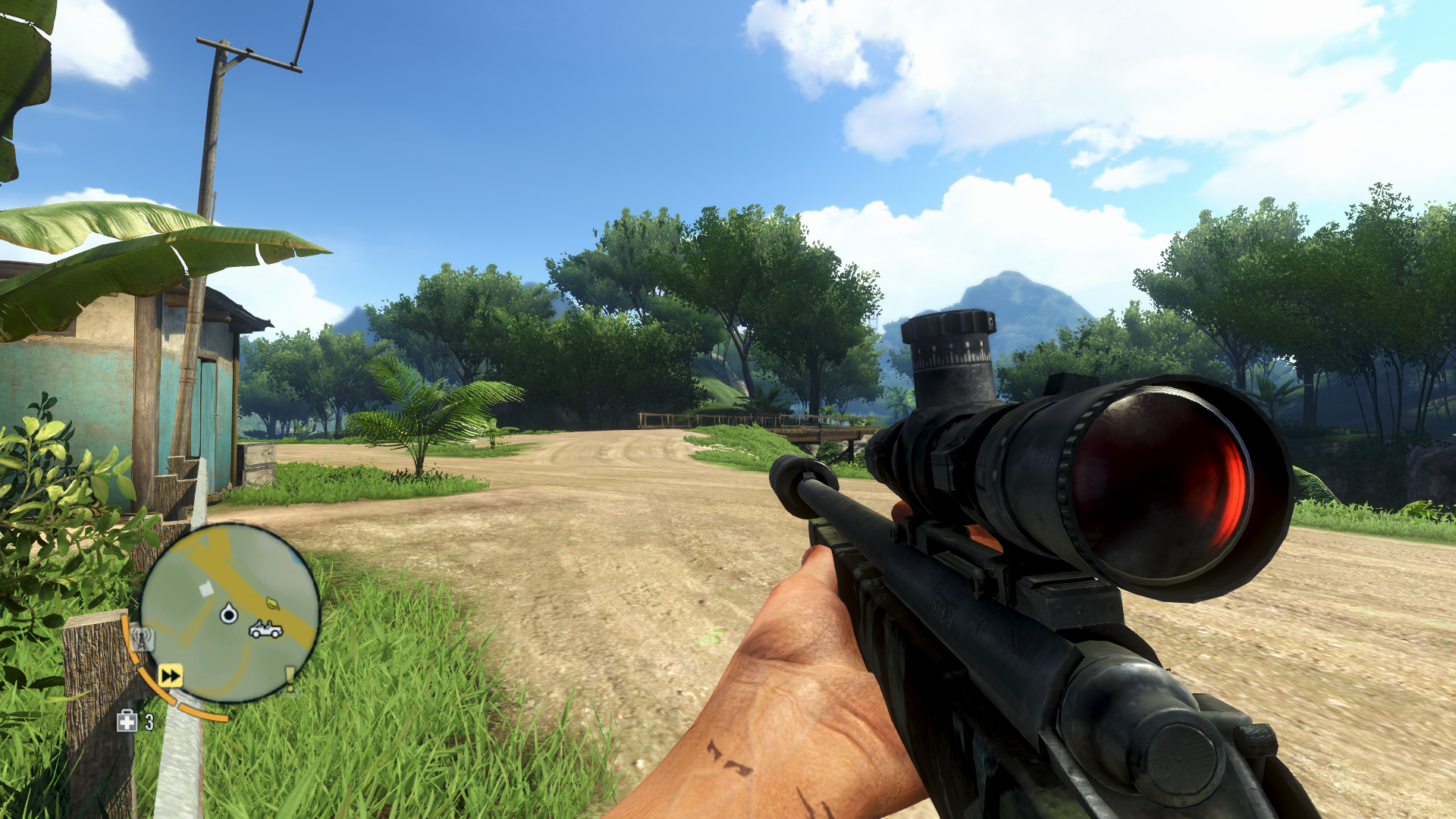
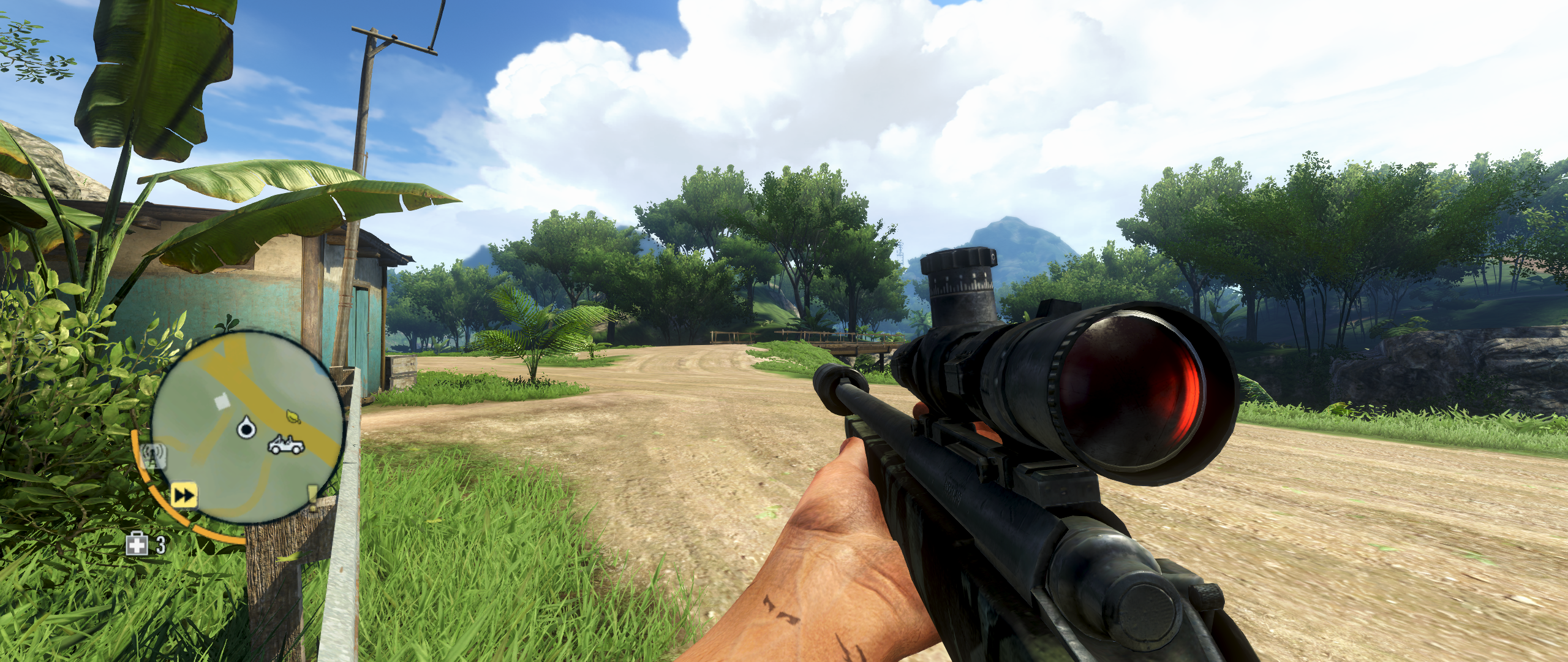
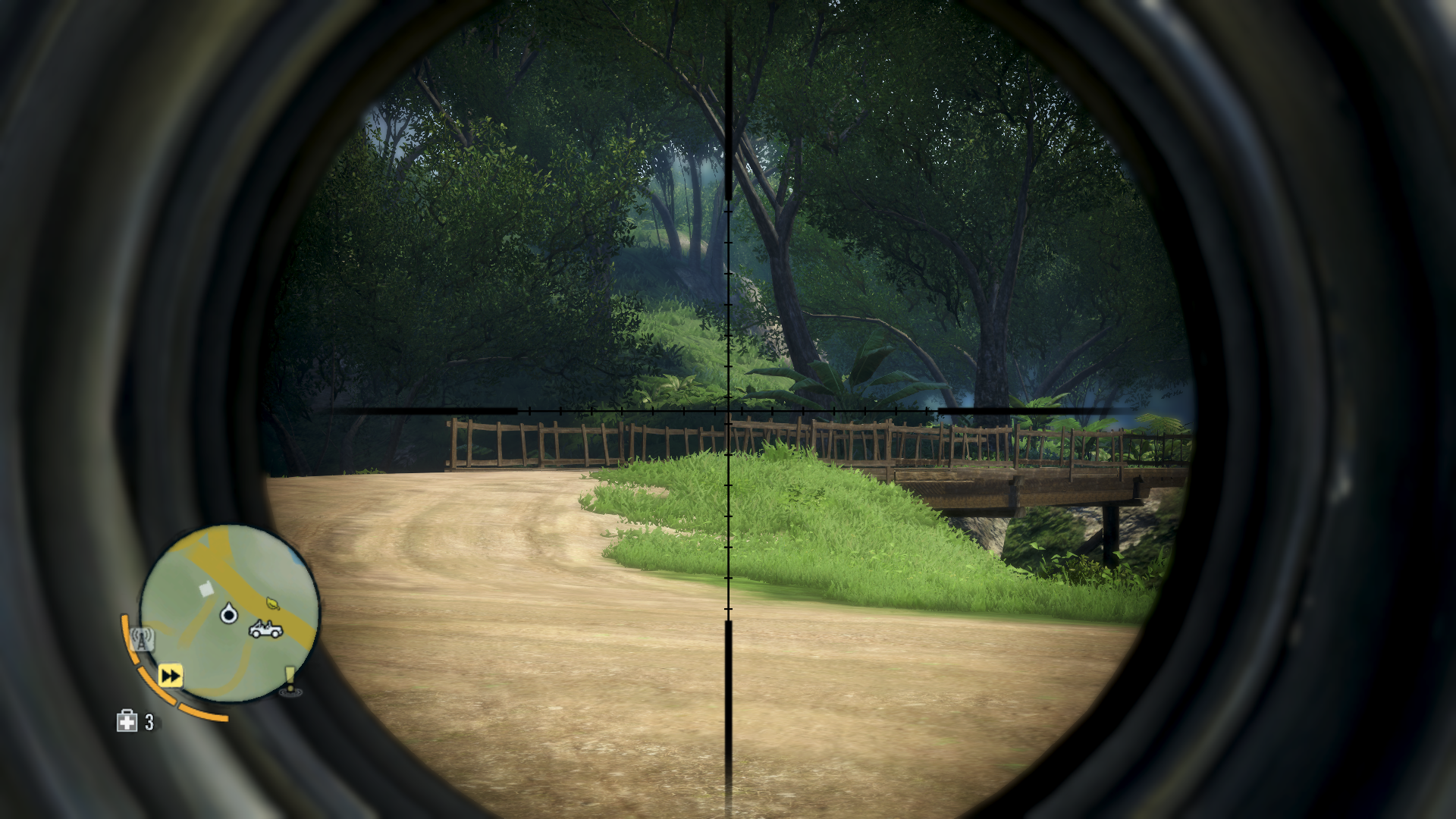
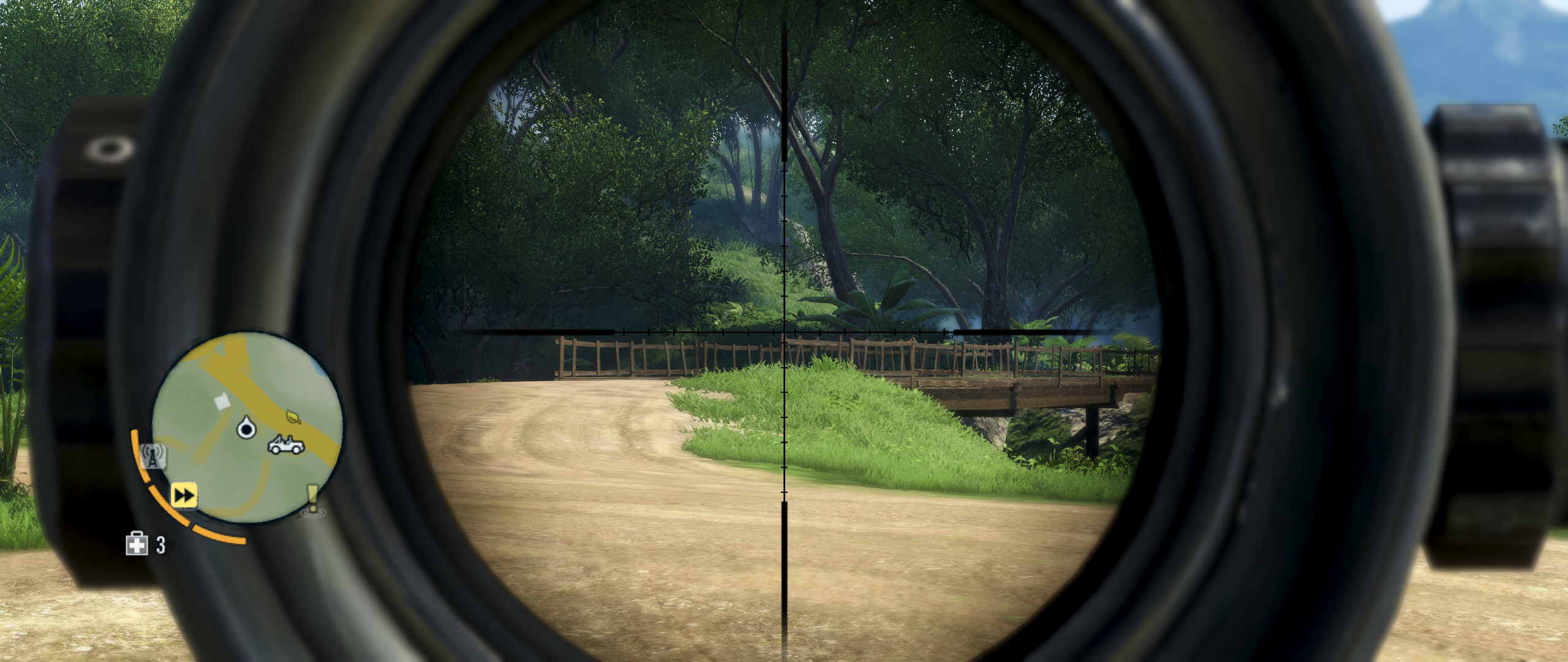
Perhaps someone can do a proper comparison between 16:9 and 48:9 for example... I've had a bit of a hack at the engine anyway, cause I couldn't stand the default max FOV even if it is HOR+ - here's a quick comparison before and after the fix for my liking.
Stock - Set at 110 in the options. (Maximum)

Hacked to 144 degree (my preference)

Hacked to 144 degrees plus moving the weapon out a littlebit (my preference)

Re: Far Cry 3
Posted: 02 Dec 2012, 09:05
by Toothless Spoon
HaYDeN wrote:How do you guys feel about the FOV? is it just me or is it just a touch too low - say 20-30 degrees.
It's almost as if even at multimonitor it's locking it at 110 FOV, when it should be around 140 degrees, you notice it hugely when you go through windows etc in the first part, feels more zoomed in than it should.
Perhaps someone can do a proper comparison between 16:9 and 48:9 for example... I've had a bit of a hack at the engine anyway, cause I couldn't stand the default max FOV even if it is HOR+ - here's a quick comparison before and after the fix for my liking.
Stock - Set at 110 in the options. (Maximum)
Hacked to 144 degree (my preference)
Hacked to 144 degrees plus moving the weapon out a littlebit (my preference)
yep this is exactly right, the FOV in multi is low...I actually believe that its less then 110 even though it says that it is. I go from single monitor to multi (1920 to 5760) and it all gun in multi.
While you're around Hayden, is there anyway to adjust the size and position of the mini map, its ridiculous how big it is.
Re: Far Cry 3
Posted: 02 Dec 2012, 13:22
by Toothless Spoon
Damn I want to change my FOV in multi, is there something you can do in the config file Hayden? I'm playing on single at the moment because of this.
Re: Far Cry 3
Posted: 02 Dec 2012, 17:49
by Skid
Check the DR, looks like this has the same issue PlanetSide 2 has, they capped the FoV, that explains why my mind was telling me something was wrong with the how the camera felt.
Re: Far Cry 3
Posted: 02 Dec 2012, 21:10
by lance_141
Hi guys
can someone tell me what i do wrong.i use 5040x1050 with 110 fov.
the map take half of my left screen way to big it hide mission message too.
how can i reduce it or move it to center like in your screenshot and where do you hack the fov looked in gamer profile no result.
Thanks !