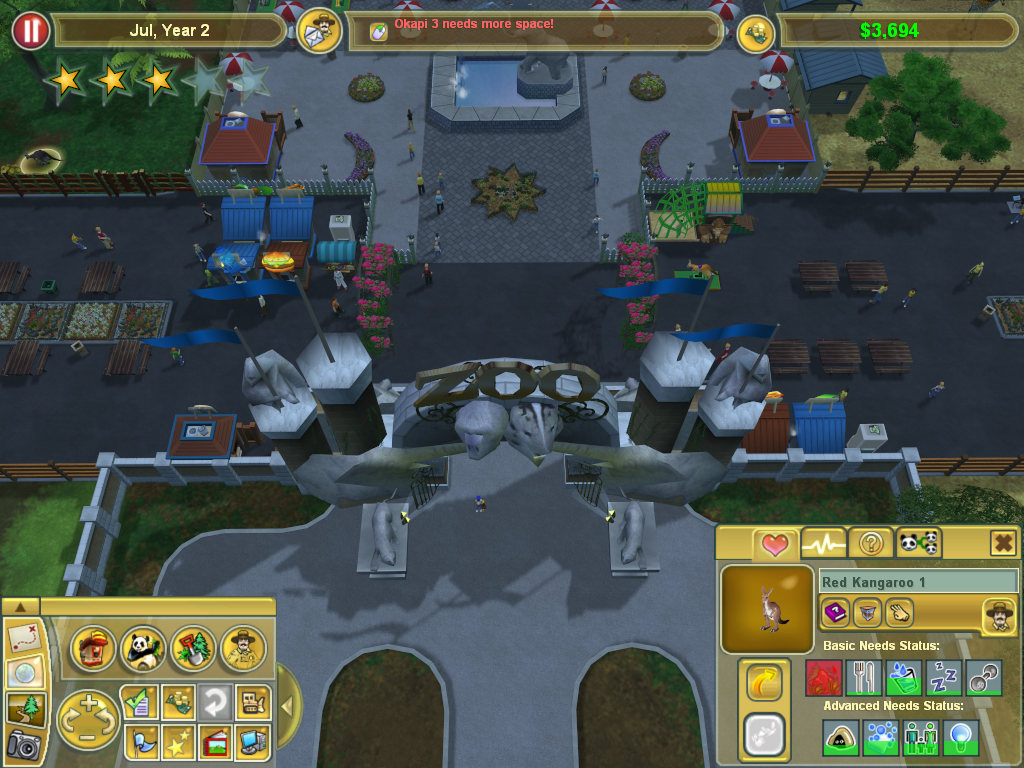
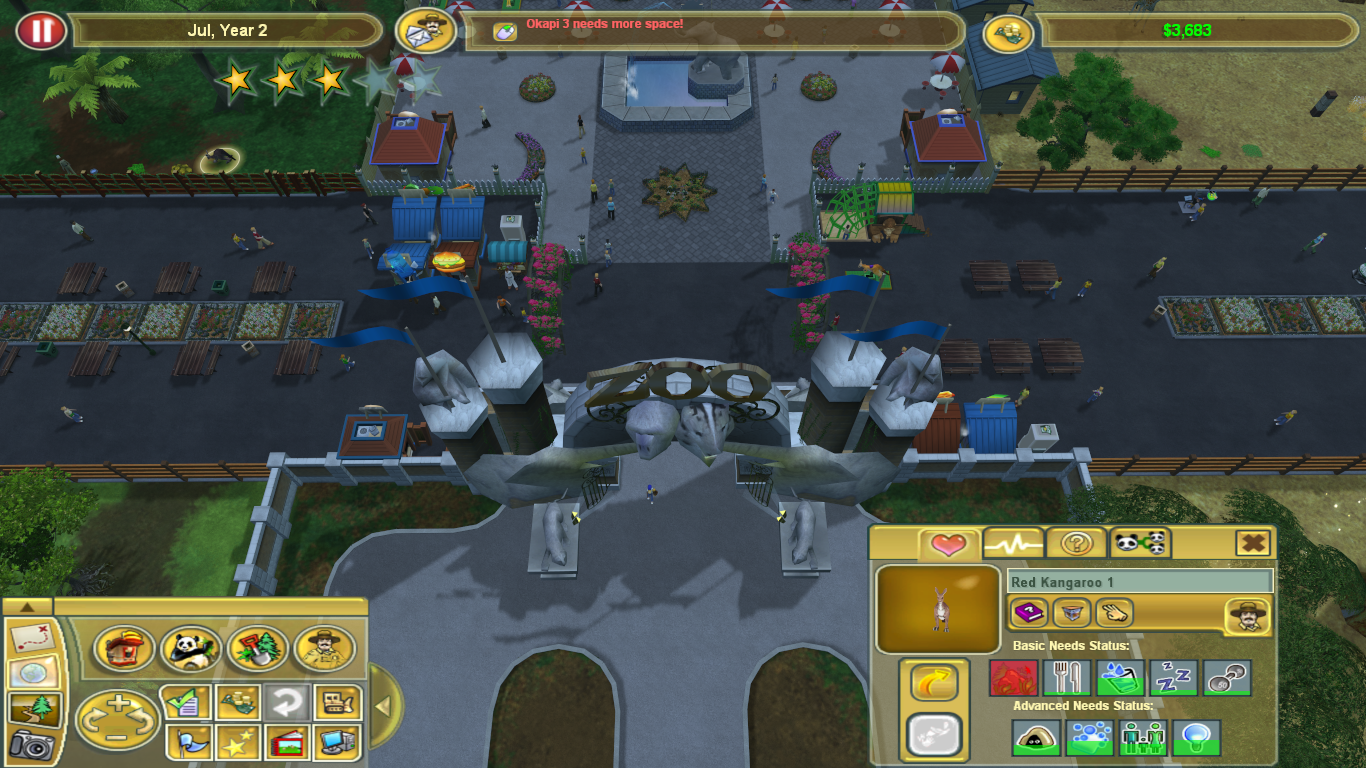
Zoo Tycoon 2 (Marine Mania/Extinct Animals) 16:9 widescreen issues.
Posted: 15 Jun 2012, 10:49
Hi there. I was trying to play the game Zoo Tycoon 2, with all the expansions installed, in my native resolution of 1366x768.
And my problem is: the game up to the Marine Mania (excluding), worked flawlessly, displaying the image in a correct 16:9 ratio, when playing in a 16:9 resolution, but from Marine Mania onwards (Extinct Animals), it started displaying the 16:9 resolutions as they were 4:3.
Example: I select my native resolution of 1366x768, and it displays as 1024x768, implementing black bars (and this with the stretching option selected on the nVidia control panel). And does the same for others 16:9 resolutions, such as the 1280x720.
Other ratios does not seem to be affected, because when selecting a 1280x768, which I believe is 16:10, the image does fills the screen. But as all you may know, it decreases quality, and it's not what I'm looking for.
I've searched th Internet for a solution for this, but I found nothing. I even tried to hex-edit the .exe, but if I remember correctly, I couldn't find the resolutions in it. Either that, or it just didn't worked. I even tried searching in the files, trying to find what was causing the problem. I tried running the game in various compatibility modes, made the configuration file read-only (although I knew it was not the problem), and still got nothing.
So I thought about asking for help. So here I am, and that's it.
Oh, and if more information or further clarification is needed, please ask away.
And my problem is: the game up to the Marine Mania (excluding), worked flawlessly, displaying the image in a correct 16:9 ratio, when playing in a 16:9 resolution, but from Marine Mania onwards (Extinct Animals), it started displaying the 16:9 resolutions as they were 4:3.
Example: I select my native resolution of 1366x768, and it displays as 1024x768, implementing black bars (and this with the stretching option selected on the nVidia control panel). And does the same for others 16:9 resolutions, such as the 1280x720.
Other ratios does not seem to be affected, because when selecting a 1280x768, which I believe is 16:10, the image does fills the screen. But as all you may know, it decreases quality, and it's not what I'm looking for.
I've searched th Internet for a solution for this, but I found nothing. I even tried to hex-edit the .exe, but if I remember correctly, I couldn't find the resolutions in it. Either that, or it just didn't worked. I even tried searching in the files, trying to find what was causing the problem. I tried running the game in various compatibility modes, made the configuration file read-only (although I knew it was not the problem), and still got nothing.
So I thought about asking for help. So here I am, and that's it.
Oh, and if more information or further clarification is needed, please ask away.