Page 1 of 1
My triple projector driving rig. Need help setting up 6 projectors now for super surround.
Posted: 18 Dec 2011, 03:39
by MAYAman
Finally got this done. VisionRacer VR3 chassis modified by me over the last 9 months. 120" surround screen, triple projectors, D-Box 4 actuator motion platform that provides pitch, roll, heave, yaw and transducer effects.
detailed build timeline here with tons of pics. http://insidesimracing.tv/forums/viewtopic.php?f=110&t=5479
Alienware PC with dual GTX580s and 16GB of 1800mhz RAM.
Fanatec CSW line of controls, latest and most advanced steering wheels taken from real race cars. Enjoy. :)
http://www.youtube.com/watch?v=ZoxPDrc4d20&feature=youtu.be
http://www.youtube.com/watch?v=GWlXfndfPUE
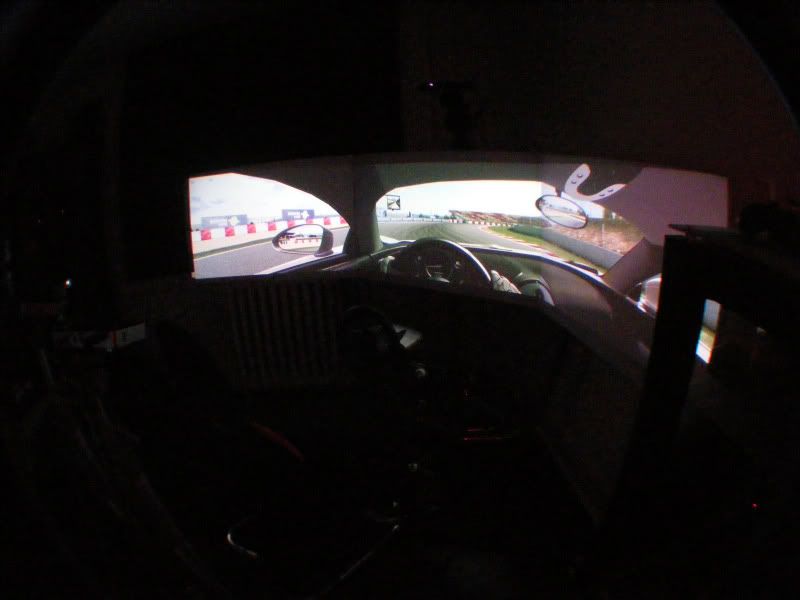
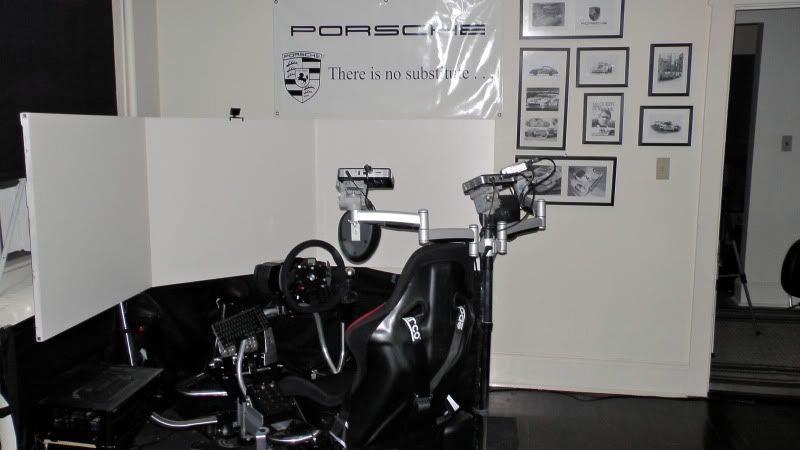
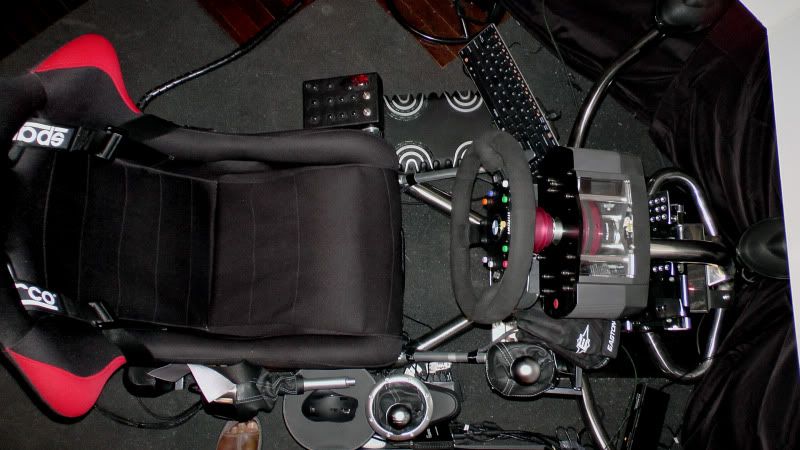
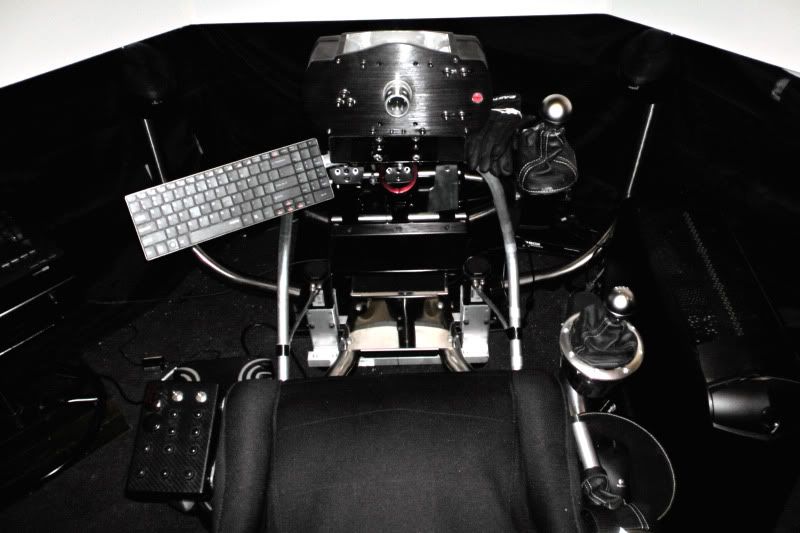
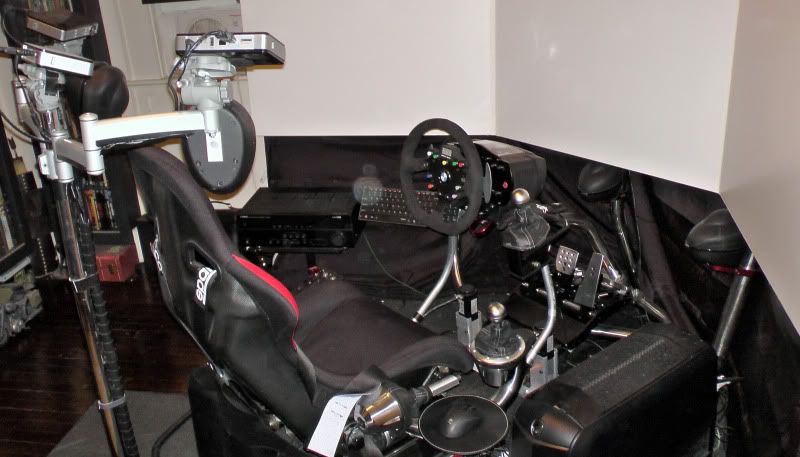
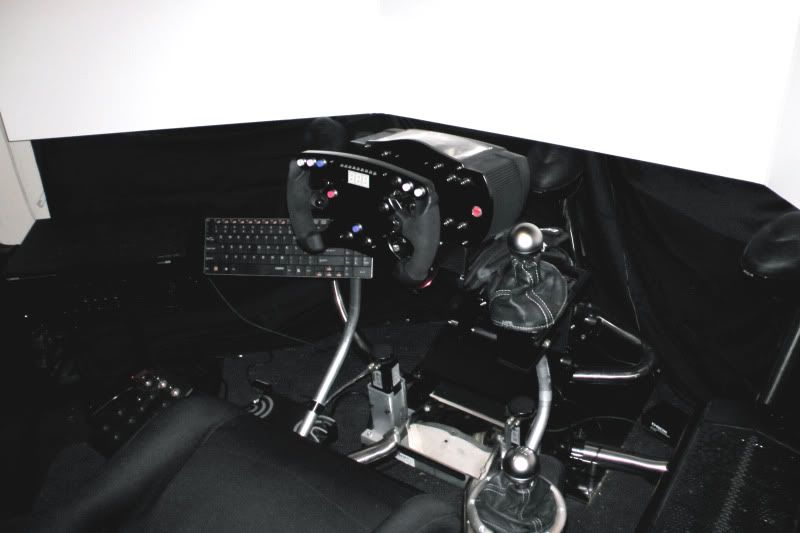
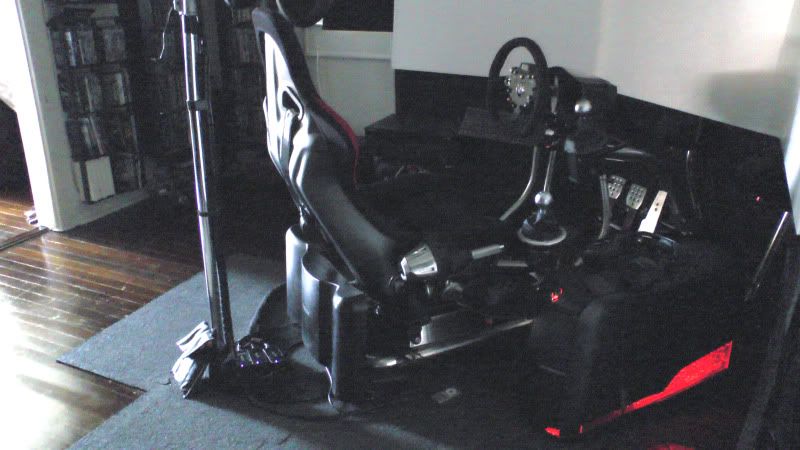
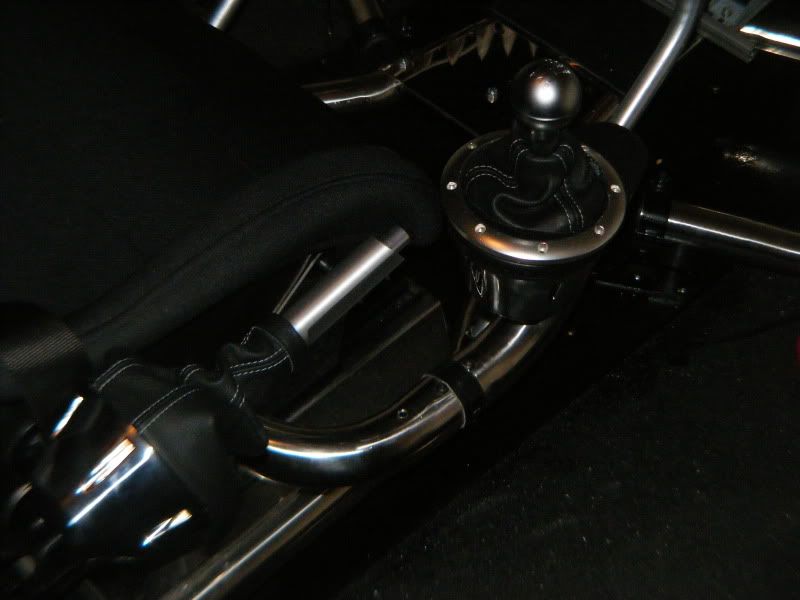
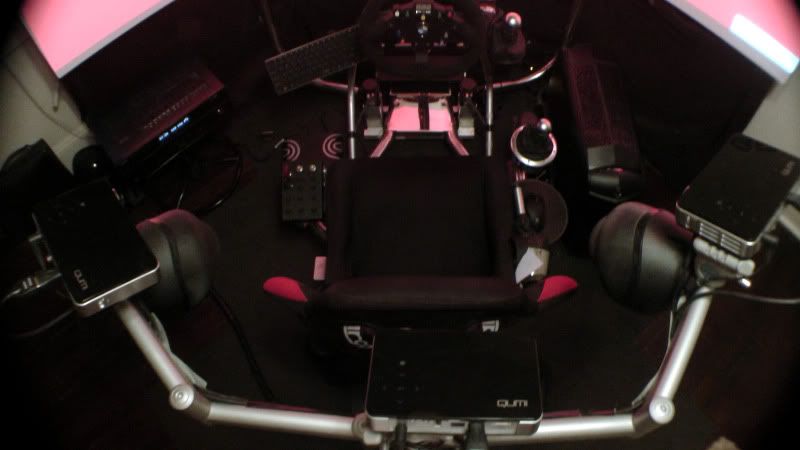
Let me know if you have any questions.
Hi.Realy nice Setup! Wish i
Posted: 18 Dec 2011, 11:13
by Haldi
Hi.
Realy nice Setup! Wish i had the Same, but would use it way to less.
So yes...... There is a little question...... Do you like Porsche? :D
And does the 2nd Gearshifter work or is it just for show?
Greetings Haldi
Both gear shifters work. The
Posted: 19 Dec 2011, 00:03
by MAYAman
Both gear shifters work. The one near my right leg is an H pattern shifter, 6 speeds for sports cars. The one near the steering wheel is a sequential shifter for rally cars. The steering wheel also has paddle shifters for cars of that type.
Congratulations
Posted: 19 Dec 2011, 15:17
by AmeerNuub
Congratulations MAYAman!
Beeaaauuuuuuutiful!!!!! Very nice setup! Helps to unwind, doesn't it? I bet it's nice for flight sims as well....
Yeah its fantastic for flight
Posted: 20 Dec 2011, 03:40
by MAYAman
Yeah its fantastic for flight sims. I've got a Cougar HOTAS with rudder pedals and all I do is slide the seat all the way back and the HOTAS mounts on the left and right of the seat, and the rudder pedals mount securely behind my custom driving pedals. This rig is so versitile. the triple screen mount attached to the rig is only meant for 24" monitors but I modded it to fit triple 46" :D
I've also got a Yamaha sound projector under the middle screen along with a woofer and separates on the camera stands. ;)
great rig
Looks cool. I've got the same
Posted: 23 Dec 2011, 05:40
by BHawthorne
Looks cool. I've got the same wheel on my setup. Any thought to going curved screen in the future in preference of flat? The corners are a bit distracting on the flat screen surfaces.
Big update guys 4 actuator
Posted: 03 Jul 2012, 04:22
by MAYAman
Big update guys :)
4 actuator Dbox, CSW components, really to much. Follow the thread link for detailed build info. :)
thanks
Yeah beautiful setup mate,
Posted: 03 Jul 2012, 05:00
by AussieTimmeh
Yeah beautiful setup mate, looks fantastic.
(No subject)
Posted: 04 Jul 2012, 08:26
by Delphium

:rockout
Awesome..What car racing
Posted: 04 Jul 2012, 14:29
by soldierguy
Awesome..What car racing games do you play? I suppose you're an iRacer too?
I'm just getting into iRacing--"Rookie"---lots to learn in that game regarding tracks/car setups etc. Nice
I haven't started iracing
Posted: 05 Jul 2012, 12:03
by MAYAman
I haven't started iracing just yet. Just getting my feet wet with that one.
Hey guys need some help. I'm
Posted: 20 Sep 2012, 13:56
by MAYAman
Hey guys need some help. I'm adding a curved 270 degree screen to replace the three screens I have now. I'm going to be running 6 LED projectors. iRacing now accepts 5 and 6 screen setups for an almost 300 degree wrap around view.
My question is can I use Nvidia GTX690 to do this? Are only ATI cards that support 5 displays and up?
Once I do the 5 or 6 projectors, can I still do 3D.
Any help is appreciated.
thanks
AFAIK Nvidia only supports
Posted: 20 Sep 2012, 16:28
by Haldi
AFAIK Nvidia only supports 3+1 Setup.
So you'd have to go with AMD, important side note. if you run Crossfire you'd need to plug all monitors into 1 card! So you'd need an "Eyefinity 6" card with 6 miniDP and then active adapters.
AMD does not have 3D Native, but there are tools like iZ3D or similar that work kinda well(at least what i heard...) for 3D on AMD.
Is there a way to do this
Posted: 20 Sep 2012, 17:10
by MAYAman
Is there a way to do this with Nvidia? What is the max amount of monitors with nvidia?
thanks