Page 1 of 1
Wow..I underestimated the amount of space 3 monitors takes..
Posted: 03 Dec 2010, 19:04
by Zebrastealer
So...2 of my new Acer GD235 monitors have arrived, the 3rd should be here by Monday. Man! I underestimated how much desk space this is going to take - I'm going to have to customize my 7 year old trusty 'compact' desk to fit them all properly! :D I'll post a picture of my new setup when its done.
Geeze I went from 1 IZ3D 22inch 3d Monitor with an ATI 4870X2, 4 GBs ram, a Q6600 and a 950 watt powersupply to - 2 GTX480's, I7 960, 8 GBs ram and I'm still shopping for another GTX480., waterblocks for all of them, probably a 1200 watt powersupply, and maybe a new Full-sized tower (that old alumunium Lian-Li while still nice, just doesn't have all the modern bells & whistles). This upgrade ended up EXPENSIVE! (just don't tell my wife.) :oops:
Re: Wow..I underestimated the amount of space 3 monitors takes..
Posted: 03 Dec 2010, 21:07
by thales100
Cool, its a blast to play on triple. :rockout
Re: Wow..I underestimated the amount of space 3 monitors takes..
Posted: 04 Dec 2010, 19:17
by GitDat

Same monitors I've got :cheers My desk is from the mid 90's lmao
Re: Wow..I underestimated the amount of space 3 monitors takes..
Posted: 09 Jan 2011, 12:56
by thisizbrian
ya i basically have a ikea dining room table as my desk hahaha. it works great though!
Re: Wow..I underestimated the amount of space 3 monitors takes..
Posted: 14 Jan 2011, 16:57
by Zebrastealer
Nice setup in that picture.
I've got to take a picture at some point of my gear, although, still haven't built a custom stand yet - had to ship one of the monitors back to newegg for an RMA and just got the replacement.
Regarding these Acers, the one I returned, had horrible backlight bleed on the right third of the monitor in 3d mode. Another of the monitors has a similar problem, but in a much smaller area so I decided to live with it. In fact of the three monitors I purchased, I'm only completely satisfied with one of them - the others have patches of backlight bleed in sections of the screen (not the edges (present in all) but in the center portion of the panel), this probably is really only apparent in 3d Mode.
Not sure if the other monitor manufacturers have similar problems but I imagine they probably do.
Anyway, now that I have all three monitor back I intend to build a custom stand for them, I may try removing the plastic bevels to reduce the bevel width, has anyone taken the screen covers off the Acers before, if so how much space could you trim by removing the cover permanently?
Re: Wow..I underestimated the amount of space 3 monitors takes..
Posted: 14 Jan 2011, 22:48
by mixfloors
you could use a Ergotech stand (shameless plug) and not need to get a new desk
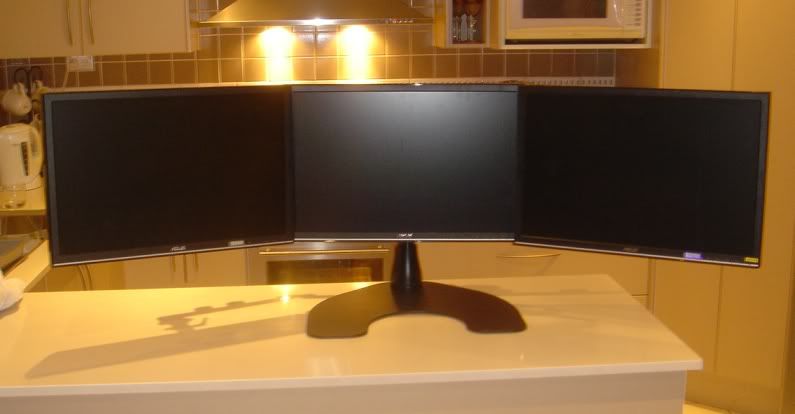
and watercooling makes a real difference, to the cards and the surrounding rooms temp..
Just finished doing my 2 x 480's
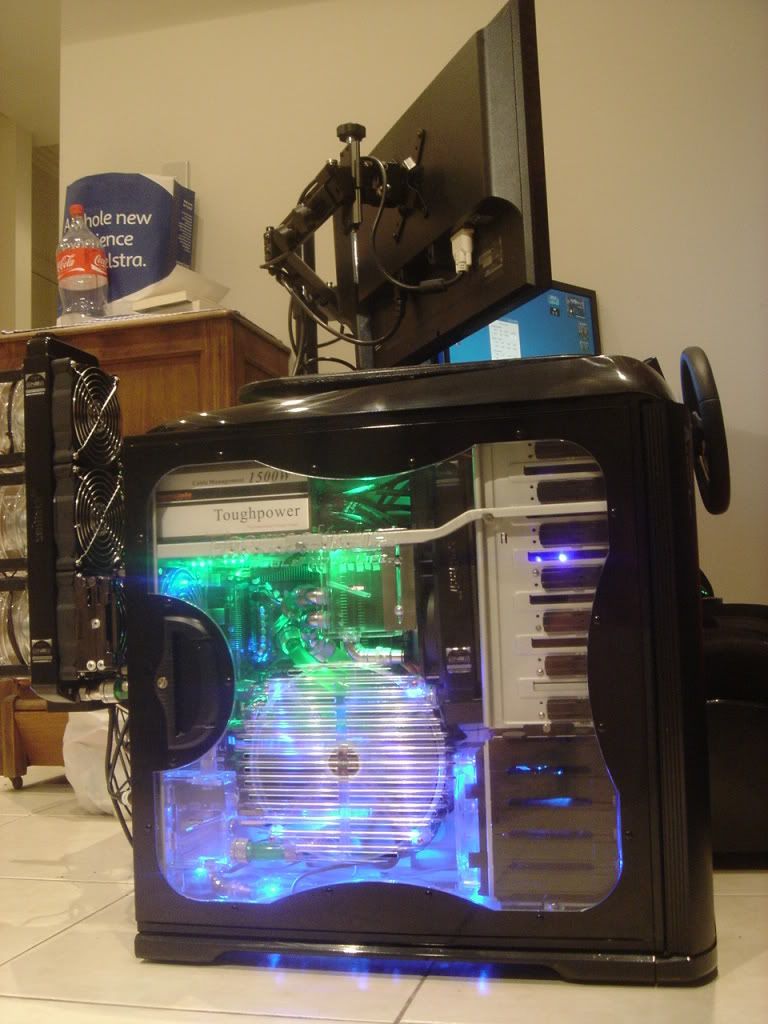
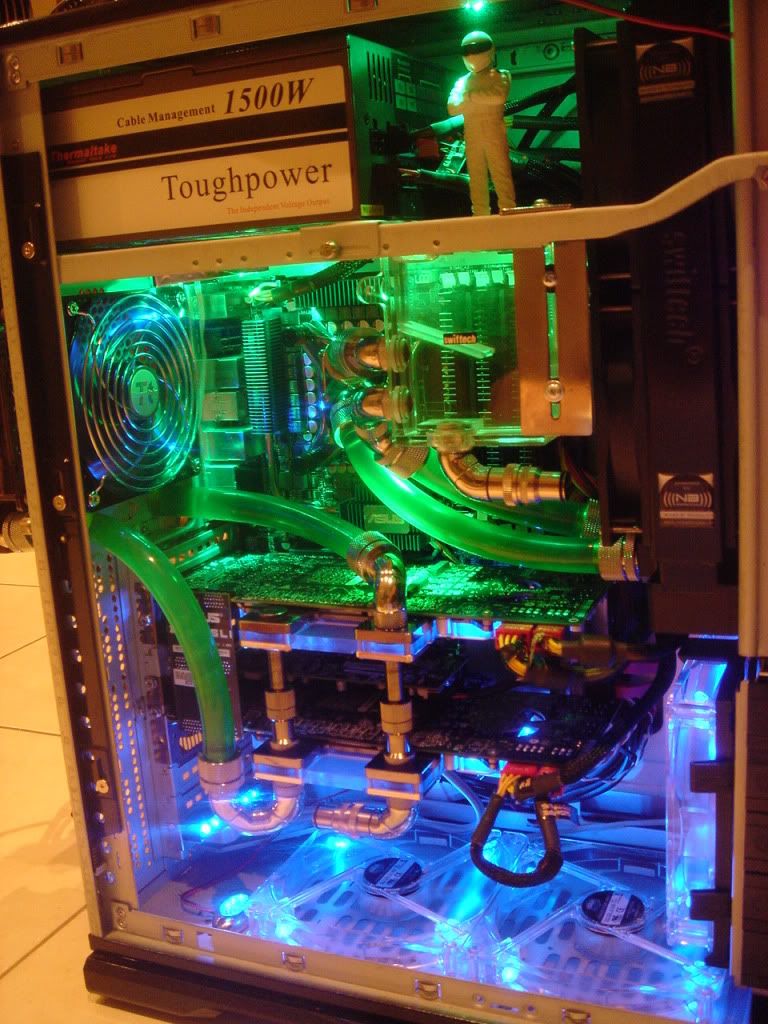
Re: Wow..I underestimated the amount of space 3 monitors takes..
Posted: 15 Jan 2011, 03:11
by matrices
Nice setup in that picture.
I've got to take a picture at some point of my gear, although, still haven't built a custom stand yet - had to ship one of the monitors back to newegg for an RMA and just got the replacement.
Regarding these Acers, the one I returned, had horrible backlight bleed on the right third of the monitor in 3d mode. Another of the monitors has a similar problem, but in a much smaller area so I decided to live with it. In fact of the three monitors I purchased, I'm only completely satisfied with one of them - the others have patches of backlight bleed in sections of the screen (not the edges (present in all) but in the center portion of the panel), this probably is really only apparent in 3d Mode.
Not sure if the other monitor manufacturers have similar problems but I imagine they probably do.
Anyway, now that I have all three monitor back I intend to build a custom stand for them, I may try removing the plastic bevels to reduce the bevel width, has anyone taken the screen covers off the Acers before, if so how much space could you trim by removing the cover permanently?
I read that the best of the 3D monitors are the Asus 23". Acer in general is a budget line; it is what it is.
Re: Wow..I underestimated the amount of space 3 monitors takes..
Posted: 24 Jan 2011, 15:06
by BHawthorne
Yep, depending upon the LCD you use it'll need a 5 - 6 foot wide desk.
Re: Wow..I underestimated the amount of space 3 monitors takes..
Posted: 15 Feb 2011, 08:42
by maryparker
Re: Wow..I underestimated the amount of space 3 monitors takes..
Posted: 27 Jun 2011, 19:29
by Zodiak
If you are concerned about space, consider placing your 3x monitors in Portrait mode!! Some monitors don't pivot, but most monitors support some form of VESA mount. As displayed in the picture above, the Ergotech is an awesome solution. One of the only solutions to support up to 3x 30inch monitors!
I have 3x Dell UltraSharp U2711 IPS 27 inch monitors that I am just waiting for the new computer I ordered to assemble using the Ergotech stand in Portrait mode. I cant wait!! :D
Re: Wow..I underestimated the amount of space 3 monitors takes..
Posted: 27 Jun 2011, 20:51
by Haldi
hum... Portrait mode might work for 27", but for 23" its definitley to small! The beezels just hurt in the eyes.
video
Just my opinion!
Re: Wow..I underestimated the amount of space 3 monitors takes..
Posted: 27 Jun 2011, 21:19
by Slinky
I have taken the casing off my acer monitors and its not really all that difficult. you just have to be careful. it is worth the thinner bezels
Re: Wow..I underestimated the amount of space 3 monitors takes..
Posted: 28 Jun 2011, 23:39
by BHawthorne
I have taken the casing off my acer monitors and its not really all that difficult. you just have to be careful. it is worth the thinner bezels
I'm pondering doing it with my 245BW's. Only thing at issue is making sure the sheet metal shielding on the rear pieces is properly mounted and dealing with VESA screw mounts. The VESA screw mounting will kill my warranty on the displays even if I keep the bezel plastic because I'll have to drill mount holes in that metal sheeting. As they're outside of warranty window anyways I'm not too bothered by it. I do want to mask off the lcd and hit the shell with black paint.
Re: Wow..I underestimated the amount of space 3 monitors takes..
Posted: 02 Jul 2011, 15:20
by Guyver
I know what you mean Zebrastealer, for a long time I thought my 1760mm wide desk a liberated from work was the biggest desk ever!... then I loaded it up with 3 screens and all the space is gone. I really should get one of those stands that has been posted in this thread, all the ones I've come across locally are pretty average looking :(
Haldi wrote:hum... Portrait
Posted: 10 Aug 2011, 14:44
by Zodiak
hum... Portrait mode might work for 27", but for 23" its definitley to small! The beezels just hurt in the eyes. video
Just my opinion!
Can someone please tell me what monitors or stand is in the video? I have a nice setup but this is much cleaner.