Page 1 of 2
Dragon Age: Origins
Posted: 22 Nov 2009, 21:00
by Tanuki
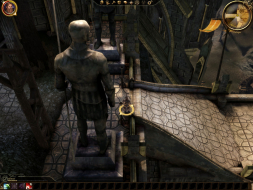
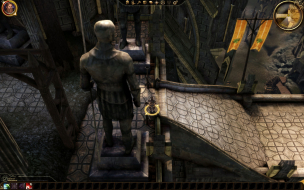
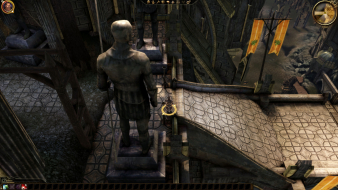
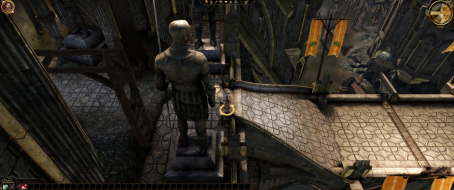
 Widescreen Grade: AUltra-Widescreen Grade: BMulti-monitor Grade: B4k Grade: BRead Full Detailed Report - Dragon Age: OriginsBioware's attempt at a party-based RPG like the good old days.
The box says, "partial nudity" so it has to be a quality product.
Enjoy, adventure, pillage, murder, do what you do best.
Dragon Age: Origins
Posted: 22 Nov 2009, 21:03
by Tanuki
Hooray imageshack. :?
I am not going to bother weeding out pics as there are not loading. Maybe later.
Dragon Age: Origins
Posted: 23 Nov 2009, 01:12
by The_cranky_hermit
I think we can call this certified. Is there any reason you suspect TH users might have issues where faux-TH works fine? Plus, I forget which game this was, but there is a precedent that if faux-TH works, upscaled faux-TH is an option for TH users and therefore the game is certifiable even if true TH does not work.
Dragon Age: Origins
Posted: 23 Nov 2009, 01:51
by Tanuki
Is there any reason you suspect TH users might have issues where faux-TH works fine?
I can only get faux in a window.
The game will use your desktop aspect ratio when it is in fullscreen mode.
So it is possible there might be differences.
Dragon Age: Origins
Posted: 23 Nov 2009, 05:57
by ViciousXUSMC
I personally have an issue that I know a few other users share with TH resolutions, objects missing out of environments completely and the draw distance/popup of objects being much more strict than it should be.
I played for like 4 hours before I knew I had this problem as indoors you can not see it, but when I got to a forest and outdoors area the problem is very noticable.
I posted this in the appropriate mufti monitor game section but it probably should be cross posted here since its important data for the detailed report for surround gamers.
so got outside the dwarf town and now in the forest I can see I suffer the popup and vanishing object issue as well, depending on where the camera is rotated everything just goes *poof*.
Good game but think I will have to force myself to not play it until that gets fixed so I can better enjoy it.
I made 2 short clips to compare 1920x1200 to 5760x1200 the difference in the environment is easily noticeable as is the pop up effect on the surround resolution.
Im going to hop in bed should have been sleeping like 4 hours ago, but later tonight I will go post these on there forums so they can see the problem and hopefully give us a fix.
http://rapidshare.com/files/306198029/DAOrigins_1920x1200.mkv
http://rapidshare.com/files/306198365/DAOrigins_5760x1200.mkv
Edit: Both files in one download - http://rapidshare.com/files/306289661/DAOrigins_Surround_Comparison.rar
Post Here if you want to help make this an important issue: http://social.bioware.com/forum/1/topic/58/index/176437
Try to bump that thread if you can, just overnight while the post count is at its lowest it fell to page 4 with no reply's and no views, only us who use 3x screens are going to care about the bug.
Dragon Age: Origins
Posted: 23 Nov 2009, 06:16
by DaFox
Wasn't this fixed in the latest [second] patch Vicious?
Dragon Age: Origins
Posted: 23 Nov 2009, 08:35
by Robobandit
The latest patch didn't have any additional widescreen fixes.. it had about 3 things in addition to the things that were fixed in 1.01.. they just re-used part of the patch notes for 1.01b since most of the changes were the same.
I'd love to be proven wrong, but I have the steam version of the game which cannot install the 1.01b patch.
Dragon Age: Origins
Posted: 23 Nov 2009, 18:08
by Shanky
You are not wrong.
I have the retail version with 1.01b and the draw distance issue and vegetation popping/missing happens still.
It only happens in triple-wide mode. The moment I go back to a single monitor, it clears up and runs normally.
Dragon Age: Origins
Posted: 23 Nov 2009, 18:32
by DaFox
Ah that's a shame.
Dragon Age: Origins
Posted: 30 Nov 2009, 22:41
by Tanuki
So for grading purposes, regarding the ultra-wide problem, does it make it unplayable? How severe is it when you play?
Dragon Age: Origins
Posted: 30 Nov 2009, 23:28
by ViciousXUSMC
So for grading purposes, regarding the ultra-wide problem, does it make it unplayable? How severe is it when you play?
It ruins the atmosphere enough to me that I have not played the game since I discovered the problem and I am waiting for a fix. However I have seen no indication that bioware has acknowledged the issue or has any fix in the works.
I have those two comparison videos for download just see for yourself how bad it is. Look at all the foliage missing in the eyefinity video vs the standard one, and the pop in/out of the background.
Dragon Age: Origins
Posted: 01 Dec 2009, 01:10
by Tanuki
So a "damaging flaw" in TH Cranky?
Dragon Age: Origins
Posted: 01 Dec 2009, 02:40
by The_cranky_hermit
You decide.
Dragon Age: Origins
Posted: 01 Dec 2009, 03:18
by StingingVelvet
I thought TH flaws were blemishes for grading purposes.
Dragon Age: Origins
Posted: 01 Dec 2009, 04:23
by DaFox
I thought TH flaws were blemishes for grading purposes.
Yep^
Dragon Age: Origins
Posted: 01 Dec 2009, 05:37
by Tanuki
You decide.
Flaws are flaws to me.
What grade would potentially makes TH unplayable be?
Dragon Age: Origins
Posted: 01 Dec 2009, 05:45
by The_cranky_hermit
I thought TH flaws were blemishes for grading purposes.
Unless the TH flaw itself is a blemish. In that case, the flaw is overlooked.
So, the question is, should the TH issues be considered a blemish, or a consequential flaw (or worse)? If the former, this game keeps certification. If the latter, this game gets a B+.
Re: Dragon Age: Origins
Posted: 19 Dec 2009, 07:37
by Mixelplix
Anyone found a way to move the in game UI/ HUD around so that the character/Party icons, taskbar and minimap can be placed in the central monitor? I haven't had any luck finding a mod that can do that. Running it at 5760 x 1080.
Re: Dragon Age: Origins
Posted: 04 Jun 2011, 23:50
by Sinbad
2560x1600 successfully tested.
Some of the textures in this game are badly washed out. I installed the JB3 hi-res texture pack which made a considerable difference.
I decided to take a stab at
Posted: 31 Jan 2012, 11:41
by dopefish
I decided to take a stab at centering the HUD in this game.
I've only managed to shift everything to the left.
HUD Right-side location: "DAOrigins.exe"+831650+50
HUD Bottom-side location: "DAOrigins.exe"+831650+54
Not only will these reposition the HUD while in-game, but it will also shrink the main menu.
It seems the left-side is hard-coded somewhere as zero and I have not been able to find it yet. Once that is found, the main menu and HUD will be centered.
If anyone has this game and wants to try and help out, I'd appreciate it. :)