Page 1 of 2
Operation Flashpoint: Dragon Rising
Posted: 26 Oct 2009, 07:45
by Mach1.9pants
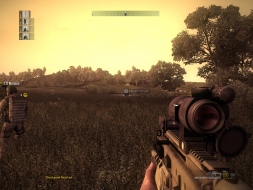
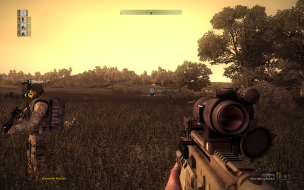
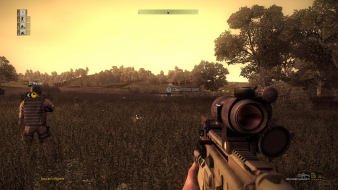
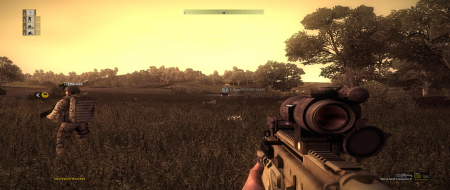
 Widescreen Grade: AUltra-Widescreen Grade: BMulti-monitor Grade: B4k Grade: IncompleteRead Full Detailed Report - Operation Flashpoint: Dragon RisingOperation Flashpoint: Dragon Rising is a first person tactical military game for PC, PlayStation 3 and Xbox 360 developed by British game developer Codemasters. Codemasters have advertised the game as a tactical shooter designed to realistically represent modern infantry combat. It has Single-Player, 4 Player co-op and Multi-Player modes.
Operation Flashpoint: Dragon Rising
Posted: 28 Oct 2009, 20:11
by Mach1.9pants
Bumpitty bump ;), I want to get this finished and get on with ArmA2
Operation Flashpoint: Dragon Rising
Posted: 28 Oct 2009, 23:56
by thales100
Looks good, thanks for the DR Mach1.9pants . :D
Operation Flashpoint: Dragon Rising
Posted: 29 Oct 2009, 01:09
by The_cranky_hermit
Certified.
Operation Flashpoint: Dragon Rising
Posted: 29 Oct 2009, 01:14
by Mach1.9pants
Looks good, thanks for the DR Mach1.9pants . :D
NP, just call me Pants ;)
Operation Flashpoint: Dragon Rising
Posted: 29 Oct 2009, 01:19
by Mach1.9pants
Certified.
Thanks again Cranky :)
Now off to ArmA2 :triplewide
Operation Flashpoint: Dragon Rising
Posted: 30 Oct 2009, 01:43
by thales100
NP, just call me Pants ;)
Roger that :wink:
Aspect Ratio Fixer For Softh Users
Posted: 30 Oct 2009, 10:29
by San
I have uploaded the Aspect Ratio fixer for Operation FlashPoint 2 to my other project web:
http://il2fovchanger.byethost7.com
It is a .NET program so you must to have installed .NET framework 2.0 or later .
The program does not change any file of the original game. You only must to load it before launch the game and activate it when you see your gun.
Ctrl A: Activate
Ctrl +: Increment Aspect Ratio
Ctrl -: Decrement Aspect Ratio
Regards
Operation Flashpoint: Dragon Rising
Posted: 04 Nov 2009, 00:51
by thales100
Just tried this game, really bad graphics if you compare it to Arma 2.
Operation Flashpoint: Dragon Rising
Posted: 04 Nov 2009, 03:01
by Mach1.9pants
Just tried this game, really bad graphics if you compare it to Arma 2.
Oh yeah, I think of it as ArmA2 'lite': lite on the hardcoreness, light on the graphics, lite on the system spec required, and lite on the PC friendly control interface!
Re: Operation Flashpoint: Dragon Rising
Posted: 04 Jan 2010, 19:16
by zaosociety
Anyone find a fix to the resolution restrictions codemasters uses?
Re: Operation Flashpoint: Dragon Rising
Posted: 21 Jan 2010, 08:27
by feanor
Yea This game doesn't support 1680X1050 mind telling me how you got yours confirmed to be working ?
Re: Operation Flashpoint: Dragon Rising
Posted: 22 Jan 2010, 02:54
by feanor
How did you guys get it to work for 1680x1050, its not in the option settings
Re: Operation Flashpoint: Dragon Rising
Posted: 22 Jan 2010, 19:25
by Mach1.9pants
Man I can't remember and I have sold the game sorry :(
Re: Operation Flashpoint: Dragon Rising
Posted: 22 Jan 2010, 21:25
by scavvenjahh
You know you'll burn in Hell for selling a game just before its *second* *free* DLC is released, right ?
Guys, you can manually input your resolution in
My DocumentsMy GamesOFDRhardwaresettingshardware_settings_config.xml
Code: Select all
<graphics_card>

         <resolution width="1680" height="1050" aspect="1.600000" fullscreen="true" vsync="0"
Re: Operation Flashpoint: Dragon Rising
Posted: 22 Jan 2010, 21:50
by Mach1.9pants
You know you'll burn in Hell for selling a game just before its *second* *free* DLC is released, right ?
Guys, you can manually input your resolution in My DocumentsMy GamesOFDRhardwaresettingshardware_settings_config.xml
Code: Select all
<graphics_card>

         <resolution width="1680" height="1050" aspect="1.600000" fullscreen="true" vsync="0"
Haha, I have too many games to hang around for more of that... and I sold it for near the buy price
Thanks Scavv, see you in
HELL :twisted: :twisted: :twisted: :twisted: :twisted:
manually input resolution
Posted: 29 Sep 2011, 09:52
by the3rdalien
Thats a nice description if you already know about manualy inputting stuff. I just got a sapphire 6990 a few days ago and it will not play ofp dragon rising at 1920x1080. It goes to 1280x1024. My xfx 6870 does play it at1920x1080.
Also the 6870 wei is 7.8 while the 6990 is 6.1 in the exact same system. Its the biggest letdown and expensive.
I was hoping maybe I could figure out how not to rma this video card. But the wei going down also makes me upset.
This build is a week old.
The system is:
i7 2600k cpu
gigabyte ud4 motherboard
16gb corsair 1600mhz vengeance xmp memory
corsair h100 watercooler for the cpu
sapphire radeon 6990 4gb gddr5 video card
soundblaster x-fi-titanium
120gb ocz vertex 3 sata III drive
2tb 7200 rpm sata III western digital drive
corsair pro gold series 850 power supply
Dual liteon 3d 12x blu-ray burners
an all-in-one media card reader
a tv tuner with fm
linksys 2.4/5.0 wireless card
corsair 400r case
50" samsung plasma
Oh yeah, can't forget the logitech c910 hd pro webcam and the win7 home premium 64 bit, if any of that makes a difference.
Anyway, I see on different forums that they want to know exactly what your system is or they "dog" you for asking a question is why I listed all of that. None of those forums ever mentioned manualy setting the resolutions.
And that is all I would really like to know.
Right now it is running cold as icewater almost. If you could explain a little more in depth about the manual resolution or any other suggestions would be nice.
Thank you
the3rdalien wrote:If you
Posted: 29 Sep 2011, 12:01
by thales100
If you could explain a little more in depth about the manual resolution or any other suggestions would be nice.
Thank you
Hi the3rddalien, :welcome .
From the game's
Detailed Report :
Depending on your graphics card's memory size, some resolutions may not be available through the menu. Simply edit My DocumentsMy GamesOFDRhardwaresettingshardware_settings_config.xml e.g for 1680x1050:
You can use notepad to edit this file, in your case it should look of course like this :
Cheers.
Hi Thales100, Somehow I am
Posted: 29 Sep 2011, 22:07
by the3rdalien
Hi Thales100,
Somehow I am not doing something right. Here is what it says in the hardware game settings config.
-
- -
I wanted to change the shadow size from 1024 to 4096 also. I do not know what shadow mask quality =2 means or old height and old width. I tried to paste to notebook and edit and save, replace the original, but I don't know what I am doing.
Thanks for the response.
how do you change the FOV in
Posted: 21 Sep 2012, 05:09
by BHT88
how do you change the FOV in game?
theres no console
tried the xml thing tried 2.35 for ratio for 1920x1080
normal and read only didnt work
I have uploaded the Aspect Ratio fixer for Operation FlashPoint 2 to my other project web:
http://il2fovchanger.byethost7.com
It is a .NET program so you must to have installed .NET framework 2.0 or later .
The program does not change any file of the original game. You only must to load it before launch the game and activate it when you see your gun.
Ctrl A: Activate
Ctrl +: Increment Aspect Ratio
Ctrl -: Decrement Aspect Ratio
Regards
DOES this thing work?