Page 1 of 2
Aion: The Tower of Eternity
Posted: 12 Sep 2009, 02:28
by profosor_54
 Widescreen Grade: AUltra-Widescreen Grade: IncompleteMulti-monitor Grade: A4k Grade: IncompleteRead Full Detailed Report - Aion: The Tower of EternityAion is a visually stunning massively multiplayer online roleplaying game (MMORPG) where your character wields devastating powers and sweeping wings to explore a celestial world of breath-taking beauty and epic adventure. It features cutting-edge imagery, gorgeous environments, and a unique fantasy world. Your character plays a pivotal role in the fate of Atreia, where the enemy is not only the other player faction but a deadly ancient evil as well.
In February 2012 Aion became Free to Play!
Aion: Tower of Eternity
Posted: 12 Sep 2009, 03:17
by The_cranky_hermit
Calculated grade: B+
Potential grade: Certified
All we need are surround shot comparisons. If you have an nVidia card, you should be able to add a custom faux-TH resolution, such as 1920x698.
Aion: Tower of Eternity
Posted: 12 Sep 2009, 06:45
by DaFox
So its pixel based? Thats interesting.
Aion: Tower of Eternity
Posted: 12 Sep 2009, 16:38
by The_cranky_hermit
I don't think it's pixel based. The 4:3 and 16:10 shots have the same vertical resolution, but the 16:10 shot has more vertical FOV.
My guess would be that the game has two baseline FOVs - one for 4:3 and one for 16:9, and anything in between scales vertically from whichever is the closest. It's unusual, and IMO stupid (and sucks for TH users), but not unique.
Broken for TH2GO resolutions
Posted: 12 Sep 2009, 18:58
by mancur
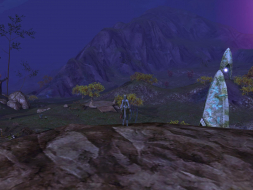
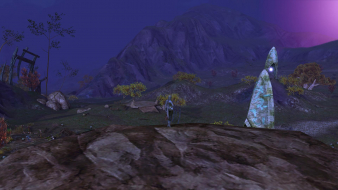
Well, for TH2GO resolutions, Aion scales in VERT- which makes it completely broken in my book.
In other words, playing at 5040x1050 means you get the same pixel information as someone playing at 1680x350.
Here are screenshots to illustrate, from open beta (1.5):
Triple monitor:
 Single monitor:

Links to the original files:
5040x1050 -- http://img30.imageshack.us/img30/4611/aion5040x1050.jpg
1680x1050 -- http://img198.imageshack.us/img198/5707/aion1680x1050.jpg
Edit: Fixed links.
Aion: Tower of Eternity
Posted: 12 Sep 2009, 21:46
by The_cranky_hermit
Your 1680x1050 link is broken. Can you repost it?
Aion: Tower of Eternity
Posted: 12 Sep 2009, 23:58
by mancur
Your 1680x1050 link is broken. Can you repost it?
Thanks, I fixed the link.
Aion: Tower of Eternity
Posted: 13 Sep 2009, 01:44
by The_cranky_hermit
Would you by any chance have the original, untouched 16:10 shot?
If not, could you take two more comparison shots, one at widescreen and one at TH, and just post them as they are?
Aion: Tower of Eternity
Posted: 14 Sep 2009, 19:02
by The_cranky_hermit
Grade: B+
Vert - in surround is a blemish.
CCE: 100%
Aion: Tower of Eternity
Posted: 17 Sep 2009, 06:02
by mancur
Would you by any chance have the original, untouched 16:10 shot?
Here it is, pure as the wind-driven snow.
If you're planning on running some Photoshop calculations to check my results, please post your findings back here.
Thanks.
1680x1050 (original)
http://img15.imageshack.us/img15/1046/aion0018lw.jpg
Aion: Tower of Eternity
Posted: 17 Sep 2009, 16:35
by The_cranky_hermit
I wasn't planning on any Photoshop calculations. Fanciest thing I was going to use was Windows Picture and Fax Viewer. Thanks for the shot.
Aion: Tower of Eternity
Posted: 11 Nov 2009, 10:26
by Skid
I might of found a work around for the FOV issue at TH resolutions, I need to go home to try it fully but I'll give it a partial try on my laptop at lunch.
http://www.aionsource.com/forum/general-guides/84379-definite-guide-aions-graphical-settings-performance-tips.html
It also appears you can use that to enchanse the graphics engine, but I'll need to read the thread in more detail.
Early tests on my laptop look promising, g_minfov seems to be what we need, with default being 60 and max being 180, it should completely fix the issue, but again I'll try it when I get home and post screen shots.
Aion: Tower of Eternity
Posted: 11 Nov 2009, 13:41
by mthorn
Eagerly awaiting news on this, loving Aion at the moment and would love to be playing it across all three screens!
Mark
Aion: Tower of Eternity
Posted: 11 Nov 2009, 23:24
by Skid
Normal FoV (60) @ 1680x1050
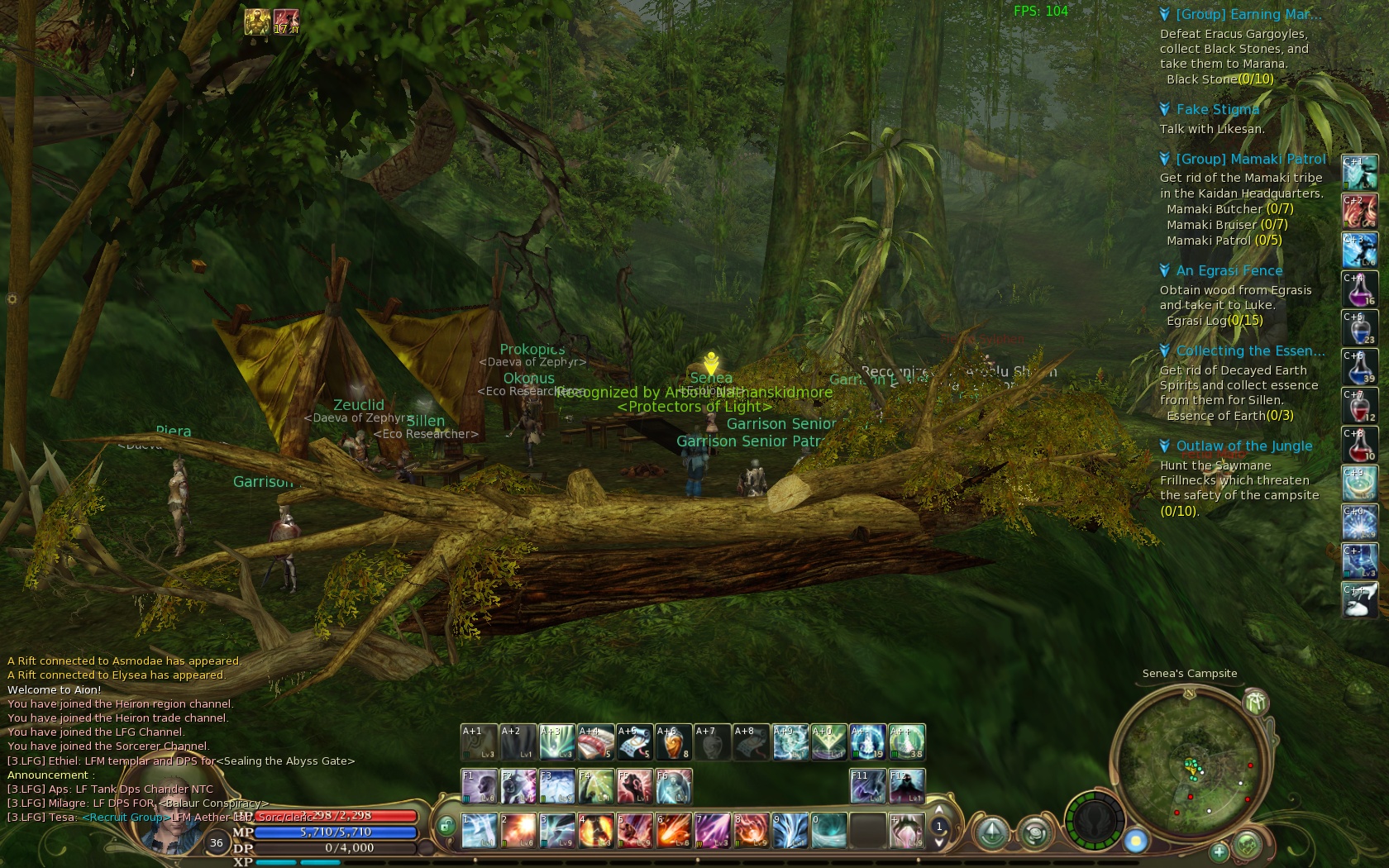
Normal FoV (60) @ 5040x1050
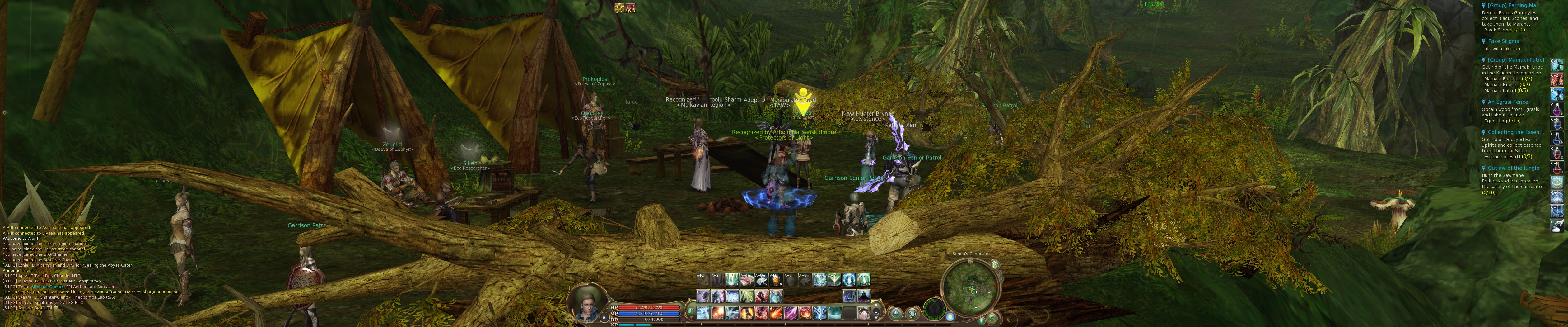
Fixed FoV (180) @ 5040x1050
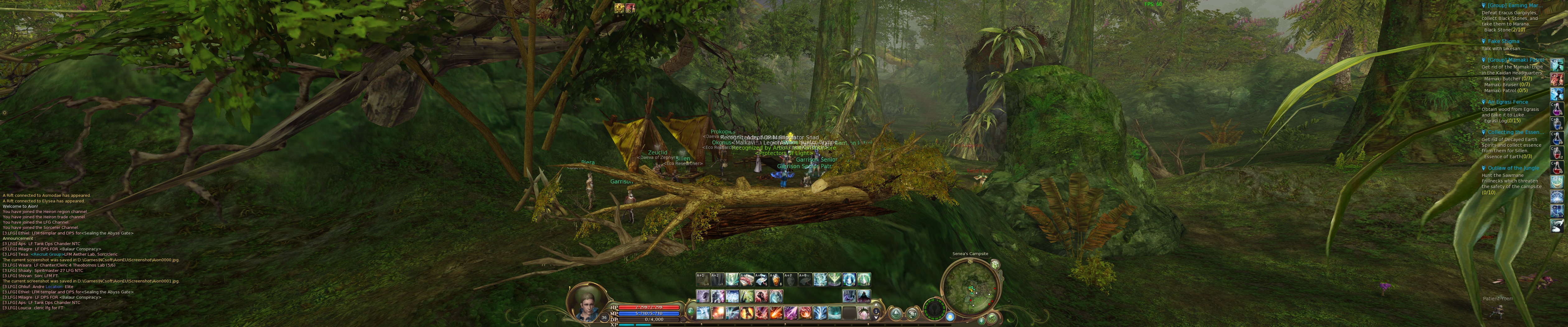
The way Aion should look, this includes the graphics settings from Emasym file which can be found on page 3 the forum page I posted on my last message.
However the short version ignoring all other changes, create a file called system.ovr that contains the following:
Code: Select all
con_disable_console = "0"
And put it in Aions base directory, same place you can find the system.cfg file,
This will enable console in game, one you are past character select and in the game, press the pause/break key, this will open the console, and type:
I can't find a way to get this setting to be read from the system.ovr file so it'll need to be entered each time until someone finds a way to get it to do it automatically.
I don't know what effect this will have on ingame cutscreens yet.
Aion: Tower of Eternity
Posted: 12 Nov 2009, 17:41
by skipclarke
This is great news. Once you get it all sorted, please write up a new DR with the steps, new screens, a before/after and at least one overlay. This will be big news.
Aion: Tower of Eternity
Posted: 12 Nov 2009, 18:38
by The_cranky_hermit
I don't think a whole new DR is absolutely required. Native support is "good enough" for WS, just not for TH. IMO, it's enough to just update the surround section.
Aion: Tower of Eternity
Posted: 12 Nov 2009, 18:57
by Skid
Technically the original DR was for the open beta, the game is now in full release, not that there is any difference to the graphics engine, also, I think the OP probably isn't active anymore.
Aion: Tower of Eternity
Posted: 12 Nov 2009, 19:08
by The_cranky_hermit
If you want to post a new DR, that's fine. I just think that's more work than is really necessary.
Also, our WS solution should remain the native one. "Close enough" native support is considered preferable to a complicated mechanism for perfect hor +.
Aion: Tower of Eternity
Posted: 16 Nov 2009, 22:45
by chof
Skid 2 words:
YOU ROCK!
Aion: Tower of Eternity
Posted: 18 Nov 2009, 23:03
by mancur
Awesome find Skid! I'm finally off my windowed single center monitor and onto all three.
I've been trying to automate the FOV switch using a Logitech G-series keyboard macro in game, but have not had any luck getting the game to recognize the pause/break key via a macro.
It recognizes the pause/break key via the actual key press however, and I'm able to macro the text of the FOV command ("g_minfov 180").. so I can switch the FOV to 180 with three key clicks.
pause/break
macro
pause/break
Still not as good as one, but hey! It works!
If someone knows why another way to send pause/break through a G-series macro, or why it's not working, let me know.