Mview: first look
Posted: 05 Sep 2009, 19:14
Hi everyone, it’s my first post here :) What I’m writing about today is my first experience with MV103-HDVE Pro from Mviewtech. I first heard about Mview in this post (http://www.widescreengamingforum.com/node/10952 then I was lucky enough to have a friend bring me one mv103 pro from their office in Shanghai.
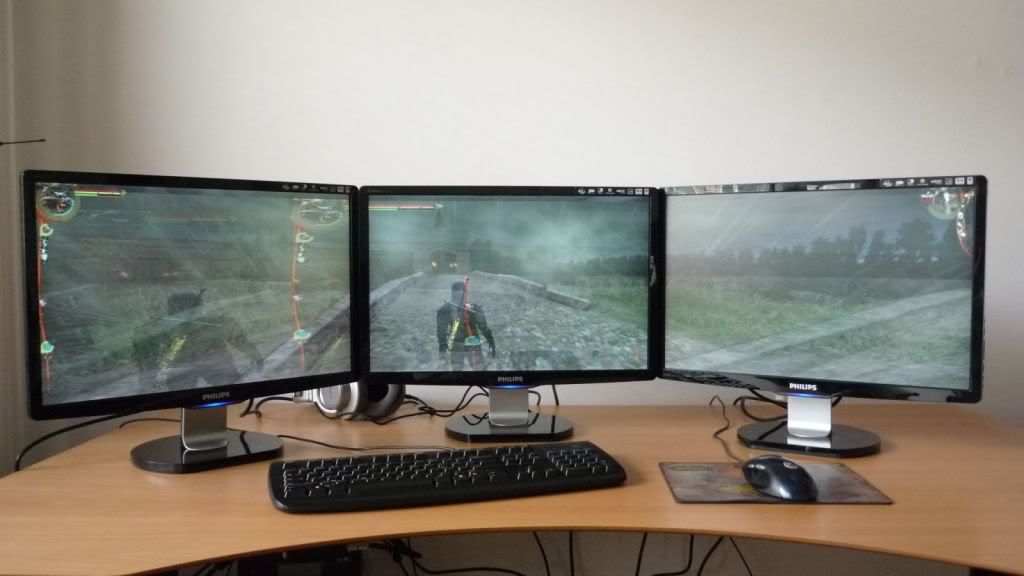
After messing around with all the cables, drivers and software setups for 2 hours yesterday, I was able to light up 3 Philip 220CW LCDs at a resolution of 5040x1050@60Hz with a Sapphire 4870X2.
Here are some pictures of Mview MV103-HDVE Pro itself.
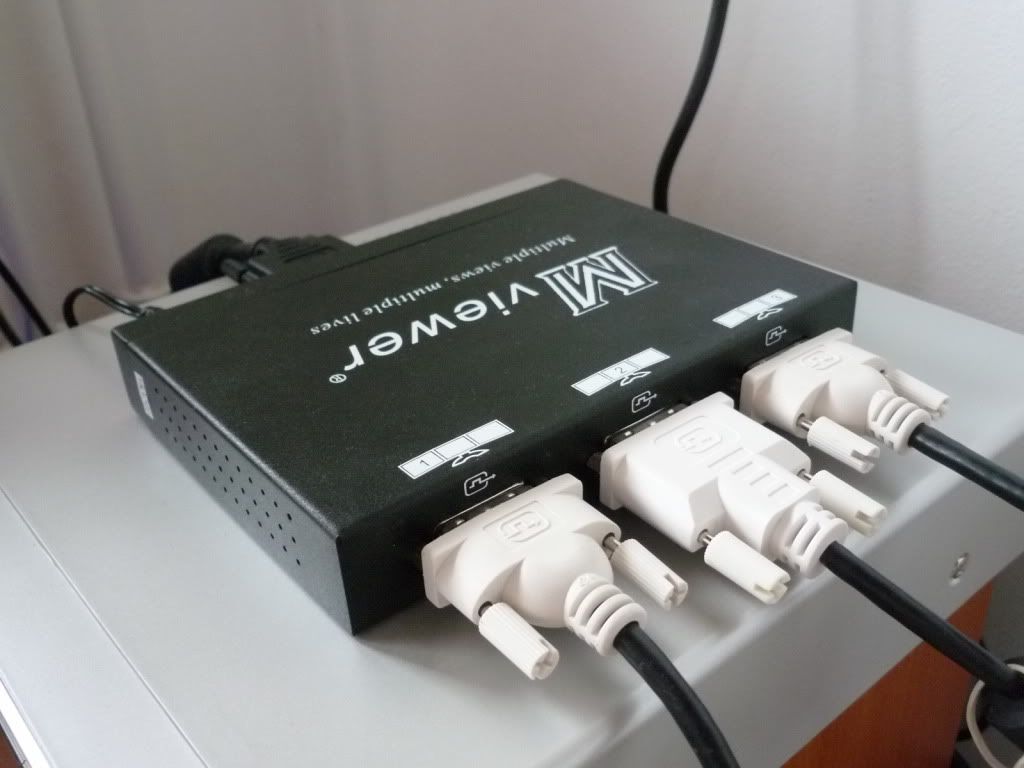


The box looks a bit bigger than Matrox triplehead2go. It arrived with a Dual-Link DVI cable, a RS232 cable, a power adapter, and a driver CD, which contains: a manual and hardware specifications in Chinese but with English titles :roll: ), English and Chinese drivers. The hardware installation is very similar to what we do with TH2G, except for that optional RS232 cable. Since my mainboard has no COM ports, I simply left this part out. But I heard you can actually connect this RS232 cable to a second computer with a COM port and write screen resolution settings to your mview box from there. After powering up the computer, the bios check and windows startup screen was only shown on the monitor in the middle instead of across all 3 of them.
Setting up the driver in Vista took me a while, but later I realized it also requires the ATI Catalyst 9.6 and later versions to support wide-screen modes. After a clean install of the latest ATI driver and the Mview driver, I chose “enable wide-mode timings” and restarted the computer. Then in the windows display settings, the resolution bar was able to move all the way to the right to “5040 by 1050 pixels.” :-D I couldn’t wait to click on “Apply, “ and then BAAM! There we go, I didn’t even touch the refresh rate settings, which is by default 60Hz.

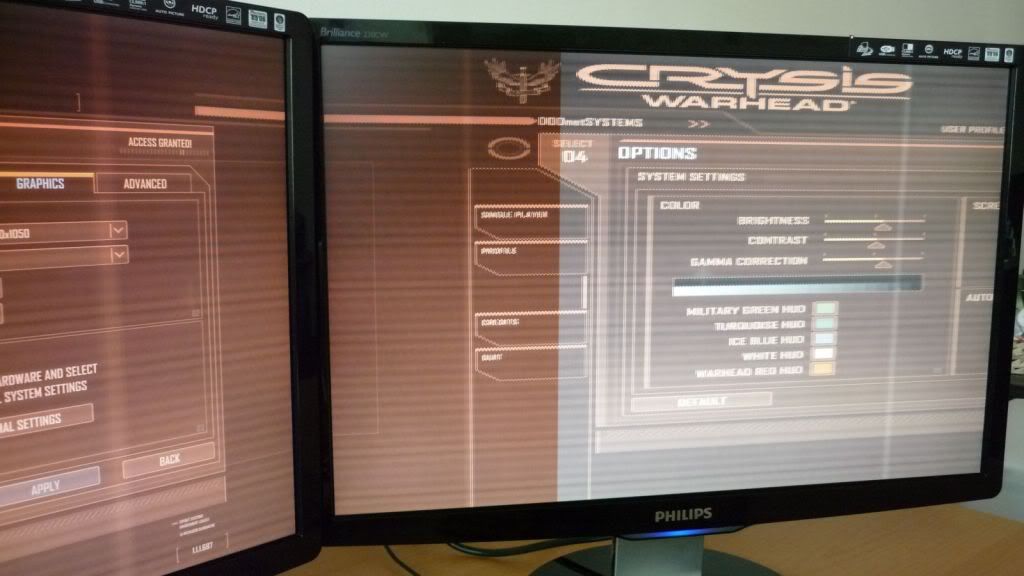
Setting up the display resolutions in games are just like TH2G. So far I’ve tested: The Witcher, Cyrsis Warhead, fallout 3, Stalker:Clear Sky. All the games can run at 5040x1050@60Hz properly but only in windowed mode, otherwise display becomes distorted. Also the frame rate has dropped, perhaps due to the windowed mode and that resolution I’m playing in. I’m still looking for a solution for this.
The Witcher

Fallout 3

Stalker:CS


So far the hardware experience has been satisfying. My main concern is their software support. I can’t find anything that looks like driver or firmware updates on their website (me Chinese :) ), besides their poor English support. Nevertheless Mviewtech is gaining more and more attention from the widescreen gamers, I guess they’ve already realized this, and really hope they can take individual international gamers into consideration for their marketing strategies.
After messing around with all the cables, drivers and software setups for 2 hours yesterday, I was able to light up 3 Philip 220CW LCDs at a resolution of 5040x1050@60Hz with a Sapphire 4870X2.
Here are some pictures of Mview MV103-HDVE Pro itself.
The box looks a bit bigger than Matrox triplehead2go. It arrived with a Dual-Link DVI cable, a RS232 cable, a power adapter, and a driver CD, which contains: a manual and hardware specifications in Chinese but with English titles :roll: ), English and Chinese drivers. The hardware installation is very similar to what we do with TH2G, except for that optional RS232 cable. Since my mainboard has no COM ports, I simply left this part out. But I heard you can actually connect this RS232 cable to a second computer with a COM port and write screen resolution settings to your mview box from there. After powering up the computer, the bios check and windows startup screen was only shown on the monitor in the middle instead of across all 3 of them.
Setting up the driver in Vista took me a while, but later I realized it also requires the ATI Catalyst 9.6 and later versions to support wide-screen modes. After a clean install of the latest ATI driver and the Mview driver, I chose “enable wide-mode timings” and restarted the computer. Then in the windows display settings, the resolution bar was able to move all the way to the right to “5040 by 1050 pixels.” :-D I couldn’t wait to click on “Apply, “ and then BAAM! There we go, I didn’t even touch the refresh rate settings, which is by default 60Hz.
Setting up the display resolutions in games are just like TH2G. So far I’ve tested: The Witcher, Cyrsis Warhead, fallout 3, Stalker:Clear Sky. All the games can run at 5040x1050@60Hz properly but only in windowed mode, otherwise display becomes distorted. Also the frame rate has dropped, perhaps due to the windowed mode and that resolution I’m playing in. I’m still looking for a solution for this.
The Witcher
Fallout 3
Stalker:CS
So far the hardware experience has been satisfying. My main concern is their software support. I can’t find anything that looks like driver or firmware updates on their website (me Chinese :) ), besides their poor English support. Nevertheless Mviewtech is gaining more and more attention from the widescreen gamers, I guess they’ve already realized this, and really hope they can take individual international gamers into consideration for their marketing strategies.