Page 1 of 1
Call of Juarez: Bound in Blood
Posted: 15 Aug 2009, 03:48
by The_cranky_hermit
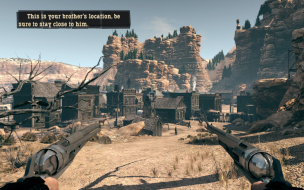
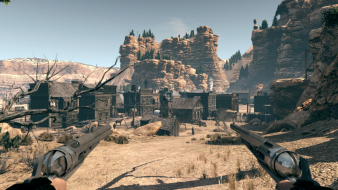
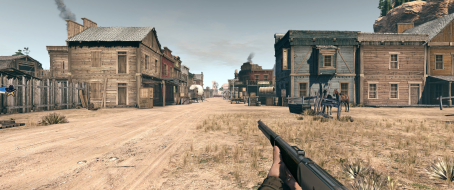
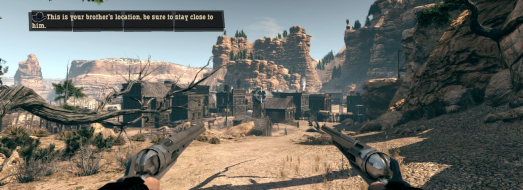
 Widescreen Grade: BUltra-Widescreen Grade: BMulti-monitor Grade: B4k Grade: BRead Full Detailed Report - Call of Juarez: Bound in BloodCall of Juarez: Bound in Blood is a Western themed shooter from Techland and Ubisoft, and the second game in the Call of Juarez series. You play as one of two brothers, Ray and Thomas, and the other one is computer controlled. Gameplay mainly consists of shooting your way through a bunch of levels that look like sets from A Fistful of Dollars and The Good, the Bad, and the Ugly.
Call of Juarez: Bound in Blood: Detailed report
Posted: 15 Aug 2009, 09:36
by StingingVelvet
I have the full version and have not seen any issues as of about halfway through. I will report back when I finish the game. I'm playing in 1920x1200.
I never noticed the loading screens were stretched... that sucks.
Re: Call of Juarez: Bound in Blood: Detailed report
Posted: 11 Dec 2009, 05:26
by StingingVelvet
The load screens are actually squashed in 4:3, not stretched in 16:9.
Re: Call of Juarez: Bound in Blood: Detailed report
Posted: 22 Aug 2010, 18:33
by matrices
This game works in Nvidia Surround, but the crosshairs are quite fat and thus distracting. There seems to be a little vertical cropping too. Frame rates also plummet after the game saves or at other random, frequent intervals, though this is 'solved' by hitting ESC and reentering the game.
Not really worth the trouble, in my opinion.
Re: Call of Juarez: Bound in Blood
Posted: 02 Jul 2013, 04:51
by ambivert
Here's the new fix for the stretched crosshairs in triplemonitor for single player. It's a pain, but it works. I'm using Windows 7 64-Bit, so directory locations may be different for fix.
Step 1. Download and install 7-Zip
Step 2. Go to your Steam/SteamApps/Common/ Call of Jaurez - Bound in Blood/ CoJ2 directory
Step 3. Use 7-zip to open up the Data0.pak file.
Step 4. You need to extract the file Data/Menu/Hud/HUD_Common.xui
Step 5. Use a program like Notepad++ to edit HUD_Common.xui
Run a search for 1280 and replace it with your resolution width
Run a search for 720 and replace it with your resolution height
Save file.
Copy this file into [username]/My Documents/Call of Juarez - Bound in Blood/Data/Menu/Hud
You will have to create the directories Data/Menu/Hud
Now only to find an fov fix, which isn't really necessary and fix for the cut scenes, we'd be in great shape.