Page 1 of 2
Drakensang: The Dark Eye
Posted: 13 Mar 2009, 04:54
by Tanuki
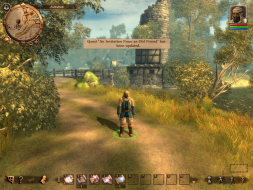
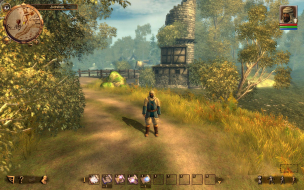
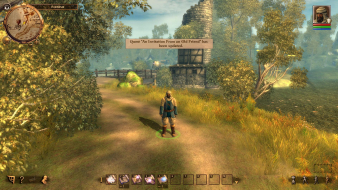
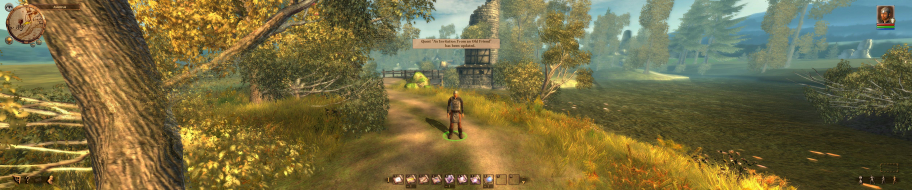
 Widescreen Grade: BUltra-Widescreen Grade: IncompleteMulti-monitor Grade: B4k Grade: IncompleteRead Full Detailed Report - Drakensang: The Dark EyeDrakensang: The Dark Eye was developed by Radon Labs. This is an RPG based on The Dark Eye pen and paper universe. Form a party from a selection of the various races and professions available in the lands of Aventuria. This is a slower-paced RPG with an emphasis on strategy and party balance.
Drakensang(TDE): Detailed Report
Posted: 13 Mar 2009, 04:57
by Tanuki
The movies will pic up but not show the actual movie and my camcoder adapter is AWOL.
If what I got is not good enough someone else will need to lend a hand(pic).
EDIT- I changed up the cut-scene section.
Drakensang(TDE): Detailed Report
Posted: 13 Mar 2009, 06:01
by The_cranky_hermit
4:3 aspect ratios have the largest horizontal fov and 16:10 aspect ratios have the largest vertical fov.
That's... dumb. I think we should grade that as a blemish.
Calculated grade: B
Potential grade: B+
.ini solution for 1280x768, and cut-scene FOV oddities are blemishes.
Minor outstanding issues:
Need uncensored FMV screenshots.
CCE: 99%
Drakensang(TDE): Detailed Report
Posted: 13 Mar 2009, 16:13
by scavvenjahh
Just got the demo - finally, a recent game that doesn't require a 2 GB download ! :)
5040x1050 works...
...but letterboxed cut scenes are awfully Vert- (Ã la The Witcher, except nothing freezes, animations play normally).
Interactive dialogs are Hor+ with the interface on the right screen (which is a drag).
The minimap icons stretch, however hard it was to notice that in widescreen !
Bezel Management hotkey is NOT functional during play.
I'll remove these pics and do a real Surround section when/if I can find the exact same locations as Tanuki to take screenies.
Any suggestions for triggering a pre-rendered cut scene in the demo (which is the early game I presume) ?
Edit : pics removed. Check the Surround Screenshots forum.
Drakensang(TDE): Detailed Report
Posted: 13 Mar 2009, 23:17
by Tanuki
Good catch on the minimap icons. I had to use an overlay in GIMP to see it.
There is only one prerendered movie that plays on load. You should not be able to find any in the demo.
Drakensang(TDE): Detailed Report
Posted: 13 Mar 2009, 23:28
by The_cranky_hermit
Minimap icon stretching is another blemish.
Calculated grade is B-, potential grade is B. The rest of the grading section stays the same.
Drakensang(TDE): Detailed Report
Posted: 13 Mar 2009, 23:31
by scavvenjahh
Oh. So I guess I'll leave my post as it is, unless you or cranky think it's not worthy of a DR thread...
If the FMV is impossible to capture directly and you're sure it's anamorphic, why don't you "recreate" screenies with the help of that Gimp friend o'yours ? It's not ideal, but it seems an acceptable workaround here. In my slacker's humble opinion, that is :oops:
Edit : if having no genuine screenshots of the FMV is really a problem for definite grading, nevermind.
Drakensang(TDE): Detailed Report
Posted: 14 Mar 2009, 02:24
by Tanuki
If the FMV is impossible to capture directly and you're sure it's anamorphic, why don't you "recreate" screenies with the help of that Gimp friend o'yours ? It's not ideal, but it seems an acceptable workaround here. In my slacker's humble opinion, that is
Edit : if having no genuine screenshots of the FMV is really a problem for definite grading, nevermind.
Yeah doctoring pics kind of defeats the point. Otherwise I could make any game certified. 8)
I have some pics but I need to find my camcorder adapter.
Drakensang(TDE): Detailed Report
Posted: 14 Mar 2009, 11:44
by scavvenjahh
Otherwise I could make any game certified. 8)
I know you wouldn't, and I suppose you know what anamorphism is and looks like, so "artificial" shots clearly identified as such would make sense to me here - and only here. It's your call, I just wish not to be misunderstood. ;)
Drakensang(TDE): Detailed Report
Posted: 14 Mar 2009, 18:43
by Tanuki
I know you wouldn't, and I suppose you know what anamorphism is and looks like, so "artificial" shots clearly identified as such would make sense to me here - and only here.
I see what you are saying but I think a zero tolerance policy is best. No point in setting an unnecessary precedent.
One of the reasons for providing the pics is to allow others to check for omissions or errors. When I first started doing DRs I found a lot of incorrect entries in the MGL because people went on what was posted not actual pictures.
In this case with the anamorphism the cam pics are crap but good enough to see the 16:9 aspect ratio preserved and no cropping. Or it is possible Cranky might notice something in them that is a flaw.
Drakensang(TDE): Detailed Report
Posted: 14 Mar 2009, 18:55
by The_cranky_hermit
I don't want to see doctored pictures. We already know what the screenshots are supposed to look like based on that sentence - we don't need GiMPed shots for that. But we do need genuine shots to make sure that the information is accurate, and I agree with Tanuki that fake ones might set an unwanted precedent.
Drakensang(TDE): Detailed Report
Posted: 15 Mar 2009, 05:13
by Tanuki
Pics up. I stole a cable from some guy sleeping on the bus.
Drakensang(TDE): Detailed Report
Posted: 15 Mar 2009, 13:59
by scavvenjahh
Heheh, well done. Sorry for that shameful idea of mine.
Drakensang(TDE): Detailed Report
Posted: 17 Mar 2009, 13:39
by scavvenjahh
Proper Surround section added to the DR. (I sincerely hope you won't mind the intrusion, Tanuki !)
Besides, I can confirm 2560x1600 to work (natively).
Drakensang(TDE): Detailed Report
Posted: 17 Mar 2009, 20:56
by The_cranky_hermit
Calculated grade: B
.ini solution for 1280x768, and cut-scene FOV oddities are blemishes.
CCE: 100%
Re: Drakensang(TDE): Detailed Report
Posted: 03 Jan 2010, 12:07
by Bluesilentpro
Is there a chance to move thee text boxes on the screens like in Fallout 3? My setup displays these boxes directly on the bezels.
Re: Drakensang(TDE): Detailed Report
Posted: 16 Apr 2011, 13:39
by michicaust
Hi guys,
sorry to dig up this old thread, but I really, REALLY wanna play Drakensang in 2560x1440.
Thing is: Since I am using the Steam version of this game there is no such config file as described in this thread, even after I have started the game once and played around with the settings... :(
Does anybody know how to add/set that resolution with this version of the game?
Thanks & best regards,
- Michael
Re: Drakensang(TDE): Detailed Report
Posted: 18 Apr 2011, 17:30
by scavvenjahh
Folders I would check on my Win7 x64:
[list][*]C:Program Files (x86)Steamuserdata[/*:m]
[*]C:UsersAppDataLocal[/*:m]
[*]C:UsersAppDataRoaming[/*:m][/list:u]
When you find the cfg file please let us know and we'll update the DR/solution.
Re: Drakensang(TDE): Detailed Report
Posted: 18 Apr 2011, 19:05
by michicaust
scavvenjahh,
thanks, but that's one of the first thing(s) I did, I also ran a search for "Profile Width=" in all *.xml and profile.* files that could be found opn my computer - no joy, though.
Maybe someone else has an idea..? :)
Thanks,
- Michael
Re: Drakensang(TDE): Detailed Report
Posted: 22 Apr 2011, 11:59
by GenericBeing
Some games install user files under Documents either with the game's own name or the publisher/dev names. Also I got a couple that has folders in My Games folder also under Documents.
Maybe the file is hidden and not showing when searched for? I don't know the details for this, so would need confirmation.