Page 1 of 1
The Sims 2
Posted: 24 Jan 2009, 23:01
by scavvenjahh
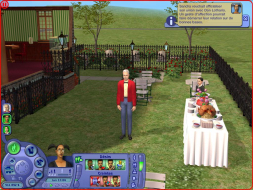
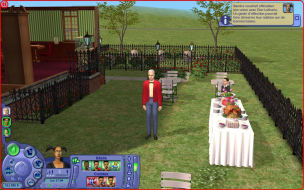
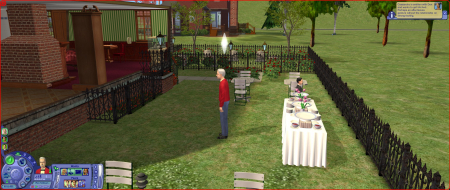
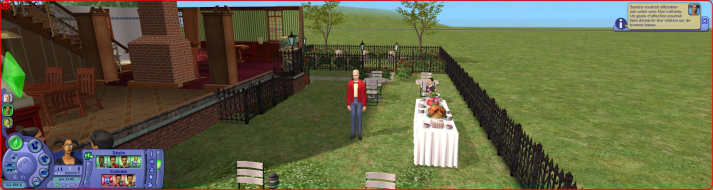
 Widescreen Grade: BUltra-Widescreen Grade: IncompleteMulti-monitor Grade: B4k Grade: IncompleteRead Full Detailed Report - The Sims 2The successful social interactions simulator and virtual home creation tool suite comes back in full-3D graphics. Guide your Sims throughout their entire existence, or just buy them neat furniture and cool clothes and watch them indulge their needs, pursuit their desires and deal with the mundane or epic challenges of their everyday suburban life.
The Sims 2
Posted: 24 Jan 2009, 23:33
by The_cranky_hermit
Calculate grade: B
Potential grade: B+
Minor outstanding DR omissions:
Need cut-scene shots
.ini solution is a blemish
CCE: 99%
The Sims 2
Posted: 26 Jan 2009, 20:13
by scavvenjahh
Cut scenes section updated.
(For the record, I thought trying to have two Sims already crazy in love have sex was the easy way to trigger a cinematic cut scene, but I was so wrong :lol: They never did it. However watching the stars through a telescope in the UFO-infested skies of the desert was an instant win. No sex, but a cut scene at last. Yeah, you're that much more likely to get abducted by aliens than to lose your virginity in The Sims 2. Who'd have thought it ?) :?
The Sims 2
Posted: 27 Jan 2009, 01:30
by skipclarke
This must have been updated somewhere along the way. I did a DR on the original US release, and it was Vert-
The Sims 2
Posted: 27 Jan 2009, 02:18
by The_cranky_hermit
The search isn't showing any DR's for The Sims 2 except this one. Are you thinking of a different game?
In any event, the solution here manually increases the FOV, which means that The Sims 2 is vert - by default. Our previous solution did not provide a way to increase the FOV, so if you did do a DR using the old solution, it would have been vert -. I've updated the solution thread.
The Sims 2
Posted: 27 Jan 2009, 07:31
by skipclarke
I guess it was just the solution thread, long before DRs.
The Sims 2
Posted: 27 Jan 2009, 18:55
by scavvenjahh
The method for adding resolutions greater than 1600x1200 was reported long ago, that may be what you refer to. The Hor+ solution however, though somewhat easy, is just tiresome secretary work, and I think I'm the first here to have ever bothered 8)
In the solution section it
Posted: 10 Jun 2012, 00:42
by nicolisse
In the solution section it states that you have a download and to choose from one of each, however I don't see a download anywhere on the page:
http://www.wsgf.org/dr/sims-2
Or am I confused and not sure what else to do? I've changed the graphic rules but it still looks weird, as in the sims are super skinny and tall when they weren't before.
Any help appreciated thanks!
Having the same problem as
Posted: 11 Jun 2012, 11:28
by LoloPinky
Having the same problem as nicolisse - I can't see the FOV download file anywhere.
I'm trying to get my The Sims 2 to have a resolution of 2560x1440 but it's just not working. The highest it's going is 1900x1200. I've changed the graphics rules file in The Sims 2 directory, am I supposed to change it for the latest expansion pack as well?
I think you need to do it for
Posted: 12 Jun 2012, 10:30
by nicolisse
I think you need to do it for the lastest expansion pack which would be Apartment life but could also be Mansion and Garden if you have that.
My resolution works but I've no idea why the sims look so off, I think that download is what fixes it?
The file is back up ! Sorry
Posted: 19 Jun 2012, 10:31
by scavvenjahh
The file is back up ! Sorry for the delay guys.
I've been checking back
Posted: 19 Jun 2012, 23:53
by nicolisse
I've been checking back everyday, thank you so much!! :)
Re: The Sims 2
Posted: 13 Aug 2013, 07:27
by nightl
Hi

I can't download the file (step 2 - FOV)... it isn't there.
Can you help me?
Thanks.
Re: The Sims 2
Posted: 13 Aug 2013, 09:45
by scavvenjahh
Sorry about that ! The file is there now.
Re: The Sims 2
Posted: 13 Aug 2013, 10:20
by nightl
Thanks a lot scavvenjahh