
Widescreen Grade: A
Ultra-Widescreen Grade: B
Multi-monitor Grade: C
4k Grade: A
Read Full Detailed Report - Unreal Tournament 3
Latest installment of the saga Unreal Tournament, probably the best fast-paced online shooter around.
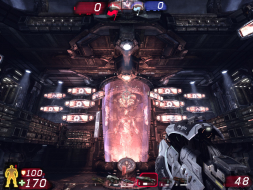
4:3

16:10
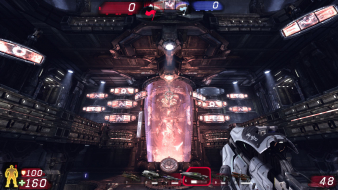
16:9
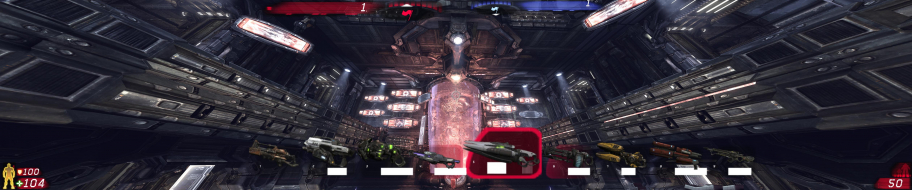
3x1



I guess you should try to see if you like it.
I guess I have one other question. In multiplayer mode, does using the mutator restrict you in any ways? That is, are there any ways you can play UT3 without FreeFOV enabled that you cannot with FreeFOV enabled? Does it conflict with any of the game's built-in or popular gameplay modes or other mutators? Is it friendly with all of them?
Add the mutator when starting a game, as normal. With it running, open the console (press TAB for the quick console or F10 for the full console by default) and type mutate fov 90 (or whatever your desired FOV is in place of the 90) and press return. The value you last set will be saved in the INI file so that it can be appplied next time you run the mutator. The FOV value is a client-side setting, so if you join a server running this mutator, you will get your own chosen FOV. The allowed values for FOV are 70-130o. Values above 130 are disallowed because the camera starts to clip, allowing players to see through walls.
I'm assuming that if the host is not using the mutator, then it won't work client-side, and you'll be stuck with 100 FOV. Is this correct?
Also, can you make two more screenshots with the mutator enabled? One at 4:3 FOV=90, one at 4:3 FOV=106.3.


Code: Select all
DefaultFOV=106.270273Code: Select all
DefaultFOV=100.394872



Important resolutions i couldn't test: 1280x800, 1680x1050, 1920x1080, 1920x1200 & 2560x1600.If that's all what's needed for 100% coverage, I can confirm all these resolutions to work natively.



Works like a charm and doesn't have the limitations of the FreeFOV mut.
Users browsing this forum: No registered users and 0 guests
