Page 1 of 3
Crysis
Posted: 27 Oct 2007, 12:04
by DubiZubi
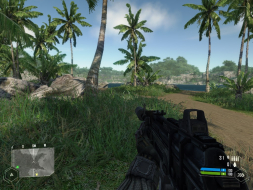
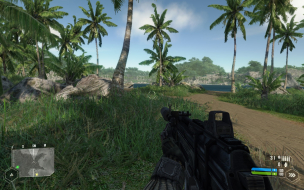
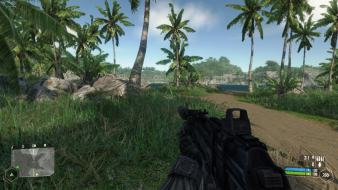
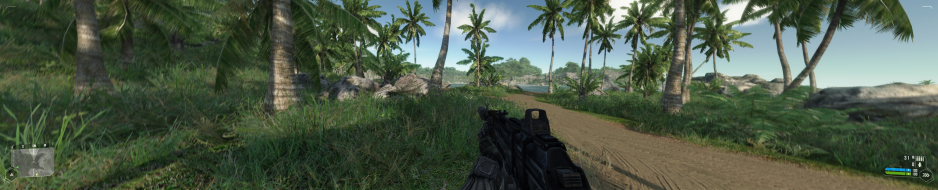
 Widescreen Grade: AUltra-Widescreen Grade: BMulti-monitor Grade: B4k Grade: IncompleteRead Full Detailed Report - CrysisCrysis is based in a fictional future, where an alien race has invaded Earth. The single player campaign has the player assume the role of Jake Dunn. Dunn is a United States Delta Force operative, who is armed with various futuristic weapons and equipment, most notably a "Nano Muscle Suit", which is an artificial and technologically advanced exoskeleton, inspired by the United States' Future Warrior 2020 program, according to Bernd Diemer, one of Crytek's senior game designers. In Crysis, the player fights both North Korean and extraterrestrial enemies, in four different locations: a tropical island jungle; an American aircraft carrier; inside an "Ice Sphere", which will consist of the same jungle, but frozen; and the alien ship itself, some parts of which will be zero-gravity.
Crysis: Detailed Report
Posted: 27 Oct 2007, 18:35
by The_cranky_hermit
==Singleplayer anomalies==
Remember to note that it's a demo, and the full version may or may not have anomalies.
==Multiplayer support==
Since singleplayer is natively hor + with no complications, we can assume multiplayer is too.
==Grading==
Calculated grade: B
Potential grade: Certified
Major unresolved issues:
Are 1440x900, 1920x1080, and 1920x1200 supported?
Does the full version have any singleplayer anomalies?
Minor unresolved issues:
None
Cranky's coverage estimate: 88%
Crysis: Detailed Report
Posted: 27 Oct 2007, 19:05
by Dem Pyros
1440x900 is supported.
Custom Resolution
Posted: 28 Oct 2007, 09:16
by mattdasplat
Hey guys,
I realise that the Crysis Demo natively supports widescreen, but for some reason or other the only native widescreen resolution I can select in-game is 1680x1050. Now being as beefy as the game is on hardware, I prefer to turn down the resolution just a notch and keep most of the eye candy on. The only other resolutions available to me are 4:3 (1280x1024, 1024x768, 800x600) which is absolutely useless when you want to maintain widescreen aspect.
I've had a look on the net breifly but no one else seemed to have my problem, let alone a solution for it, so I've come up with one myself.
After having a look at the resolution command line paramaters for Far Cry I copied them for Crysis. But it would seem they have changed the parameter padding. Anyway, to the point, start Crysis with the following command line, obviously substituting in your preferred width and height.
Crysis.exe +r_Width=1280 +r_Height=768
The only problem is that you have to click above the buttons in the menu to activate them, so I found using the keys to select menu options seemed to make it easier. Actual gameplay appears unaffected. If you have a solution for this minor problem please let me know.
If you are interested, this is how you would achieve the same result in Far Cry:
Far Cry.exe "#r_Width=1280" "#r_Height=768"
This whole issue may only be an issue with my system, I'd be interested to hear if anyone else has come accross it.
Matt
Crysis: Detailed Report
Posted: 28 Oct 2007, 11:06
by dopefish
:?:
Crysis: Detailed Report
Posted: 28 Oct 2007, 14:16
by XxDeadlyxX
1920x1200 is supported. Great to see there are no problems with WS in this game, about time :P
Crysis: Detailed Report
Posted: 28 Oct 2007, 15:15
by danylati
i have the same problem mattdasplat, i only have my native 1680x1050 res, and the others are only 4:3
Crysis: Detailed Report
Posted: 28 Oct 2007, 16:45
by The_cranky_hermit
I realise that the Crysis Demo natively supports widescreen, but for some reason or other the only native widescreen resolution I can select in-game is 1680x1050.
Do other games natively support lower widescreen resolutions for you? Also, can you select them in Windows?
i have the same problem mattdasplat, i only have my native 1680x1050 res, and the others are only 4:3
Same question to you.
Crysis: Detailed Report
Posted: 28 Oct 2007, 21:12
by The_cranky_hermit
Ok, I just checked the demo (it's totally unplayable on my system), and I can confirm that all widescreen resolutions are supported natively. But you missed something in the cut-scenes section. The demo has an FMV, and you're supposed to show comparison shots for that. I did it for you this time.

1024x768

1280x800
Based on these screenshots, it looks like widescreen is slightly anamorphic *and* slightly hor +. The black bars on the top and bottom recede some but not as much as they would if it was completely anamorphic, and the picture expands some on the side. So I made a composite picture to show what's going on. The widescreen shot is black and white, and the 4:3 shot is in color, placed on top of it.

This is an unusual solution, but I can't find fault in it. So I'll just grade it as if it were anamorphic.
==Grading==
Calculated grade: B
Potential grade: Certified
Major unresolved issues:
Does the full version have any singleplayer anomalies?
Minor unresolved issues:
None
Cranky's coverage estimate: 88.5%
Crysis: Detailed Report
Posted: 29 Oct 2007, 04:04
by DubiZubi
Huh? where did you get that FMV from? =
Maybe it was on the first time I opened the game, but it was more a sort of a trailer than rather a FMV game-related.
Anyway, I totally forgot about it if it was really in the beginning and I didn't it was necessary to report about it.
MY BAD.
Crysis: Detailed Report
Posted: 29 Oct 2007, 04:27
by The_cranky_hermit
That FMV appeared when I clicked on "start game." It's the one where this disembodied voice says stuff like "Maximum Speed" and "Maximum Armor" as the protagonist shows off his abilities.
Getting matching shots in that FMV was an absolute bitch.
Crysis: Detailed Report
Posted: 29 Oct 2007, 04:32
by DubiZubi
Getting matching shots in that FMV was an absolute bitch.
I could only imagine. :(
Whoever agrees to ban FMV's from this day forward say I!
-I -I -I -I...
Crysis: Detailed Report
Posted: 29 Oct 2007, 04:54
by mattdasplat
@ The_cranky_hermit
Yes I have all the usual widescreen resolutions available in windows. I'm running vista home prem 64-bit with the 7.10 64-bit catalyst drivers. I haven't tried any other games since I reinstalled vista and the crysis demo but I'll try a different game tonight.
Notice that danylati has the same graphics card as me so it could be an HD2900XT related issue.
Crysis: Detailed Report
Posted: 12 Nov 2007, 09:48
by mrJv
Hey, everybody.
I have the same problem as mattdasplat and danylati. Only 1680x1050 shows up in the game and using the command line trick doesn't work either.
Tried editing "game.cfg" in /My Documents/My Games/Crysis but the game re-generates it back into whatever rez. it ran at. Making the file read-only just stops the game from re-generating it, but the rez. remains unchanged.
LE: Okay, i got it. To make the game display the rez i wanted (1280x800), i went into the Nvidia Control Panel, under Custom Resolutions, and added 1280x800. And voila, 1280x800 shows up in the game. Problem solved (in my case, at least)
Crysis: Detailed Report
Posted: 12 Nov 2007, 09:55
by Elios
a bird told me on IRC that the retail vers FMV for the tutorials are vert-
Crysis: Detailed Report
Posted: 13 Nov 2007, 01:31
by The_cranky_hermit
Anonymous tips are inadmissible as evidence. So is info obtained illegally.
Crysis: Detailed Report
Posted: 15 Nov 2007, 13:58
by Simplex
I dont know how about vista, but to get lower 16:10 resolutions in crysis on XP you need to add them manually them in the nvidia control panel:
http://www.widescreengamingforum.com/forum/viewtopic.php?t=7682
Crysis: Detailed Report
Posted: 17 Nov 2007, 23:27
by misadlouhy
So is this Certified?
Crysis: Detailed Report
Posted: 18 Nov 2007, 05:47
by The_cranky_hermit
Only if someone with a full and legal version of the game has played through an appreciable portion of the game and can claim there are no miscellaneous flaws in it.
Crysis: Detailed Report
Posted: 18 Nov 2007, 16:26
by JosephJEHancock
I have finished it, and while not in widescreen but triplehead, I didn't see anything wrong. Cutscenes are all running on the game engine, and I see loads extra, but the cinematic black bars only go so far.