Page 1 of 1
Advent Rising
Posted: 20 Apr 2006, 14:16
by czarman
 Widescreen Grade: BUltra-Widescreen Grade: BMulti-monitor Grade: B4k Grade: IncompleteRead Full Detailed Report - Advent RisingAdvent Rising is a third-person action game developed by GlyphX Games. The story was created with the help of science fiction writer Orson Scott Card. Players control the human Gideon as he seeks revenge for the destruction of the human race by the Seekers. Another alien race, the Aurelians, unlock hidden powers within Gideon that allow him to break out the superhuman stick. Through repeated uses Gideon will grow more deadly with the weapons and abilities he possesses. A choice made early in the game will determine which set of cinematics the player will see as they progress through the game. This choice also has a major impact on the end of the game. Your planet has been destroyed and your friends are dead. Time to take out the alien garbage.
Advent Rising: Detailed Report
Posted: 20 Oct 2007, 02:55
by Tanuki
[Admin Edit of Original Post - Information moved to DR entry. Link is available in original post.]
Advent Rising: Detailed Report
Posted: 20 Oct 2007, 02:58
by Tanuki
There is a switch in the ini files to remove the black bars in the game.
This stretches the image vertically and is not recommended.
Advent Rising: Detailed Report
Posted: 20 Oct 2007, 04:59
by The_cranky_hermit
==Singleplayer anomalies==
Is the "opening ship scene" part of gameplay, or is it a cut-scene? Also, your screenshots of stretched 2D screens should go here.
==Grading==
Calculated grade: D+
Major unresolved issues: None
Minor unresolved issues: None
Summary of widescreen-related flaws:
High-maintenance solution
Stretched 2D screens
Stretched HUD
Stretched FMVs
Advent Rising: Detailed Report
Posted: 20 Oct 2007, 05:59
by Tanuki
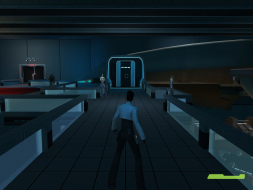
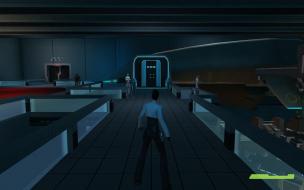
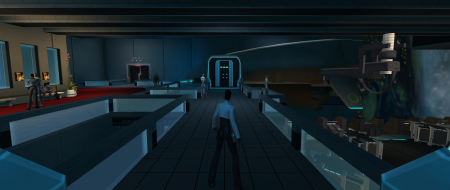
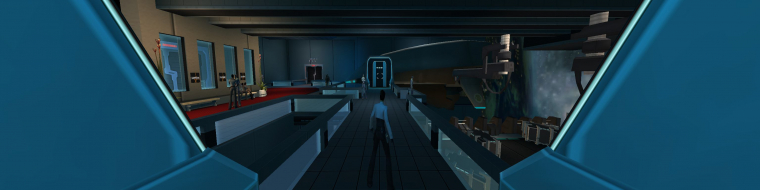
In-game with the ship.
Advent Rising: Detailed Report
Posted: 20 Oct 2007, 12:58
by Ascii_Aficionado
There is a switch in the ini files to remove the black bars in the game.
This stretches the image vertically and is not recommended.
I thought I was the only person who noticed that /applaud.
Advent Rising: Detailed Report
Posted: 22 Nov 2007, 22:53
by Elvin Presler
I actually prefer the WideScreen=True switch. It removes the black borders and stretches it vertically, then I run it at 1280x960 (not 1280x800) with my video drivers set to "monitor scaling" witch stretches it horizontally and corrects the aspect ratio.
Then I use the F4=FOV 85 trick as well.
Looks great and no black bars!