Page 1 of 2
Prey
Posted: 21 Apr 2007, 21:11
by The_cranky_hermit
 Widescreen Grade: BUltra-Widescreen Grade: CMulti-monitor Grade: B4k Grade: IncompleteRead Full Detailed Report - PreyPrey is a sci-fi themed FPS from Human Head Studios and 2K Games. You play as Tommy, a garage mechanic living in a Cherokee reservation in Oklahoma. You have been abducted by aliens, and must fight your way through their massive ship, using alien weapons as well as spiritual Cherokee powers.
Prey: Detailed report
Posted: 22 Apr 2007, 06:25
by Apple
I have played the entire single player game through and didn't see any type of anomalies. There isnt any 2D map screens or anything, only the menus are stretched etc.
Prey: Detailed report
Posted: 22 Apr 2007, 16:29
by The_cranky_hermit
Thanks. It's now a B.
Prey: Detailed report
Posted: 28 Sep 2007, 19:07
by clov17er
I've tried to set it but when I save it says the path file doesn't exist and to make sure the path and filename are correct.
Prey: Detailed report
Posted: 28 Sep 2007, 21:25
by The_cranky_hermit
My guess is that somehow the file has been set to read-only. Check to make sure it isn't.
If that doesn't solve the problem, then please post your error message verbatim.
Prey: Detailed report
Posted: 20 Jan 2008, 17:03
by Varg007
Even with the Steam version 1.3 I can't change my resolution to 1680*1050. The highest resolution which I can choose from is 1280*1024. I have set the aspectratio to 16:10, but this doens't help. What am I doing wrong?
Looks like I have to use the fix to get it work....
btw; shouldn't be the -1 at seta r_mode be set to 2 instead, like with Doom 3 where it is set to 2?
Prey: Detailed report
Posted: 20 Jan 2008, 17:17
by The_cranky_hermit
What's your native res?
Prey: Detailed report
Posted: 20 Jan 2008, 17:19
by Varg007
What's your native res?
I have a Samsung 226BW monitor and I use 1680*1050 as desktop resolution.
Prey: Detailed report
Posted: 20 Jan 2008, 17:29
by The_cranky_hermit
Try setting r_mode to "15". I think that's the r_mode hard-coded to 1680x1050. You can even do it ingame by bringing down a console (hold Ctrl+Alt+~) and typing "seta r_mode 15".
And r_mode 2 means "512x384", same as Doom 3. r_mode -1 means "custom resolution," which is also the same as Doom 3.
Prey: Detailed report
Posted: 20 Jan 2008, 17:40
by Varg007
Try setting r_mode to "15". I think that's the r_mode hard-coded to 1680x1050. You can even do it ingame by bringing down a console (hold Ctrl+Alt+~) and typing "seta r_mode 15".
And r_mode 2 means "512x384", same as Doom 3. r_mode -1 means "custom resolution," which is also the same as Doom 3.
I'll give it a try.
btw, I could also choose 1600*1200 at 16:10 :S
Ofcourse my monitor can't handle that resolution...
Edit: 15 works! :D
I can now choose 1680*1050.
Perhaps you could mention it in the TS?
Thanks m8!
Prey: Detailed report
Posted: 20 Jan 2008, 19:38
by The_cranky_hermit
I'm willing to bet that 1680x1050 was there the whole time - you just missed it. There's no logical reason why it wouldn't be there before, but suddenly be added to the list once you set the resolution via console.
Prey: Detailed report
Posted: 20 Jan 2008, 20:56
by Varg007
I'm willing to bet that 1680x1050 was there the whole time - you just missed it. There's no logical reason why it wouldn't be there before, but suddenly be added to the list once you set the resolution via console.
Well it was not there before. I swear! I could only choose 1600*1200 and that is a 4:3 mode resolution as you know and I set it to 16:10 ingame so I don't understand it either, but hey it works now 8)
After I changed seta r_mode to 15 then I could choose from 1680*1050 and not earlier. Default was 7.
Prey: Detailed report
Posted: 25 Sep 2008, 19:58
by Tanuki
Prey: Detailed report
Posted: 26 Sep 2008, 01:42
by skipclarke
ACan we fix the auto-scalar for Imageshack images using hotlink 1? They are cracking down on people using direct-image links in forum posts.
The scaler is working. I did increase the value so it didn't scale the ads. :wink:
Prey: Detailed report
Posted: 26 Sep 2008, 01:59
by Tanuki
The scaler is working. I did increase the value so it didn't scale the ads.
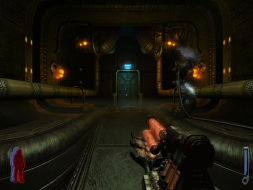
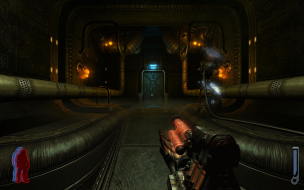
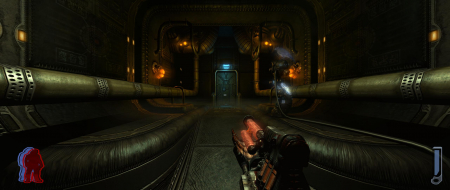
The 16:9 and 16:10 shots are the same size for me. Is that what you are seeing?
What ads?
Prey: Detailed report
Posted: 26 Sep 2008, 02:25
by The_cranky_hermit
Make sure the ratio of max width to max height stays 16:9. Otherwise the 16:10/16:9 comparison shots get messed up.
does anyone have a multi
Posted: 23 Apr 2012, 10:49
by tepescovir
does anyone have a multi monitor fix for this? It and doom 3 havent worked since there was an update on steam last year
I realize it's been awhile
Posted: 13 Jun 2012, 01:51
by Brett
EDIT: Scratch what I said about the low framerate - it was a problem on my end (once in awhile, games will dip to unplayable framerates and I just need to reboot, still not sure what that's about, I went to play LIMBO and still got 12FPS so I knew that was the case). After downgrading to 1.4 using the patch I can't link, it's actually working perfectly in Surround. So long story short, just find the 1.4 patch, install to a temporary location, replace the files in the Steam folder, and apply fixes as normal. Select 16:9 aspect ratio in the game's settings. Perfect 60FPS with all settings jacked up. I'd try with Doom 3, but I'm waiting for the BFG edition to play that again.
I realize it's been awhile since you made this comment, but it seems you're still active here so I'll reply with my recent (tonight) experience.
I was able to get Prey to work in Surround, but with a caveat: the framerate is completely unplayable, and it involved "downgrading" to pre-Steam patch. The Steam forum suggests that enabling "single monitor performance mode" in the nVidia drivers is the fix for the bad framerate, but that's an impossibility for playing in Surround. Perhaps this will work for you though if you have a Crossfire setup.
I downloaded the Prey 1.4 "patch" from here:
Actually I can't provide the URL because it's apparently triggered the spam filter. I Google'd for "prey 1.4 exe", it's the first result, titled "Prey v1.4 Patch Download, Prey Patches".
While I can't open the executable as I normally would with 7-zip, the installer apparently does not care if Prey is even actually installed. Install it to a temporary directory, and replace the Steam files with all of the files the patch installer extracts (Windows 7 just paste directly into the folder and Windows will merge and replace as necessary). From there, follow the multi-monitor instructions from the
WSGF report. The exception is that the aspect ratio should probably be 16:10 (or at least it was for me).
Either way, the game itself (at least the modern one) works fine in multi-monitor at 16:10 with the exception of the framerate thing. That happens for me on both the 1.4 and the post-steam-patch versions. In triple-screen, though everything worked aside from the menus being stretched, I was unable to get more than about 8FPS. Without the multi-monitor, I'm getting a solid 30FPS, so I might try to play it again in single screen.
As a fun side note, looking at Google results for "tweaking" this game back in 2008 noted that your framerate should be at least 15FPS for a solid experience. Did we really tolerate that back then? Also there was a general lack of real knowledge back then about what most of the game settings actually do, for example what VSync was. Fun trip down memory lane.
Anyway I'll keep looking to see if I can find some sort of other fix for the framerate. It's odd because it happens even in the menus.
Whats the console command to
Posted: 17 Jul 2012, 02:52
by BHT88
Whats the console command to change the FOV?
**to increase the FOV type
Posted: 22 Jul 2012, 06:57
by BHT88
**to increase the FOV type g_fov ''x'' in console x being the number you want
some of the weapons get cropped
also it seems to increase FPS when the fov Is increased
console is ctrl + Al t+ `
**dont know if it works for doom 3
they run the same engine