Page 1 of 2

Quake 4

Posted: 20 Apr 2006, 14:32
by Paddy the Wak


Widescreen Grade: B
Ultra-Widescreen Grade: C
Multi-monitor Grade: C
4k Grade: Incomplete

Read Full Detailed Report - Quake 4

Quake 4 is the fourth major installment in the Quake series. It is a story-based, single-player game. This is in contrast to Quake III, which focused solely on multi-player. Quake 4 is a continuation of the storyline from Quake II.


4:3


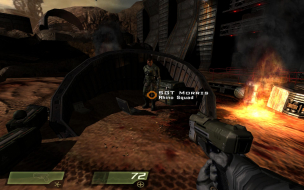
16:10


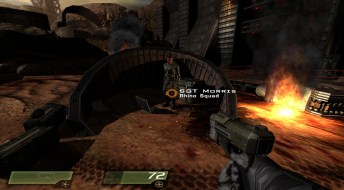
16:9


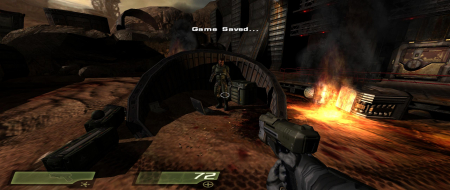
21:9


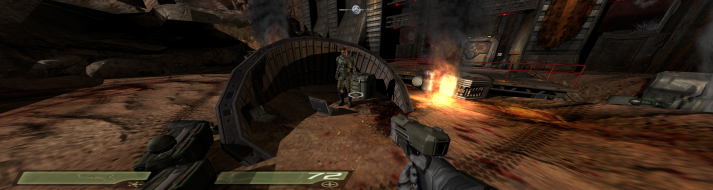
3x1


Quake 4: v1.3 Detailed report

Posted: 01 Feb 2007, 15:27
by Apple
==Game Information==

Quake 4 is a Sci-fi First person shooter.
Set just after the events of Quake 2, the story focuses around Kane (A certified badass) as he fights his way through the Strogg on there home planet.
But the only way to defeat the Strogg is to become one of them.

==Version==

This report relates to Version 1.3, be sure to download this patch as it has widescreen support natively.

==Method==

As said above, widescreen support is native and is Hor+.

In the video options menu you have to select your Aspect ratio and then your resolution. So if you have a 16:10 monitor, be sure to set this to 16:10. If you have a 16:9 display, select 16:9.

But I found that not all resolutions are supported. For example I could not get 1280x800 from here.
This is were an .ini edit comes in handy.

Locate the file Quake4Config.ini (Default Location C:Program Filesid SoftwareQuake 4q4base).
Make a backup of this file, then use a text program such as notepad to edit it.

In the document locate these lines and make the adjustments.

This is where you put your custom resolution. For example 1280x800 looks like this:

seta r_customHeight "800"
seta r_customWidth "1280"


You have to change r_mode to "-1" to get the custom resolutions to work:

seta r_mode "-1"

This is were you select your correct aspect ratio. "0" is 4:3, "1" is 16:9 and "2" is 16:10:

seta r_aspectRatio "2"

Both ways have the same result, but if you can use the ingame options to get your resolution just select it from there.

==Screen change==

The game is Hor+ using both methods above.

4:3 1024x768


16:10 1440x900


16:9 1280x720


16:10 1280x800 (Custom Resolution)


==Supported resolutions==

Tested resolutions: 1280x720, 1280x768, 1280x800, 1440x900

Resolutions tested by others: 1680x1050, 1920x1200

Untested resolutions: 1920x1080

==Singleplayer anomalies==

I Played through the entire single player game and did not encounter a problem.

==Multiplayer support==

Multiplayer is also in Hor+

16:10 1440x900


The player settings screen is stretched, this doesnt effected the gameplay though:


==Aspect ratio support==

The game has correct aspect ratio's for both 16:10 and 16:9.

16:10


16:9


==HUD stretch==

The HUD is stretched.

==Cut-scenes==

The games cut-scenes are completely rendered in-game.

in 4:3 the cut-scenes are 16:9 letterboxed:


16:9 is normal:


But in 16:10 the game adds a little to the top and bottom of the screen (instead of adding black bars):


==Grading==

Calculated grade: B

Major unresolved issues:
None

Minor unresolved issues:
is 1920x1080 supported?

Summary of widescreen-related flaws:
.ini solution for 1280x800 (May not be like this for all systems)
HUD stretch

Cranky's coverage estimate: 99.5%

Quake 4: v1.3 Detailed report

Posted: 01 Feb 2007, 16:08
by The_cranky_hermit
Just two questions this time.

==Singleplayer anomalies==

Does the singleplayer game have any 2D screens? I know that Doom III has a stretched PDA screen, and I just wanted to know if Quake 4 had anything like that. You can ignore things like the main menu and options screens and other things that you will never look at once you hit the "new game" button, and you can also ignore loading screens.


==Cut-scenes==

The game doesn't have any FMVs (not counting company logos), right?


==Grading==

Calculated grade: B-
Potential grade: B

Major unresolved issues: None

Minor unresolved issues:
Are 1680x1050, 1920x1080, and 1920x1200 supported?
Are there any singleplayer anomalies such as stretched 2D screens?

Summary of widescreen-related flaws:
.ini solution for 1280x800
HUD stretch

Cranky's coverage estimate: 98%

Quake 4: v1.3 Detailed report

Posted: 01 Feb 2007, 16:12
by Apple
To answer your questions.

There isnt any 2D screens like Doom 3's PDA.

Only company logo's are FMV's.

Quake 4: v1.3 Detailed report

Posted: 01 Feb 2007, 16:15
by The_cranky_hermit
==Grading==

Calculated grade: B

Major unresolved issues: None

Minor unresolved issues: None

Summary of widescreen-related flaws:
.ini solution for 1280x800
HUD stretch

Cranky's coverage estimate: 99.5%
Quake 4: v1.3 Detailed report

Posted: 02 Feb 2007, 01:46
by CodE-E
1680*1050 works fine.

Quake 4: v1.3 Detailed report

Posted: 12 Feb 2007, 21:38
by Painman
1920*1200 also appears to work fine.

max resolution?

Posted: 06 Dec 2007, 17:29
by lojzalojzaPitcho
Try somebady this game with 2560x1600 pix resolution? I read few reviews and sometimes autor benching with Q4 and 2560x1600 resolution. But I try put manualy to q4.cfq and without succes :(
So how setup this?

Quake 4: v1.3 Detailed report

Posted: 11 Feb 2008, 17:26
by Vroshnak
I just tried this, but the aspect ratio is way off. Everything looks very short and fat, like I'm getting horizontal stretching instead of horiz +.

I patched the game before running the widescreen utility from Matrox, maybe that's the problem?

I found a thread about messing with the config file but I don't know what to set the aspect ratio to.

Quake 4: v1.3 Detailed report

Posted: 11 Feb 2008, 19:10
by Mergatroid
From those screen shots, it looks like the fov is changing both vertically and horizontally instead of just horizontally.

Quake 4: v1.3 Detailed report

Posted: 13 Feb 2008, 21:25
by khula
I have a file that corrects the aspect ratio in this game. I was certain I got it from this site but darned if I can find it any more?

It's the gamex86.dll file that works it's magic. I haven't got the game installed at the mo but I have the file...

Quake 4: v1.3 Detailed report

Posted: 13 Feb 2008, 22:55
by Vroshnak
I've been too lazy to make screenshots, but my screenshots do NOT recreate the screenshots above.

I suspect a patch messed up the Surround utility's fix.

Quake 4: v1.3 Detailed report

Posted: 14 Feb 2008, 10:05
by Paddy the Wak
The SGU never did fix the aspect ratio ...
I did make a fix but I think the patches for the game messed it up ...
Look here ... http://www.widescreengamingforum.com/node/6681om

Quake 4: v1.3 Detailed report

Posted: 15 Feb 2008, 00:38
by khula
Paddy! I knew it'd be you that created the fix!! Damn, I should have known...
Now what version started to break your fix?
I think we're up to official patch v1.4.2

Quake 4: v1.3 Detailed report

Posted: 10 May 2008, 01:26
by averageguy
I used the configuration file to modify the resolution to 1280x800.
The in-game settings still indicate a resolution of 1440x900. Does this sound right or should the setting now reflect the custom resolution? :?

Quake 4: v1.3 Detailed report

Posted: 10 May 2008, 01:35
by Tanuki
I used the configuration file to modify the resolution to 1280x800.
The in-game settings still indicate a resolution of 1440x900. Does this sound right or should the setting now reflect the custom resolution?


Some games may show the new resolution, some might show another supported resolution, and some might show a blank space.

Take a screenshot to be sure what the resolution is.

Quake 4: v1.3 Detailed report

Posted: 10 May 2008, 02:10
by averageguy
Thank you - I'll do that.

Edit. Took screenshot and ascertained that game is indeed playing 1280x800.

Re: max resolution?

Posted: 30 Jul 2008, 15:15
by Jupix
Try somebady this game with 2560x1600 pix resolution? I read few reviews and sometimes autor benching with Q4 and 2560x1600 resolution. But I try put manualy to q4.cfq and without succes :(
So how setup this?


2560x1600 is not supported natively, not even in 1.4.2 which is the latest version.

The tips in the first post work for forcing the resolution. In other words, set up all your graphics settings ingame and after this, open Quake4Config.cfg and alter lines 126, 127 and 130:

Code: Select all


   seta r_customHeight "1600"
   seta r_customWidth "2560"
   seta r_fullscreen "1"
   seta r_displayRefresh "0"
   seta r_mode "-1"


2560x1600 now works.

anyone still have this laying

Posted: 15 Feb 2012, 02:15
by ugzz
anyone still have this laying around?
i got this as part of the ID pack on steam, i actually already owned it but figure what the hey, its in my steam list now and i havnt played it in a couple years. i was one of the few that really enjoyed the game, played lots of multi and ran through sp a few times.

id love to get it working but it looks like the stuff in the detailed report is a no go.
current v of the exe is 1.4.2 off the steam copy.

followed the detailed report and edited the config file and replaced the pack files. the game is Super stretched out and the FOV is horrid.
characters are all short and fat and i feel like my char is 3 feet tall due to the fov.

bogus

Re: Quake 4

Posted: 15 Feb 2014, 12:24
by nyder
To get 1920x1080 working and looking decent, I changed the seta r_aspectRatio "2" so it was using 2, or 16:10. have a almost round targeting circle and people look almost normal.