Page 1 of 1
Hegemonia: Legions of Iron
Posted: 21 Dec 2005, 01:28
by wazzay2k1
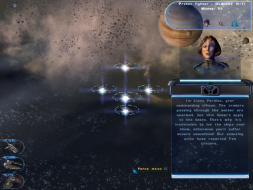
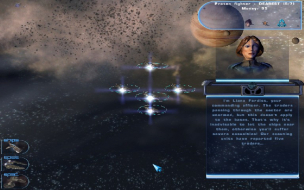
 Widescreen Grade: UnsupportedUltra-Widescreen Grade: IncompleteMulti-monitor Grade: Unsupported4k Grade: IncompleteRead Full Detailed Report - Hegemonia: Legions of Iron3D real-time strategy game made by Digital Reality and is similar in many respects to Homeworld and Digital Reality's previous game, Imperium Galactica II. The game series uses many concepts originating from the Master of Orion series.
Solution: Haegemonia
Posted: 22 Dec 2005, 06:54
by skipclarke
Ahhh yes, Hegemonia. I seem to recall, a looong time ago, reading one of the user reviews for the original 23" apple cinema display on Amazon.com in which one of the games he tested was Hegemonia. It sure looks like a fun game. The first place i'd start is here, at their forums:
http://www.dreamcatcherinteractive.com/forums/forumdisplay.php?f=18
Dreamcatcher usually has a very helpful and informative community, so perhaps a user with more experience will have an answer.
It's a great looking game, I hope it does support widescreen.

Solution: Haegemonia
Posted: 24 Dec 2005, 13:04
by Paradigm Shifter
I loaded this up not long after I first got a widescreen laptop - I seem to remember that I had some success with the registry...?
Solution: Haegemonia
Posted: 24 Dec 2005, 17:21
by wazzay2k1
I loaded this up not long after I first got a widescreen laptop - I seem to remember that I had some success with the registry...?
Ok, you remember what you did? Just change the size and start the game?
Solution: Haegemonia
Posted: 24 Dec 2005, 17:33
by Paradigm Shifter
No, I can't remember what I changed - I think it was just height and width in the registry, and then it worked.
The real pain, though, is that I can't find the &^%$ disc, either! :evil: I went hunting when I replied, thinking that it'd be a quick matter of a reinstall and check. No chance - I can't even find the frickin' thing! Where's it got to?
*sigh*
I'll see if I can find it after Christmas. It's a bit on the busy side round here at the moment...
Solution: Haegemonia
Posted: 24 Dec 2005, 17:41
by wazzay2k1
Have you formatted since? If not, it will still be in your Reg files (unless you have deleted them too)
Solution: Haegemonia
Posted: 24 Dec 2005, 17:54
by Paradigm Shifter
Heh. Good thinking... unfortunately, I've done one better than a reinstall - I've replaced the hard drive since then... ;)
Solution: Haegemonia
Posted: 06 Dec 2006, 21:30
by DrifterX
I took this game out recently as i have never finished the game before when i had a regular CRT, now that i had a widescreen I thought this game would look even more sweet than before (and it does :D) . Now this is an old game so I knew it wouldnt have widescreen support but I found a way to get it widescreen through the registry. I came here before figuring it out to look for a solution but didn't find one so I will post one for everyone.
Go into the registry editor
Go to:
HKEY_LOCAL_MACHINE/SOFTWARE/Digital Reality/Haegemonia
To input a resolution for example 1680x1050:
ResolutionX = 1680
ResolutionY = 1050
I have noticed that if I go into the options/load menu within the game, these registry values reset to 800x600. Now this means you will have to change these values before playing the game everytime IF you went into the options/load menu previously playing the game.
I know this isnt a FULL solution but atleast you have widescreen :D
Hegemonia: 4:3 and 16:10
Posted: 26 Jan 2007, 01:34
by The_cranky_hermit

1024x768

1280x800
Everything's stretched.
Windows 7 Update
Posted: 02 Feb 2012, 02:22
by Marikhen
For those who might find this while trying to get Hegemonia to run full screen under Windows 7 the appropriate registry entires are slightly moved.
The correct path is: HKEY_LOCAL_MACHINESOFTWAREWow6432NodeDigital RealityHaegemonia
Windows 7 has much in common with Vista, including many registry entry locations, so this may pertain to Windows Vista users as well.
Re: Hegemonia: Legions of Iron
Posted: 30 Jan 2015, 05:37
by Mesenzio
I would like to add that it is possible to set the custom resolution and prevent the game from editing the registry key to change it back.
By following this guide:
http://www.bench3.com/2009/11/prevent-c ... avoid.html you can set a registry key as read-only. It's important to deny access only to: Set Value, Delete and Write Owner, as otherwise it will not be able to read the custom resolution. It works fine for me at 2560x1080.
Hope it helps.