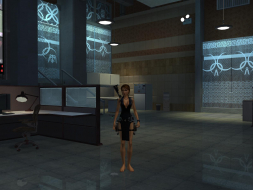
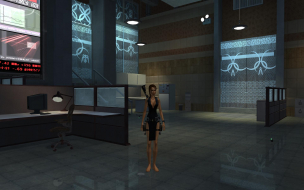
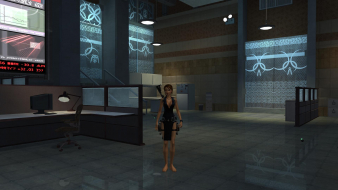
Page 1 of 2

Tomb Raider: Legend

Posted: 20 Apr 2006, 14:18
by Paddy the Wak


Widescreen Grade: B
Ultra-Widescreen Grade: B
Multi-monitor Grade: C
4k Grade: A

Read Full Detailed Report - Tomb Raider: Legend

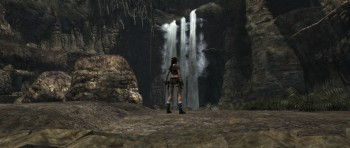
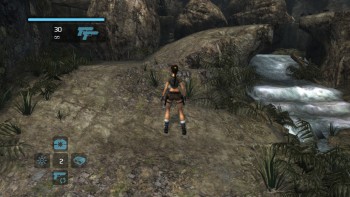
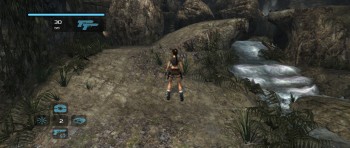
Who doesn't know about the spelunkering heroine Lara Croft? This game gets back to the roots of the series by incorporating actual tomb raiding in various exotic locations with the buxom protagonist.


4:3


16:10


16:9


3x1


Tomb Raider Legend: Detailed Report

Posted: 05 May 2006, 00:34
by fatChance
Do you know what the correct FOV and wFOV should be for a 16:10(1680x1050) screen. Any help greatly appreciated. Thanks

Tomb Raider Legend: Detailed Report

Posted: 08 May 2006, 17:21
by Paddy the Wak
I'm not sure as I haven't used the tool for anything other than TripleHead ...
I guess you will have to do a comparison ...

You know you can adjust it in the game with the + and - keys (shift + and - for WFOV) ... have a screenshot of the game in 4:3 open before you start the game ... once your in the game set the FOV to something close then minimise the game with Alt + Tab and compare until you get it about right.

I hope that helps ... :)

Tomb Raider Legend: Detailed Report

Posted: 08 Jun 2006, 18:35
by Gabbo
==Game Information==

Who doesn't know about the spelunkering heroine Lara Croft? This game gets back to the roots of the series by incorporating actual tomb raiding in various exotic locations with the buxom protagonist.


==Version==

I used version 1.2 when reporting on this game although the widescreen support has been the same from 1.0-1.2.


==Method==

Native widescreen support. Just be sure to choose "widescreen" in the "Display" options.


==Screen change==

The game grants more visibility horizontally. True widescreen HOR+.

==Aspect ratio support==
The game only supports 2 aspect ratios: 4:3 and 16:9. The game allows you to run the game with either aspect ratio in any resolution. You can run 16:9 aspect ratio at 4:3 resolutions and vice versa. The game does not support 16:10 ratio, but still looks good. People are a little bit skinnier in 16:10.

1600x1200 with widescreen disabled


1920x1080 with widescreen enabled


1920x1200 with widescreen enabled


==Supported resolutions==
I believe the game supports all resolutions that your driver/monitor support. I have the following resolutions available:
640x480
720x480
720x576
800x600
848x480
1024x768
1152x864
1280x720
1280x768
1280x800
1280x960
1280x1024
1360x768
1360x1024
1440x900
1600x1200
1680x1050
1920x1080
1920x1200

List of widescreen resolutions the game successfully ran at:

I have tested all of the above resolutions with both widescreen enabled and disabled.

List of widescreen resolutions that were not tested:

None available to me.

List of widescreen resolutions the game fails to run at:

None yet.

==Singleplayer anomalies==

None yet.


==Multiplayer support==

Singleplayer game only.


==HUD stretch==

The hud does not stretch.

NOTE: If playing on a 16:10 monitor, it will, like the 3D world, be very slightly stretched vertically as it is rendering a 16:9 aspect ratio on a 16:10 monitor. This stretching is not too noticable. (Shown below)

1600x1200 with widescreen disabled


1920x1080 with widescreen enabled


1920x1200 with widescreen enabled


==Menus==

1600x1200 with widescreen disabled


1920x1080 with widescreen enabled


1920x1200 with widescreen enabled


==Cut-scenes==

Cutscenes are handled with the ingame 3D engine and are also HOR+


1600x1200 with widescreen disabled


1920x1080 with widescreen enabled


1920x1200 with widescreen enabled


==Grading==
C+

As cranky stated, the forced aspect ratio hurts the overall score in an otherwise perfect implementation of widescreen support

Major unresolved issues:
None that I know of.
Tomb Raider Legend: Detailed Report

Posted: 09 Jun 2006, 00:38
by The_cranky_hermit
Do you think you can provide a 4:3 and 16:9 comparison shot that demonstrates the HUD scaling?

And this game gets a C+. The forced 16:9 aspect ratio hurts the grade severely; widescreen support is otherwise basically perfect.

Tomb Raider Legend: Detailed Report

Posted: 09 Jun 2006, 13:53
by Gabbo
Do you think you can provide a 4:3 and 16:9 comparison shot that demonstrates the HUD scaling?

And this game gets a C+. The forced 16:9 aspect ratio hurts the grade severely; widescreen support is otherwise basically perfect.


Done and done.

Tomb Raider Legend: Detailed Report

Posted: 27 Sep 2006, 16:45
by Paddy the Wak
An update for you ...
Racer_S has made a new FOV tool ... it now works with Next Gen turned on ... and with the latest v1.2 Patch ... 8)

Get it here ... http://dl.tocaedit.com/tr7FOV4.rar

Tomb Raider Legend: Detailed Report

Posted: 28 Sep 2006, 04:15
by skeeder
fatchance, the game supports 1680x1050 out of the box.

Tomb Raider Legend: Detailed Report

Posted: 08 Feb 2007, 05:14
by reach4thelasers
Can anyone tell me how to use this utility; it doesn't seem to do much - i've tried using it before i run tomb raider and during the game. its got sliders but no "save" or "activate" button; can't figure it out!

any help would be appreciated.


Regards,

lasers

Tomb Raider Legend: Detailed Report

Posted: 08 Feb 2007, 09:28
by Paddy the Wak
Just start up the tool ...
Do nothing to it ...
Now start the game ... once in the game menus ...

To "activate" ... enable ... the tool by pressing the star * key ...

To increase the Aspect Ratio press the number pad + key ...
To decrease the Aspect Ratio press the number pad - key ...

To increase the FOV press shift and the number pad + key ...
To decrease the FOV press shift and the number pad - key ...

To "deactivate" ... disable ... the tool by pressing the number pad / key ...

Tomb Raider Legend: Detailed Report

Posted: 13 Mar 2007, 08:53
by ViciousXUSMC
Hmm I like next gen content, im so stuck in this game tho :/

Tomb Raider Legend: Detailed Report

Posted: 01 Jul 2007, 01:18
by escrotumus
What settings are people with tripleheads using with legend? I lost my settings and can't seem to get the fov right again :(

Hack

Posted: 25 Mar 2008, 19:29
by Whisper
Did anybody save fov hack for 1.2 version?

Now it's impossible to download anywhere :(

(http://dl.tocaedit.com/tr7FOV4.rar - site is down)

Tomb Raider Legend: Detailed Report

Posted: 28 Mar 2008, 21:30
by Paddy the Wak
OK ... new download location as tocaedit is down ... Click Here

8)

Tomb Raider Legend: Detailed Report

Posted: 31 Mar 2008, 21:16
by M3chick
Looks great!

Tomb Raider Legend: Detailed Report

Posted: 29 Jul 2009, 22:49
by DoctorM
I'm guessing no-one has found a fix for the 16x10 stretch?

Re: Tomb Raider Legend: Detailed Report

Posted: 03 Jan 2010, 23:38
by Dem Pyros
Triplehead Screenshots (With Hack):


Source

Re: Tomb Raider Legend

Posted: 10 Jan 2010, 18:33
by benquin
Tried RacerS patch with Steam version, it crashes the game (once you press *) unless you use the noCD executable (trl.exe).
Don't know if it's the same story with non-Steam version...
Works great now!

Re: Tomb Raider Legend: Detailed Report

Posted: 21 Nov 2013, 00:30
by swili
DoctorM wrote:I'm guessing no-one has found a fix for the 16x10 stretch?


Ok, so i played with Racer_S FOV toll
and it looks like the closest you can get to the Corect AR in 16:10 (1920x1200) is to set the values to something like this:
Aspect: 0,822
Fov: 1,082

the increase of the FOV is required because at the default FOV the game's engine start to cull the objects on the sides.

edit:
:think:
with Fov hack enabled
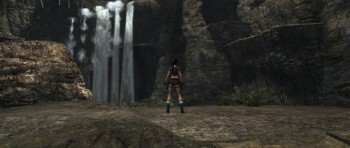
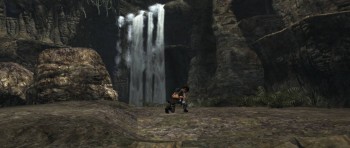
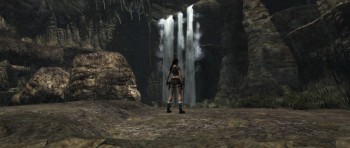
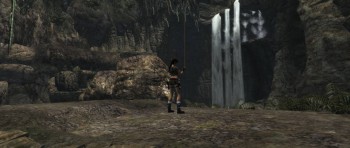
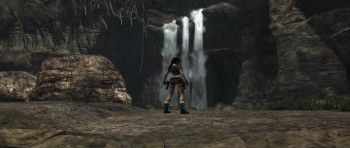
it looks like there is some problem with misaligned sprites, i noticed this at the beginning of the mission. The easiest way to spot it is to look at the artefacts where that glowing light is misaligned. Or just look at this waterfall with misaligned sprites.
Additionally they move as you move the camera horizontally.

Image Image Image Image Image Image

----------------------------------------
Comparison between 16:9 and 21:9
Image Image

Re: Tomb Raider Legend

Posted: 19 Aug 2014, 18:59
by gnarlyspoon
benquin wrote:Tried RacerS patch with Steam version, it crashes the game (once you press *) unless you use the noCD executable (trl.exe).
Don't know if it's the same story with non-Steam version...
Works great now!


I just started trying to use this mod and it crashes my Steam game too, even when I use the trl.exe. Don't know what else to try. Get a fatal error and Exception code: Access violation. Anyone know a fix for this?