Page 1 of 2
Lock On: Modern Air Combat (with Flaming Cliffs Addon)
Posted: 22 Apr 2006, 20:07
by JKeefe
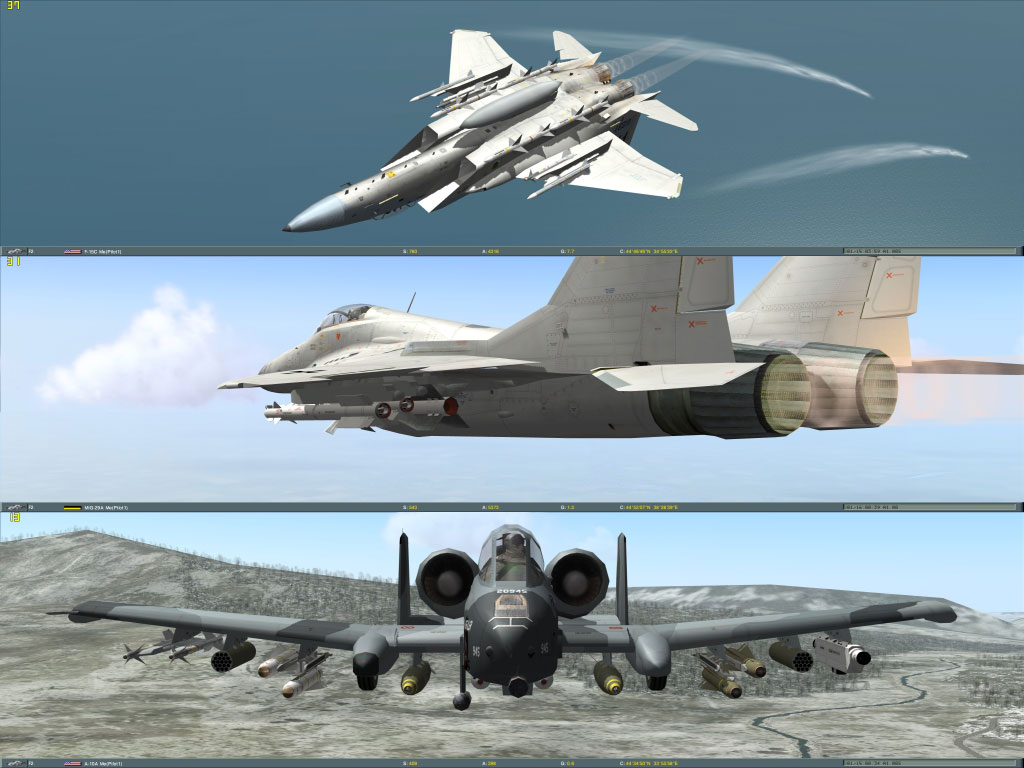
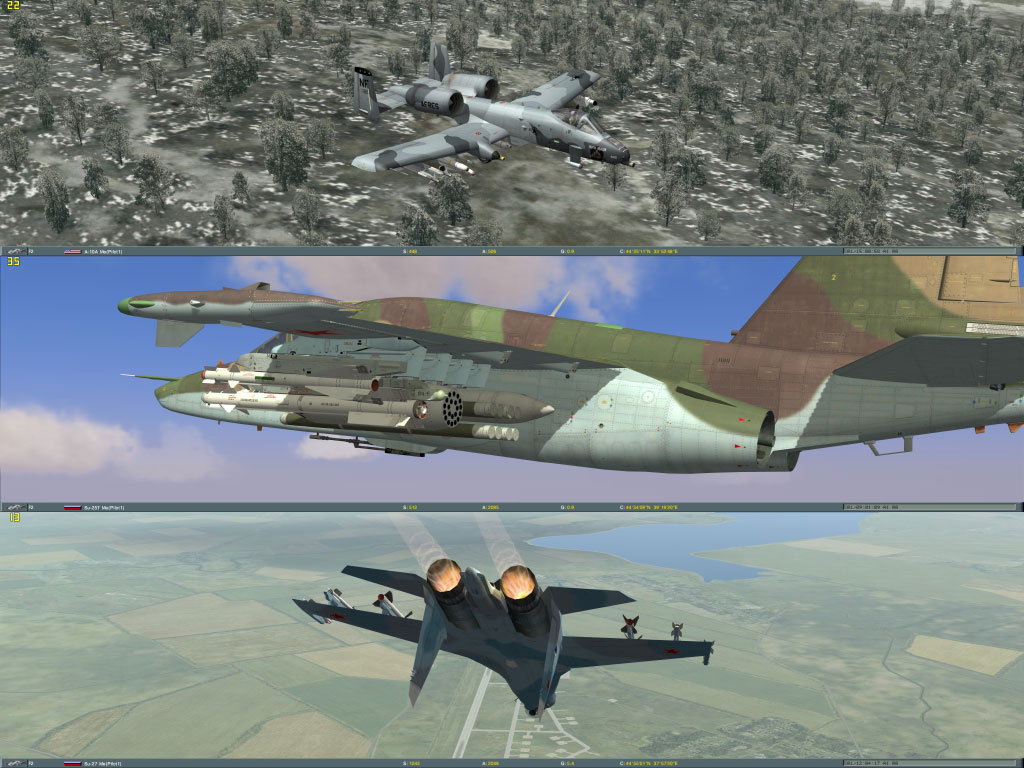
Lock On: Modern Air Combat with Flaming Cliffs Addon (man, I thought this looked good on
one monitor...)
Lock On: Modern Air Combat (with Flaming Cliffs Addon)
Posted: 02 Jun 2006, 00:51
by RichieG
Hi Guys,
I have some new settings that will help with the FOV in Lock on.
The file is called view.cfg
configviewview.cfg (on my system)
I would like you to make a change that allows you to change the FOV to 170.
Here are the settings:
// If MouseCockpit is not set here then option value is used.
// Remove two slashes in the next line and set your custom value:
//MouseCockpit = 0;
MouseExternal = 0;
MouseSpeedSlow = 0.667;
MouseSpeedNormal = 1.0;
MouseSpeedFast = 2.0;
KeyboardSpeedSlow = 0.167;
KeyboardSpeedNormal = 1.0;
KeyboardSpeedFast = 5.0;
CockpitViewAngleMin = 20.0;
CockpitViewAngleMax = 170.0;
// If CockpitViewAngleDefault is not set here then option value is used
// Remove two slashes in the next line and set your custom value:
CockpitViewAngleDefault = 170.0; Just remove the 2 slashes to un-rem the line so that the game will recognize it.
ExternalViewAngleMin = 3.0;
ExternalViewAngleMax = 170.0;
// If ExternalViewAngleDefault is not set here then cockpit value is used
// Remove two slashes in the next line and set your custom value:
//ExternalViewAngleDefault = 60.0;
CameraTerrainRestriction = 1;
DisableSnapViewsSaving = 1;
UseDefaultSnapViews = 0;
ExplosionExpoTime = 4.0;
CockpitSnapStepHor = 45.0;
CockpitSnapStepVert = 30.0;
CockpitNyMove = 1;
ChazeCameraNyMove = 1;
//Labels params
LabelAirOn = 1;
LabelGroundOn = 1;
LabelNavyOn = 1;
LabelMissileOn = 1;
LabelMinDistanceAir = 100.0;
LabelMaxDistanceAir = 50000.0;
LabelMinDistanceGround = 100.0;
LabelMaxDistanceGround = 20000.0;
LabelMinDistanceNavy = 100.0;
LabelMaxDistanceNavy = 50000.0;
LabelMinDistanceMissile = 100.0;
LabelMaxDistanceMissile = 20000.0;
LabelShowName = 1;
LabelShowDistance = 1;
LabelShowPilotName = 0;
CockpitHAngleOrigin = 0.0;
CockpitVAngleOrigin = -9.5;
The setting in BOLD are the important ones
Lock On: Modern Air Combat (with Flaming Cliffs Addon)
Posted: 02 Jun 2006, 02:52
by JKeefe
I will try this ASAP, Richie.
Lock On: Modern Air Combat (with Flaming Cliffs Addon)
Posted: 02 Jun 2006, 03:23
by JKeefe
No go, Richie, I still have a severly limited vertical FOV in-cockpit. This is as far as I can zoom out with your suggested settings:

This is no different than before.
Here is the max zoom out with the same settings, but in single-screen mode:

I was going to prepare a detailed description of this problem for Eagle Dynamics, but I take it you're handling it? Or perhaps you are getting different results than I am.
Lock On: Modern Air Combat (with Flaming Cliffs Addon)
Posted: 02 Jun 2006, 03:30
by JKeefe
Richie, the bolded settings you have posted are not the ones that directly affect max and min cokpit FOV. Those values are found in Lock OnConfigViewView.lua (not .cfg)
----------------------------------------------------------------------------
-- Camera view angle limits {view angle min, view angle max}.
CameraViewAngleLimits = {}
CameraViewAngleLimits[PlaneIndex.iSu_27] = {20.0, 120.0}
CameraViewAngleLimits[PlaneIndex.iSu_33] = {20.0, 120.0}
CameraViewAngleLimits[PlaneIndex.iSu_25] = {20.0, 120.0}
CameraViewAngleLimits[PlaneIndex.i
Su_39] = {2.0, 120.0}
CameraViewAngleLimits[PlaneIndex.iMiG_29] = {20.0, 120.0}
CameraViewAngleLimits[PlaneIndex.iMiG_29K] = {20.0, 120.0}
CameraViewAngleLimits[PlaneIndex.iA_10] = {20.0, 120.0}
CameraViewAngleLimits[PlaneIndex.iF_15] = {20.0, 120.0}
----------------------------------------------------------------------------
If I change the Su_39 (Su-25T) line to
----------------------------------------------------------------------------
CameraViewAngleLimits[PlaneIndex.iSu_39] = {2.0,
170.0}
----------------------------------------------------------------------------
to match the angele you are suggesting, this is what the max zoom looks like:

When I fly Lock On single-screen, I usually use a max angle of 135. This lets you see a lot but avoids the distortion and framerate issues you get when you zoom out further.
Lock On: Modern Air Combat (with Flaming Cliffs Addon)
Posted: 02 Jun 2006, 15:03
by RichieG
Hi jkeefe,
Thanks for the feedback, it's strange it didn't work for you as I gave the same fix to another customer on our forums and it worked fine for him ????
I will have to dig a bit more then :-)
Lock On: Modern Air Combat (with Flaming Cliffs Addon)
Posted: 02 Jun 2006, 15:26
by JKeefe
Richie,
It's gotta be something in another .cfg or .lua file then. Or that other guy is running Lock On 1.02 while I have Flaming Cliffs (1.1) and there is some difference. Do you have this title in-house and is the full range of view zoom working for you? If so, is it 1.02 or 1.1 Flaming Cliffs?
If I need to install 1.02 for testing purposes I can do that easily without messing up my real install.
I'm very happy to see Matrox is working on this; Lock On is simply amazing in triplehead even when it's unplayable because of these view zoom issues. If I could get it working like it's suppossed to, I would be ecstatic.
Lock On: Modern Air Combat (with Flaming Cliffs Addon)
Posted: 28 Jun 2006, 03:22
by EvilPower
The problem is aspect ratio, which is stuck at 4:3 (1.33). Try changing it to whatever ratio you have (f.i. 1680/1050=1.6). Worked for me.
Lock OnConfiggraphics.cfg:
Code: Select all
       Simulation

       {

           resolution = {1680, 1050};

           bpp = 32;

           fullscreen = 1;

   //        aspect = 1.333333373;

      aspect = 1.6;

       }
But every time you change something in options, the game resets it back to 1.33, so you have to edit it again.
Lock On: Modern Air Combat (with Flaming Cliffs Addon)
Posted: 28 Jun 2006, 16:31
by JKeefe
I have set the proper aspect ration for 3072x768, which is 4.000. This is not the cause of the problem.
I have not been able to experiment with this because my main video card failed, but I will spend some time on it when a relacement arrives.
Lock On: Modern Air Combat (with Flaming Cliffs Addon)
Posted: 04 Jul 2006, 06:07
by JKeefe
Ok, I got a new videocard (7900GT) and reverted to Lock On 1.02 to test with a pre-Flaming Cliffs version of the game. I am still stuck with a way-too-close max zoom out.
Richie, at this point I am pretty frustrated; I've done everything everyone's suggested but nothing seems to be working. I even tried running at 2400x600 in case the problem was specific to the resolution. Has anyone actually got this thing working with appropriate cockpit zoom and a triplehead resolution? I have yet to see a screenshot...
Please tell me what you would like me to do. Step-by-step instructions, post on the Matrox boards, post on the Eagle Dynamics boards, whatever.
Lock On: Modern Air Combat (with Flaming Cliffs Addon)
Posted: 04 Jul 2006, 15:56
by RichieG
Hi Jkeefe,
I was looking at my View.lua file and it doesn't have any of those settings you listed????
I did find another setting in the file cockpit.cfg in the Lock OnConfigs folder. In that file there is a setting called FOV. I changed it to 5 and it seems to work but as soon as I move the view to look either let or right it returns to the previous state of being too zoomed in.
I also found a file called Cockpit.lua with the follwoing settings
-- Copyright (C) 2004, Eagle Dynamics.
-- Cockpit view scripts (F1, Ctrl-F1, Alt-F1)
-- Uses SnapViews.lua and Serialize.lua
CockpitMouse = false
CockpitMouseSpeedSlow = 1.0
CockpitMouseSpeedNormal = 10.0
CockpitMouseSpeedFast = 20.0
CockpitKeyboardAccelerationSlow = 5.0
CockpitKeyboardAccelerationNormal = 30.0
CockpitKeyboardAccelerationFast = 80.0
CockpitViewAngleMin = 20.0
CockpitViewAngleMax = 170.0
-- If CockpitViewAngleDefault is not set here then option value is used
-- Remove comment "--" in the next line and set your custom value:
--CockpitViewAngleDefault = 60.0
CockpitKeyboardZoomAcceleration = 300.0
DisableSnapViewsSaving = true
UseDefaultSnapViews = false
CockpitPanStepHor = 45.0
CockpitPanStepVert = 30.0
CockpitNyMove = true
CockpitHAngleOrigin = 0.0
CockpitVAngleOrigin = -9.5
CockpitHAngleAccelerateTimeMax = 0.15
CockpitVAngleAccelerateTimeMax = 0.15
CockpitZoomAccelerateTimeMax = 0.2
HAngleMaxDefault = 170.0
VAngleMinDefault = -65.0
VAngleMaxDefault = 170.0
HAngleMaxSu25 = 170.0
VAngleMinSu25 = -65.0
VAngleMaxSu25 = 170.0
HAngleMaxF15 = 170.0
VAngleMinF15 = -65.0
VAngleMaxF15 = 170.0
CockpitLocalPoint = {}
CockpitLocalPoint[PlaneIndex.iSu_27] = {8.05, 1.35, 0.0}
CockpitLocalPoint[PlaneIndex.iSu_33] = {8.35, 1.35, 0.0}
CockpitLocalPoint[PlaneIndex.iSu_25] = {3.0, 0.276, 0.0}
CockpitLocalPoint[PlaneIndex.iSu_39] = {3.0, 0.276, 0.0}
CockpitLocalPoint[PlaneIndex.iMiG_29] = {4.76, 1.284, 0.0}
CockpitLocalPoint[PlaneIndex.iMiG_29K] = {4.9, 1.254, 0.0}
CockpitLocalPoint[PlaneIndex.iA_10] = {3.991, 1.507, 0.0}
CockpitLocalPoint[PlaneIndex.iF_15] = {6.4, 1.218, 0.0}
function GetCockpitLocalPoint(iType)
local p = CockpitLocalPoint[iType]
return p[1], p[2], p[3]
end
The ones in Bold are the ones I changed. I can pull out a bit further but looking at your single head screen shot I still cannot see the legs. :-(
Lock On: Modern Air Combat (with Flaming Cliffs Addon)
Posted: 04 Jul 2006, 17:45
by JKeefe
I was looking at my View.lua file and it doesn't have any of those settings you listed????
Those are settings added in the Flaming Cliffs addon for more view customizability.
I did find another setting in the file cockpit.cfg in the Lock OnConfigs folder. In that file there is a setting called FOV. I changed it to 5 and it seems to work but as soon as I move the view to look either let or right it returns to the previous state of being too zoomed in.
If I change this to 5 it seems to have no effect. I can slew the view left or right using the numpad keys and the FOV does not change.
I also found a file called Cockpit.lua with the following settings
Now I'm confused, as the contents of that file are from Flaming Cliffs 1.1 or later, not Lock On 1.02. Which version are you using? If you are using Flaming Cliffs, why don't you have the same view.lua file as I did before I reverted to 1.02?
Lock On: Modern Air Combat (with Flaming Cliffs Addon)
Posted: 04 Jul 2006, 19:44
by RichieG
Hi JKeefe,
Here is what I did, I installed Lock-On form the CD. Went to Avault.com and got the 1.00-1.02 patch and that is it. These are the files and settings I am left with ????
Lock On: Modern Air Combat (with Flaming Cliffs Addon)
Posted: 05 Jul 2006, 06:13
by JKeefe
Ok, that means you have Lock On 1.02 (without Flaming Cliffs).
Sorry, I was looking at cock;it.cfg, not cockpit.lua. I have my cockpit.lua set as you do, CockpitViewAngleMax = 170.0.
Lock On: Modern Air Combat (with Flaming Cliffs Addon)
Posted: 05 Jul 2006, 15:26
by RichieG
Hi Jkeefe,
With all those files set you should be able to pull out a bit more than the but still cannot see the legs. Unfortunately I cannot post any screens from here at work to show you what I mean :-(
Lock On: Modern Air Combat (with Flaming Cliffs Addon)
Posted: 08 Jul 2007, 10:32
by SG
any new info ?
Lock On: Modern Air Combat (with Flaming Cliffs Addon)
Posted: 03 Dec 2007, 12:22
by jempe
With flaming cliffs, you must change the horizontal FOV for each plane in snapviews.lua.
You have a 2 dimension tab. The values to change are
snapviews[x][13] where x is the index of the plane (1 to 6)
It's good for the horizontal setting, but I always have vertical FOV problem: I can't increase it.
I wish to obtain this kind of view:
http://www.imagestation.com/picture/sraid159/pd00330d5b05df7774fb8035f0388b26e/f4fb18c7.jpg
Lock On: Modern Air Combat (with Flaming Cliffs Addon)
Posted: 03 Dec 2007, 19:01
by Mark B
The good news is we're in contact with Eagle Dynamics to resolve this FOV issue for the upcoming LockOn Black Shark release.
The bad news is for the original LockOn - this game has gone past the development point and now lies exclusively in the publisher's hands.
Ubisoft (the publisher) will not re-open a ticket for LockOn at this stage since any change made to a released game requires a patch, and a patch requires an intricate process involving developers and testing from a specific QA team. For LockOn, that QA team unfortunately no longer exists, and Ubisoft is unlikely to create one. This is not because they don't see the value of the FOV fix, but simply because it would cost them more to pay a team to create such a patch, than the sales they would generate from new copies sold (if LockOn is even sold still). ;)
This explanation actually helps to justify other similar cases of why certain older games do not support Th2Go.
Lock On: Modern Air Combat (with Flaming Cliffs Addon)
Posted: 03 Dec 2007, 22:59
by JKeefe
Great to hear, Mark.
Just to clarify for everyone, the upcoming Black Shark release will not actually be part of the Lock On series, although it will be quite similar. Black Shark will be the first release in the Digital Combat Simulations line, featuring much more detailed systems modeling for the KA-50 helicopter.
The day I heard about DCS: Black Shark, I posted on their forums asking them to fix this restriction.
Lock On: Modern Air Combat (with Flaming Cliffs Addon)
Posted: 05 Jun 2008, 05:50
by kondor999
The good news is we're in contact with Eagle Dynamics to resolve this FOV issue for the upcoming LockOn Black Shark release.
The bad news is for the original LockOn - this game has gone past the development point and now lies exclusively in the publisher's hands.
Ubisoft (the publisher) will not re-open a ticket for LockOn at this stage since any change made to a released game requires a patch, and a patch requires an intricate process involving developers and testing from a specific QA team. For LockOn, that QA team unfortunately no longer exists, and Ubisoft is unlikely to create one. This is not because they don't see the value of the FOV fix, but simply because it would cost them more to pay a team to create such a patch, than the sales they would generate from new copies sold (if LockOn is even sold still). ;)
This explanation actually helps to justify other similar cases of why certain older games do not support Th2Go.
I don't think this is actually correct. Try this experiment: go into view.cfg and change CockpitViewAngleMax = 300.0. Then go into view.lua and change CameraViewAngleLimits[PlaneIndex.iSu_27] = {100.0, 300.0}
Now go fly the Su-27. When you zoom *in*, you can see the pilots legs but the fov is way too narrow. But when you zoom out, as you go back, your entire view actually *tilts* upward. The vertical FOV is just fine. But your "head" is forced to point progressively upward!
That's a very different problem, and I have to believe the fix is buried in one of the settings files. They're using some sort of algorithm that is limiting the azimuth in which the pilot's head is allowed to operate.
I refuse to give up on this game! It's the #1 reason I got the TH2Go and this ridiculous 3 monitor setup(!).