Page 1 of 3
Deus Ex
Posted: 11 Apr 2006, 23:24
by The_cranky_hermit
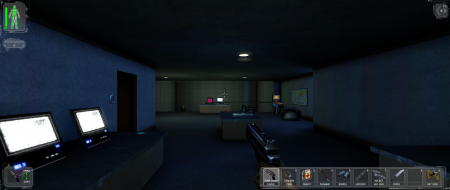
 Widescreen Grade: BUltra-Widescreen Grade: BMulti-monitor Grade: B4k Grade: IncompleteRead Full Detailed Report - Deus ExDeus Ex is an FPS/RPG hybrid from Ion Storm and Eidos Interactive. It is most notable for its free-form skill-based gameplay, which allows nearly unlimited solutions to missions, often allows for multiple outcomes, and lets you shape your character to be best suited for your style of play by allowing you to develop the skills of your choice.
Deus Ex
Posted: 17 Sep 2006, 04:57
by fastica
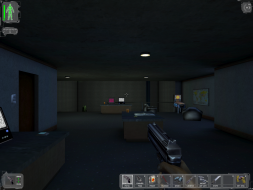
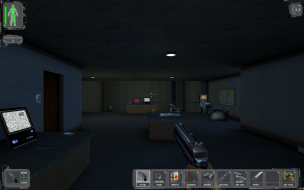
There's one problem. With resolutions higher than 1280x800, the UI doesn't scale well and it becomes really huge, looking very pixelated. :cry:

Go to this link to see this screenshot in 1680x1050
http://www.zonapda.com/aplica/imagenes/dx_2.jpg
Deus Ex
Posted: 17 Sep 2006, 05:34
by skeeder
nice man, that was a great game...mine always reverted back to 640x480 no matter what though...back in the GF2 days I didn't care...lol
Deus Ex
Posted: 04 Nov 2006, 11:42
by Deusfaux
the version that came free on the CGW disc does not have the FOV lines anywhere in the .ini
should i add them in?
where?
Deus Ex
Posted: 04 Nov 2006, 16:52
by The_cranky_hermit
I also have that CGW copy, and my copy has them. Are you opening user.ini?
Deus Ex
Posted: 05 Nov 2006, 02:21
by Deusfaux
wow... stupid mistake. after doing dozens and dozens of these hacks.. messed up and was still in deusex.ini
fixed!
Deus Ex
Posted: 20 Nov 2006, 21:02
by Jenkinsbball
I'm so going to re-buy this game. It's one of my favorite of all time.
Deus Ex
Posted: 21 Nov 2006, 01:15
by skipclarke
There's one problem. With resolutions higher than 1280x800, the UI doesn't scale well and it becomes really huge, looking very pixelated. :cry:
Aye, that's a problem that kinda bugs me a lot. The HUD scaled nicely back when I was using 1024x768, but the widescreen resolutions force it to double-size the HUD and take up more space. Of course, if it didn't the HUD would be so damn small and the text would be painfully hard to read.
Deus Ex
Posted: 21 Nov 2006, 03:10
by Kon$olE
Got mine in CGW also!
Its not a game you forget easily, im going to install it again, and enjoy it in WS glory.
Deus Ex
Posted: 23 Jun 2007, 19:21
by Modular
Hmmm, I have the Game of the Year Edition and I can't seem to find the deusex.ini anywhere in the "system" folder. Anyone have any tips?
I also notice that I can select 1680x1050 in the ingame options, but the resolution is actually worse at that setting. Weird.
Deus Ex
Posted: 23 Jun 2007, 19:54
by The_cranky_hermit
Open up a command prompt. Navigate to your system directory, and type "dir *.ini /b". Tell us what the output is.
Deus Ex
Posted: 23 Jun 2007, 20:12
by Modular
Start - Run - Browse - MyComputer - F Drive - Deus Ex - System - Then copy pasted "dir *.ini /b" without quotes -
This is the message I got: The above file name is invalid.
I don't think I'm understanding what you are asking for when you say "Open a command prompt"
Thanks.
Deus Ex
Posted: 23 Jun 2007, 20:13
by The_cranky_hermit
I don't think I'm understanding what you are asking for when you say "Open a command prompt"
Start->Run, type "cmd".
Then type this:
f:
cd "deus ex"
cd system
dir *.ini /b
Deus Ex
Posted: 23 Jun 2007, 22:18
by Modular
cd "deus ex"
Thanks for the extra help. At this point, with or without the quotes, I get this error:
"The system cannot find the path specified"
Deus Ex
Posted: 23 Jun 2007, 22:23
by The_cranky_hermit
At the point where the prompt says this:
F:>
Type
cd d
But instead of pressing enter, press Tab. It will auto-fill it with the first item beginning with "d". Continue pressing Tab until you come to what seems to be Deus Ex. Then press enter.
You can also type "dir d* b" to get a list of everything beginning with "d". Or "dir * b" to get a list of everything.
Deus Ex
Posted: 24 Jun 2007, 02:39
by Modular
Wow, thanks for sticking with me here. I swear I'm not a noob...OK maybe I am and this proves it :)
Here's what was listed:
Default.ini
DefUser.ini
Detected.ini
DeusEx.ini
Manifest.ini
OpenGlDrv.ini
Running.ini
User.ini
Looks like I found it. It was the icon that was throwing me off. Thanks for the help.
Deus Ex
Posted: 31 Oct 2007, 00:47
by werminard
Looks like this game won't work in 2560x1600. If I edit the .ini file for that resolution the game opens up in a window and afterwards the WindowedViewportX/Y settings have been set to 2048x1200. I guess these might be the absolute maximum X/Y resolution limits or has someone else succeeded in topping them?
HUD Fix
Posted: 15 Dec 2007, 03:42
by Diserian
It looks like someone created a HUD Scaling fix, I haven't tried it myself but thought I would post it here for you guys
News post with comments:
http://www.thenamelessmod.com/?nid=365
link to file its self:
http://thenamelessmod.com/downloads/miscfiles/
Deus Ex
Posted: 29 Dec 2007, 11:25
by Krooga
I tried running Deus Ex at 1680*1050 using the method described above and it didn't work for me - the game reverted to a lower resolution, I think it was 1280*1024. Any idea why this might be? I thought drivers might be the issue (I'm running the latest Nvidia drivers, 169.21), but that's just a theory.
Deus Ex
Posted: 29 Dec 2007, 16:28
by The_cranky_hermit
What's your monitor's native resolution?