Page 1 of 3
Doom 3
Posted: 09 Mar 2006, 03:34
by The_cranky_hermit
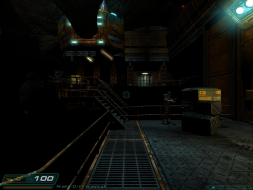
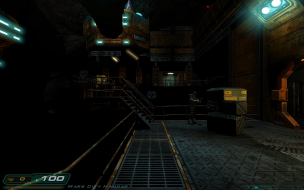
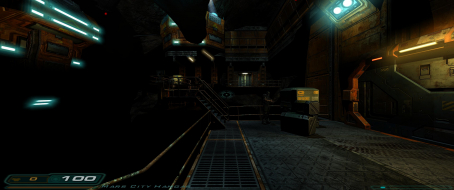
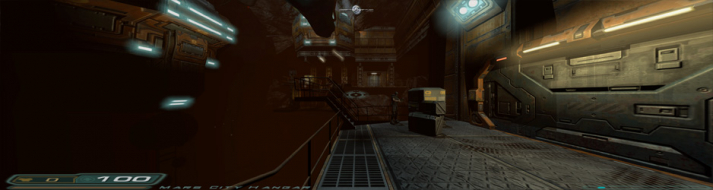
 Widescreen Grade: BUltra-Widescreen Grade: CMulti-monitor Grade: C4k Grade: IncompleteRead Full Detailed Report - Doom 3Doom3 is a Sci-Fi shooter, which is a sequel in the ongoing Doom series.
Doom 3: Detailed report
Posted: 09 Mar 2006, 05:51
by skipclarke
This is an amazing amount of work that Cranky has done. Not only did he report out on this game, but he developed the report and the format.
I have asked him to post a template in this section, so that everyone can begin posting in this new format. This will go a long way to providing better answers to just "yes/no" and will allow us to "grade" and certify games for widescreen support.
If you've previously posted a solution, please consider going back and writign a detailed report.
Doom 3: Detailed report
Posted: 30 Aug 2006, 21:05
by Miowan
is there any chance to change the antialising manually to 16x, couse every time when i try to change it, the seta r_mode returnes to 3 :cry:
Doom 3: Detailed report
Posted: 01 Sep 2006, 19:15
by cmay119
is there any chance to change the antialising manually to 16x, couse every time when i try to change it, the seta r_mode returnes to 3 :cry:
Why not just force 16x in your video card drivers?
DOOM 3 Not Working Wide...
Posted: 09 Jan 2007, 21:03
by DOHWidescreenGaming
Howdy all, looking for some help.
Using the directions provided I am unable to get Doom 3 to go wide. I am pretty sure I'm doing everything correctly with the config file, but all I get on my Dell 2007 is a box about 4 by 5 inches.
Any assistance would be appreciated.
Doom 3: Detailed report
Posted: 09 Jan 2007, 23:09
by The_cranky_hermit
Did you by any chance get the height and width mixed up? That seems to be a common mistake on games where the height appears above the width in the config file.
Doom 3: Detailed report
Posted: 11 Jan 2007, 08:12
by DOHWidescreenGaming
Excellent question, but no. I tried to invert the settings to see if it mattered. And it's not just an issue of resolution, it's also an issue of scale. The frame of the display is very small, again, 4 or 5 inches. I'm attempting to use my desktop setting of 1680 by 1050.
I appreciate the help, please continue to offer it. I'm really dying to get this going. Thanks.
Doom 3: Detailed report
Posted: 11 Jan 2007, 09:14
by DOHWidescreenGaming
Got it.
I was not adding the "-" to the seta r_mode "-1".
It's great now though... like a different game. Thank you for your help.
Doom 3: Detailed report
Posted: 07 Apr 2007, 23:35
by adadk
not working for me either. After making changes to the DoomConfig.cfg, I'll load up the game only to see it at default 640x480. I'll go back to the cfg, height and width values are still set to what i put them, but seta r_mode is now at 7, and the seta r_aspectRatio is missing altogether.
Doom 3: Detailed report
Posted: 08 Apr 2007, 02:06
by The_cranky_hermit
Do you have the latest patch?
Doom 3: Detailed report
Posted: 08 Apr 2007, 19:06
by adadk
yup. everything patched and updated.
Doom 3: Detailed report
Posted: 08 Apr 2007, 19:08
by The_cranky_hermit
What happens if you bring down the console and type "r_AspectRatio" ?
Doom 3: Detailed report
Posted: 28 Apr 2007, 17:25
by bamb0o-stick
I am having the same problem running this game on my 8800 GTS. I thought I'd reinstall this game just to run it on Ultra settings and was disappointed they never patched this for widescreen resolutions.
I already tried editing the cfg file in the Doom 3 folder, and every time I save the changes and run it, the game keeps reverting back to its default 640 x 480 settings. Not only that, but I can't seem to change it to any other resolution besides the 640 x 480. For instance, if I wanted to change it to 1600 x 1200 let's say, the game will tell me to restart and when I run it again its still at 640 x 480. This is also the same when I want to set it to 16x AA. Any solutions?
AMD Athlon 64 X2 4600
2 gb RAM
320 GB HD
EVGA 640mb 8800 GTS
Dell 2007WFP 20.1" LCD
Doom 3: Detailed report
Posted: 28 Apr 2007, 18:40
by Dem Pyros
I am having the same problem running this game on my 8800 GTS. I thought I'd reinstall this game just to run it on Ultra settings and was disappointed they never patched this for widescreen resolutions.
I already tried editing the cfg file in the Doom 3 folder, and every time I save the changes and run it, the game keeps reverting back to its default 640 x 480 settings. Not only that, but I can't seem to change it to any other resolution besides the 640 x 480. For instance, if I wanted to change it to 1600 x 1200 let's say, the game will tell me to restart and when I run it again its still at 640 x 480. This is also the same when I want to set it to 16x AA. Any solutions?
AMD Athlon 64 X2 4600
2 gb RAM
320 GB HD
EVGA 640mb 8800 GTS
Dell 2007WFP 20.1" LCD
I'm also running on an 8800GTS. However it's 1440x900 when i start the game (what i want), however it says that it's "640x480" when i start the game, even though it's in the correct format.
Doom 3: Detailed report
Posted: 28 Apr 2007, 20:11
by The_cranky_hermit
For instance, if I wanted to change it to 1600 x 1200 let's say
Your monitor can't handle 1600x1200. Your monitor is 1050 pixels tall, and 1600x1200 is 1200 pixels tall. Try using 1680x1050 instead.
Doom 3: Detailed report
Posted: 28 Apr 2007, 22:43
by bamb0o-stick
For instance, if I wanted to change it to 1600 x 1200 let's say
Your monitor can't handle 1600x1200. Your monitor is 1050 pixels tall, and 1600x1200 is 1200 pixels tall. Try using 1680x1050 instead.
Sorry I meant that as an example. I meant it wouldn't change the resolution higher than 640 x 480. I changed the cfg file to change the resolution to 1680 x 1050, but it doesn't change every time I restart the game.
Doom 3: Detailed report
Posted: 09 May 2007, 23:02
by <<UK>>Wolf
I treid it today aswell and it works ace even when the game tels me the reso is 640/480 . the screenshots tell me diffrend


Got to admit that a few times i almost needed new underwear cause of how awesome it looks now compared to my old fx 5600 card lol
Doom 3: Detailed report
Posted: 14 May 2007, 10:50
by ViciousXUSMC
<>Wolf wrote: I treid it today aswell and it works ace even when the game tels me the reso is 640/480 . the screenshots tell me diffrend
Got to admit that a few times i almost needed new underwear cause of how awesome it looks now compared to my old fx 5600 card lol
hehe ^^ this game has some great lighting and sound effects. Playing at night with surround sound on in the dark is a must.
I hate when the lights go out and I hear noises and I have to turn on my flashlight.
However for some reason I didnt like the game much, I got maybe 1/3 thru it and kinda got bored/stuck.
I on the other hand got more startled and liked doom 64 more.
So for visuals this game is A+++ but for originality it fails to me. Maybe if I get further in the game it gets better (was so sick of the same weps, low ammo, and nothing but just a imp spawning behind me and throwing fireballs and stuff)
Doom 3: Detailed report
Posted: 14 May 2007, 15:59
by The_cranky_hermit
I would say that the game gets better later on. They saved the best stuff for about the last third of the game. I would agree that the game is rather tedious and repetitive in the beginning. And the middle.
Doom 3: Detailed report
Posted: 22 Jul 2007, 02:06
by decado
Well I've followed all the directions here, I've downloaded the latest patch and everything but there is no doomconfig.cfg file. What could be wrong here, why don't I have this file? Please help me out I'm lost here.