Page 1 of 2
Matrix: Path of Neo
Posted: 12 Nov 2005, 17:50
by Paradigm Shifter
I have to admit, I've been cynical about games based on the Matrix - but this one looks like it might be worthwhile picking up...
Matrix: Path of Neo
Posted: 12 Nov 2005, 19:35
by skipclarke
I have to admit, I've been cynical about games based on the Matrix - but this one looks like it might be worthwhile picking up...
Hehe, yea me too. For some mysterious reason Paddy's screen comparisons always make me want to go out and pick that game up. :)
Here's a link to a review:
http://www.ebgames.com/ebx/product/media/relatedmedia.asp?pf_id=256860&element_id=A6139602&intDeptTab=2
Still a few issues going on. :?
Matrix: Path of Neo
Posted: 12 Nov 2005, 19:55
by Paddy the Wak
:lol: :lol: :lol:
For some mysterious reason Paddy's screen comparisons always make me want to go out and pick that game up. :)
You've been PaddyWak-ed .... :lol:
I haven't gotten into the game yet ... I'm really busy with my work ... 10 paintings on the go at once and a couple of exhibitions to attend in the next week or so ... but I just had to fire it up to see if WS worked.
Matrix: Path of Neo
Posted: 13 Nov 2005, 07:13
by LuckMC11
i only see 3 options for the resolution...which one do i choose for WS???
Matrix: Path of Neo
Posted: 13 Nov 2005, 11:12
by Paddy the Wak
Hello ...
Very strange ... I'm offered 6 resolutions.
What are you offered ?
Have you tried what kyleb said ...
Turns out the aspect ratio is stored in the the "PON Settings4" file and by deleting that and starting the game with a widescreen resolution I now have proper widescreen working.
Also ... for those in the UK there is another minor problem ... I got this from the Atari UK website ...
Issue:
If you are having problems changing either the Resolution or the Render Detail in the game Matrix Path of Neo please do the following:
For experienced users please browse to C:Program FilesAtariThe Matrix - Path of Neo
If you cannot locate the folder please follow the instructions below:
Left Click on the Windows Start Button
Left Click on My Computer
Double Left Click on the C: drive (Please note this may also have a title such as Local disk C:)
Double Left Click on the Programs File Folder
Double Left Click on the Atari Folder
Double Left Click on the The Matrix - Path of Neo Folder
Look for the file called MatrixConfig or MatrixConfig.INI
Right Click and choose properties
Un-tick the box that says Read Only
Click apply
Now restart the game and change the Brightness, Rendering Detail and Resolution accordingly.
I hope this helps ... :D
Matrix: Path of Neo
Posted: 13 Nov 2005, 18:13
by LuckMC11
well..i tried that...it didn't work...but i did get the resolution i wanted..this is what i did
i went to the config file...and i saw the other 6 resolutions u were talking about..i actually found 9 there...6 4:3 and then 3 WS resolutions...under it there is a line that says "Resolution =X" where X is the number choice for the resolution that is there...i put a number that showed the resolution above...saved...closed...and wen i started the game...it started and worked in that resolution...thanks for helping me get to that file tho!!! 8) 8)
Matrix: Path of Neo
Posted: 13 Nov 2005, 21:34
by apostglen46
GREAT finally i ll get to use my new monitor
Matrix: Path of Neo
Posted: 14 Nov 2005, 04:44
by FireHawkX
i went to the config file...and i saw the other 6 resolutions u were talking about..i actually found 9 there...6 4:3 and then 3 WS resolutions...
same as i have.... but what if the only 2 resolution you can have in widescreen are not in the 3 little one they suggest?!? i am still trying a few things... but im not sure if im gonna succeed...
seems to me that the game supporst 1080i, Y-res higher than 768 and nothing in 720p, ... if someone finds anything please report it here!! :)
thx!
laterZ
-=FireHawkX=-
Matrix: Path of Neo
Posted: 14 Nov 2005, 08:23
by kyleb
I'm not quite sure how it works, but I am now using a 4:3 resolution with the game runing in widescreen mode so it looks proper when stretched to 16:9. It has something to do with the way the config file sets itself up as if I delete that I have to start the game with a widescreen resolution the first time or else it is always 4:3 reguardless of what resolution I run. So given that,
my settings file might do the trick for those having trouble.
Matrix: Path of Neo
Posted: 17 Nov 2005, 00:39
by FireHawkX
how can you strech a 4x3 resolution to a widescreen monitor???
i'd be very gratefull if i could only manage THAT! :)
Matrix: Path of Neo
Posted: 18 Nov 2005, 01:48
by kyleb
That just depends on what display you have, with mine all it takes is pressing the aspect ratio button on the remote a few times.
Matrix: Path of Neo
Posted: 27 Jun 2006, 18:39
by Ronin2k
is there another way to run the game in other resolutions? my nativ res isnt in the options :/
need 1366 or 1360x768
Re: Matrix: Path of Neo
Posted: 21 Apr 2010, 21:01
by blackpill
It's easy. Just download the "Ureschanger2":
http://www.mediafire.com/?noudtydiqmy
There are just 2 archives in that fix:
-resolution.ini
and
-d3d9.dll
Put both in the game folder and open "resolution.ini" and write your desired resolution in this part:
[MAIN]
#Resolution
Width=1440
Height=900
Stay in Wonderland.
Re: Matrix: Path of Neo
Posted: 22 Apr 2010, 10:03
by scavvenjahh
You can download UResChanger directly from
the Racer_S Hacks page ;)
Is the game really Hor+ though ? The
comparison looks like Hor+/Vert-/vert stretch... :?
Re: Matrix: Path of Neo
Posted: 22 Apr 2010, 18:52
by blackpill
With the Ureschanger, saddly, is Stretch.

In the .ini there are 3 16:10 resolutions to set, but not the mine (1440x900).
However, in the comparation screenshot the FOV seems to be fine (except the HUD).
Any ideas of how was achieved that? Is when you can choose one of the 16:10 default resolutions from the ,ini?
Re: Matrix: Path of Neo
Posted: 22 Apr 2010, 19:59
by scavvenjahh
Found the original topic: http://www.widescreengamingforum.com/node/5875
Turns out the aspect ratio is stored in the the "PON Settings4" file and by deleting that and starting the game with a widescreen resolution I now have proper widescreen working. :D
Does that help :?:
Re: Matrix: Path of Neo
Posted: 23 Apr 2010, 03:23
by blackpill
Thanks for answer me.
And that don't work. I erase the "PON Settings4" and the only thing I get is be able to set the others wide resolutions that are in the .ini, but no 1440x900.
I try with 1980 and obiously the image was completely out of frame. I take screenshots anyway and I can see that the FOV was almost rigth.
On the other hand, the .ini is really stubborn. Only could be changed the settings that it show. I try rewrite, add, and nothing.
This is how the bastard look >
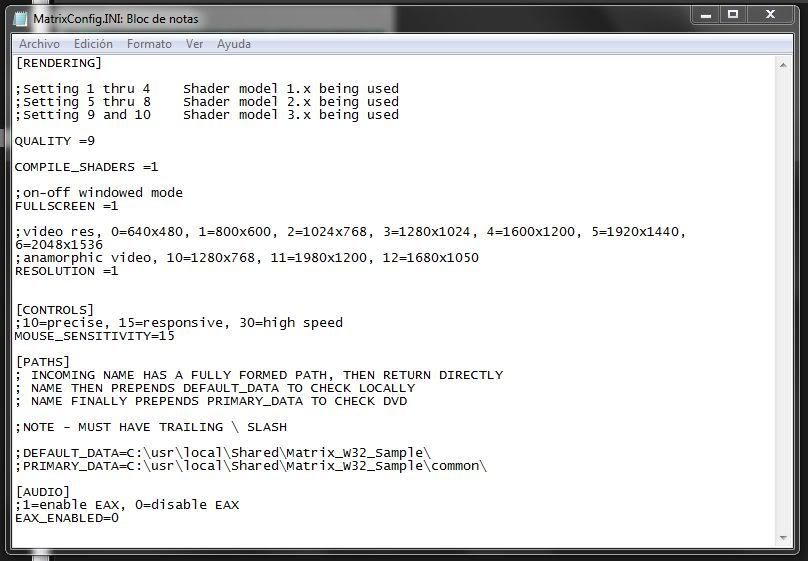
And I found a 'strange' thing: In the
Common folder there are a file called "callme_ana.txt_to enable_anamorphic". I open with WordPad and only found the line "anamorphic test file". (?)
PD: It just corss my mind... that I don't try disable "Read Only" in the .ini file. I gonna try now...
(Sorry for my elemental english, I'm Argentinean).
Re: Matrix: Path of Neo
Posted: 23 Apr 2010, 04:14
by blackpill
I DID IT!
The "Read Only" way the key! (How already have been told in this forum :wink: )
First I disable that and nothing change. I still couldn't change anything in the .ini.
Then I put back the 2 files of the UResChanger and launch the game to see if everything was "OK" ("OK"=My resolution but Strech) like before... and BANG! the FOV was like the comparasion!
So... cleaning things up:
-Disable the 'Read Only' in the 'MatrixConfig.INI' file.
-And the put in the 2 flies of the UResChanger fix in the game default folder.
-Open the 'resolution.ini' and put your disired resolution.
This is how look now in 1440x900>
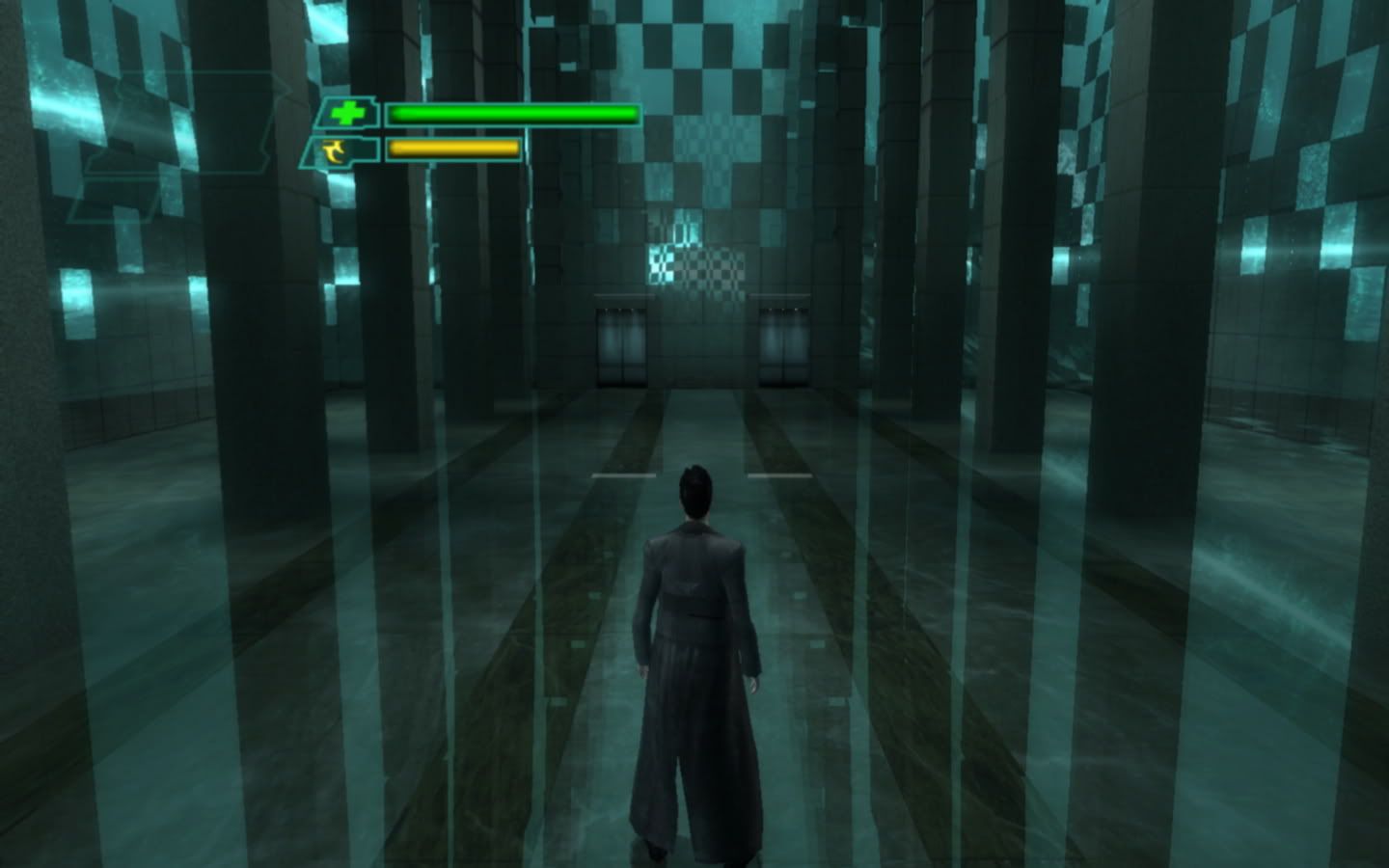
Some may note that Neo is closer to the view than in the comparison screenshot. That distance can be easily regulated using the (-) & (+) buttons of the keyboard.
The only error left is that the FOV isn't made to 16:10. By a wreid way of thinking, they put 16:10 resolutions with FOVs to 16:9. :shock:
So... this game only can be enjoyed rigth in widescreen in a strech 16:10 in a 16:9 monitor.
Something like this>
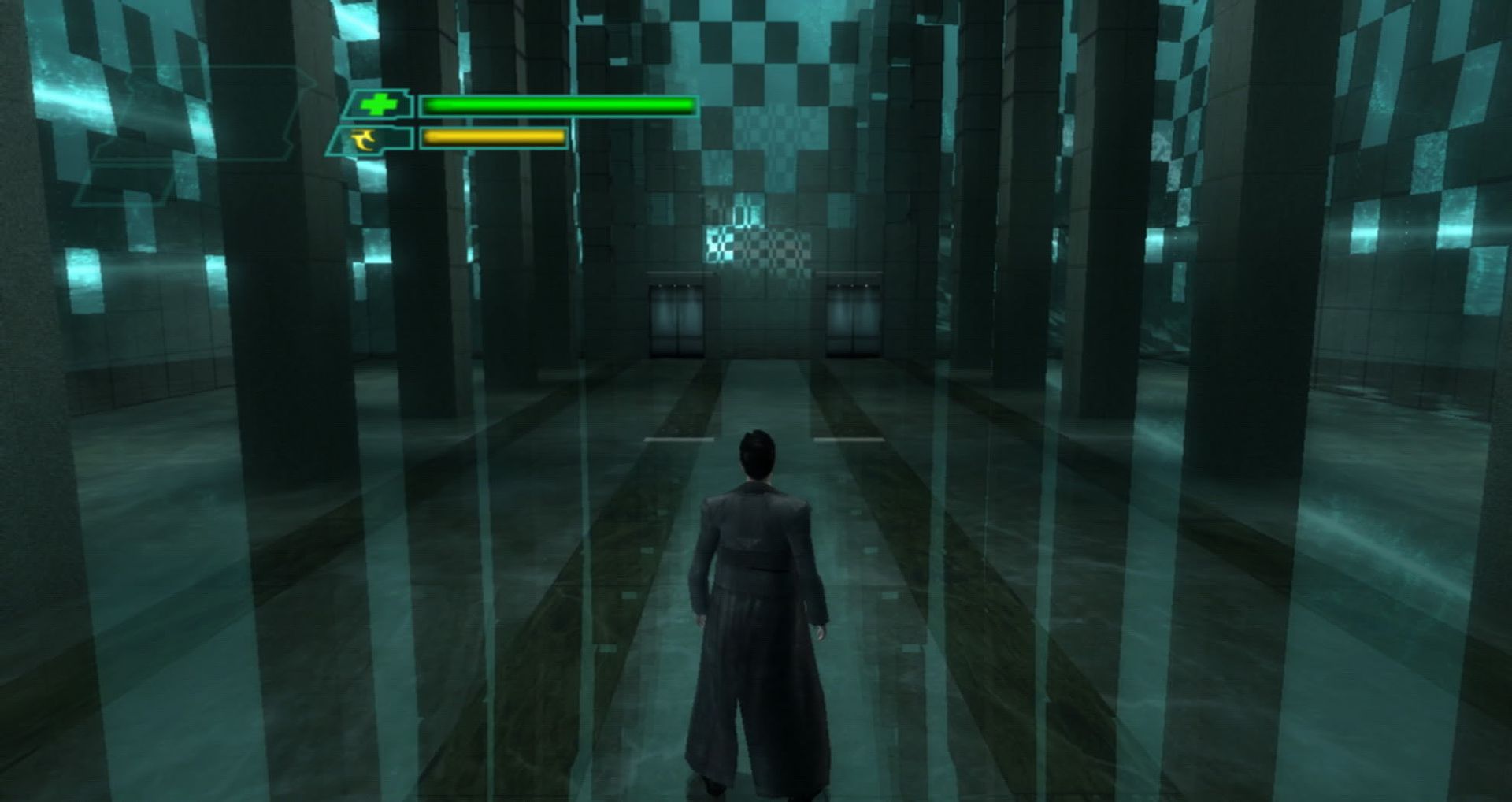
Well, I gonna put my mind to rest. thank for the help.
Re: Matrix: Path of Neo
Posted: 23 Apr 2010, 07:35
by scavvenjahh
Well done, thanks for the details :cheers
Can you try some crazy, wider-than-16:9 resolution like 1440x720 windowed for instance ? So that we get a basic idea of how the FOV works at "Surround" resolutions... although I'm pretty sure it will look like 16:9 stretched :?
Re: Matrix: Path of Neo
Posted: 24 Apr 2010, 02:16
by blackpill
My pleasure.
And I try that resolution and the result is not far form the last screenshot above. 1440x720 look like this:

You wanna I try on another resolution? A wider one? Tell me.